AI in Veterinary Medicine: How Clinics Use It Today
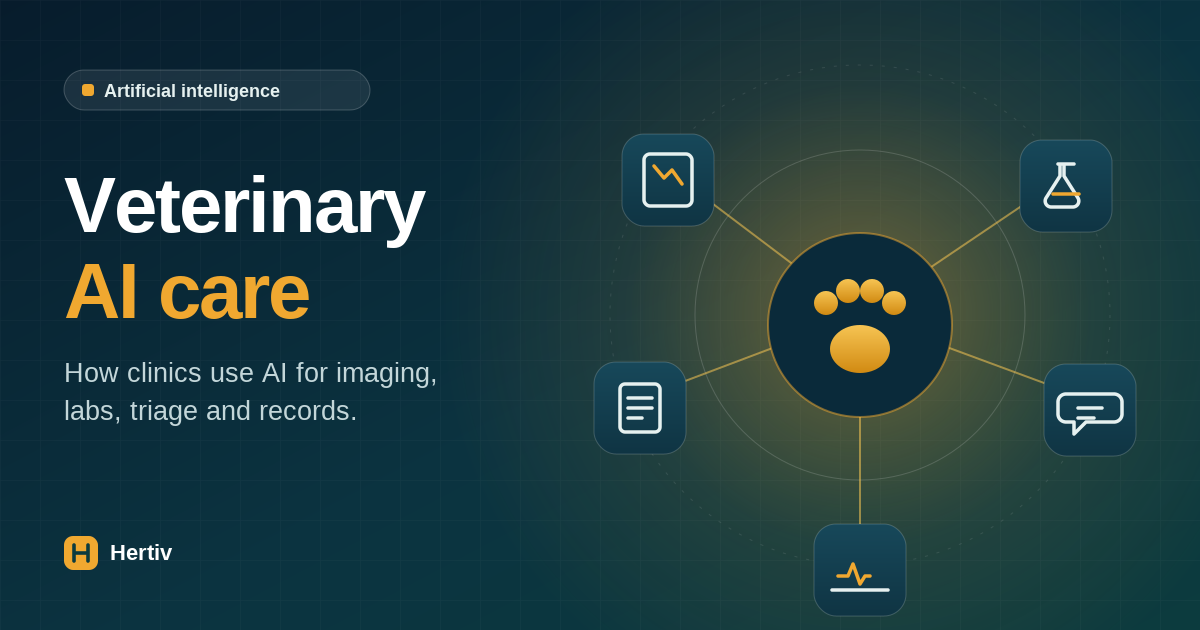
AI in veterinary medicine helps clinics read X-rays, sort lab results and manage records faster. Here is what the tools do, what they cannot do, and how to start.
On this page
Short answer
AI in veterinary medicine is software that helps vets read images, interpret lab results, sort patient records and answer routine questions. It works as an assistant: it flags what needs a closer look, drafts notes and reminders, and leaves every diagnosis and treatment decision to the vet.
What is AI in veterinary medicine?
AI in veterinary medicine is software that helps vets and their teams read images, interpret test results, keep records and handle routine admin. It does not replace the vet. It takes the repetitive parts of the job, such as measuring an image or copying values into a record, and does them first so the vet can focus on the animal.
Most tools fall into clear jobs. Imaging tools look at X-rays and ultrasounds. Lab tools read blood and urine results against normal ranges. Record tools turn spoken notes into structured records. Triage tools sort messages by urgency. None of them makes a diagnosis on its own; each one prepares material for a vet to review.
| Job | What the AI does | Where it helps most |
|---|---|---|
| Imaging | Measures and flags findings on X-rays and scans | Busy clinics with high image volume |
| Lab results | Compares values with normal ranges and trends | Clinics running many panels a day |
| Records | Turns spoken notes into structured entries | Teams drowning in admin after consults |
| Triage | Sorts messages and calls by urgency | Practices with heavy phone and chat load |
| Monitoring | Spots changes in weight, activity or appetite | Chronic cases and post-surgery recovery |
The common thread is pattern matching against examples the model was trained on: a model that has seen many labelled X-rays can point to a likely fracture, and one that has seen many lab panels can flag a value that has moved from the animal's baseline. The vet still reads the result and decides.
How does AI read X-rays and scans?
AI reads an X-ray by comparing the image with many labelled examples it was trained on, then marking the areas that look like a known finding. The output is usually a highlighted image plus a short list of what to check, not a finished report. The vet reads the image as usual and uses the AI marks as a second pair of eyes.
This works best for clear, common findings: fractures, obvious masses, enlarged organs and dental disease on dental X-rays. It works worst on unusual cases, poor-quality images and animals whose anatomy differs from the training data. A blurry image or a rare condition still needs an experienced eye, and sometimes a referral to a specialist radiologist.
The practical setup is simple. Images go from the X-ray machine to the AI tool, and the result comes back to the practice system within minutes. The vet reviews the AI marks alongside the original image before writing the report.
Computer vision is the same idea used in human medicine and in factories, and the limits are the same: the model is only as good as its training images, and it cannot see what the image does not show.
A good setup keeps the vet in charge of the final call, with the AI marks as a prompt to look closer. Computer vision tools vary widely, so a clinic should trial one on its own images before buying.
What does AI do with lab results and records?
AI lab tools read a blood or urine panel and compare each value with the normal range for the species, age and breed, then flag the values that matter and show how they have moved over time. The useful part is the trend: a value that is still inside the normal range but has doubled since the last visit can matter more than a single high reading.
Record tools listen to the consult, either live or from a recording, and draft the clinical notes: history, findings, plan and follow-up. The vet reads the draft, corrects it and signs it. This saves the end-of-day admin block that many vets work through after the last appointment, and it keeps the record complete while the consult is still fresh in mind.
Both jobs need clean data to work well. Lab tools need the animal's past results in the system, not on paper. Record tools need the practice system to accept the draft without retyping. Before buying either, check that the tool connects to the practice management software the clinic already uses, because a tool that cannot read or write to the main system creates more work than it saves.
How do clinics use AI for triage and client messages?
Triage tools read incoming messages, emails and online booking forms and sort them by urgency: an animal that is not eating and is vomiting goes to the top of the list, a routine vaccination question goes to a standard reply. The tool does not diagnose the animal. It routes the message to the right person with the right priority, and drafts a reply for a member of staff to check and send.
This helps most in practices where the phone never stops. Reception staff spend less time reading long messages to work out what the owner is asking, and urgent cases are less likely to sit in a queue behind routine ones. The replies the AI drafts should always be checked before they go out, because a wrong instruction about a sick animal can cause real harm.
Client-facing chat tools can also answer the questions that come up again and again: opening hours, how to prepare a pet for surgery, what to do after a vaccination. The safe rule is to let the AI answer admin questions only, and to hand every question about symptoms, medicines or treatment to a person. A clear boundary here protects both the animal and the clinic.
How do you start using AI in a veterinary clinic?
Start with one job that is slow, repetitive and easy to measure, and run it as a small pilot before paying for anything clinic-wide. Imaging is the usual first choice, because the result is easy to check: the vet can see at once whether the AI marks match what they see on the image.
Follow these steps to run a pilot that gives a clear answer:
- Pick one job. Choose imaging, lab review or note-taking, and write down what it costs in time today.
- Pick one tool. Choose a tool that connects to the practice system and offers a trial on real cases.
- Run it on real cases for two weeks. Keep the vet's normal workflow unchanged and record where the AI helped and where it was wrong.
- Check the results with the team. Ask the vets who used it whether it saved time and whether they trusted the output.
- Decide on the numbers. Keep the tool only if it saves measurable time or catches things the team missed, and drop it if it adds checks without saving effort.
- Write the rules down. Agree who reviews AI output, what the AI may never decide alone, and how client data is handled.
The same pattern works in human healthcare, where AI in healthcare started with narrow pilots before spreading to wider use. A clinic that runs one careful pilot learns more in two weeks than a clinic that buys three tools at once and never measures any of them.
Example (hypothetical): a three-vet clinic adds AI imaging
Example (hypothetical): a three-vet clinic reads about 10 X-rays a day. Each one takes a vet about 15 minutes to read and report, so imaging takes about 150 minutes of vet time a day. The clinic trials an AI imaging tool that pre-reads each image and drafts the measurements.
With the tool, the vet still reads every image but spends about 7 minutes per case checking the AI marks and writing the report, instead of 15. That saves 8 minutes on each of the 10 cases, which is 80 minutes a day. Over a five-day week that is 400 minutes, or about 6 hours and 40 minutes of vet time freed for consults.
The clinic also counts the errors. In the two-week trial the AI missed one finding that the vet caught, and flagged three findings that turned out to be nothing. The team decides the tool is worth keeping, but only with the rule that every AI report is checked by a vet before it reaches the owner. The saving is real, and so is the need for the human check.
What are the common mistakes?
The most common mistake is treating the AI output as a diagnosis. An AI flag is a suggestion to look closer, not a finding. Clinics that let AI reports go to owners unchecked, or that let junior staff act on AI flags without a vet reviewing them, take on risk they do not need. Every AI output that touches a patient should pass a vet's eyes first.
The second mistake is buying before checking the connection to the practice system. A tool that cannot read images or write notes into the system the clinic already uses forces double entry, and double entry kills the time saving. Check the integration on a real trial before signing anything.
The third mistake is skipping the rules on client data. Images, lab results and consult recordings are client data. Before any tool is used, the clinic should know where the data is stored, who can see it, and whether the vendor uses it to train its models. If the answers are not clear, the tool is not ready for the clinic.
Key takeaways
- AI in veterinary medicine assists vets with imaging, labs, records and triage; it does not diagnose on its own.
- Imaging tools are the easiest first pilot because the vet can check the AI marks against the image at once.
- Lab tools add the most value from trends over time, not from single readings.
- Every AI output that touches a patient should be reviewed by a vet before it reaches the owner.
- Check the connection to the practice system and the rules on client data before buying any tool.
Frequently asked questions
Can AI diagnose a pet on its own?
No. AI tools can flag findings on an image or a lab panel and draft notes, but a diagnosis needs a vet who has examined the animal, knows its history and can weigh the whole picture. Every AI output should be reviewed by a vet before it shapes a decision.
What is the best first AI tool for a veterinary clinic?
Imaging is usually the best first step, because the result is easy to check and the time saved is easy to measure. Lab review and note-taking are also good first pilots. Pick the job that takes the most repetitive time in your clinic, not the tool with the longest feature list.
Does AI work for all animals and breeds?
It works best for the animals and conditions it was trained on, which usually means dogs and cats with common findings. Unusual species, rare conditions and poor-quality images are where AI is least reliable, and those cases still need an experienced vet or a specialist.
How much does AI for a vet clinic cost?
Most tools charge a monthly fee, often per vet or per case, so the cost depends on the size of the clinic and how many images or cases it runs. Ask for a trial on real cases and work out the cost per case before signing. See the vendor site for current pricing.
Is client data safe with AI tools?
It depends on the vendor. Before using any tool, ask where the data is stored, who can access it, how long it is kept and whether it is used to train models. If the vendor cannot answer clearly, do not use the tool with real patient data.
Will AI replace vets?
No. AI takes the repetitive parts of the job, such as measuring images and drafting notes, and leaves the parts that need judgement, hands and a relationship with the owner. A vet who uses AI well can see more animals and spend more of the consult talking to the owner.