AI in Spend Management: What It Automates and How to Start
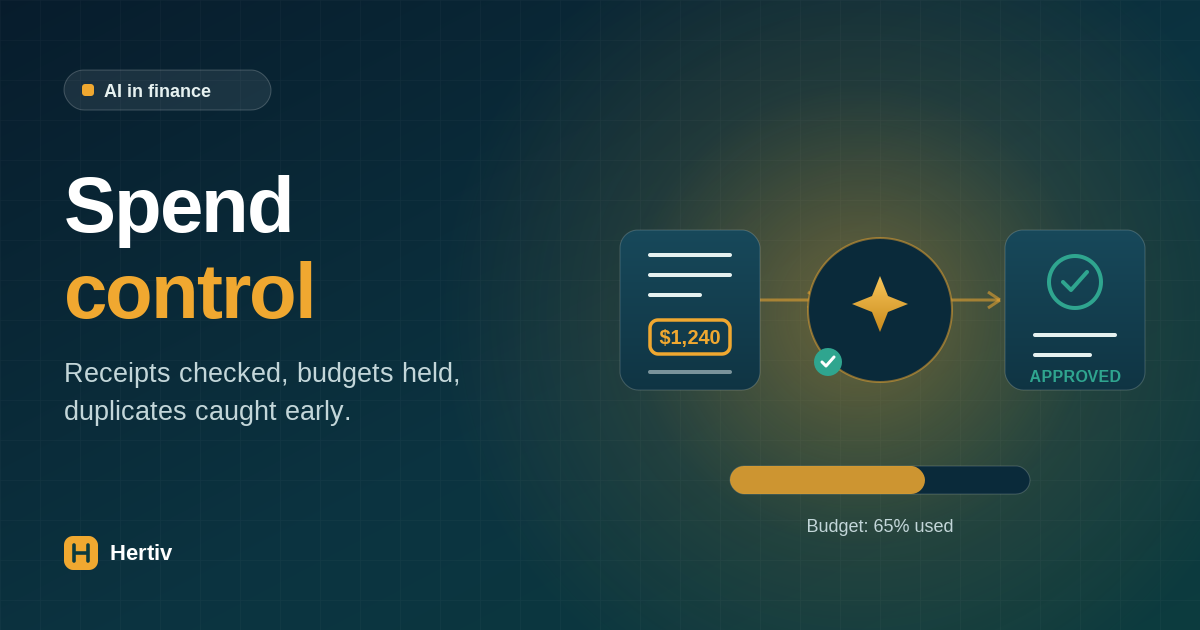
AI in spend management reads receipts, invoices and card transactions, checks them against policy and budgets, and flags problems before money leaves the business.
On this page
Short answer
AI in spend management is software that reads receipts, invoices and card transactions, checks each one against company policy and budgets, and flags duplicates, out-of-policy items and unusual amounts for a human to review. It gives finance teams a live view of spending instead of a month-end surprise.
What is AI in spend management?
AI in spend management is the use of software that reads spending data, checks it against company rules and budgets, and flags problems before money leaves the business. It sits on top of the tools a finance team already uses: corporate cards, expense apps, invoices and the accounting system.
Instead of a person reading every receipt and invoice, the software reads the text, the amount, the vendor and the category, then compares each item with the policy. Items that fit the rules pass through. Items that do not fit are held for a human to review.
The point is control, not paperwork. A finance team sees spending as it happens, rather than at month end, and can stop a duplicate payment or an out-of-policy purchase while it is still possible to act. For teams building this kind of automation, AI agents for finance covers the control points that matter most.
What does AI automate in the spending cycle?
AI automates the repetitive checks in the spending cycle: reading documents, coding transactions, applying policy rules, routing approvals and watching for duplicates. The human work that remains is judgement: approving exceptions, setting policy and talking to vendors.
| Step | What the AI does | What a person still does |
|---|---|---|
| Receipt capture | Reads receipts and invoices into structured fields | Checks anything the software could not read |
| Coding | Assigns category, cost centre and tax code | Fixes codes for new or unusual vendors |
| Policy check | Compares each item with spending rules | Decides on exceptions and edge cases |
| Approval routing | Sends items to the right approver | Approves or rejects the flagged items |
| Duplicate detection | Matches invoices and card charges | Confirms whether a match is a real duplicate |
| Budget check | Shows spend against budget in real time | Sets budgets and decides on overspend |
Start with receipt capture and coding, because those two steps hold most of the manual work. Policy checks and duplicate detection pay off next, once the data flowing through the system is clean and consistent.
How does AI catch duplicate and out-of-policy spending?
AI catches duplicates by matching invoices, card charges and expense claims on vendor, amount, date and reference number, even when the wording differs slightly. It catches policy breaches by comparing each item with written rules, such as spending limits, approved vendors and receipt requirements.
For duplicates, the software looks for near matches rather than exact ones. The same hotel stay can appear as a card charge, a booked invoice and an expense claim, with different dates and descriptions. Matching on several fields at once surfaces those cases, and a person confirms whether the match is a genuine duplicate before anything is rejected.
For policy, the rules are the ones the finance team already has: a hotel cap, a rule that flights need pre-approval, a list of approved software vendors. The software applies them to every item, every time, which is the part people cannot do reliably at volume. A comparison of the tools that do this work is in the SaaS spend management software shortlist.
How does AI help with budgets and approvals?
AI helps with budgets by showing spend against budget as it happens, not at month end. When a team is close to its limit, the software can warn the manager and hold new requests until the budget is reviewed, which prevents overspend rather than reporting it afterwards.
For approvals, the software routes each item to the right person based on amount, category and cost centre, and it can approve low-risk items itself when the rules allow it. A small, in-policy purchase below a set limit can pass without waiting for a manager, while a large or unusual item goes to a human with the relevant detail attached.
The approval history also becomes a record. When a manager asks why a purchase was approved, the answer is in the system: who approved it, when, and which rule it passed. That record matters most during audits and budget reviews.
How to start with AI in spend management
You start with AI in spend management by fixing the data and the rules first, then automating one step at a time. A tool layered over messy categories and unwritten policy will only produce faster confusion.
- List where money leaves the business. Cards, invoices, subscriptions and reimbursements, with the system each one flows through today.
- Write the policy down. Spending limits, approved vendors, receipt rules and who approves what. If a rule is not written, the software cannot apply it.
- Clean the categories. Merge duplicate cost centres and vendor names so the software can match items reliably.
- Automate receipt capture and coding first. This is where most of the manual hours sit, and it improves the data for every later step.
- Add policy checks and duplicate detection. Route only the flagged items to people, and measure how many flags are real problems.
- Connect budgets and approvals. Show live budget positions and auto-approve the smallest in-policy items.
Run the new checks in parallel with the old process for a month. Compare the flags with what your team would have caught by hand, then switch over once the match rate is good.
Example (hypothetical): a mid-size company cuts review time
Example (hypothetical): a 150-person company processes 1,200 expense claims and invoices a month. Today a finance assistant reads every one, spending about 4 minutes per item, which is 1,200 x 4 = 4,800 minutes, or 80 hours a month.
The company adds software that reads each document, codes it and checks it against policy. It flags 180 items as out of policy or possible duplicates, and passes the other 1,020 through. A reviewer now checks only the 180 flagged items at 4 minutes each, which is 180 x 4 = 720 minutes, or 12 hours a month.
The saving is 80 minus 12, or 68 hours a month, and the flagged items get more attention than they did before, because the reviewer is no longer tired from reading the 1,020 clean ones. The duplicate check also catches two double-paid invoices in the first month, which the manual process had missed.
What are the common mistakes?
The most common spend management mistakes are automating before the policy is written, trusting the software on high-value items too early, and ignoring the data the software produces.
- Automating an unwritten policy. If approvers decide by feel, the software has nothing consistent to apply, and staff lose trust in its flags.
- Auto-approving large items. High-value purchases should stay with a human until the system has proved itself on small ones.
- Ignoring duplicate alerts. A flagged duplicate that nobody checks is the same as no check at all.
- Dirty vendor and category lists. The same vendor under three spellings defeats matching, so clean the lists first.
- No feedback loop. When reviewers overturn a flag, that decision should feed back into the rules, or the same false flags keep coming.
Key takeaways
- AI reads receipts, invoices and card charges and checks them against policy and budgets
- Duplicates and out-of-policy items are held for a human; clean items pass through
- Budgets are checked live, so overspend is stopped before it happens, not reported after
- Start with receipt capture and coding, then add policy checks and duplicate detection
- Auto-approve only small, low-risk items at first, and raise the limit as the error rate stays low
Frequently asked questions
What is AI in spend management?
It is software that reads spending documents, checks each item against company policy and budgets, and flags duplicates and out-of-policy items for a human to review. It works on top of cards, expense apps, invoices and the accounting system the finance team already uses.
Can AI approve spending on its own?
It can approve small, low-risk items that pass every written rule, when the finance team has set that up. Large or unusual items should still go to a human. Most teams start with a low auto-approval limit and raise it once the error rate proves low.
How does AI find duplicate payments?
It matches invoices, card charges and expense claims on vendor, amount, date and reference number, looking for near matches rather than exact ones. A person then confirms whether a match is a genuine duplicate before the payment is stopped or rejected.
Does AI in spend management replace the finance team?
No. It removes the reading and checking of routine items, which is most of the volume. People still set policy, decide exceptions, talk to vendors and handle audits. The team spends its time on the items that need judgement instead of the ones that do not.
What data does it need to work well?
Clean categories, consistent vendor names, a written spending policy and access to cards, invoices and the accounting system. Dirty lists and unwritten rules are the usual reason a first rollout produces weak results.
How long does it take to see results?
Receipt capture and coding usually show time savings within the first month, once the categories are clean. Policy checks and duplicate detection need a few weeks of parallel running to tune the rules before they can be trusted on their own.