Best Voice of Customer Software: 8 Tools to Compare
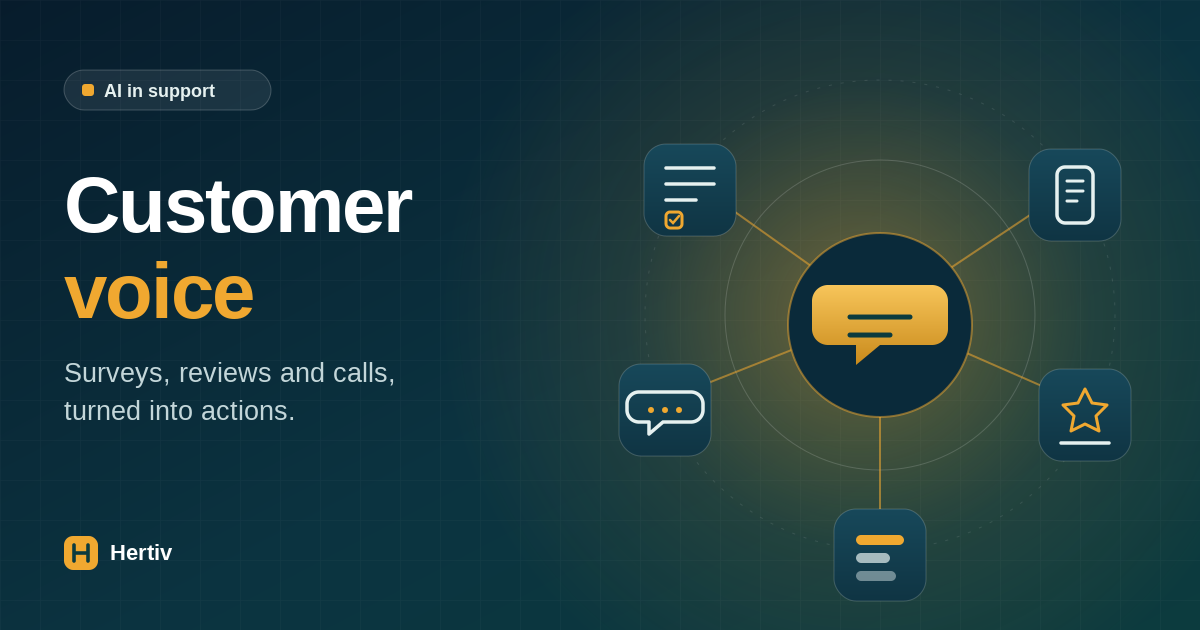
The best voice of customer software collects surveys, reviews and support feedback, groups it into themes, and turns it into tracked actions.
On this page
Short answer
The best voice of customer software collects surveys, reviews, support chats and call feedback in one place, groups what customers say into themes, and turns those themes into actions a team can track. The right choice depends on which channels you need and whether you want deep analysis or simple surveys.
Which voice of customer software should you compare first?
The voice of customer tools worth comparing first are the ones that cover the channels your customers already use: surveys after a purchase, reviews on public sites, support chats and call transcripts. A tool that only does surveys will miss what customers say when they are not being asked.
Use this comparison to shortlist. Prices are given as "see vendor site" because plans change often and depend on volume.
| Tool | Best for | Main channels | Analysis |
|---|---|---|---|
| Qualtrics | Large feedback programmes | Surveys, web, email, calls | Text analysis, dashboards |
| Medallia | Multi-channel listening | Surveys, reviews, social, calls | Theme detection, alerts |
| SurveyMonkey | Fast surveys | Surveys, email, web | Charts, basic text analysis |
| Typeform | Conversational surveys | Surveys, web, chat | Drop-off and answer views |
| InMoment | Experience data at scale | Surveys, reviews, calls | Text and speech analysis |
| GetFeedback | Salesforce teams | Surveys, email, web | CRM-linked dashboards |
| AskNicely | Frontline coaching | Surveys, SMS, email | Scores by team and person |
| Zonka Feedback | Location feedback | Surveys, kiosks, SMS, email | Location and trend reports |
Start with two or three tools that cover your main channels, then test them on a real survey before committing. A tool that looks good in a demo can still be slow to set up on your own data.
Qualtrics and Medallia: enterprise feedback at scale
1. Qualtrics: best for large feedback programmes
Qualtrics is the most widely used enterprise feedback platform, built for companies that run many surveys across many teams and need one place to analyse them. It covers surveys, web intercepts, email and call feedback, and it can route results to the team that owns each issue.
Its strength is analysis depth: text analysis groups open comments into themes, and dashboards can be cut by product, region or segment. The trade-off is setup effort; a small team will need help to get the most from it. Pricing is on application, so see vendor site.
Pros:
- Deep text analysis and flexible dashboards
- Covers surveys, web, email and call feedback
- Strong workflow routing to owning teams
Cons:
- Setup is heavy for small teams
- Pricing is not published
2. Medallia: best for multi-channel listening
Medallia collects feedback from surveys, reviews, social posts, support chats and calls, then groups it into themes and sends alerts when a theme spikes. It suits companies that hear from customers in many places and want one view of it.
Its alerting is the feature teams mention most: when negative mentions of a topic rise, the owning team is told the same day. Like Qualtrics, it is an enterprise platform, so expect a longer implementation and a sales-led price. See vendor site for plans.
Pros:
- Listens across surveys, reviews, social and calls
- Alerts when a theme spikes
- Built for large, multi-team programmes
Cons:
- Longer implementation than survey-only tools
- Pricing is not published
SurveyMonkey and Typeform: surveys teams can launch fast
3. SurveyMonkey: best for fast surveys
SurveyMonkey is the quickest way to send a survey and get results. It offers ready-made templates for satisfaction, NPS and product feedback, and results appear in charts as responses arrive. It suits teams that need answers this week, not a feedback programme.
Its text analysis is basic compared with enterprise platforms, and it does not listen to reviews or calls. For a team starting with surveys only, that is usually fine. Plans start with a free tier and paid plans are listed on the vendor site.
Pros:
- Fastest to launch a survey
- Ready-made templates for common surveys
- Free tier for small surveys
Cons:
- Basic text analysis
- No review or call listening
4. Typeform: best for conversational surveys
Typeform shows one question at a time in a conversational layout, which usually lifts completion rates compared with long form surveys. It suits teams that ask customers a few questions after a purchase or a support chat and want honest, finished answers.
It is a survey tool, not a listening platform: it will not pull in reviews or call transcripts. Its strength is the experience, and its reporting is simpler than SurveyMonkey. Plans are listed on the vendor site.
Pros:
- High completion rates from the one-question layout
- Easy to embed in web and chat flows
- Clean, simple reporting
Cons:
- Survey-only, no review or call listening
- Limited analysis compared with enterprise tools
InMoment and GetFeedback: feedback tied to the customer record
5. InMoment: best for experience data at scale
InMoment combines surveys, reviews and call analysis into one experience platform, with text and speech analysis that groups feedback into themes. It suits companies with high volumes of customer contact that want to find the issues behind the scores.
Its speech analysis is the differentiator: call recordings are transcribed and themed alongside survey answers, so a problem that customers mention on calls shows up in the same dashboard. Pricing is on application, so see vendor site.
Pros:
- Text and speech analysis in one place
- Surveys, reviews and calls combined
- Strong theme detection
Cons:
- Enterprise pricing, not published
- Needs volume to justify the cost
6. GetFeedback: best for Salesforce teams
GetFeedback is built to work inside Salesforce, so survey responses land on the customer record and trigger follow-up tasks automatically. It suits teams that already live in Salesforce and want feedback tied to accounts, cases and opportunities.
Because it is so tied to Salesforce, teams on other CRMs get less value from it. For Salesforce teams, though, the integration saves the manual work of matching responses to records. Plans are listed on the vendor site.
Pros:
- Deep Salesforce integration
- Responses trigger follow-up tasks
- Feedback tied to the customer record
Cons:
- Little value outside Salesforce
- Survey-focused, limited listening
AskNicely and Zonka Feedback: frontline and location feedback
7. AskNicely: best for frontline coaching
AskNicely sends short surveys by SMS or email after a service interaction, then shows scores by team member and location so managers can coach the people behind the numbers. It suits service businesses where the frontline staff make the difference.
Its reporting is built around coaching: who is improving, who needs help, and which locations are slipping. It does not try to be a general listening platform, and that focus is why teams pick it. Plans are listed on the vendor site.
Pros:
- Scores broken down by person and location
- Built for coaching, not just reporting
- Quick SMS and email surveys
Cons:
- Narrower than enterprise listening platforms
- No review or call analysis
8. Zonka Feedback: best for location feedback
Zonka Feedback collects surveys at physical locations through kiosks, tablets and SMS, as well as by email and web. It suits hotels, clinics, stores and restaurants that want to know what customers thought before they leave the building.
Its location reporting shows how each site performs over time, which is hard to get from a general survey tool. The analysis is simpler than the enterprise platforms, but for multi-site businesses the location view matters more. Plans are listed on the vendor site.
Pros:
- Kiosk and tablet surveys for physical locations
- Clear per-location reporting
- Good value for multi-site businesses
Cons:
- Simpler analysis than enterprise tools
- No call or social listening
How to choose voice of customer software
Choose voice of customer software by starting from your channels and your follow-up process, not from the feature list. A tool that collects feedback you never act on is wasted money.
- List your channels. Surveys, reviews, support chats, calls and social posts, in order of volume. Pick a tool that covers the top two or three.
- Decide who acts on the feedback. If nobody owns the follow-up, even the best analysis will sit unread. Name the owner before you buy.
- Check the analysis. Run your own past feedback through a trial and see whether the themes it finds match what your team already knows.
- Test the integrations. Responses should reach your CRM or ticketing system without manual export, or the follow-up will not happen.
- Start with one survey. Launch a single post-purchase or post-support survey, prove the follow-up loop works, then add channels.
For teams that want AI to read support conversations as part of the feedback loop, AI agents for customer support covers how that reading and routing works.
What are the common mistakes?
The most common voice of customer mistakes are collecting feedback nobody acts on, asking too many questions, and treating the score as the goal instead of the themes behind it.
- Collecting without acting. If customers see no change after giving feedback, they stop giving it.
- Surveys that are too long. Completion drops sharply after a few questions, and the answers you do get come from your most patient customers only.
- Chasing the score. A rising NPS with no idea why it rose is not progress. The themes behind the score are what you can act on.
- Ignoring the channels you do not survey. Reviews and calls often hold the complaints that surveys never capture.
- No closed loop. Negative feedback should reach a named person with a deadline, not a shared inbox.
Key takeaways
- Voice of customer software joins surveys, reviews, chats and calls into one view
- Enterprise tools listen across channels; survey tools are faster to launch but narrower
- Pick by your top channels and by who will act on the feedback
- Test the analysis on your own past feedback before you commit
- Start with one survey and prove the follow-up loop works before adding channels
Frequently asked questions
What is voice of customer software?
It is software that collects what customers say through surveys, reviews, support chats and calls, groups it into themes, and turns those themes into actions a team can track. It replaces scattered spreadsheets and inboxes with one view of customer feedback.
What is the difference between VoC software and a survey tool?
A survey tool only asks questions and reports answers. Voice of customer software also pulls in reviews, chats and calls, analyses the text for themes, and routes issues to the team that owns them. Survey tools are cheaper and faster to launch.
How much does voice of customer software cost?
Survey tools such as SurveyMonkey and Typeform publish plans starting with a free tier. Enterprise listening platforms such as Qualtrics, Medallia and InMoment price by volume and features, so you need to ask the vendor. See vendor site for current plans.
Which tool is best for a small business?
SurveyMonkey or Typeform usually fit best, because they launch fast and cost little. AskNicely fits service businesses that want coaching by team member. Enterprise platforms only make sense once feedback volume and channels grow beyond surveys.
How do you act on voice of customer feedback?
Assign each theme to a named owner with a deadline, and track whether the theme shrinks over time. Negative feedback from one customer should trigger a follow-up contact; a theme across many customers should trigger a fix to the product or process.
Can AI analyse voice of customer feedback?
Yes. Most modern tools use text analysis to group open comments into themes and flag rising issues. Some also analyse call recordings. The analysis is only as good as the feedback it reads, so clean, well-tagged data still matters.