What Does Veterinary Practice Management Software Cost to Develop?
Veterinary practice software covers bookings, records, billing and reminders. This guide breaks down what drives the build cost and what a first version includes.
On this page
Short answer
Veterinary practice management software is the system a vet clinic uses to book appointments, keep patient records, manage billing and send reminders. Its development cost depends on the features included, the number of clinics it must serve, and the rules around medical records and payments. This guide breaks down the main cost drivers and what a sensible first version includes.
What is veterinary practice management software?
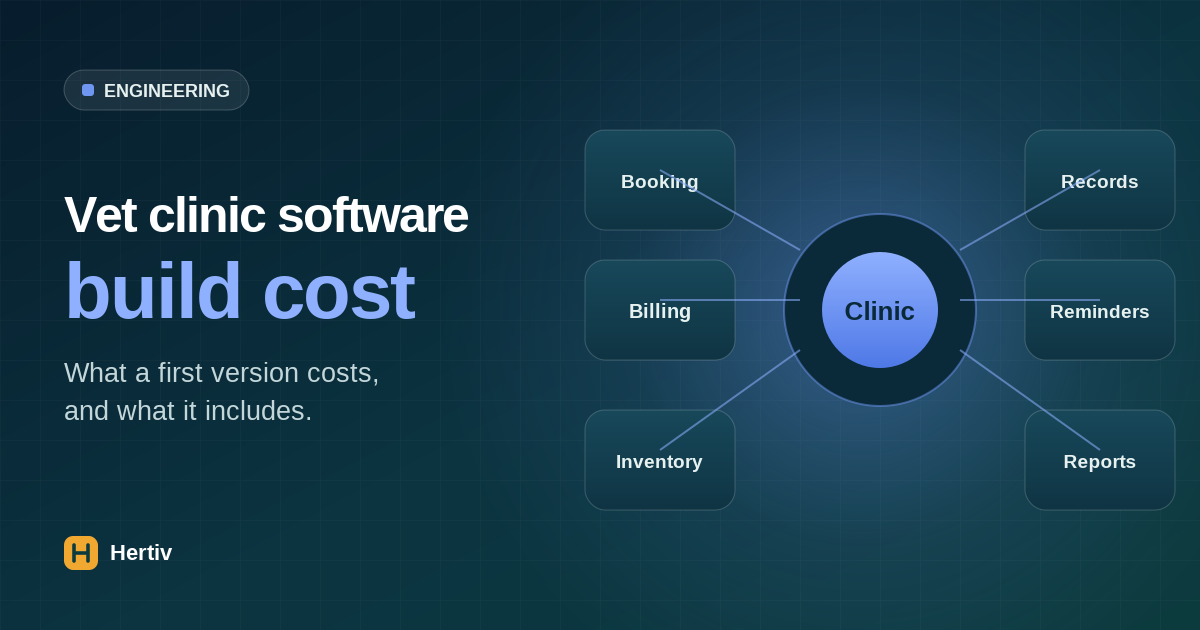
Veterinary practice management software is the system a vet clinic uses to run its daily work. It holds patient records for each animal, books appointments, tracks treatments and vaccinations, manages inventory such as medicines, handles billing and sends reminders to pet owners.
A single clinic can often work with an off-the-shelf product, but a group of clinics, a franchise or a team with a specific workflow may need custom software. Custom development makes sense when the workflow is unusual, when several systems must connect, or when the practice wants to own its data and its roadmap.
The software is not just a booking tool. It is the record of care: what was done, when, by whom and what it cost. That makes accuracy and access control more important than in many other kinds of business software.
What drives the cost of building it?
Five factors drive most of the cost. The feature list matters most: a booking and billing system costs far less than one that also handles lab results, imaging and multi-clinic stock. The number of users and clinics matters next, because permissions and data separation add work.
| Cost driver | What it changes | Typical effect |
|---|---|---|
| Feature scope | Records, billing, reminders, lab, imaging | More features, more build time |
| Integrations | Payment, lab systems, accounting | Each connection adds weeks |
| Compliance | Records, privacy, payment rules | More testing and documentation |
| Platforms | Web only, or web plus mobile | Mobile adds a second build |
| Team and rates | Size and location of the team | Rates vary by market |
Integrations are the cost driver teams most often underestimate. Connecting to a lab system or a payment provider looks small on paper, but each one needs testing, error handling and support when the other side changes. AI app development cost follows the same pattern: integrations and data work drive the bill more than the screens do.
What does a first version usually include?
A sensible first version covers the daily work of one clinic and leaves the rest for later. The core is patient records, appointment booking, treatment history, billing and reminders. Those five cover most of what reception and vets do every day.
Reminders deserve special attention in the first version, because they directly affect whether pet owners return. A reminder system needs the next due date for each treatment, the owner's preferred channel, and a way to record that the reminder was sent. Getting this right early pays for itself in repeat visits.
The second group of features usually follows: inventory for medicines, vaccination schedules, online booking for pet owners, and simple reports on revenue and visits. Lab integrations, imaging and multi-clinic management are better as later phases, once the core is proven in daily use.
Keeping the first version small has a second benefit: it is easier to test. A system that holds medical records must be right, and a smaller scope means the team can test every path before the clinic depends on it. How to validate an app idea explains how to check which features the first version really needs.
How long does it take to build?
A first version for a single clinic typically takes several months with a small team: a product owner, one or two developers, a designer and a tester. The exact time depends on the feature list and on how quickly the clinic can answer questions about its workflow.
The slowest part is rarely the code. It is the decisions: what a treatment record must contain, who can see what, and how billing handles part payments. Clinics that can name one person to answer those questions move much faster than clinics where every decision needs a meeting.
Plan for testing time as well. A booking bug is annoying; a billing or records bug is serious. Budget at least a few weeks for testing with real clinic data, and keep the old system running in parallel until the new one has handled a full week of real appointments.
Example (hypothetical): a first-version budget for one clinic
Example (hypothetical): a single clinic plans a first version with records, booking, billing and reminders. The team estimates 1,800 hours of work at 75 dollars an hour, which is 135,000 dollars. Design and testing are included in that estimate.
On top of that, the clinic budgets 8,000 dollars for payment integration, 5,000 dollars for hosting and tools in the first year, and 4,000 dollars for training the staff. That brings the total to 152,000 dollars. Adding a 10 percent reserve of 15,200 dollars gives a planning budget of 167,200 dollars.
The reserve is not padding. It covers the things every clinic discovers during testing, such as a reminder rule that does not fit how the clinic actually works. A budget without a reserve is a budget that will be exceeded.
What does it cost to run after launch?
Running costs are smaller than the build cost but they never stop. Hosting, backups and monitoring are the base, and they grow with the number of clinics and records. Support is the next line: someone has to answer when the system is down on a Saturday morning.
Updates are a third cost. Payment rules change, operating systems change, and the clinic will ask for small improvements. Budgeting a fixed amount each month for maintenance keeps the system healthy instead of letting it age until a big rebuild is needed.
A useful rule is to plan annual running costs as a share of the build cost and to review them every year. If the system serves more clinics, the cost per clinic falls, which is one reason groups of clinics often build together. How to build a SaaS product covers the same running-cost thinking for multi-customer software.
Common mistakes
The most common mistake is copying the feature list of a large product. A single clinic does not need multi-clinic stock management on day one, and building it anyway spends the budget on features nobody uses.
Another mistake is skipping the records rules. Who can edit a treatment record, who can see billing, and how long records are kept are decisions that must be made before the build, not after a problem.
Teams also underestimate training. Reception staff and vets work under time pressure, and a system they do not trust will be worked around with paper notes. Budget time to train the whole team and to listen to the first month of complaints.
Key takeaways
- Cost depends most on feature scope, integrations and the number of clinics.
- A first version should cover records, booking, billing and reminders.
- Integrations with labs and payments are the most underestimated cost.
- Plan a 10 percent reserve and a full week of parallel running.
- Running costs include hosting, support and regular updates.
Frequently asked questions
How much does veterinary software cost to build?
There is no single price: it depends on features, integrations and team rates. A first version for one clinic with records, booking, billing and reminders is a multi-month project. Use the worked example in this guide as a template and price it with your own team.
Is custom software better than an off-the-shelf product?
An off-the-shelf product is usually cheaper for a single clinic with standard needs. Custom software fits a group of clinics, an unusual workflow, or a team that wants to own its data and roadmap.
What features matter most in the first version?
Patient records, appointment booking, treatment history, billing and reminders cover most daily work. Inventory, online booking and reports usually follow, while lab and imaging integrations come later, once the core is proven in daily use.
How long does it take to build?
A first version for one clinic typically takes several months with a small team. The slowest part is usually decisions about records, permissions and billing, so naming one person to answer questions speeds the work up.
What are the running costs after launch?
Hosting, backups, monitoring, support and regular updates run every month. Plan them as a share of the build cost and review them yearly, since costs per clinic fall as more clinics use the system.
Do I need a mobile app as well?
Most clinics start with a web app for staff and add a mobile app for pet owners later. A mobile app adds a second build, so it is worth waiting until the web version is proven in daily use.


