AI-Powered Hyperautomation: What It Is and How to Start
AI-powered hyperautomation combines process mining, RPA and AI to run whole workflows end to end. Here is what it covers and how teams start.
On this page
Short answer
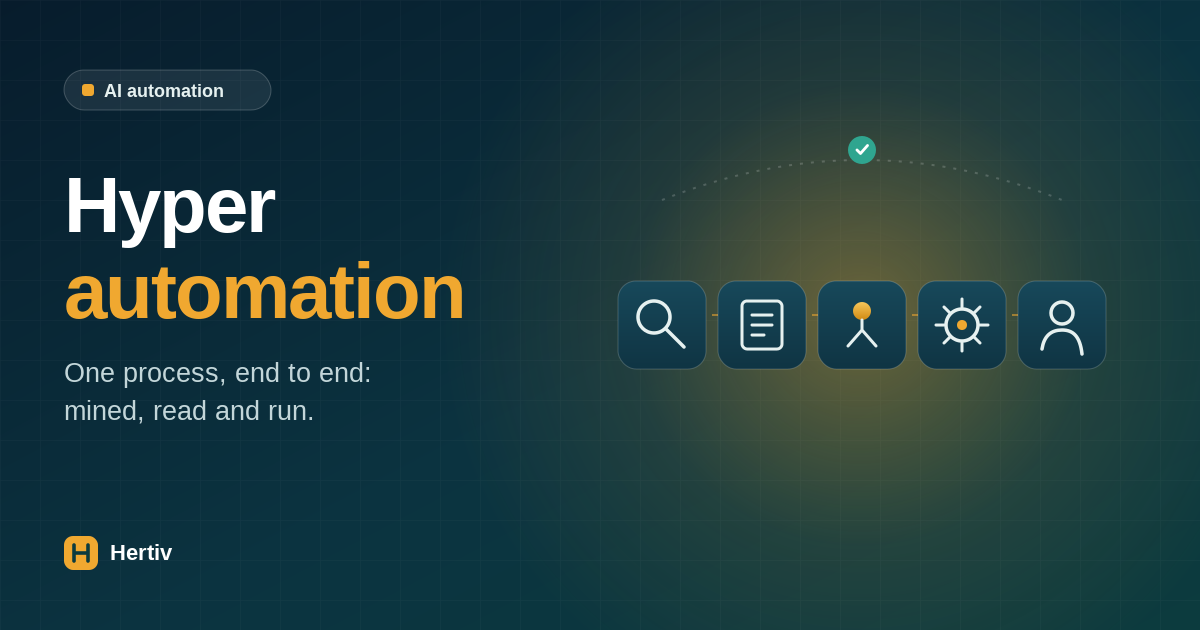
AI-powered hyperautomation is the practice of automating a business process end to end by combining process mining to find the work, RPA to do the clicks, AI to read documents and make judgements, and orchestration to tie the steps together. It goes further than a bot, because it covers the decisions and exceptions too. The goal is a process that runs itself, with people handling only the flagged cases.
What is AI-powered hyperautomation?
AI-powered hyperautomation is the automation of a complete business process, not just one task inside it. A single RPA bot might copy data from an email into a system; hyperautomation covers the whole journey, from the email arriving, to the document being read, to the decision being made, to the system being updated, to the exception being routed to a person.
Five pieces make up the toolkit:
| Piece | What it does | Example |
|---|---|---|
| Process mining | Finds how work really flows | Invoice path mapped from system logs |
| RPA | Does the clicks and copying | Bot enters data into the ERP |
| AI and document AI | Reads and judges unstructured input | Extracts totals from a PDF invoice |
| Low-code apps | Builds the screens people use | Approval screen for exceptions |
| Orchestration | Ties the steps together | Routes each case to the next step |
The AI is what turns a scripted bot into a process that can cope with variety. A bot alone fails when an invoice looks different from the template; with document AI, the system reads the new layout, extracts the fields and checks them against the order, and only asks a person when the numbers do not match. That judgement step is the difference.
How is it different from RPA alone?
Hyperautomation differs from RPA alone in scope and in judgement. RPA automates a defined sequence of clicks in one system, and it works well when the input is structured and the steps never change. The moment the input is a scanned PDF, a free-text email or a decision that needs context, a pure RPA bot stops and waits for a person.
Hyperautomation adds the pieces that handle those gaps. Document AI reads the unstructured input, a model makes the routine judgement, and orchestration moves the case between the bot, the model and the person. The process keeps moving instead of stopping at the first unusual case.
The other difference is how the work is found. RPA projects usually start from someone's idea of which task to automate, which is often wrong. Hyperautomation starts with process mining, which reads the system logs and shows how the work actually flows, including the rework loops and the steps nobody mentioned. The automation targets the real process, not the imagined one.
That does not make RPA obsolete. RPA is still the piece that does the clicks, and a hyperautomation design usually contains several bots. The point is that the bots are one piece of a larger design, not the whole design. A team that buys bots without the mining, the AI and the orchestration ends up with fast fragments of a slow process.
Where does hyperautomation help most?
Hyperautomation helps most in processes that are high volume, rule-heavy and full of documents: finance operations, onboarding, claims and procurement. These processes have clear steps, but the inputs arrive in many formats and the exceptions need judgement, which is exactly the mix that defeats a single bot.
In finance, the classic case is invoice-to-pay: invoices arrive by email and portal, the system reads them, matches them to orders, flags the mismatches and posts the rest. In HR, it is onboarding: the new starter's documents are checked, accounts are created, equipment is ordered and the payroll record is set up, with a person stepping in only when a document is missing.
In insurance, it is claims intake: the claim form and photos are read, the policy is checked, the routine claims are settled and the complex ones go to an adjuster. In procurement, it is supplier onboarding and purchase orders, where the same pattern repeats: read the document, check it, decide, update the system, flag the exception.
The common thread is volume plus variety. A process that runs ten times a month is not worth the design effort, and a process that is already fully structured may only need a bot. Hyperautomation earns its place where hundreds of cases a month arrive in messy formats and need a decision each time. For the benefits in one sector, intelligent automation benefits shows where the gains come from.
How do you find the first process to automate?
You find the first process to automate by looking at the data. Process mining reads the event logs from your systems and draws the real flow: how many cases, how long each step takes, where cases loop back for rework, and which steps are done by hand. The best candidate is usually the process with the highest volume and the most rework, not the one people complain about most.
Score each candidate on four things: volume, rule clarity, document variety and exception rate. High volume justifies the build; clear rules make the automation reliable; document variety is where the AI earns its place; and a low exception rate means most cases will run without a person. A process that is high on all four is the ideal first pick.
Talk to the people who do the work before you commit. The logs show what happened, but the staff know why: which exceptions are real problems and which steps exist because of a rule nobody can find. A process that looks perfect in the logs can hide a manual check that matters.
Pick one process and one measure of success, such as hours saved per month or cases handled without a person. A pilot with a clear measure can be judged honestly, and a judged pilot is what earns the budget for the next process. If you need outside help to find it, intelligent automation solutions for IT covers how teams run the discovery step.
How do you build hyperautomation?
You build hyperautomation by designing the whole process first, then adding the tools in order: mine, read, decide, act, and hand over the exceptions. A team that starts by buying tools ends up with pieces that do not fit together.
- Mine the process. Use process mining on the system logs to map the real flow, the volumes and the rework loops.
- Design the target flow. Draw the end-to-end process, marking which steps are automated, which need AI judgement and which stay with people.
- Build the reading step. Add document AI for the inputs, and test it on real documents until the extraction is reliable.
- Automate the routine steps. Add RPA bots and integrations for the clicks and the system updates.
- Wire the orchestration. Connect the steps so each case moves to the next one, and exceptions route to a person with context.
- Run a pilot and measure. Run one process for a month, compare the result with the old way, then fix the gaps before scaling.
Each step needs a named owner and a test with real cases. The reading step is usually the hardest, because real documents are messier than the samples, so give it the most testing time. If the extraction is wrong, everything downstream is wrong too, however good the bots are.
Example (hypothetical): invoice-to-pay
Example (hypothetical): a mid-size company processes 2,000 supplier invoices a month. Each invoice takes about 12 minutes of staff time to read, match and post, so the team spends 2,000 x 12 = 24,000 minutes, or 400 hours, a month on invoices. About 15 percent of invoices fail the match and need a person to chase the supplier.
The team builds hyperautomation: document AI reads each invoice, the system matches it to the order, and matching invoices post themselves. Of the 2,000 invoices, 1,700 match and post without a person, and 300 go to a review queue at 8 minutes each. The new total is 300 x 8 = 2,400 minutes, or 40 hours, a month.
The saving is 400 minus 40 = 360 hours a month, and the exception rate falls because the AI catches duplicate invoices that the old manual check missed. The team keeps two people on the review queue and moves the rest to supplier queries, which is the work that actually needs a person.
What are the common mistakes?
The most common mistakes in hyperautomation are automating a broken process, buying tools before designing the flow, and measuring bots instead of outcomes.
- Automating a broken process. If the process has pointless steps and rework loops, automation makes the mess faster, not better. Fix the process first.
- Tools before design. Buying RPA, mining and AI tools without a target flow leaves pieces that do not fit together.
- Measuring bots, not outcomes. Counting how many bots run tells you nothing; measure hours saved and cases handled without a person.
- Ignoring the exceptions. A design with no plan for the cases that fail will stall at the first unusual invoice.
- Skipping the reading test. Document AI tested on ten clean samples will fail on the real variety of supplier invoices.
- No owner for the whole process. When each tool has a different owner, nobody fixes the gaps between the steps.
Hyperautomation is a design discipline before it is a set of tools. The teams that succeed start with the process, prove one flow, and only then scale. For the operations side, AI agents for operations teams covers the agent piece of the same picture.
Key takeaways
- Hyperautomation automates a whole process end to end, not one task inside it
- Process mining finds the real flow; RPA does the clicks; AI reads and judges; orchestration ties it together
- It helps most where volume is high and inputs arrive in messy formats
- Fix the process before automating it, or automation makes the mess faster
- Start with one process, one measure and a month-long pilot
- Measure hours saved and cases handled, not how many bots are running
Frequently asked questions
What is the difference between RPA and hyperautomation?
RPA automates a fixed sequence of clicks in one system. Hyperautomation automates a whole process by adding process mining to find the work, AI to read documents and make judgements, and orchestration to move cases between steps and people.
Do I need AI for hyperautomation?
Yes, for any process with unstructured inputs or judgements. RPA alone handles structured clicks; the AI is what reads PDFs and emails, extracts the fields and makes the routine decision. Without it, the process stops at the first unusual case.
What is process mining?
Process mining reads the event logs from your systems and draws how work really flows, including volumes, delays and rework loops. It shows the real process, which is often different from the process people describe in meetings.
Which processes suit hyperautomation best?
High-volume, rule-heavy processes with document inputs: invoice-to-pay, onboarding, claims intake and procurement. A process that runs ten times a month is not worth the design effort, and a fully structured process may only need a bot.
How long does a hyperautomation pilot take?
A single process pilot usually takes a few weeks to design and build, then a month of running to measure. The reading step takes the most testing time, because real documents are messier than the samples used in the demo.
What happens to the staff whose work is automated?
The routine cases are handled by the system, and the staff move to the exceptions, the supplier queries and the checks that need judgement. Plan that move before the pilot, or the team will resist a system that looks like a threat.