Intelligent Automation: Benefits, Use Cases and Limits
Intelligent automation pairs rule-based software with AI that reads documents and makes routine judgements. Learn where it helps, where it fails, and how to start.
On this page
Short answer
Intelligent automation combines robotic process automation with AI that can read documents, understand text and make routine judgements. It cuts the time spent on repetitive, document-heavy work in finance, support and operations, but it needs clean data, clear rules and a human check on anything that matters.
What is intelligent automation?
Intelligent automation is the combination of rule-based software robots with AI that can read, understand and decide. The robots do the repetitive clicking and copying; the AI handles the parts that need judgement, such as reading an invoice, classifying an email or checking a document against a rule.
It grew out of robotic process automation, or RPA, which could only follow fixed rules on structured screens. RPA breaks when a document changes format or a field is missing. Adding AI lets the same flow handle variation: a model reads the document, extracts the fields and passes them to the robot, which enters them into the system.
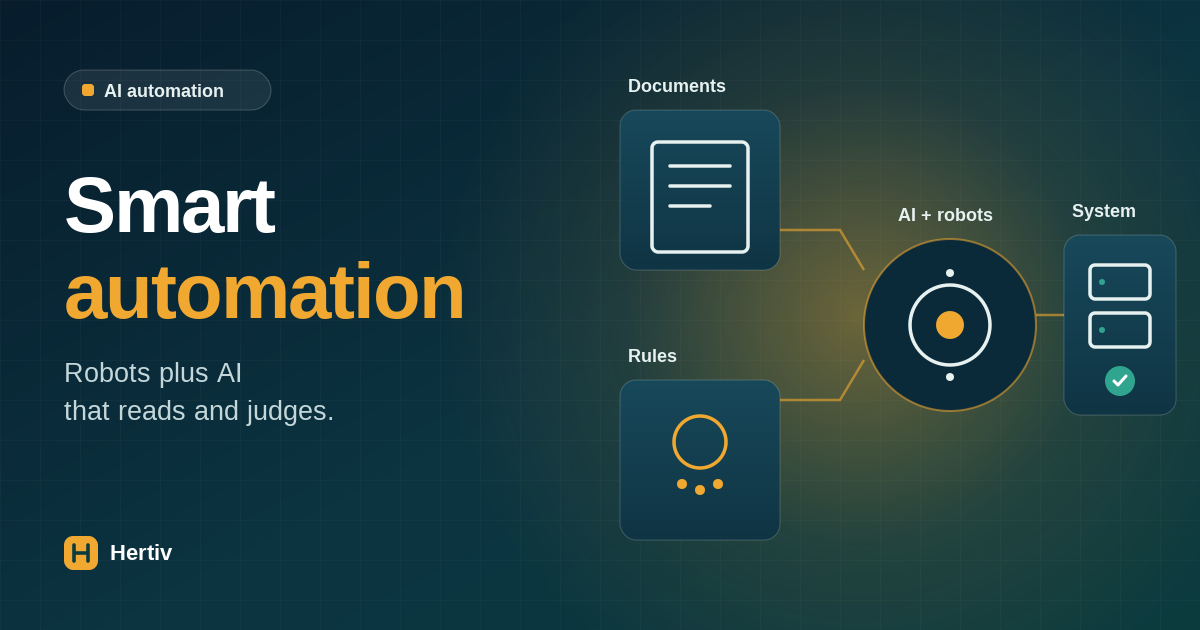
A typical flow has three parts: capture, decide and act. Capture pulls information from documents, emails or screens. Decide applies rules and a model to work out what should happen. Act enters the result into a system, sends a message or routes the case to a person.
The human stays in the loop for anything that matters. The automation handles the routine cases and flags the rest, so people spend their time on exceptions instead of retyping.
How is intelligent automation different from RPA?
Intelligent automation differs from RPA in what it can handle. RPA follows fixed rules on structured data: copy this field, click that button, paste it here. It is fast and reliable, but it stops the moment something looks different from the template.
Intelligent automation adds a model that can cope with variation. It can read an invoice in a new layout, classify an email that uses different words, or spot that a document is missing a signature. The robot still does the entering, but the model does the reading.
The practical difference shows up in the failure rate. An RPA flow on messy documents fails often and needs constant repair. The same flow with document understanding handles most of the variation and sends only the genuinely odd cases to a person.
That does not make RPA useless. For a stable, structured process with no variation, plain RPA is cheaper and simpler. The AI layer earns its place when the input varies and the volume is high.
What are the benefits of intelligent automation?
The benefits of intelligent automation show up in time, accuracy and consistency. The time saving is the easiest to measure, but the accuracy gain is often worth more, because a tired person retyping data makes errors a machine does not.
| Benefit | Where it shows up | What to measure |
|---|---|---|
| Time saved | Repetitive entry and checks | Hours per week per task |
| Fewer errors | Copying figures between systems | Error rate before and after |
| Faster turnaround | Approvals and processing queues | Time from arrival to done |
| Consistent handling | Classification and routing | Share handled the same way |
| Audit trail | Every step is logged | Time to answer an audit question |
| Staff focus | Exceptions and judgement calls | Share of time on exceptions |
One benefit teams undervalue is the audit trail. Every automated step is logged with its inputs, so answering what happened to a case takes minutes instead of a search through inboxes.
The benefit that takes longest to appear is staff focus. It only shows up once the automation is trusted, because until then people double-check everything the machine does.
Where does intelligent automation work best?
Intelligent automation works best where the work is high volume, document heavy and rule based, with a clear right answer for most cases. Finance, support and operations are the usual starting points.
In finance, the common uses are invoice processing, expense checks, reconciliation and onboarding paperwork. The documents vary, the rules are written down, and the volume justifies the setup. In support, it classifies incoming requests, pulls the relevant records and drafts replies for a human to send.
In operations, it handles order processing, shipment checks and supplier paperwork. In HR, it screens standard applications, checks documents and routes onboarding tasks. Each of these has the same shape: a document arrives, a judgement is made, a system is updated.
The pattern to look for is a queue of similar cases with a known good outcome. If you can write down what a good outcome looks like and show twenty examples, you have a candidate. For the audit side of this work, AI use cases in auditing shows the same pattern with stricter evidence demands.
Example (hypothetical): clearing an invoice backlog
Example (hypothetical): a finance team receives 400 invoices a day. Checking each one by hand takes 6 minutes, so the day needs 400 times 6 minutes, which is 2,400 minutes, or 40 hours of staff time.
The team automates the flow. The model reads each invoice, extracts the fields and checks them against the purchase order. It handles 70% of invoices on its own, which is 280 invoices, and routes the remaining 120 to a person.
The manual work is now 120 times 6 minutes, which is 720 minutes, or 12 hours a day. The saving is 40 minus 12, which is 28 hours a day, and the team spends that time on the exceptions that need judgement.
The numbers are invented to show the arithmetic, not a real result. The point is that the saving comes from the share handled automatically, and that share depends on document quality. Messy invoices push more cases to the human queue and shrink the saving.
When is intelligent automation the wrong choice?
Intelligent automation is the wrong choice when the process itself is broken, the volume is low or the judgement is genuinely hard. Automating a bad process makes bad results faster, and a process used ten times a month does not repay the setup.
It is also wrong when the decision needs real judgement with no written rule. A model can apply a rule and flag an exception, but it cannot invent policy. If the rule is not written down, the first job is to write it, not to automate it.
Low-quality data is another stop sign. If the source documents are inconsistent or the systems of record disagree, the automation will copy the mess faithfully. Fix the data first, then automate.
Finally, it is wrong when the cost of an error is high and there is no check. Payments, legal commitments and safety decisions need a human approval step, however good the automation looks in a demo.
What are the common mistakes?
The common mistakes with intelligent automation are automating a broken process, skipping the exception path, and trusting the model without a check.
- Automating a broken process. Fix the process first; automation multiplies whatever the process does, good or bad.
- No exception path. Every flow needs a clear route for cases the model cannot handle, with a person and a deadline.
- No evaluation set. Without fixed test cases, nobody can tell whether the automation is improving or drifting.
- Measuring usage, not outcomes. Count hours saved and errors removed, not how many cases the robot touched.
- Skipping the audit trail. If the log cannot show what happened to a case, the automation will fail its first audit.
Teams planning their first automation should read about AI agent development first, since the guardrails for agents and automation overlap: scoped access, approval gates and full logs.
Key takeaways
- Intelligent automation pairs robots with AI that reads and judges documents.
- It fits high-volume, document-heavy work with a clear right answer.
- The saving depends on the share handled automatically, which depends on document quality.
- Fix the process and the data before automating either.
- Every flow needs an exception path, an evaluation set and an audit trail.
Frequently asked questions
What is the difference between intelligent automation and AI agents?
Intelligent automation follows a defined process with AI handling the reading and judgement steps. An AI agent plans its own steps toward a goal and uses tools. Automation suits repeatable processes; agents suit tasks that vary more.
Which departments benefit most from intelligent automation?
Finance, support and operations usually benefit first, because their work is high volume, document heavy and rule based. HR onboarding and procurement paperwork are common next steps once the first flow is running well.
How long does it take to automate a process?
A single well-defined process often takes a few weeks when the documents and rules are ready. The rules and data cleanup usually take longer than the automation itself, so plan for that work in the estimate.
Does intelligent automation replace staff?
It replaces the repetitive parts of a job, not the job. Staff move to exceptions, judgement calls and process improvement. Teams that plan that move get more value than teams that only count hours saved.
What data do you need before starting?
You need a sample of real cases with known good outcomes, plus the written rules the process follows. If the rules are not written down, writing them is the first step, not the automation.
How do you measure whether it is working?
Measure hours saved, error rate before and after, and turnaround time from arrival to done. Track all three on a fixed set of cases so changes are comparable over time.


