What Is Google Gemini and How Do You Use It?
Google Gemini is Google's family of AI models that handle text, images, audio and video in one system. Here are the models, where to use them, and how to start.
On this page
Short answer
Google Gemini is Google's family of artificial intelligence models that work with text, images, audio and video in a single system. It powers the Gemini app, features inside Google Workspace, and developer tools such as Google AI Studio and Vertex AI, with models ranging from the fast Flash to the more capable Pro.
What is Google Gemini?
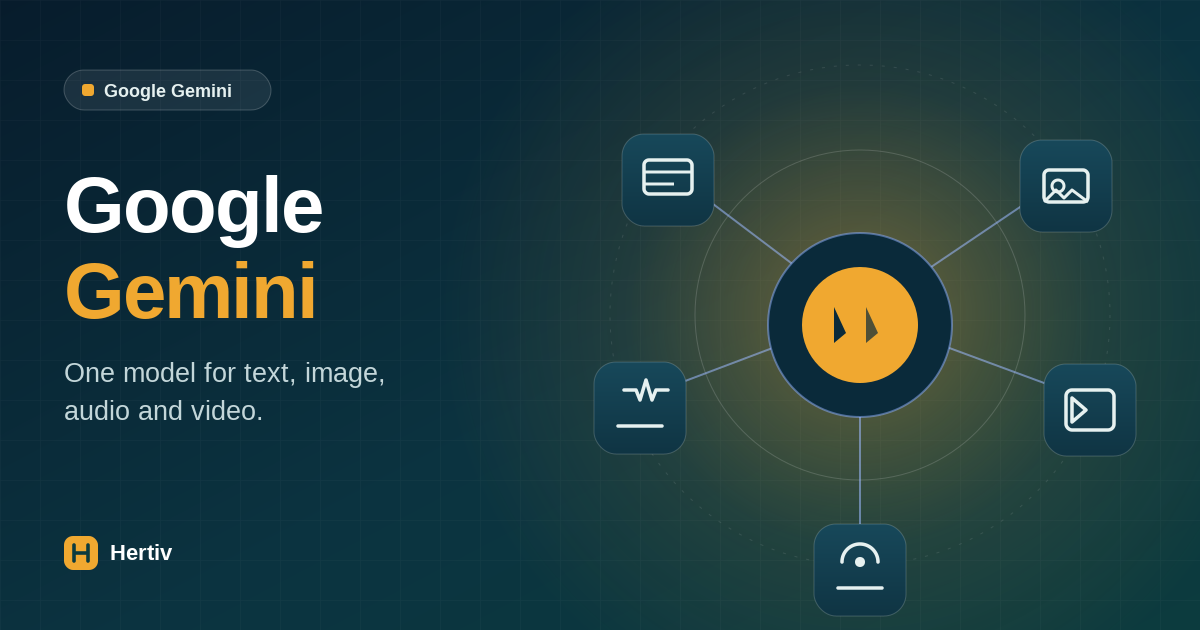
Google Gemini is Google's family of AI models, launched in December 2023, built to handle text, images, audio and video in one model rather than separate systems for each input type. That design is called natively multimodal: the same model can read a document, look at a photo and listen to a recording, then reason across them.
Gemini is both a model family and a product. The models run behind the Gemini app, inside Google Workspace tools such as Gmail and Docs, on Android phones, and in developer platforms such as Google AI Studio and Vertex AI. The same model can therefore answer a chat question, draft an email or analyse a spreadsheet, depending on where you meet it.
For most people, Gemini is the assistant they open when they want help with writing, research, coding or planning. For developers, it is an API they can call from their own applications.
Which Gemini models are there?
Gemini comes in several models that trade capability against speed and cost. The table below shows the current family and what each model is for.
| Model | Best for | Notes |
|---|---|---|
| Gemini 2.5 Pro | Hard reasoning, coding, complex analysis | Most capable model; built for thinking through difficult problems |
| Gemini 2.5 Flash | Everyday work at speed and scale | Balance of quality, speed and cost |
| Gemini 2.5 Flash-Lite | High-volume, latency-sensitive tasks | Fastest and most cost-efficient model |
| Gemini in the app | Chat, search and everyday help | Consumer assistant, with free and paid tiers |
Google updates the family regularly, so model names and availability change. Before choosing a model for a product, check Google's model pages and pricing, since the right choice depends on the task and the volume. For a side-by-side view against its main rival, see Google Gemini vs ChatGPT.
What can Gemini do?
Gemini can work with several kinds of input at once. It reads and writes text, describes and compares images, transcribes and summarises audio, and follows video. That makes it useful for tasks that mix formats, such as turning a whiteboard photo into a task list or summarising a recorded meeting.
It can also reason through a problem step by step, which Google calls thinking. The Pro model is built for this: it works through a hard problem, such as a large codebase or a long document, before answering, rather than producing the first plausible reply.
Gemini handles long inputs too, with a context window of one million tokens on the 2.5 models. That is enough for a long report, a large set of documents or hours of transcript in a single conversation. It can also call tools, such as Google Search for grounding and code execution for running calculations.
Where can you use Gemini?
The easiest place to use Gemini is the Gemini app, on the web or on a phone, where you can chat, upload files and ask questions. It is also built into Google Workspace: it drafts and summarises in Gmail, helps write in Docs, and analyses data in Sheets.
On Android, Gemini is the default assistant on many phones, where it can act across apps, such as setting reminders or summarising a page. For developers, Google AI Studio is the place to try prompts and build prototypes, while Vertex AI is the enterprise platform for running Gemini in production with your own data and controls.
The experience differs by place. The app is for everyday help, Workspace is for work inside Google tools, and the developer platforms are for building products. Pick the one that matches the job, not the one you already have open.
How do you start using Gemini?
Starting with Gemini is straightforward, and the steps below keep it useful rather than just novel.
- Try the Gemini app. ask it to summarise a document, draft a reply or explain a topic, and check the answer against the source.
- Connect it to Workspace. use it inside Gmail and Docs for drafting, summarising and searching your own files.
- Build a prototype in AI Studio. test prompts and tool use with your own data before writing any production code.
- Move to Vertex AI for production. add access controls, logging and cost limits before the model touches real users.
- Set data and safety rules. decide what data the model may see, what it may not, and who reviews its output.
The key habit is checking the output. Gemini can be wrong, especially on facts, numbers and quotes, so treat its first answer as a draft and verify the parts that matter.
Example (hypothetical): a support team drafts replies faster
Example (hypothetical): a small support team handles 200 tickets a day. Each reply takes about 6 minutes to write, which adds up to 20 hours a day across the team.
The team connects Gemini to its helpdesk. The model drafts a reply from the ticket and the help centre, and an agent checks and sends it. Drafting falls to about 30 seconds per ticket, or 100 minutes a day, saving roughly 18 hours.
The team does not send drafts unchecked. Agents review every reply for the first month, and the model only drafts, never sends. The time saved goes to hard tickets that need a person, which is where the team was falling behind. Over a month, that is roughly 360 hours the team can spend on the tickets that need a person most.
What are the limits of Gemini?
Gemini has real limits, and knowing them keeps you from trusting it too far. The first is accuracy: the model can produce confident answers that are wrong, especially on niche facts, recent events and numbers. Check anything that affects a decision.
The second is data. What Gemini can see depends on where you use it: the app, Workspace and the developer platforms have different data rules, and the model's answers are only as good as the information it can reach. Sensitive data needs a clear policy before it goes near any model.
The third is change. Google updates models, features and pricing regularly, and older model versions are retired. A workflow built on one model version needs a plan for the day that version changes. If you want an alternative, the open source options in open source Gemini alternatives are worth a look.
What are the common mistakes?
The most common mistakes with Gemini are trusting the first answer, picking the wrong model, and skipping the data rules.
- Trusting the first answer. Gemini can be wrong on facts and numbers. Verify anything that affects a decision, a customer or a payment.
- Picking the wrong model. Pro is wasted on simple classification, and Flash-Lite will struggle with hard reasoning. Match the model to the task.
- Skipping data rules. decide what data the model may see before connecting it to real systems, not after.
- No human review. for customer-facing work, a person should check the output until the error rate is measured and low.
- Building on a retired model. check Google's model pages regularly, since model versions change and old ones are retired.
For a broader comparison of the leading models, see ChatGPT vs Gemini vs Claude.
Key takeaways
- Gemini is Google's family of natively multimodal AI models, launched in December 2023
- Pro is the most capable model, Flash balances quality and speed, and Flash-Lite is the fastest and cheapest
- Gemini handles text, images, audio and video, with a one-million-token context window on the 2.5 models
- You can use it in the Gemini app, Google Workspace, AI Studio and Vertex AI
- Check the output: Gemini can be wrong on facts, numbers and quotes
- Match the model to the task, and set data rules before connecting real systems
Frequently asked questions
What is Google Gemini?
Google Gemini is Google's family of AI models that handle text, images, audio and video in one system. It powers the Gemini app, features inside Google Workspace, and developer tools such as Google AI Studio and Vertex AI, with models from the fast Flash to the more capable Pro.
Is Gemini free?
The Gemini app has a free tier, and paid tiers add more capable models and higher limits. Prices change, so check Google's pricing page for the current plans before you commit to a paid tier.
What is the difference between Gemini Pro and Flash?
Pro is the most capable model, built for hard reasoning and complex analysis, while Flash balances quality, speed and cost for everyday and high-volume work. Flash-Lite is the fastest and cheapest of the three, and it suits high-volume tasks where latency matters most.
Can Gemini read images and video?
Yes. Gemini is natively multimodal, so it can describe images, follow video and transcribe audio, then reason across them in one conversation. That mixed input is what makes it useful for tasks like turning a whiteboard photo into a task list.
Where is Gemini available?
In the Gemini app on web and mobile, inside Google Workspace tools such as Gmail and Docs, on Android phones, and for developers in Google AI Studio and Vertex AI.
Is Gemini better than ChatGPT?
It depends on the task. Gemini is strong on multimodal work and Google integration, while ChatGPT has its own strengths. Test both on your actual work before choosing, and pick the one that fits your tools and your data rules.


