ChatGPT vs Gemini vs Claude: Which Fits Your Work?
ChatGPT, Gemini and Claude are the three leading AI chat assistants. Compare their strengths, costs and best uses, then pick by the job, not the brand.
On this page
Short answer
ChatGPT, Gemini and Claude are the three leading general-purpose AI assistants, built by OpenAI, Google and Anthropic. They all answer questions, write and edit text, work with code and read documents, but they differ in how they handle long documents, how they connect to other tools, and how much they cost. The right choice depends on the job you do most.
What are ChatGPT, Gemini and Claude?
ChatGPT, Gemini and Claude are AI assistants that respond to plain-language prompts with text, code, summaries and analysis. ChatGPT is built by OpenAI, Gemini by Google, and Claude by Anthropic. All three are offered as chat apps and as APIs, and all three have free tiers and paid plans, with prices listed on the vendor site.
Each one is a family of models, not a single model: a fast, cheaper model for everyday tasks and a stronger, slower model for hard work. The names change often, so check the vendor site for the current model list before you choose. The guide to GPT models explains how the underlying technology works.
For most office work the three feel similar. The differences show up at the edges: very long documents, heavy code work, Google Workspace files, or tasks where you need the model to say what it does not know. That is where a comparison pays off.
How do ChatGPT, Gemini and Claude differ?
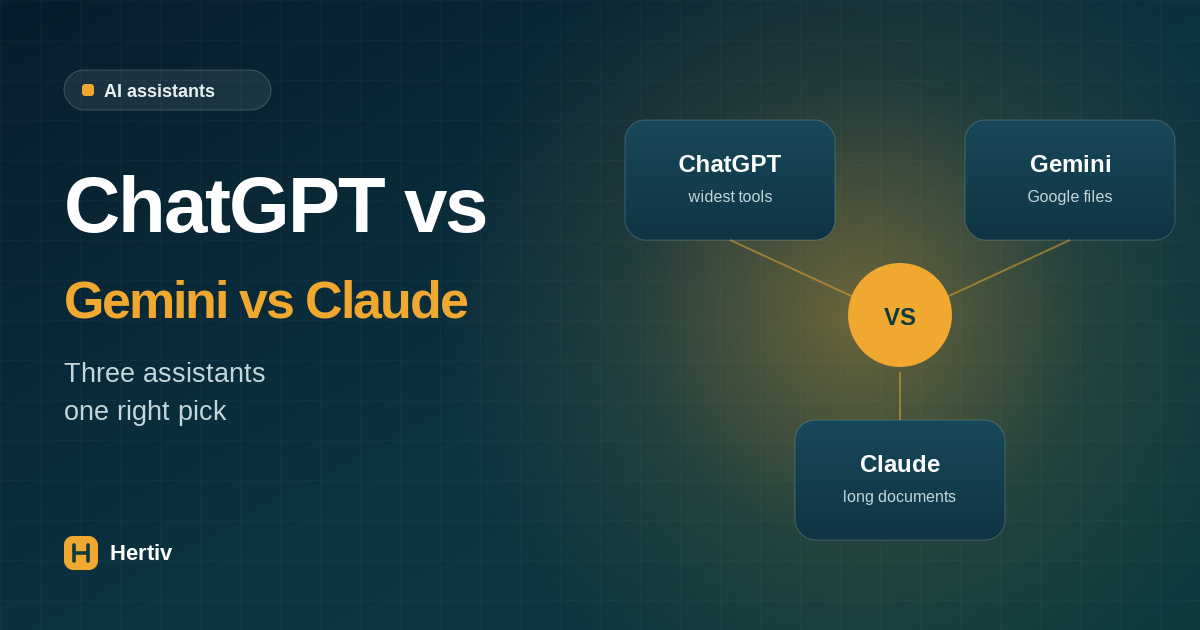
The main differences are in long-document handling, tool connections and ecosystem. Claude is known for holding long documents in context and for careful, well-structured writing. Gemini connects deeply with Google Workspace, so it can read your Gmail, Docs and Sheets. ChatGPT has the largest ecosystem of connectors and the widest range of third-party tools.
Speed and cost also differ by model tier, and the cheapest tier of one provider is often close to the strongest tier of another on simple tasks. The table below compares the three at a glance.
| Assistant | Strongest at | Best connection | Watch out for |
|---|---|---|---|
| ChatGPT | General work, coding help | Many third-party tools | Long documents can drift |
| Gemini | Google files and search | Gmail, Docs, Sheets | Weaker outside Google tools |
| Claude | Long documents, careful writing | Documents and code projects | Smaller tool ecosystem |
Treat the table as a starting point, not a ranking. A model that wins on one job can lose on the next, and all three improve every few months, so re-test before a long commitment.
Which one is best for writing?
For drafting and editing, Claude is the usual pick when the document is long or the tone matters, because it holds structure well across many pages and tends to write in a steadier voice. ChatGPT is strong for short drafts, rewrites and brainstorming, and its larger tool set helps when the writing feeds into other apps.
Gemini fits writing that lives inside Google Docs, where it can read the document, suggest edits and pull in material from your Drive. For a two-way comparison, the Claude vs ChatGPT guide looks at those two in more depth.
Whichever you pick, keep a human in charge of facts. All three assistants can write a confident sentence that is wrong, and the risk grows with the length of the document. Check names, numbers and quotes yourself.
Which one is best for coding?
For coding, ChatGPT and Claude are the usual shortlist. ChatGPT has a large ecosystem of coding tools and integrations, which helps when the code lives in a team workflow. Claude is often chosen for long code files and for explaining a codebase, because it keeps more of the project in view at once.
Gemini fits teams that already build on Google Cloud, where it can read the project, suggest changes and connect to Google's deployment tools. For any of the three, the test that matters is your own codebase: give each assistant the same real task, a bug fix or a small feature, and compare what you get.
Example (hypothetical): a team gives each assistant the same 40-line bug fix in a booking app. ChatGPT fixes it in 2 tries, Claude in 2 tries and Gemini in 3 tries. That is 3 extra tries out of 6 total attempts, which is not enough evidence to pick a winner. Run the test on 20 real tasks, not one, before you decide.
Which one handles privacy and data best?
For privacy, the plan matters more than the provider. All three offer team plans that promise business data is not used for training, along with admin controls and single sign-on. The free tiers have weaker promises, so never paste patient details, customer records or secrets into a free-tier chat, whichever assistant you use.
Check the vendor's data policy for the exact plan you pay for, and check where the data is stored. A team that handles health or finance data should confirm the storage region and the retention rules before rolling the tool out. The safest habit is simple: treat the chat like a shared whiteboard, not a filing cabinet, and keep sensitive material out of it.
Claude's team plan is often chosen by teams that want a conservative data policy, Gemini's by teams already inside Google's admin controls, and ChatGPT's by teams that need its admin tools. Read the policy yourself rather than trusting a summary, because the wording changes with each plan.
What do they cost?
All three offer a free tier with limits, and a paid plan for individuals and for teams, with prices on the vendor site. The paid plans remove most limits and add the stronger models, longer context and admin controls. Team plans add shared billing, single sign-on and a promise about how business data is handled.
API pricing is usage-based and changes often, so do not budget from a blog post. Check the vendor site for current rates, and test with a small usage cap first. A team that uses the assistant for a few hours a day usually spends far less than a team that pipes every ticket through the API.
How to run your own comparison
The only comparison that matters is the one on your own work. Pick ten real tasks from the last two weeks: a summary, a draft, a code fix, a data question. Run the same ten tasks through each assistant and score them on the same three questions: was the answer right, was it usable without heavy editing, and how long did it take.
- Collect ten real tasks from your own work, not sample prompts.
- Run each task through all three assistants with the same wording.
- Score each answer for correctness, usability and time.
- Note where each assistant needed a follow-up prompt.
- Pick the one that wins on your most common task, not on the rarest one.
Repeat the test every few months. Models change faster than your workflow, and the winner from last quarter may not win this one. The guide to testing AI models shows how to score the results fairly.
Common mistakes
The most common mistake is choosing by brand or by one impressive demo. A model that writes a beautiful poem may still miss a key clause in a contract, and a model that aces a coding benchmark may still struggle with your legacy code. Test on your own work, not on the vendor's examples.
Another mistake is paying for all three at once and using none of them well. One assistant, used daily with good prompts and a clear review step, beats three subscriptions that nobody opens. Pick one, learn it properly, and re-test the others only when your work changes.
Key takeaways
- All three handle everyday writing, code and questions
- Claude usually leads on long documents and careful writing
- Gemini fits best inside Google Workspace
- ChatGPT has the widest tool ecosystem
- Test all three on your own tasks before you pay
Frequently asked questions
Is there a free version of ChatGPT, Gemini and Claude?
Yes. All three offer a free tier with limits on how much you can use and which models you can reach. The free tier is enough to test everyday tasks, and prices for paid plans are on the vendor site.
Which is best for long documents?
Claude is usually the strongest choice for long documents, because it holds more of the document in view and keeps its structure over many pages. Test it on your own longest document before you decide.
Can I use more than one assistant?
Yes, and many teams do: one for drafting, one for code, one for Google files. The cost is three subscriptions and three habits to learn, so start with one and add a second only when a job clearly needs it.
Do these assistants use my data for training?
It depends on the plan. Paid and team plans usually promise that business data is not used for training, while free tiers may differ. Read the vendor's data policy for the plan you use, and do not paste secrets into any chat.
Which one is best for a small business?
The best one is the one your team will actually open every day. If the team already lives in Google Workspace, Gemini is the easy start; if it needs the widest tool choice, ChatGPT; if it writes long documents, Claude.
How often do the models change?
Every few months, with new model versions and price changes. Re-test your main tasks when a new version appears, because a model that was second best can move to first.


