Claude vs ChatGPT: Which One Fits Your Work?
Claude and ChatGPT are both strong chat models, but they differ on long documents, coding and everyday tasks. Test both and pick the one that fits your team.
On this page
Short answer
Claude and ChatGPT are both general-purpose chat models that can draft, summarise, code and answer questions, but they differ in ways that matter for real work. Claude tends to be stronger on long documents and careful, structured writing, while ChatGPT tends to be stronger on breadth, with more built-in tools and integrations for everyday tasks.
What is Claude, and what is ChatGPT?
Claude is a family of language models built by Anthropic, offered through a chat app and an API. ChatGPT is a family of models built by OpenAI, offered the same way. Both let you type a question in plain language and get a written answer, and both can be built into products through an API.
The two feel similar at first: you open a chat, type a prompt, and get a reply. The differences show up in longer work. Claude is often used for reading long documents, editing drafts and working through code with care. ChatGPT is often used for a wider mix of jobs, from drafting and research to image generation and browsing, because it comes with more built-in tools.
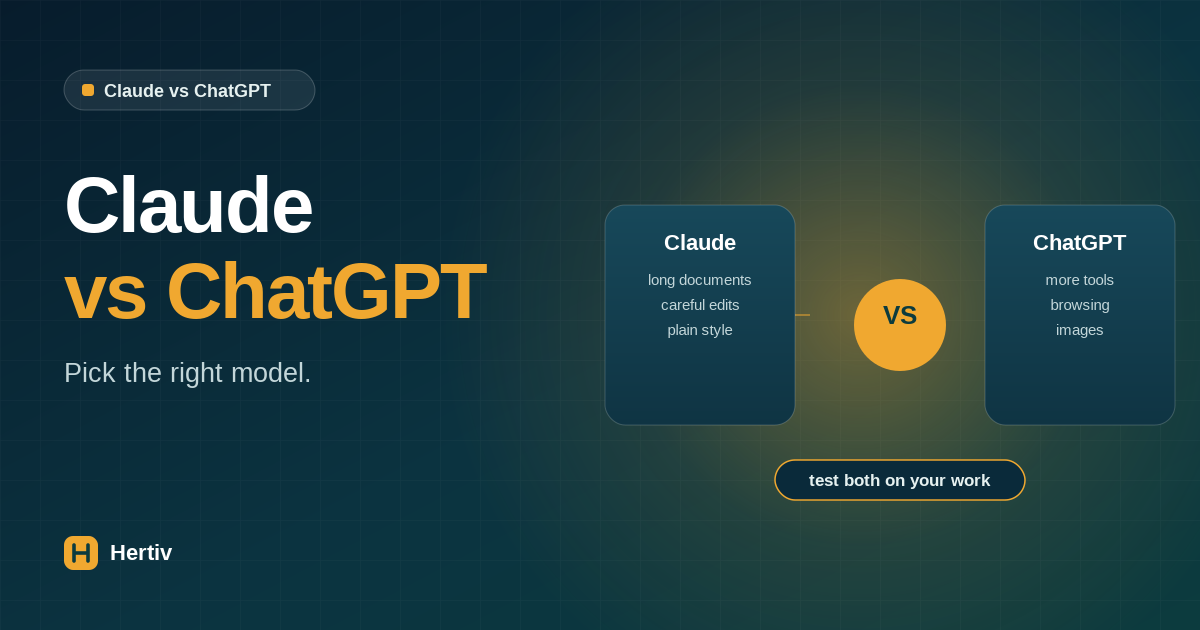
Neither one is simply better. The right choice depends on the work: what you ask it to do, how long the input is, and which tools you need around it. The table below gives a quick side-by-side view.
| Area | Claude | ChatGPT |
|---|---|---|
| Long documents | Strong on reading and editing long files | Good, but shorter working memory in some plans |
| Writing | Careful, structured, plain style | Flexible, with many tones and formats |
| Coding | Strong on review and careful edits | Strong on generation, with coding tools |
| Built-in tools | Fewer, focused on chat and files | More, including browsing and images |
How do they compare on everyday work?
For everyday drafting, both are fast and capable. A short email, a summary or a product description will look similar from either one, and the difference is mostly tone: Claude's default style is plainer and more structured, while ChatGPT's is more varied and sometimes more casual. Either can be steered with a short instruction.
For research, ChatGPT has an edge when the job needs live information or images, because it can browse and generate images in the same chat. Claude is stronger when the job is reading a pile of files you already have, because it holds more of a long document in mind at once.
For coding, both can write and explain code. Claude is often picked for careful review and for editing a large file without breaking the parts that already work. ChatGPT is often picked for generating a first version quickly and for using coding tools that run the code. How GPT models work explains the shared technology behind both.
When does Claude fit better?
Claude fits better when the work is long and careful. Editing a 40-page report, reviewing a contract, or working through a large code file are the jobs where its long memory and steady style pay off. Writers who want a plain, structured draft with few surprises often prefer it.
It also fits teams that care about how the model handles safety and refusal. Claude is built to explain when it will not do something, and to offer a safer alternative. That matters when the model answers customers or handles sensitive topics.
Claude suits a workflow built around files: upload a document, ask questions about it, and get edits back. Teams that work this way, rather than through many small chats, tend to get the most from it.
When does ChatGPT fit better?
ChatGPT fits better when the work is varied and tool-heavy. A team that needs drafting, browsing, image generation and data analysis in one place will find more of it inside ChatGPT than in Claude. The wider set of built-in tools means fewer trips to other apps.
It also fits teams that already use other OpenAI products, or that build with the OpenAI API. The model, the API and the app share the same account and billing, which keeps the setup simple. DeepSeek versus ChatGPT covers another comparison for teams weighing cost against capability.
ChatGPT suits fast, mixed work: a morning of drafting, an afternoon of research, and a quick chart from a spreadsheet. The breadth is the point, and the team accepts that no single job is quite as deep as a specialist tool.
How to choose in five steps
Choosing well takes an afternoon of testing, not a week of reading reviews. The models change often, so a test on your own work beats any comparison article, including this one.
- List your five most common jobs. Write down the actual tasks, such as summarising support tickets or drafting release notes.
- Run the same five jobs through both. Use the same prompts and the same files, and judge the results on accuracy, not on style.
- Check the long-document job. If you work with long files, test the longest one you have, because that is where the models differ most.
- Check the tools you need. List the integrations and built-in features your team uses, and see which model covers them.
- Count the cost for your volume. Compare plans for your real usage, and check the vendor's own pricing page; see vendor site for current prices.
Keep the notes from the test. They are the record that settles the next argument about which model to use, and they are worth more than any opinion about which model is best in general.
Example (hypothetical): a support team tests both
Example (hypothetical): a support team picks 40 real tickets and asks each model to draft a reply. A person then checks each draft: is it correct, is the tone right, and does it need an edit before sending?
Claude's drafts need an edit on 12 of the 40, or 30 percent, while ChatGPT's need an edit on 16 of the 40, or 40 percent. The difference is small, so the team looks at the kind of edit: Claude's edits are mostly tone, while ChatGPT's edits are mostly missing details from the ticket.
The team keeps both for a month and counts again with 100 tickets each. The gap stays about the same, so the team picks Claude for support drafts and keeps ChatGPT for research and images, where its extra tools matter more than the edit rate.
What are the common mistakes?
The most common mistake is picking a model by reputation instead of by test. A model that wins awards for coding may not be the best one for your support tickets. Run your own five jobs through both and trust the results.
The second mistake is using one model for everything. Most teams do better with a main model and a second one for the jobs where it is stronger. The cost of two accounts is small next to the time saved by using the right tool for each job.
The third mistake is forgetting that models change. A comparison from six months ago may not hold today, because both vendors ship new versions often. Re-run your five-job test when a new version arrives, and update your choice if the results change. Testing AI models shows how to keep a test set that stays useful over time.
Key takeaways
- Both are strong; the difference is in long documents and tools
- Test both on your own five most common jobs
- Claude suits long, careful work; ChatGPT suits varied, tool-heavy work
- Using two models for different jobs is often the best answer
- Re-test when a new version arrives, because models change
Frequently asked questions
Is Claude better than ChatGPT for coding?
It depends on the coding job. Claude is often stronger on careful review and editing large files, while ChatGPT is often stronger on generating a first version quickly and using coding tools that run the code. Test both on your own codebase, because the difference is small for many teams.
Which one is better for writing?
Claude tends to produce plainer, more structured writing with fewer surprises, which suits reports and careful drafts. ChatGPT is more flexible in tone and format, which suits varied content. Give both the same brief and compare the drafts on clarity, not on style alone.
Can I use both Claude and ChatGPT?
Yes, and many teams do. A common split is Claude for long documents and careful editing, and ChatGPT for research, images and everyday drafting. The cost of two accounts is usually small compared with the time saved by using the right model for each job.
Do they cost the same?
No, and prices change often, so check the vendor's own pricing page for current plans; see vendor site for the latest figures. Compare plans for your real volume, including API use, because the cheapest plan for light use is not always the cheapest for heavy use.
Which one is safer for customer-facing work?
Both need guardrails, because both can produce wrong or unwanted answers. Claude is built to explain refusals and offer safer alternatives, which helps in sensitive cases, but the real safety comes from your own checks: testing, logging and a human review step.
Will the answer change when a new version arrives?
Yes, it can. Both vendors ship new versions often, and a model that was weaker on your jobs may become stronger. Keep your five-job test and re-run it when a new version arrives, so your choice stays based on evidence rather than habit.


