Token Development on SPL: How to Get Started
SPL token development means creating a fungible token on Solana with the Solana Program Library. Here is what you need, the steps, and the checks before launch.
On this page
Short answer
Token development on SPL is the process of creating a fungible token on Solana using the Solana Program Library, the set of on-chain programs that defines how tokens work. You pick a name, symbol, decimals and supply, create a mint account, and issue tokens from it. Most teams start on devnet, test the full flow, and only then move to mainnet.
What is token development on SPL?
Token development on SPL is the process of creating a fungible token on Solana using the Solana Program Library (SPL). The Token Program is the on-chain program that defines how tokens are created, held, sent and burned, so you do not write your own token logic from scratch.
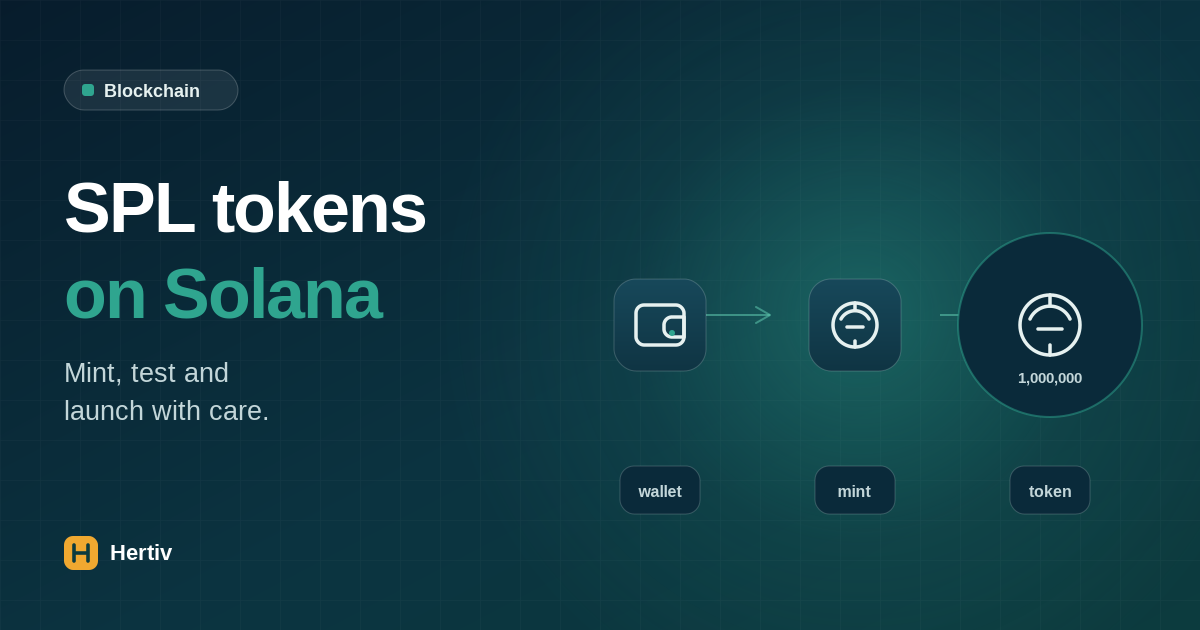
A token on SPL has a mint account, which records the supply, the decimals and the authorities that control minting and freezing. Each holder has a token account linked to their wallet, and the Token Program moves balances between those accounts when a transfer happens.
SPL is the standard path for fungible tokens on Solana: wallets, exchanges and apps already know how to read SPL tokens, so a token built this way works with the tools people already use. Our guide to what Solana is explains the chain underneath.
SPL Token Program vs Token-2022: which one should you use?
The SPL Token Program and Token-2022 are two versions of the same idea. Token-2022 is the newer program, and it adds extensions that the original program does not have.
| Feature | Token Program | Token-2022 |
|---|---|---|
| Basic mint, transfer, burn | Yes | Yes |
| On-chain metadata | No, needs a separate program | Yes, metadata pointer |
| Transfer fees | No | Yes |
| Confidential transfers | No | Yes |
| Interest-bearing tokens | No | Yes |
| Non-transferable tokens | No | Yes |
| Tool support | Widest, oldest | Growing, check each tool |
Use the original Token Program when you want the widest wallet and exchange support and need nothing beyond basic minting and transfers. Use Token-2022 when you need one of its extensions, such as on-chain metadata or a transfer fee, and you have checked that the wallets and apps your users rely on support it.
What do you need before you start?
You need a few things in place before you create a token, and most of them are decisions rather than code.
- A Solana wallet and keypair. This is the account that pays for the mint and holds the mint authority. Keep its private key offline and backed up.
- Some SOL for rent and fees. Mint and token accounts need a small SOL deposit so they stay on chain, and each transaction pays a small fee. Test on devnet first, where test SOL is free.
- The Solana CLI and SPL tools. The command line tools create mints, mint tokens and manage authorities. Check the Solana docs for the current install steps.
- Token decisions. Name, symbol, decimals, total supply, who can mint more, and whether anyone can freeze accounts. Write these down before you create anything.
- Metadata. Name, symbol, image and description, stored off chain or on chain depending on which program you use.
Decide the supply and authority rules up front. Changing them after launch is hard, and in some cases impossible, so a short planning note now saves a painful fix later.
How do you launch an SPL token?
You launch an SPL token in six steps, and the first three should happen on devnet.
- Set up your wallet. Create a keypair, fund it with test SOL on devnet, and store the keypair safely.
- Create the mint. Pick the program, decimals and authorities, then create the mint account. Decimals decide the smallest unit: 6 decimals means one token splits into 1,000,000 parts.
- Mint the supply. Mint the planned supply to a token account you control, and check the balance matches your plan exactly.
- Add metadata. Attach the name, symbol and image so wallets show the token properly instead of a raw address.
- Test the full flow. Send tokens to a second wallet, check the balance, and test any freeze or burn step you plan to use.
- Move to mainnet. Repeat the same steps with real SOL, then decide which authorities to keep and which to revoke.
Our guide to how to build on Solana covers the wider setup, including the CLI and the devnet workflow.
Example (hypothetical): a 1,000,000-token launch
Example (hypothetical): a small team plans a loyalty token with a total supply of 1,000,000 tokens and 6 decimals. That means the smallest unit is one millionth of a token, and the total number of base units is 1,000,000 times 1,000,000, which is 1,000,000,000,000.
The team splits the supply three ways: 500,000 tokens for community rewards, which is 50% of supply; 200,000 tokens for the team, which is 20%; and 300,000 tokens held in reserve, which is 30%. The three parts add up: 500,000 plus 200,000 plus 300,000 equals 1,000,000.
They mint the full supply to a vault account on devnet, then send 100 test tokens to a second wallet and check the vault falls to 999,900. Only after the numbers match do they repeat the launch on mainnet, and they revoke the mint authority so no new tokens can ever be created.
What are the common mistakes?
The most common mistakes are minting on mainnet before testing, leaving the mint authority open, and picking decimals or supply without thinking them through.
- Skipping devnet. A mistake on mainnet costs real SOL and cannot always be undone. Test the whole flow on devnet first.
- Leaving mint authority open. If you can mint more tokens later, holders have to trust you not to. Revoke it when the supply is final, or say clearly why you kept it.
- Wrong decimals. Too few decimals makes small payments awkward; too many makes balances hard to read. Six is a common choice for a loyalty or payment token.
- Missing metadata. A token with no name or image looks like spam in wallets. Add metadata before you share the address.
- No supply plan. Minting a round number with no split for team, community and reserve leads to arguments later.
How do you check a token before launch?
You check a token before launch by walking through the same list a holder would: supply, metadata, authorities and transfers.
- Confirm the supply. The minted total must match the plan, and the split between team, community and reserve must add up.
- Read the metadata. Name, symbol and image should show correctly in at least two wallets.
- List the authorities. Write down who can mint, freeze or change the token, and revoke anything the plan does not need.
- Test a transfer. Send tokens between two wallets on devnet and check both balances.
- Check tool support. If you used Token-2022, confirm the wallets and apps your users need support its extensions.
Compare the cost and effort with an Ethereum token in our guide to how to create an ERC-20 token.
Check the wider build budget in our guide to token development cost before you commit to a launch plan.
Key takeaways
- SPL tokens use the Token Program or Token-2022, not custom token logic
- Token-2022 adds metadata, transfer fees and confidential transfers
- Decide supply, decimals and authorities before you mint anything
- Test the full flow on devnet before spending real SOL on mainnet
- Revoke the mint authority once the supply is final, or explain why you kept it
Frequently asked questions
What is SPL?
SPL is the Solana Program Library, a set of on-chain programs for common tasks. The Token Program inside it defines how fungible tokens are created, held, sent and burned on Solana.
What is the difference between the Token Program and Token-2022?
Token-2022 is the newer token program. It supports the same basic minting and transfers, and adds extensions such as on-chain metadata, transfer fees, confidential transfers and interest-bearing tokens.
How many decimals should my token have?
Six decimals is a common choice for a loyalty or payment token, since one token then splits into 1,000,000 parts. Nine decimals is common for tokens that need very small units. Pick before you mint, since it cannot change later.
Do I need SOL to create a token?
Yes, a small amount. Mint and token accounts need a SOL deposit so they stay on chain, and each transaction pays a small fee. Test on devnet first, where test SOL is free.
Can I mint more tokens after launch?
Only if you kept the mint authority. If you revoke it, the supply is fixed forever. Decide this in your supply plan before you mint, and tell holders what you chose.
Is an SPL token the same as an ERC-20 token?
No. They do the same job on different chains: SPL tokens run on Solana through the Token Program, while ERC-20 tokens run on Ethereum through a smart contract. The supply, decimals and metadata ideas are similar, but the tools differ.


