Software Testing Methodologies: How Teams Choose
Unit, integration, system and acceptance tests each check a different part of a product. Here is how the testing methodologies differ, and how teams pick the mix.
On this page
Short answer
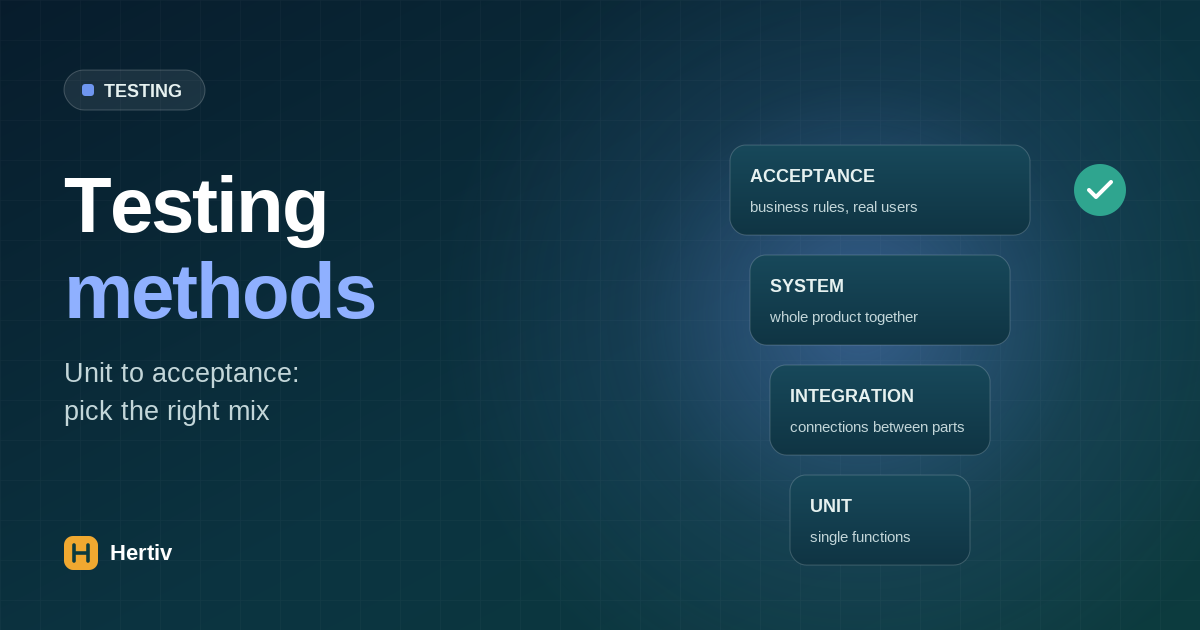
Software testing methodologies are the planned ways a team checks that software works and finds its faults. Unit tests check single functions, integration tests check the connections, system tests check the whole product and acceptance tests check the business rules, and most teams mix all four.
What are software testing methodologies?
Software testing methodologies are the planned ways a team checks that software does what it should, and finds the faults it should not have. A methodology covers which tests to run, when to run them, who runs them and what counts as a pass.
Every methodology answers the same four questions in a different order: what to test, how to test it, when to test it and who signs off. Unit testing answers them at the level of single functions, while acceptance testing answers them at the level of the whole product in the hands of a user.
The choice is rarely one methodology for the whole project. Most teams mix several: automated unit tests for the code, integration tests for the connections between parts, system tests for the full product and acceptance tests for the business rules. The mix changes as the product grows.
The main methodologies compared
The main testing methodologies differ in what they check and when they run, so a team usually needs more than one of them to cover a product properly.
| Methodology | What it checks | When it runs | Who runs it |
|---|---|---|---|
| Unit testing | Single functions or classes | During coding | Developers |
| Integration testing | Connections between parts | After units pass | Developers or testers |
| System testing | The whole product together | Before release | Testers |
| Acceptance testing | Business rules and user needs | Before sign-off | Users or product owners |
| Regression testing | Old features after changes | After every change | Automated suite |
| Exploratory testing | Unexpected behaviour | Throughout the cycle | Testers |
No single row covers the whole product. Unit tests catch logic errors early, integration tests catch broken connections, and acceptance tests catch the case where the software works correctly but does the wrong thing for the business.
Unit and integration testing
Unit and integration testing check the code from the inside out, starting with the smallest pieces and moving up to the connections between them.
A unit test checks one function with a known input and a known expected output. If the function returns the wrong answer, the test fails at once, and the developer knows exactly where the fault is. Because unit tests are fast, they run on every code change.
Integration testing checks what happens when the pieces work together: the API call that reaches the database, the payment step that talks to a third-party service, or the file upload that feeds the processing queue. These tests are slower and need a test environment, but they catch the faults that unit tests cannot see, such as a wrong field name in a request.
A good rule is to keep unit tests numerous and fast, and integration tests fewer and focused on the connections that break most often. When an integration test fails, the team checks the contract between the two parts first, because that is where the fault usually sits.
System and acceptance testing
System and acceptance testing check the finished product as a whole, first against its specification and then against what the business actually needs.
System testing runs the complete product in an environment that mirrors production, with real data volumes and real user flows. Testers check performance under load, security rules, error handling and recovery after a failure. This is the stage where a feature that works in isolation can still fail, for example when two features share the same data.
Acceptance testing is different: the product owner or a real user tries the product against the business rules and decides whether it is ready. A login page that works but takes 30 seconds to load might pass system tests and still fail acceptance, because no user would accept it.
For a fuller guide to this stage, see the earlier post on what system testing is and how to run it, which covers test levels, run steps and exit criteria in detail.
Test-driven and behaviour-driven development
Test-driven development (TDD) and behaviour-driven development (BDD) change when tests are written, not just how they are run. In TDD the developer writes a failing test first, then writes the code that makes it pass. In BDD the team writes the expected behaviour in plain words first, then builds tests and code from that description.
TDD keeps the code simple, because a developer only writes what the test asks for. It also leaves a safety net: when a later change breaks an old test, the team finds out at once instead of after release. The cost is time up front, and TDD works best for logic-heavy code with clear inputs and outputs.
BDD fits work where the business rule matters more than the code. A product owner can read the behaviour description and say whether it matches what the business wants, which catches misunderstandings before any code is written. The descriptions then become living documentation that stays close to the real behaviour.
Neither approach replaces the other stages. A team can use TDD for the core logic, BDD for the user-facing flows, and still run system and acceptance tests before release.
How to choose a methodology
You choose a testing methodology by matching it to the risk in the product, not by following a fashion. The parts that handle money, health or safety need more testing than a marketing page.
- List the risks. Write down what breaks if each part fails, and rank the parts by damage.
- Cover the riskiest parts first. Give them unit tests, integration tests and acceptance checks.
- Automate the repeated checks. Anything run more than a few times a week belongs in an automated suite.
- Keep a manual slot. Exploratory testing finds the faults that scripted tests never look for.
- Review the mix each release. Drop tests that never fail and add tests where faults keep appearing.
Teams that run their tests in a pipeline usually pair this with CI/CD practices, so every change is tested the same way before it reaches users.
The earlier guide on how to test AI models covers the extra steps that model-based features need.
Example (hypothetical): testing a booking app
Example (hypothetical): a team builds a booking app with 40 screens and a payment step. They write unit tests for the price calculation, integration tests for the payment call, system tests for the full booking flow, and acceptance tests with the product owner checking the refund rules.
In the first month the suite has 240 unit tests, 60 integration tests and 25 system tests, and it runs in 6 minutes. A change to the price rules breaks 3 unit tests at once, which the developer fixes the same day. Without the suite, the same fault would have reached the payment step and charged the wrong amount.
After three releases the team counts the faults found by each stage: 18 by unit tests, 7 by integration tests, 4 by system tests and 2 by acceptance testing. The numbers show that most faults are cheap to catch early, and that the later stages still earn their place by catching the faults the early stages cannot see.
Common mistakes
The most common mistakes in testing are testing too late, testing only the happy path and trusting a green suite that checks nothing important.
- Testing at the end. Faults found late cost far more to fix than faults found during coding.
- Only testing the happy path. Wrong inputs, empty fields and failed payments are where real faults live.
- Tests that never fail. A test that cannot fail is not checking anything, and it gives false confidence.
- No test data plan. Tests that share one messy database give flaky results that nobody trusts.
- Skipping regression tests. A fix that breaks an old feature is the most avoidable fault in software.
Key takeaways
- A methodology decides what to test, when to test it and who signs off
- Unit tests catch logic errors early; integration tests catch broken connections
- System tests check the whole product, acceptance tests check the business need
- TDD writes the test first; BDD writes the expected behaviour in plain words
- Choose the mix by risk, automate the repeated checks, and keep a manual slot for exploration
Frequently asked questions
What is the difference between a testing methodology and a testing type?
A testing type, such as unit or system testing, is one kind of check. A methodology is the plan that combines types, decides when each runs, and says what counts as a pass. Most teams use several types inside one methodology.
Which testing methodology should a small team start with?
Start with unit tests for the riskiest logic, integration tests for the main connections, and one acceptance check with the product owner before each release. That mix catches most faults without a large test team.
How many tests are enough?
There is no fixed number. Cover the risky parts first, automate the checks that run often, and add tests where faults keep appearing. If a part of the product has no test and a fault there would hurt, that is the gap to close.
What is regression testing?
Regression testing re-runs old tests after a change to check that features which used to work still work. It is usually automated, because it runs after every change, and it is the main defence against a fix that breaks something else.
Is manual testing still needed if tests are automated?
Yes. Automated tests only check what they were told to check. Exploratory manual testing finds the unexpected faults, such as confusing screens or odd input combinations, that scripted tests never look for.
When should testing start in a project?
Testing should start with the first code, not at the end. Unit tests are written during coding, and acceptance criteria are agreed before a feature is built. Faults found early are cheaper to fix than faults found after release.


