What Is CI/CD, and How Does It Actually Work?
CI/CD builds, tests and releases software automatically every time code changes. Learn what CI and CD each do, and how a pipeline fits together.
On this page
Short answer
CI/CD is a set of practices that build, test and release software automatically whenever code changes. Continuous integration merges and tests code often, while continuous delivery keeps that code ready to release at any time, so teams ship small changes frequently instead of rare large releases.
What is CI/CD?
CI/CD is a way of building, testing and releasing software automatically whenever code changes. The letters stand for continuous integration and continuous delivery, two practices that work together to move code from a developer's machine to users quickly and safely.
Continuous integration, or CI, means developers merge their code into a shared branch often, usually several times a day. Each merge triggers an automated build and a set of tests, so problems are found within minutes of the change that caused them.
Continuous delivery, or CD, means the code that passes those tests is always in a state that could be released. The release itself may be a button press or a scheduled decision, but there is no extra manual work needed to prepare it.
There is also continuous deployment, a stricter version of CD in which every passing change goes live automatically, with no human approval. Teams use it when they trust their tests and can roll back quickly. The three terms are often mixed up, so it is worth knowing which one a team actually means.
How does continuous integration work?
Continuous integration works by making merging a small, frequent event instead of a rare, painful one. A developer finishes a small change, merges it into the shared branch, and an automated system takes over within seconds.
The system first builds the code, which catches errors such as a missing file or a broken import. Then it runs the test suite: unit tests for small pieces, integration tests for how pieces work together, and checks for code style and security issues.
If anything fails, the team is told at once, and the change is fixed while it is still fresh in the developer's mind. A failure found an hour after the change is cheap to fix, while the same failure found a week later, buried under ten other changes, is expensive.
The habit that makes CI work is small changes merged often. A developer who merges once a week creates a large, risky merge, while one who merges three times a day creates small merges that are easy to review and easy to undo. The tooling matters less than that habit.
What does continuous delivery add?
Continuous delivery adds the steps after the tests pass: packaging the code, deploying it to a staging environment, and running a final round of checks there. At the end of that chain, the release is ready to go live whenever the team decides.
The key idea is that the release is boring. There is no special release day, no long checklist, and no heroics at midnight, because the same automated steps run for every change. Releasing becomes a routine decision about timing, not a risky project.
CD also makes it easy to release in small slices. A team can send a new feature to a small share of users first, watch the results, and then widen the rollout. If something goes wrong, only a few users are affected and the change can be switched off quickly.
This is where DevOps services often come in: the pipeline, the environments and the monitoring are the plumbing that makes small, safe releases possible, and they need to be built and maintained like any other part of the product.
How do CI, CD and continuous deployment differ?
CI, CD and continuous deployment differ in how far automation goes and who decides when code reaches users. CI stops at tested code, CD prepares a release a human can trigger, and continuous deployment releases every passing change on its own.
| Practice | What is automated | Who releases | When to use it |
|---|---|---|---|
| Continuous integration | Build and tests on every merge | Nobody yet | Every team, as a starting point |
| Continuous delivery | Build, tests, packaging, staging | A person, with one click | When releases need a human decision |
| Continuous deployment | Everything, including going live | The pipeline itself | When tests are strong and rollback is fast |
Most teams start with CI, add delivery once their tests are reliable, and only move to full deployment when they can detect a bad release quickly and roll it back in minutes. Skipping straight to deployment without good tests or monitoring is how small bugs become outages.
The choice is also about the product. A banking app with strict release rules may stay with delivery and a human approval, while a consumer web app may deploy dozens of times a day. Both are valid, and the right answer depends on risk, not fashion.
How do you set up a CI/CD pipeline?
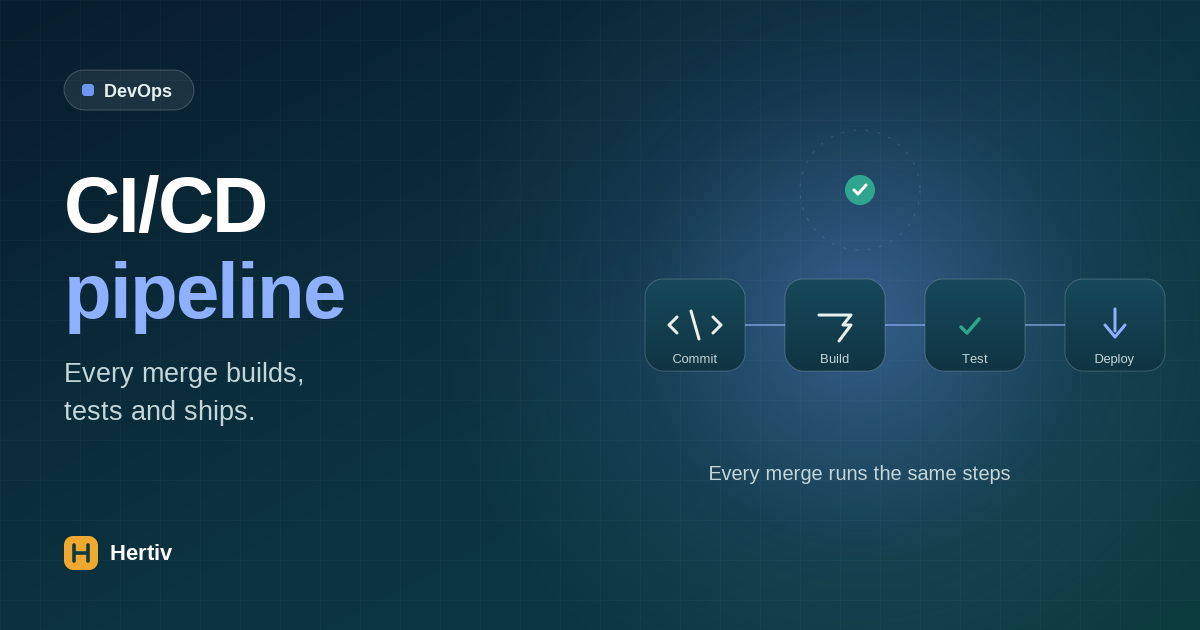
You set up a CI/CD pipeline by connecting four stages: the code repository, the build and test step, the packaging and staging step, and the release step, with checks and alerts at each stage.
- Connect the repository. Every merge to the main branch should trigger the pipeline automatically, so nothing is built by hand.
- Automate the build. The pipeline should compile the code and install its dependencies the same way every time, in a clean environment.
- Run the tests in order. Fast unit tests first, then slower integration tests, so failures appear quickly and the pipeline stays short.
- Package the result. Build a single artifact, such as a container image, that is the same in staging and in production.
- Deploy to staging. Run the same artifact in an environment that mirrors production, and run smoke tests against it.
- Release and monitor. Ship to production in a small slice first, watch error rates and key metrics, and widen the rollout if they stay healthy.
Keep the pipeline fast. A pipeline that takes an hour teaches developers to avoid it, while one that takes ten minutes becomes part of their normal work. Speed comes from running tests in parallel and from not re-running checks that have already passed.
Example (hypothetical): a team that stops releasing by hand
Example (hypothetical): a team of six developers releases once a week by hand. Each release takes 45 minutes of manual steps: building the code, copying files, running a checklist, and checking the site afterwards. That is 8 releases a month, so the team spends 8 times 45 minutes, which is 360 minutes, or 6 hours a month, on releases.
The team builds a pipeline that does the same steps automatically in 6 minutes. The 8 releases now take 8 times 6 minutes, which is 48 minutes a month.
The saving is 360 minus 48, which is 312 minutes, or 5 hours and 12 minutes a month. The numbers are invented to show the arithmetic, not a real measurement. The bigger gain is not the time saved, but that releases stop being feared, so the team ships small fixes the same day instead of saving them for the weekly release.
That change in behaviour is the real point of CI/CD. When releasing is cheap and safe, teams release often, problems are small, and a bad change affects a few users for a few minutes rather than everyone for a day.
What are the common mistakes?
The common mistakes with CI/CD are treating the pipeline as a one-off project, letting tests go slow or flaky, and deploying without a way back.
- Big, rare merges. CI only works if developers merge small changes often. A branch that lives for three weeks defeats the whole point.
- Flaky tests. Tests that fail randomly teach the team to ignore failures, and then a real failure is ignored too. Fix or delete a flaky test at once.
- A slow pipeline. If the pipeline takes an hour, developers will work around it. Keep it under fifteen minutes by running tests in parallel.
- No rollback plan. Every release should be reversible in minutes, whether that means reverting a change, switching traffic back, or restoring a previous version.
- No monitoring after release. A green pipeline says the code passed its tests, not that it works for users. Watch error rates and key metrics after every release.
- Secrets in the pipeline. Passwords and keys should come from a secret store, never from the code or the pipeline configuration.
Most of these mistakes share one root cause: the pipeline was built and then forgotten. It needs the same care as the product, with someone owning it and fixing it when it slows down or starts crying wolf. For a deeper look at the surrounding practices, see what DevOps covers.
Key takeaways
- CI merges and tests code often, so problems are found within minutes
- CD keeps tested code ready to release, so releases become routine
- Continuous deployment goes further and releases every passing change
- Keep the pipeline fast, or developers will work around it
- Every release needs a rollback plan and monitoring after it goes live
Frequently asked questions
What is the difference between CI and CD?
Continuous integration builds and tests code every time a developer merges a change into the shared branch. Continuous delivery takes the tested code further: it packages it, deploys it to a staging environment, and keeps it ready to release at any time. CI is about testing code early, CD is about being able to ship it safely.
Do I need CI/CD for a small project?
A small project still benefits from CI, because even two developers can break each other's work. A short pipeline that builds the code and runs the tests on every merge costs little to set up and saves hours of debugging later. Full continuous deployment can wait until the tests and monitoring are strong.
What tools are used for CI/CD?
Common tools include GitHub Actions, GitLab CI, Jenkins and CircleCI for the pipeline itself, plus container tools for packaging and cloud services for hosting. The choice matters less than the practices: small merges, automated tests, a fast pipeline and a rollback plan for every release.
How long should a CI/CD pipeline take?
Aim for under fifteen minutes from merge to a tested, packaged result. Fast unit tests should run first so failures appear in a minute or two, with slower integration tests after them. A pipeline that takes an hour will be avoided, while a fast one becomes part of normal work.
What is the difference between continuous delivery and continuous deployment?
In continuous delivery, the pipeline prepares a release that a person triggers with a click, often after a final check. In continuous deployment, every change that passes the tests goes live automatically, with no human approval. Deployment needs strong tests, fast rollback and good monitoring to be safe.
How does CI/CD relate to DevOps?
CI/CD is one of the core practices of DevOps, which is the wider set of habits that joins development and operations: automation, monitoring, shared ownership of releases, and fast feedback. CI/CD provides the automated path from code to production, while DevOps covers the culture and operations around it.


