Real-World RAG Examples: 6 Ways Teams Use It Today
Retrieval-augmented generation grounds AI answers in a team's own documents. These six examples show where RAG works, what it needs, and where it falls short.
On this page
Short answer
Real-world RAG examples include support search that cites help articles, sales proposals drafted from past bids, staff policy Q&A, clinical note summaries, contract review and onboarding tutors. In each case the AI retrieves relevant documents first, then writes an answer grounded in them.
Where is RAG actually used in the real world?
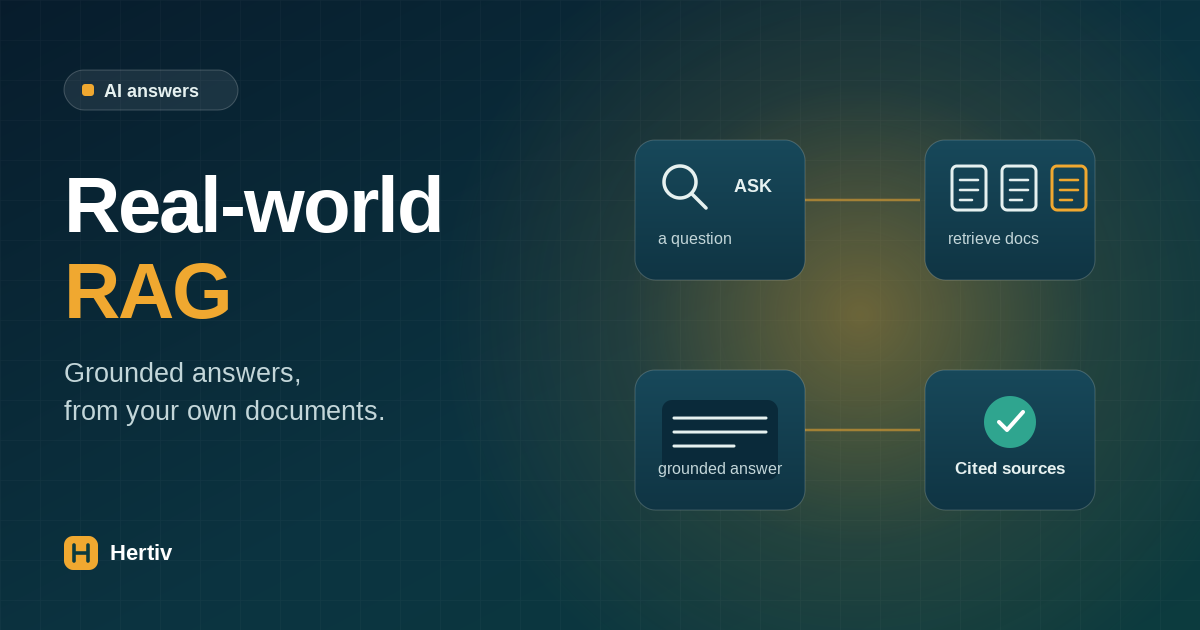
Retrieval-augmented generation, or RAG, is used wherever an AI assistant must answer from a team's own documents instead of from general knowledge. The pattern is the same in every example below: a question comes in, the system retrieves the most relevant documents, and the model writes an answer that cites what it found.
| Example | Team | What RAG does | Grounded in |
|---|---|---|---|
| Support search | Customer support | Answers tickets with cited help articles | Help centre, past tickets |
| Sales proposals | Sales | Drafts proposals from past bids | Won and lost proposals |
| Policy Q&A | All staff | Answers policy questions with sources | Handbook, policy docs |
| Clinical notes | Healthcare | Summarises patient records for clinicians | Notes, guidelines |
| Contract review | Legal | Flags risky clauses against playbooks | Contracts, playbooks |
| Onboarding tutor | New hires | Answers how-we-work questions | Wikis, runbooks |
None of these examples needs the model to know the answer on its own. The value comes from retrieval: the right document, found at the right time, with the answer tied to it. That is also what makes RAG easier to trust than a model answering from memory, and easier to fix when it gets something wrong — you fix the documents or the retrieval, not the model.
1. Support search: best for cutting ticket handling time
1. Support search: best for cutting ticket handling time
A support team gives its agents a RAG assistant that searches the help centre and past resolved tickets, then drafts an answer with links to the articles it used. The agent checks the draft, edits it if needed, and sends it. The customer gets a faster reply, and the answer is tied to documents the team already maintains.
This works because support questions repeat: the same ten issues cause most tickets, and the answers already exist in writing. RAG turns that written knowledge into something an agent can reach in seconds instead of searching by hand. The same pattern, aimed at customers directly, is covered in our guide to RAG use cases in retail.
Pros:
- Answers cite real articles, so agents can verify them
- Reuses help content the team already writes
- New agents get up to speed faster
Cons:
- Out-of-date articles produce out-of-date answers
- Needs a human check before sending to customers
- Struggles with questions no article covers
2. Sales proposals: best for reusing what won before
2. Sales proposals: best for reusing what won before
A sales team uses RAG to draft proposals from its own past bids. A rep asks for a proposal for a logistics client with a three-month timeline, and the system pulls the relevant sections from past winning proposals — pricing structure, implementation plan, support terms — then drafts a new document in the same shape.
The draft is a starting point, not a finished proposal. A human edits it for the specific client, removes anything that does not fit, and checks every number. The time saved is in assembly: the rep no longer hunts through folders for the right section or rewrites standard wording from scratch.
Pros:
- Reuses proven wording from past wins
- Keeps proposals consistent in structure and terms
- Cuts the time spent assembling standard sections
Cons:
- Can carry over terms that no longer apply
- Needs a library of well-organised past proposals
- Drafts still need a careful human review
3. Policy Q&A: best for stopping repeat questions
3. Policy Q&A: best for stopping repeat questions
Staff ask the same policy questions again and again: how many days of leave can be carried over, what the travel expense limit is, how to request equipment. A RAG assistant that searches the handbook and policy documents answers these in seconds, with a link to the exact policy page.
This example is deliberately narrow, which is why it works well. The documents are short, the questions are factual, and a wrong answer is easy to spot because the source is linked. HR teams report fewer repeat questions, and staff get answers outside working hours. The main work is keeping the policy documents current.
Pros:
- Answers link to the exact policy, so staff can verify them
- Works outside working hours
- Small, well-defined document set is easy to maintain
Cons:
- Out-of-date policies produce confident wrong answers
- Cannot handle judgement calls or exceptions
- Needs clear ownership of the source documents
4. Clinical notes: best for summarising records for clinicians
4. Clinical notes: best for summarising records for clinicians
A clinic uses RAG to summarise a patient's record before an appointment: recent visits, current medication, allergies and open referrals, drawn from the notes and guidelines in its own system. The clinician reads the summary, checks it against the record, and spends the appointment talking to the patient instead of reading files.
This is a high-stakes use, so the design is conservative: the summary always cites the notes it came from, nothing is written back to the record automatically, and a clinician reviews everything. The pattern is explored further in our guide to RAG in healthcare, where accuracy and audit trails matter most.
Pros:
- Saves reading time before each appointment
- Every claim in the summary cites its source note
- Works from the clinic's own records and guidelines
Cons:
- Needs strict access control and audit trails
- Messy or incomplete notes limit the summary
- A clinician must still verify every detail
5. Contract review: best for flagging risky clauses
5. Contract review: best for flagging risky clauses
A legal team uses RAG to review incoming contracts against its own playbook. The system retrieves the relevant playbook rules and past negotiated positions, then flags clauses that differ — unusual liability caps, missing termination rights, payment terms outside policy — and suggests the standard wording.
The lawyer still makes every decision. RAG does the first pass: reading a long document, comparing it with the playbook, and pointing at the five clauses that need attention. For a team reviewing dozens of similar contracts a month, that first pass is where most of the time goes.
Pros:
- First pass is fast and consistent across contracts
- Flags deviations against the team's own playbook
- Lawyers focus on judgement, not reading
Cons:
- Playbook must be written down and kept current
- Unusual contracts need a full human read anyway
- Confidential documents need strong access control
6. Onboarding tutor: best for answering how-we-work questions
6. Onboarding tutor: best for answering how-we-work questions
A new hire's first weeks are full of small questions: how to request access, where the runbooks live, who approves what, how deployments work. An onboarding tutor built on RAG answers from the team's wikis and runbooks, with links, so the new hire can check the source and learn the system.
This works because the knowledge is written down but scattered. The tutor does not replace a mentor; it handles the repeatable factual questions so the mentor's time goes to the judgement and context that only a person can give. Teams that try this usually start with one wiki and expand as the answers prove reliable.
Pros:
- Answers routine questions instantly, day or night
- Links let new hires verify and learn the sources
- Frees mentors for the questions that need judgement
Cons:
- Scattered or stale wikis give poor answers
- Cannot teach judgement or team culture
- Needs someone to own the source documents
How to choose
Pick a RAG use case by the quality of the documents and the cost of a wrong answer, not by how impressive the demo looks.
- Start with documents that exist. If the knowledge is not written down, RAG has nothing to retrieve.
- Pick a question with a checkable answer. Factual questions with a source link are safer than open-ended judgement.
- Keep a human in the loop. Decide who checks answers before they reach a customer, patient or contract.
- Measure against the old way. Compare time saved and error rates with how the work was done before RAG.
- Fix the documents first. Out-of-date sources are the most common cause of bad RAG answers, as explained in our guide to how to test AI models.
Teams that follow this order usually have a working assistant in weeks. Teams that start with the model and ignore the documents spend months tuning and still get poor answers.
Common mistakes
The most common mistakes are trusting retrieval that was never tested, letting documents go stale, and removing the human check too early.
- Never testing retrieval. If the system pulls the wrong documents, the answer will be wrong no matter how good the model is.
- Stale documents. A RAG system is only as current as its sources; nobody owns them, so they rot.
- Removing the human too soon. Auto-sending answers before the error rate is known invites a public mistake.
- Stuffing in everything. Indexing every file, including drafts and duplicates, makes retrieval worse, not better.
- No guardrails. Without rules about what the assistant may say, it will answer questions it should refuse.
That small test — real questions against real documents — predicts success better than any benchmark. If the documents answer the questions, RAG will work. If they do not, fix the documents first, and read our guide to how to prevent prompt injection before exposing the assistant to untrusted input.
Key takeaways
- RAG works wherever an AI assistant must answer from a team's own documents, not from general knowledge
- Support, sales, policy, clinical, legal and onboarding examples all follow the same pattern: retrieve, then answer with sources
- The value is in retrieval and citations — a wrong document means a wrong answer, however good the model is
- Keep a human checking answers until the error rate is known and the documents are proven current
- Test with five real user questions against real documents before building anything
Frequently asked questions
What is the difference between RAG and fine-tuning?
RAG retrieves relevant documents at answer time and grounds the answer in them, while fine-tuning trains the model itself on examples. RAG is easier to update — change the documents and the answers change — while fine-tuning suits behaviour and style that documents cannot express. Many teams use both.
Does RAG need a large document set to work?
No. A small, well-maintained set of documents often works better than a large messy one, because retrieval has fewer wrong candidates to choose from. Start with the documents that answer the most common questions, and expand only when the answers prove reliable.
How do you stop a RAG assistant from making things up?
Ground every answer in retrieved documents, show the sources, and keep a human check for anything that reaches a customer. Also test retrieval itself: if the system pulls the wrong documents, the model will still write a confident answer. Fixing retrieval matters more than tuning the model.
Can RAG handle confidential documents?
Yes, with access control: the assistant should only retrieve documents the person asking is allowed to see. That means the retrieval layer must respect the same permissions as the document store, and answers should be logged. Confidential data should never go to a model or store you do not control.
Is RAG expensive to run?
For most teams the cost is modest: a document store, an embedding step and model calls per question. The bigger cost is maintenance — keeping documents current, checking answers and fixing retrieval. Start with one use case and measure the time saved before expanding.
What is the first RAG project a team should try?
Pick a narrow, factual use case with good documents and a human check, such as internal policy Q&A or support search. It is low risk, the documents already exist, and success is easy to measure in questions answered and time saved.


