Open Source Databricks Alternatives: 8 to Compare
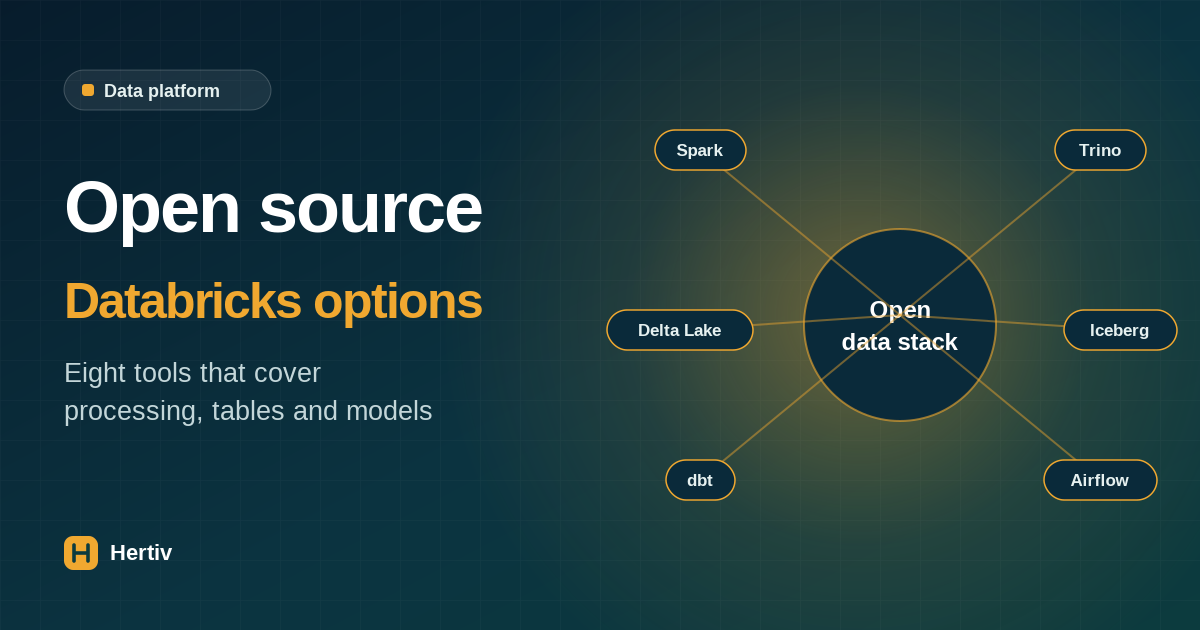
Databricks bundles Spark, Delta Lake and notebooks in one platform. These eight open source tools cover the same jobs, each in its own way.
On this page
Short answer
Databricks is a platform that bundles data processing, storage formats, notebooks and machine learning in one managed service. Open source alternatives split that job across several tools: some process data at scale, some store it in open table formats, and some schedule pipelines or track models. The right pick depends on whether your team needs a managed platform or is happy to run and connect the pieces itself.
Which open source tools replace Databricks?
Databricks combines four jobs in one place: processing large data sets, storing them in a reliable table format, running notebooks, and training and tracking models. No single open source tool does all four in the same way, so most teams replace it with a small set of tools instead of one direct swap.
The eight tools below cover the same ground from different angles. Some are engines that run queries, some are table formats that keep data consistent, and some are built to schedule jobs or track experiments. Preparing data for AI well is the first step, whichever tools you pick.
| Tool | Main job | Best for | Skill needed |
|---|---|---|---|
| Apache Spark | Large-scale data processing | Big batch and streaming jobs | Code |
| Trino | Fast SQL queries across sources | Ad-hoc analysis | SQL |
| Delta Lake | Open table format on files | Reliable data lakes | Code |
| Apache Iceberg | Open table format, many engines | Shared tables | Code |
| DuckDB | Fast local analytics | Small and medium data | SQL |
| dbt | SQL data modelling | Clean, tested models | SQL |
| Apache Airflow | Scheduled pipelines | Production data flows | Python |
| MLflow | Experiment tracking | Model comparison | Python |
Start from the job you need most. If your data is large and spread out, start with Spark or Trino. If your data fits on one machine, DuckDB and dbt may be enough.
Processing engines: Spark and Trino
1. Apache Spark: best for large-scale processing
Apache Spark is the open source engine that Databricks itself is built on. It processes large data sets across many machines, in batches or as a stream, using Python, SQL, Scala or Java. It handles the heavy jobs: cleaning billions of rows, joining large tables and training models.
It suits teams with large data and engineers who can run a cluster. Spark is powerful, but it needs care: clusters to run, jobs to tune and failures to watch. Teams that already use Databricks will find Spark familiar, because the same code often runs on both.
- Pros: proven at scale, many languages, huge community
- Cons: needs a cluster and skilled operators
2. Trino: best for fast SQL across sources
Trino is a query engine that runs SQL across many data sources at once, such as files, databases and data lakes. Analysts write one SQL query and Trino fetches the data from wherever it lives, without moving it first.
It suits teams that need quick answers from data spread across systems. It is fast for ad-hoc analysis and reporting, but it is not a tool for heavy data cleaning or machine learning. It pairs well with a table format such as Iceberg or Delta Lake.
- Pros: fast SQL, many sources, no data movement
- Cons: not for heavy transforms or model training
Table formats: Delta Lake and Iceberg
3. Delta Lake: best for reliable data lakes
Delta Lake is an open table format that sits on top of files in a data lake and adds transactions, so a write either fully succeeds or fully fails. It keeps a history of changes, so you can go back to an earlier version of a table, and it supports updates and deletes.
It suits teams that store data as files but want the safety of a database. It works well with Spark, which reads and writes Delta tables directly. If your team already writes Spark jobs, Delta Lake is a natural fit.
- Pros: safe writes, time travel, works with Spark
- Cons: best with Spark, less open to other engines
4. Apache Iceberg: best for shared tables
Apache Iceberg is an open table format designed so many engines can read and write the same tables. Spark, Trino, Flink and others can all work on Iceberg tables, which makes it a good choice when different teams use different tools.
It suits teams that want one set of tables shared across tools. Iceberg handles large tables, hidden partitioning and schema changes without breaking old queries. It takes more setup than Delta Lake, but the freedom to mix engines is worth it for many teams.
- Pros: many engines, clean schema changes, large tables
- Cons: more setup, needs a catalog service
Lightweight and local: DuckDB and dbt
5. DuckDB: best for fast local analytics
DuckDB is a small, fast database that runs inside one process, on a laptop or a server, with no setup. It reads files directly, runs SQL quickly, and handles data sets that fit on one machine with ease.
It suits analysts and small teams whose data fits on one machine. It is the fastest way to answer a question about a file of a few gigabytes. It is not a tool for data spread across many machines, but for many teams that is not a problem. Teams learning how models use data can read what machine learning is before picking tools.
- Pros: no setup, very fast, reads files directly
- Cons: one machine only, not for huge data
6. dbt: best for clean, tested data models
dbt is a tool that turns SQL into tested, documented data models. Analysts write SQL files that build one table from another, add tests for missing values or duplicates, and document what each column means.
It suits teams that want their data warehouse to stay clean and understandable. dbt does not move data itself; it runs on top of a database or engine such as DuckDB, Spark or Trino. It is the piece that keeps the modelling layer tidy.
- Pros: tested models, clear docs, version control
- Cons: SQL only, needs a database to run on
Pipelines and models: Airflow and MLflow
7. Apache Airflow: best for scheduled pipelines
Apache Airflow schedules and runs data pipelines. You describe a pipeline as a set of tasks with dependencies, and Airflow runs them in order, retries failures and shows what happened. It is the standard way to run a daily or hourly data job.
It suits teams that need their pipelines to run on a schedule and be easy to watch. Airflow needs a server and Python skills, but it handles the messy part of production data work: timing, retries and alerts.
- Pros: reliable scheduling, clear logs, huge community
- Cons: needs hosting and Python skills
8. MLflow: best for tracking experiments
MLflow tracks machine learning experiments. Each run records the parameters, the data version and the result, so you can compare models side by side and find the best one later. It also stores models and can serve them.
It suits teams that train many models and need to know which one won and why. It covers the model-tracking part of Databricks, and it works with Spark, DuckDB and plain Python alike. Teams that test models should also read how to test AI models before trusting a result.
- Pros: clear experiment history, model registry, works with many tools
- Cons: no data processing or scheduling on its own
How to choose
Pick the tools that match your data size, your team's skills and the job you need most. Do not try to replace every part of Databricks at once.
- Measure your data: size, growth and where it lives.
- List the jobs you need: processing, tables, modelling, scheduling, tracking.
- Pick one tool per job, starting with the most painful one.
- Run a small pilot on real data for two weeks.
- Keep the set small: fewer tools means less maintenance.
If your data fits on one machine, DuckDB, dbt and MLflow may be all you need. If it does not, add Spark or Trino with Delta Lake or Iceberg, and Airflow to schedule the jobs. The set should fit your team, not the other way round.
Common mistakes
The most common mistake is picking tools for scale you do not have. A team with a few gigabytes of data does not need a Spark cluster. Start small, and add heavy tools only when the data proves you need them.
Another mistake is skipping the table format. Teams that write plain files without Delta Lake or Iceberg soon face broken reads and half-finished writes. A table format is cheap insurance for a data lake.
A third mistake is running too many tools. Each tool needs updates, monitoring and someone who knows it. A set of three well-run tools beats a set of eight that nobody maintains. Keep the stack small and let one person own it.
Key takeaways
- Databricks bundles four jobs; open source splits them across tools.
- Start from the job you need most, not the tool list.
- Small data fits DuckDB and dbt; large data needs Spark or Trino.
- A table format keeps a data lake safe from broken writes.
- Keep the stack small — three well-run tools beat eight neglected ones.
Frequently asked questions
Is there one open source tool that replaces Databricks fully?
No. Databricks bundles processing, storage, notebooks and model tracking in one managed service. Open source tools cover each job well, but you must connect them yourself and run them. The trade is control and cost against setup work.
Which combination should a small team start with?
Start with DuckDB for analytics, dbt for clean models and MLflow for experiment tracking. That set runs on one machine, needs little setup, and covers most small-team jobs. Add Spark only when the data outgrows one machine.
What is the difference between Delta Lake and Iceberg?
Both are open table formats that add safe writes and history to files in a data lake. Delta Lake works best with Spark, while Iceberg is built so many engines, such as Spark and Trino, can share the same tables. Pick Delta Lake for a Spark team and Iceberg for a mixed team.
Do I need Airflow if I use dbt?
dbt models data but does not schedule jobs. If your models must rebuild every night, you need a scheduler such as Airflow, or the scheduler built into your database. For a manual weekly run, dbt alone is enough.
Can I move from Databricks to open source later?
Yes. Spark code, Delta Lake tables and MLflow tracking move across with little change, because Databricks is built on the same open projects. Notebooks and managed features need more work to move, so keep your core logic in plain code and SQL.
How much does the open source set cost to run?
The software is free, but you pay for servers, storage and your team's time. For small data the cost is low. For large data the server bill can grow, so measure it in a pilot before you commit.


