Open Source Azure OpenAI Alternatives: 8 to Run Yourself
Azure OpenAI is a managed service, but open-source stacks can match it. Compare 8 tools for hosting, serving and running your own models.
On this page
Short answer
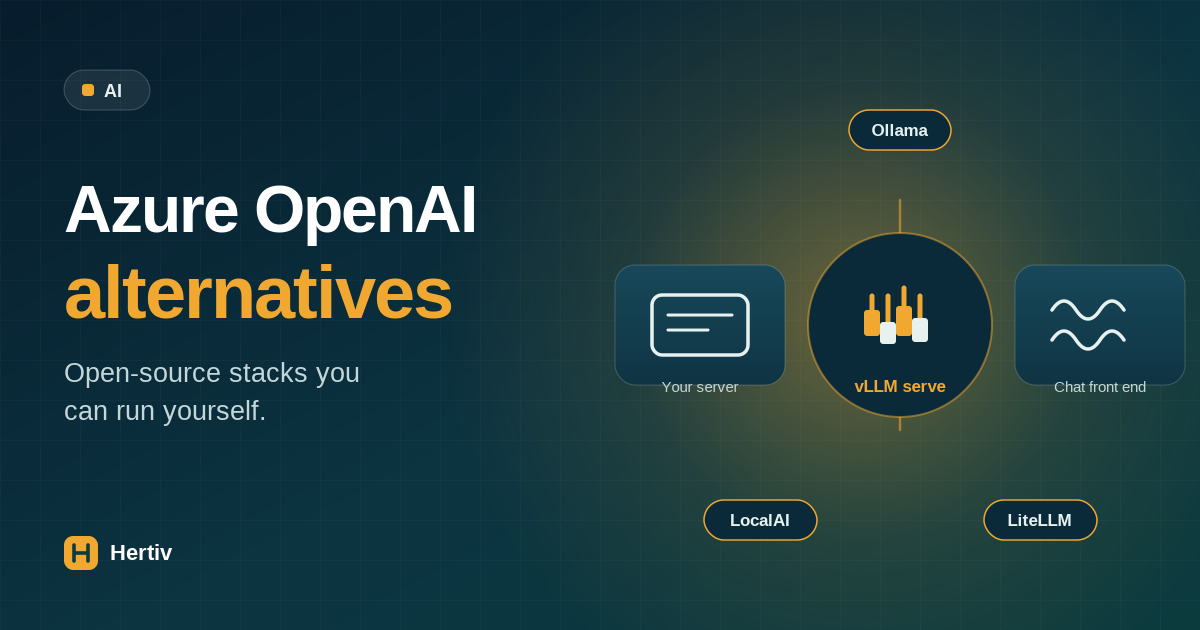
Azure OpenAI is Microsoft's managed way to run OpenAI models with enterprise controls. Open-source alternatives let you host models yourself: Ollama and llama.cpp for local use, vLLM and Text Generation Inference for serving many users, LocalAI and LiteLLM for API compatibility, and Open WebUI and Jan for a chat interface.
What are the open source alternatives to Azure OpenAI?
Azure OpenAI is a managed service: Microsoft hosts the models, handles scaling and adds enterprise controls such as private networking, content filters and data residency. Open-source alternatives replace that managed service with tools you run yourself, usually on your own servers or cloud machines.
The tools below fall into four groups: local runners, serving engines, API-compatible layers and chat interfaces. Most teams combine two or three of them. The table gives the quick comparison.
| Tool | What it is | Best for |
|---|---|---|
| Ollama | Local model runner | Getting started fast |
| vLLM | High-speed serving engine | Serving many users |
| LocalAI | OpenAI-compatible API server | Replacing a hosted API |
| LiteLLM | Router across providers and models | Switching models easily |
| llama.cpp | Lightweight inference engine | Modest hardware |
| Text Generation Inference | Hugging Face serving engine | Production serving |
| Open WebUI | Chat interface for local models | A team chat front end |
| Jan | Desktop app for local models | Personal offline use |
Running your own models trades convenience for control. You own the data, the costs are mostly hardware, and nothing leaves your network, but you also own the uptime, the updates and the security. If you only need to call a hosted model, what is OpenAI explains the managed route first.
1. Ollama: best for getting started fast
1. Ollama: best for getting started fast
Ollama is the simplest way to run a model on your own machine. One command downloads a model and starts a local API, and the same tool works on Mac, Windows and Linux. It is the tool most teams try first when they want to see what self-hosting feels like.
Ollama suits small teams, demos and development work. It is not built for high traffic: it runs one model at a time on one machine, and it has no built-in load balancing or user management.
Pros. One command to start; works on a laptop; large model library.
Cons. Single machine only; no multi-user controls; not for production traffic.
2. vLLM: best for serving many users
vLLM is a serving engine built for speed. It batches requests efficiently, uses GPU memory well and serves many users at once from one machine. Teams that move from a demo to a real service usually switch to vLLM or a similar engine.
vLLM needs a GPU server and some setup, but it is the standard choice for production self-hosting. It exposes an OpenAI-compatible API, so code written for a hosted API often works with only a change of address.
Pros. Very fast under load; OpenAI-compatible API; well documented.
Cons. Needs a GPU server; setup takes more work than Ollama.
3. LocalAI: best for replacing a hosted API
3. LocalAI: best for replacing a hosted API
LocalAI is a server that mimics the OpenAI API using local models. It accepts the same requests as a hosted API, so an application written for Azure OpenAI can often point at LocalAI with only the endpoint changed. It also handles images and audio, not just text.
LocalAI suits teams that want to keep their existing application code and swap the provider underneath. It runs on a single machine or a small server, and it works well for internal tools with modest traffic.
Pros. Drop-in API compatibility; handles text, image and audio; simple to run.
Cons. Slower than vLLM under heavy load; single-server design.
4. LiteLLM: best for switching models easily
LiteLLM is a router, not a model runner. It sits in front of many providers and local engines and presents one API to your application. You can send some requests to a hosted model, some to a local model, and switch between them without changing your code.
LiteLLM suits teams that want flexibility: use a hosted model for hard questions, a local model for private data, and a cheaper model for simple tasks. It also helps with fallbacks, so a request can retry on another provider if the first one fails.
Pros. One API for many providers; easy fallbacks; cost control per request.
Cons. Adds a layer to manage; still needs models behind it.
5. llama.cpp: best for running on modest hardware
5. llama.cpp: best for running on modest hardware
llama.cpp is a lightweight inference engine written in C and C++. It runs models on a CPU, a modest GPU or even a small server, and it is the engine behind many other tools, including Ollama and LocalAI.
llama.cpp suits edge devices, old servers and places where a GPU is not available. It is less friendly than Ollama, because it is a command-line tool with many options, but it is the most efficient way to run a model on limited hardware.
Pros. Runs on CPU and modest hardware; very efficient; widely used as a base.
Cons. Command-line only; needs more setup than Ollama.
6. Text Generation Inference: best for production serving
Text Generation Inference, or TGI, is Hugging Face's serving engine. It is built for production: it handles many concurrent requests, streams responses and supports the models hosted on Hugging Face, which is the largest public model library.
TGI suits teams that already use Hugging Face models and want a supported way to serve them. It is a good choice when the model comes from Hugging Face and the team wants a clean, documented deployment path. See how to integrate the OpenAI API for the hosted equivalent.
Pros. Built for production; works with Hugging Face models; good documentation.
Cons. Needs a GPU server; tied to the Hugging Face ecosystem.
7. Open WebUI: best for a team chat front end
7. Open WebUI: best for a team chat front end
Open WebUI is a chat interface that sits on top of local models. It gives a team a familiar chat window, with user accounts, chat history, document upload and model switching, all running on their own server.
Open WebUI suits internal teams that want a private ChatGPT-style tool. It connects to Ollama, vLLM and hosted APIs, so the same interface can serve local and hosted models side by side.
Pros. Familiar chat interface; user accounts; works with many back ends.
Cons. Needs a back-end model server; adds another component to run.
8. Jan: best for personal offline use
Jan is a desktop app that runs models on your own computer, with no server and no account. It downloads a model, chats with it offline and keeps everything on the machine.
Jan suits individual use: a developer testing prompts, a writer drafting with a local model, or anyone who wants a private assistant without a cloud account. It is not built for teams or for serving many users.
Pros. Fully offline; no server needed; simple desktop app.
Cons. One user only; limited to what one machine can run.
How to choose the right alternative
Choose by how the model will be used, not by which tool is most popular. A demo, a production service and a private team chat need different tools.
- Decide what must stay private. If data cannot leave your network, you need self-hosting, not a hosted API.
- Estimate the traffic. A few users fit on Ollama; hundreds need vLLM or TGI.
- Check the models you need. Some tools only run certain model formats, so confirm yours is supported.
- Try the drop-in route first. LocalAI or LiteLLM lets you keep your existing code and swap the back end.
- Plan for operations. Someone must update models, watch GPU usage and fix the server when it fails.
Start small: run Ollama on one machine for a week, measure how it behaves, then decide whether you need a serving engine. The cost of a wrong choice is a few days, not a migration. For the hosted comparison, OpenAI use cases for business shows what the managed service is used for.
Common mistakes when replacing Azure OpenAI
The most common mistakes are underestimating the operations work, picking a tool that cannot serve the traffic, and assuming a local model matches a hosted one.
- Forgetting that someone must run the server, update models and watch costs
- Using Ollama for production traffic it was not built for
- Assuming a small local model answers as well as a large hosted model
- Skipping content filters, then finding the model answers questions it should not
- No fallback, so the app breaks when the local server is down
- Storing prompts and outputs without thinking about privacy rules
- Choosing a model format your tool cannot run
If you want a managed route with enterprise controls, LLM development covers building with hosted models.
For the API-only comparison, see open source OpenAI API alternatives.
Key takeaways
- Azure OpenAI is managed; open-source tools let you host models yourself.
- Ollama is the fastest start; vLLM and TGI serve many users in production.
- LocalAI and LiteLLM keep your existing API code working.
- Open WebUI adds a team chat front end; Jan is for personal offline use.
- Start small, measure quality and cost, then scale the serving engine.
Frequently asked questions
Is it legal to run open-source models instead of Azure OpenAI?
Yes, if the model's licence allows your use. Most open models allow commercial use, but some have limits on redistribution or on training competing models. Read the licence for each model before you use it in a product.
Do I need a GPU to run models myself?
For production use, yes, a GPU server is the practical choice. For testing and small use, llama.cpp and Ollama can run small models on a CPU, though they are slower. The size of the model and the number of users decide what hardware you need.
Can I keep my existing code when I switch from Azure OpenAI?
Often, yes. LocalAI and LiteLLM expose an API that matches the OpenAI format, so code written for Azure OpenAI usually needs only the endpoint and the key changed. Test with your own prompts before switching, because answers will differ.
Are local models as good as hosted models?
Large hosted models are usually stronger on hard questions, while small local models are good for simple tasks, drafting and classification. The gap is closing, but for the hardest work most teams still use a hosted model or a large local one on a GPU.
How much does self-hosting cost?
The main costs are the server or GPU machine, electricity and the time to run it. A small setup can cost less than a hosted API for steady use, but a large GPU server is expensive. Measure your real usage for a month before deciding.
What about content filters and safety?
Azure OpenAI includes content filters and safety controls. Self-hosted tools usually do not, so you must add your own filters, logging and access controls. This is the most commonly missed part of a self-hosted setup.


