How to Integrate the OpenAI API Into Your Business App
Integrating the OpenAI API means your app sends prompts to OpenAI's models and shows the answers to users. This guide covers keys, prompts, cost and safety.
On this page
Short answer
To integrate the OpenAI API into your business app, you create an API key in your OpenAI account, send prompts from your server to an OpenAI model, and show the model's reply inside your app. You keep the key on the server, limit what the model can do, log the results, and test the answers before you show them to customers.
What does integrating the OpenAI API mean?
Integrating the OpenAI API means connecting your business app to OpenAI's language models so the app can draft, summarise or answer using those models. Your app sends a prompt, which is a piece of text with instructions and the user's question, and the API returns a generated reply that your app displays.
The API is a paid service that your server calls over the internet. You do not install the model yourself, and you do not need machine learning expertise to use it. What you need is a clear job for the model, a way to build good prompts, and checks on the answers before they reach customers.
Common jobs for the API are drafting support replies, summarising long documents, extracting fields from emails and forms, classifying messages, translating short text and answering questions from your own help pages. The model is strongest at language work and weakest at exact facts, so it suits drafts and summaries better than final decisions.
| Job | What the API does | What your app adds |
|---|---|---|
| Draft support replies | Writes a draft from the ticket and history | Human review before sending |
| Summarise documents | Turns long text into a short summary | Source links and length limits |
| Extract fields | Pulls names, dates and amounts from text | Checks against your database |
| Classify messages | Labels a message by type or urgency | Routing rules for each label |
| Answer from help pages | Drafts an answer using your pages | Only your pages as source material |
Before you build, read What Is OpenAI, and What Does It Offer? so you know which models exist and what each one is built for.
What do you need before you start?
Start with the job, not the model. Pick one task where a draft or a summary saves real time, such as answering repeat support questions or summarising meeting notes. A narrow first job is easier to test and easier to explain to users.
You need an OpenAI account and an API key, which you create in the OpenAI dashboard. Treat the key like a password: it lives on your server, never in the app that users download and never in public code. If a key leaks, anyone can spend your credit with it, so set a spending limit in the dashboard on day one.
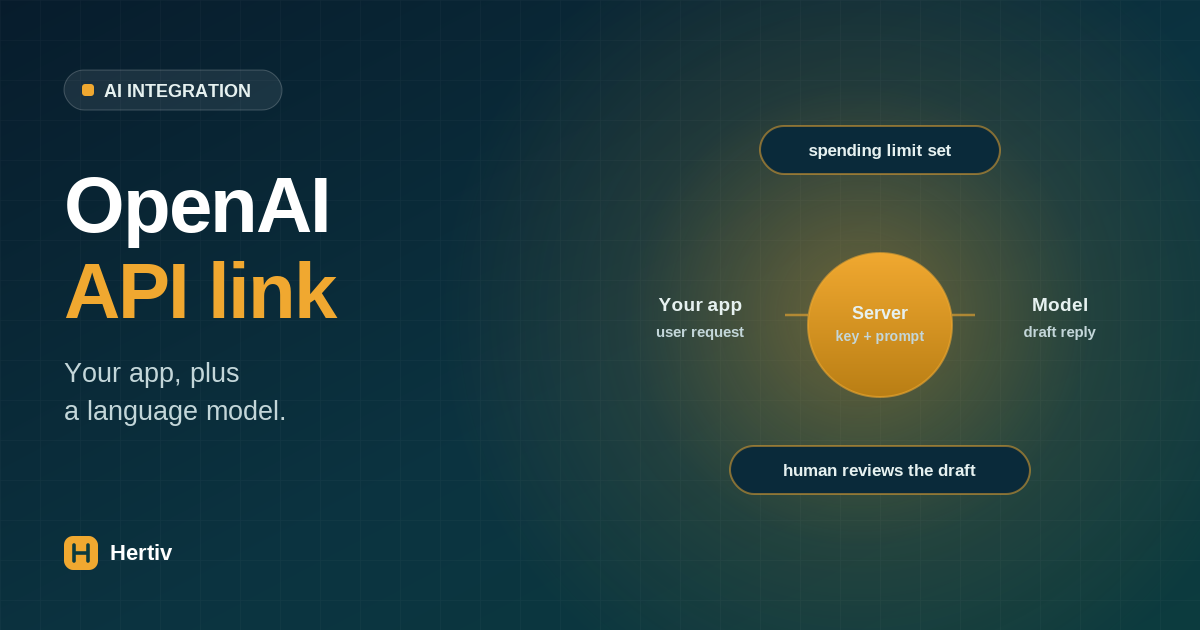
You also need a server or a backend function to make the calls. The browser or phone app should never call the API directly, because that would expose the key. The app sends the user's request to your server, your server adds the prompt and the key, calls the API, and returns the answer.
Finally, decide what data the model may see. Customer names, addresses and payment details should be removed or masked before the prompt is sent, unless your contract and your data policy allow it. Keep a short written note of what data goes to the API, so your team and your customers know where it goes.
How do you connect your app to the API?
Connecting your app takes a few steps, and most of them are ordinary backend work. The outline below fits most business apps, whether the app is a web dashboard or a mobile product.
- Create the key and set limits. Make an API key in the OpenAI dashboard, set a monthly spending limit, and store the key in your server's secret store, not in code.
- Build the server call. Write one server function that takes the user's input, builds the prompt, sends it to the API with the model name and a token limit, and returns the reply. Keep this function in one place so every feature uses the same checks.
- Write the prompt template. A good prompt states the role, the task, the format and the limits. For example: answer in two short paragraphs, use only the ticket text, and say you do not know when the answer is not in the ticket.
- Add the app screen. Show the reply in your app with a clear label that it was drafted by AI, and give the user a way to edit it or ask for a new version.
- Log and test. Save the prompt and the reply for a sample of calls, and check them by hand. Test with real examples from your own work, not only with friendly test cases.
- Ship to a small group first. Turn the feature on for a few users or one team, watch the logs for a week, fix the worst prompts, and then roll it out wider.
Most teams reach a working first version in a few days. The longer work is tuning prompts, handling edge cases and building the review step, which is where the quality comes from.
How do you keep prompts and data safe?
Safety starts with the key. Keep it on the server, rotate it if it ever appears in a log or a shared screen, and give each environment its own key so a test key cannot spend production credit. Never put the key in a mobile app, a browser script or a public repository.
Next, control what the model can see. Strip personal details from prompts where the task does not need them, and do not send whole customer records when a short excerpt will do. If the model needs your own documents to answer, send only the pages that match the question, not the whole library.
Also control what the model can do. The API only produces text, so it cannot move money or change records on its own, but your app can act on its output. Never let the model decide an action such as issuing a refund or deleting data without a person or a fixed rule checking it first.
Finally, keep logs. Save the prompt, the reply and the outcome for a sample of calls, and review them regularly. Logs show you where prompts fail, where users ask for things the model should not do, and whether the feature is worth its cost. If you are scoping a first AI project, How to Build an AI Proof of Concept, Step by Step covers the same checks in a small pilot.
How do you control cost and quality?
API cost follows the amount of text sent and received, measured in tokens. A token is roughly three quarters of a word in English. Short prompts and short replies cost less, so trim the input to what the task needs and set a maximum reply length.
Model choice is the biggest lever. Smaller models cost less per token and answer faster, while larger models handle harder questions. Start with the smaller model for simple jobs such as classifying messages, and move to a larger one only where you measured a quality gap.
Caching helps too. If the same question is asked often, store the answer and reuse it instead of calling the API again. For questions that change often, cache the retrieved documents rather than the answer, so the model still works from fresh data.
Quality needs a test set. Collect 50 to 100 real examples with the answer you want, run them through the API, and score the replies by hand. Re-run the same set after every prompt change, so you can tell whether a change helped or hurt. A model that scores well on your examples and poorly on new ones is a sign that your test set is too narrow, so add fresh examples each month.
For pricing, check the vendor site: model prices change, and any number written here would be out of date quickly. If another provider fits better, Open Source OpenAI API Alternatives: 6 to Compare lists hosted and self-hosted options.
Example (hypothetical): a support app drafts replies
Example (hypothetical): a support team handles 300 tickets a day. Writing each reply from scratch takes about 5 minutes, which is 300 x 5 = 1,500 minutes, or 25 hours a day across the team.
The team adds an API call that drafts a reply from the ticket text and two help pages. An agent reads each draft and fixes it, taking about 1 minute per ticket, which is 300 x 1 = 300 minutes, or 5 hours a day. The team saves about 20 hours a day and keeps a person in charge of every message sent.
On tokens, each ticket uses about 1,500 tokens for the prompt and the reply, so the team uses about 300 x 1,500 = 450,000 tokens a day. The team watches this number in the dashboard each week and trims the prompt when it grows.
What are the common mistakes?
The most common mistake is letting the model answer customers with no review. Early drafts can be confident and wrong, and a wrong answer sent to a customer costs more than the time the draft saved. Keep a person in the loop until your test scores are strong and stable.
- Exposing the API key. A key in a mobile app or browser script can be copied and used by anyone. Keep all calls on the server.
- Sending too much data. Whole customer records in a prompt are a privacy risk and a cost. Send only the fields the task needs.
- No token limit. Without a maximum reply length, a long or looping answer can cost far more than expected. Set a limit on every call.
- Trusting the first prompt. Prompts need testing on real examples. A prompt that works on five friendly cases often fails on the sixth real one.
- No fallback. APIs can be slow or unavailable. Show a clear message and a way to reach a person, instead of a blank screen.
Start small, measure with real examples, and keep a person checking the output. That is the whole integration in practice: a server call, a good prompt, a review step and a log.
Key takeaways
- The API only produces text; your app decides what to do with it
- Keep the key on the server, set a spending limit, and rotate leaked keys
- Short prompts, the right model and caching keep token use down
- Test every prompt change on the same set of real examples
- Keep a person reviewing replies until test scores are strong and stable
- Always have a fallback when the API is slow or unavailable
Frequently asked questions
How much does the OpenAI API cost?
The API charges by the amount of text sent and received, measured in tokens, and prices differ by model. Smaller models cost less per token than larger ones. Check the vendor site for current prices, since they change, and set a spending limit in your dashboard before you ship.
Do I need machine learning skills to use the API?
No. Using the API is ordinary backend work: you send text and receive text. You need to write good prompts, check the answers and handle errors. Machine learning skills help when you fine-tune a model or build your own evaluation, but they are not needed for a first integration.
Can the API see my customers' private data?
It can only see what you send it. Remove personal details from prompts where the task does not need them, and send only the fields the job requires. Check your contract and your data policy before sending customer data, and keep a record of what goes to the API.
What happens if the API is down?
Your app should handle a failed or slow call with a clear message and a way to reach a person, instead of a blank screen or a stuck spinner. Retry once with a short timeout, then fall back to a saved answer or a human queue.
Should I use the API or build my own model?
Use the API first when your job is language work and you want results in days. Building your own model makes sense only when you have a large amount of labelled data, a task the API handles poorly, or a rule that keeps data on your own servers.
How do I stop the model from making things up?
Give it source material to work from, such as your help pages, and tell it to say it does not know when the answer is not there. Keep replies short, check them against the source before showing them, and test with questions that have no good answer.


