Metaverse in Education: 5 Use Cases That Work
Metaverse spaces give students shared 3D rooms for classes, labs and campus visits. See five education use cases and what to check first.
On this page
Short answer
The metaverse in education means using shared 3D spaces where students and teachers meet as avatars to learn together. The strongest uses are virtual classrooms, lab simulations, campus tours, practical skills training and accessible learning spaces, each of which works best when the lesson needs practice, presence or a place students cannot visit in person.
Where does the metaverse help in education?
The metaverse helps in education where a flat video call falls short: lessons that need a place, a practice run or a sense of being together. A student can walk through a virtual lab, handle a 3D model of a heart, or visit a campus on another continent, all from an ordinary classroom.
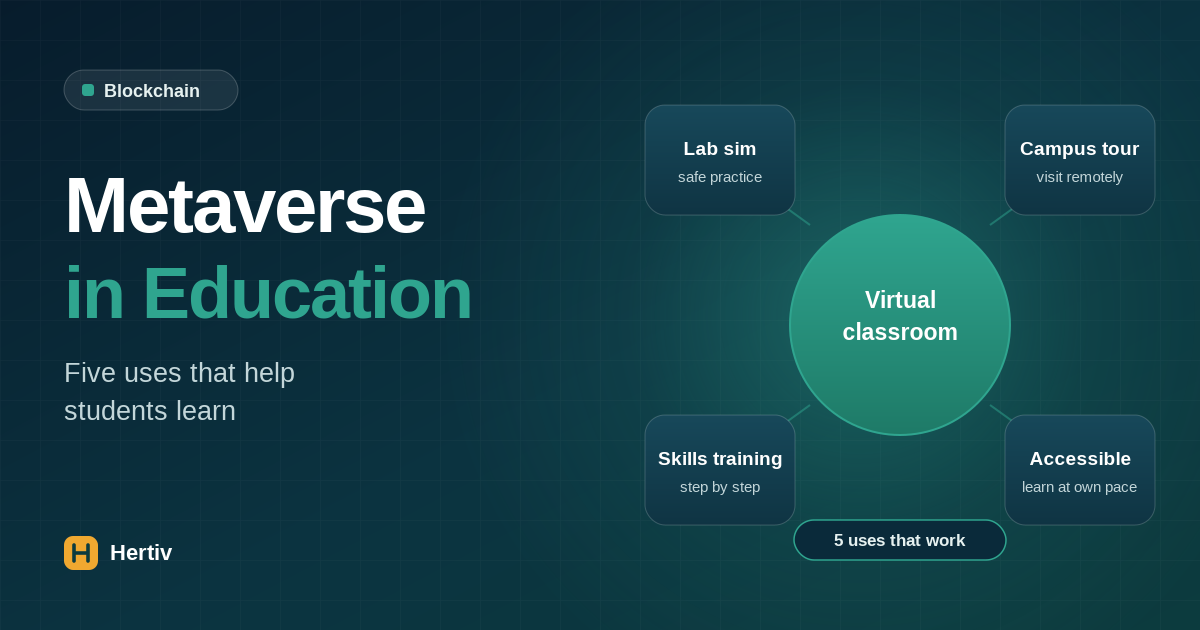
The five uses below are the ones schools and training teams try first. Each works best for a different kind of lesson, and the table shows what students do in each one and where it fits best.
| Use case | What students do | Best for |
|---|---|---|
| Virtual classrooms | Meet as avatars, discuss, present | Remote and mixed classes |
| Lab simulations | Run experiments in a safe 3D lab | Science and medical training |
| Campus tours | Walk a campus from anywhere | Admissions and open days |
| Skills training | Practise tasks step by step | Trades and job skills |
| Accessible learning | Learn at their own pace and comfort | Students who need flexibility |
Virtual classrooms and lab simulations
1. Virtual classrooms: best for remote classes that feel present
In a virtual classroom, students and teachers meet as avatars in a shared 3D room. They can sit in groups, raise a hand, walk to a board and present their work, which feels closer to a real classroom than a grid of video tiles.
The classroom works best for discussion and group work, where being together matters. A teacher can watch groups work, join a table to help, and bring the class back together with a word, much like walking around a real room.
Pros: students feel present and take part more; group work feels natural.
Cons: long sessions tire the eyes, so lessons need breaks and short tasks.
2. Lab simulations: best for experiments that are costly or risky
Lab simulations let students run experiments in a virtual lab where mistakes cost nothing. A chemistry student can mix the wrong chemicals and see what happens safely, and a medical student can practise a procedure as many times as needed before touching a real patient.
The lab works best where real equipment is costly, scarce or dangerous. A school with one set of lab gear can give every student their own virtual bench, and each student can repeat the experiment until the steps feel natural. Metaverse healthcare solutions shows how the same idea is used for medical training.
Pros: mistakes are safe and free; every student gets their own bench.
Cons: a virtual lab cannot teach the feel of real tools, so it suits practice, not replacement.
Campus tours and skills training
3. Campus tours: best for open days that reach far-away students
A virtual campus tour lets a student walk through a campus from anywhere in the world. They can visit the library, sit in a lecture hall and look at student rooms, guided by a student ambassador who answers questions as they walk.
The tour works best for admissions, where a visit decides whether a student applies. A school can run the same tour for hundreds of students at once, and a student who could never afford the trip can still see the campus properly.
Pros: any student can visit, from anywhere; tours run as often as needed.
Cons: a virtual visit cannot show the feel of a place, so it suits a first look, not the final choice.
4. Skills training: best for practise that needs doing, not reading
Skills training in the metaverse lets students practise a task step by step in a 3D space: fixing a machine, serving a customer, or running a safety drill. Each attempt is scored, and the student can repeat the task until the steps are smooth.
The training works best for jobs where doing matters more than reading about it. A trainee can practise a tricky repair ten times in an hour, and the trainer can see exactly where each student struggles and help them there. Metaverse use cases for business covers how companies use the same approach for staff training.
Pros: students practise until the steps are smooth; trainers see where each student struggles.
Cons: building a good training scene takes time, so it suits tasks taught again and again.
Accessible learning spaces
5. Accessible learning: best for students who need flexibility
Accessible learning spaces in the metaverse let students learn at their own pace and in their own comfort. A student who finds a busy classroom hard can join from a quiet room, adjust the sound and the pace, and take part without the pressure of a crowd.
The space works best as an option alongside normal classes, not as a replacement for them. Some students use it for every lesson, and some use it for the lessons they find hardest, while the teacher keeps track of progress in the same way as for any other student.
Pros: students learn at their own pace and comfort; teachers still see progress clearly.
Cons: the space needs good design to be truly easy to use, and not every student likes learning as an avatar.
How to choose
Choose the use case that matches the lesson you already teach, not the technology you want to try. A lab simulation suits a science course, a virtual classroom suits a remote class, and a campus tour suits admissions. Start with one use case, run it for one term, and judge it by what students learn.
- Pick one lesson. Choose a lesson that is hard to teach today, such as a risky experiment or a class spread across two places.
- Check the kit. Make sure students have headsets or computers that can run the space, and a room with enough space to move safely.
- Set the goal. Write down what students should be able to do after the lesson, so the trial has a clear measure.
- Run a small trial. Try it with one class for a few weeks, ask students what helped and what got in the way, and fix the rough edges.
- Decide on evidence. Keep the use case only if students learn as well or better than before, and if teachers can run it without extra hours each week.
If the trial shows students learning more and teachers coping well, the use case earns its place. If it shows extra work for the same learning, it is better to stop and try a different lesson.
What are the common mistakes?
The most common mistake is buying the technology before choosing the lesson. A school that buys headsets first ends up hunting for lessons to fill them, and the headsets gather dust. Choose the lesson, then buy only the kit that lesson needs.
The second mistake is running long sessions without breaks. A three-hour virtual class tires students and teaches less than a one-hour session with a break. Keep sessions short, mix virtual time with ordinary work, and watch for tired eyes.
The third mistake is forgetting the students who cannot join. Not every student has a headset or a fast connection at home, so a school needs a plan for them: loaned kit, a computer room, or a flat-screen version of the same lesson. What the metaverse is explains the basic idea behind these shared spaces.
Key takeaways
- Pick the lesson first, then the technology
- Short sessions with breaks teach more than long ones
- Lab simulations suit costly or risky practice
- Campus tours reach students who cannot travel
- Plan for students without headsets or fast internet
Frequently asked questions
What is the metaverse in education?
The metaverse in education is the use of shared 3D spaces where students and teachers meet as avatars to learn together. Students can attend classes, run lab experiments, tour a campus and practise job skills in a virtual space.
What are the best metaverse use cases for education?
The strongest uses are virtual classrooms, lab simulations, campus tours, practical skills training and accessible learning spaces. Each one works best where the lesson needs practice, presence or a place students cannot visit.
Do students need a VR headset?
A headset gives the fullest experience, but many metaverse spaces also run on an ordinary computer screen. Schools often start on screens and add headsets later for the lessons that gain most from them.
Is the metaverse good for young children?
It can be, in short sessions with clear goals and a teacher present. Long sessions tire young eyes, so schools keep virtual time short, mix it with ordinary work, and check that children are comfortable.
How much does a metaverse classroom cost?
The cost is the platform, the headsets or computers, and the time to build the lessons. Prices vary widely, so ask vendors for a full quote and check what is included; see vendor site for current prices.
Can the metaverse replace normal classes?
No, and it should not try to. It works best for the lessons where a shared 3D space adds something a normal class cannot give, such as a safe lab, a distant campus or a practice run at a risky task.


