How to Engage More Customers With a Chatbot
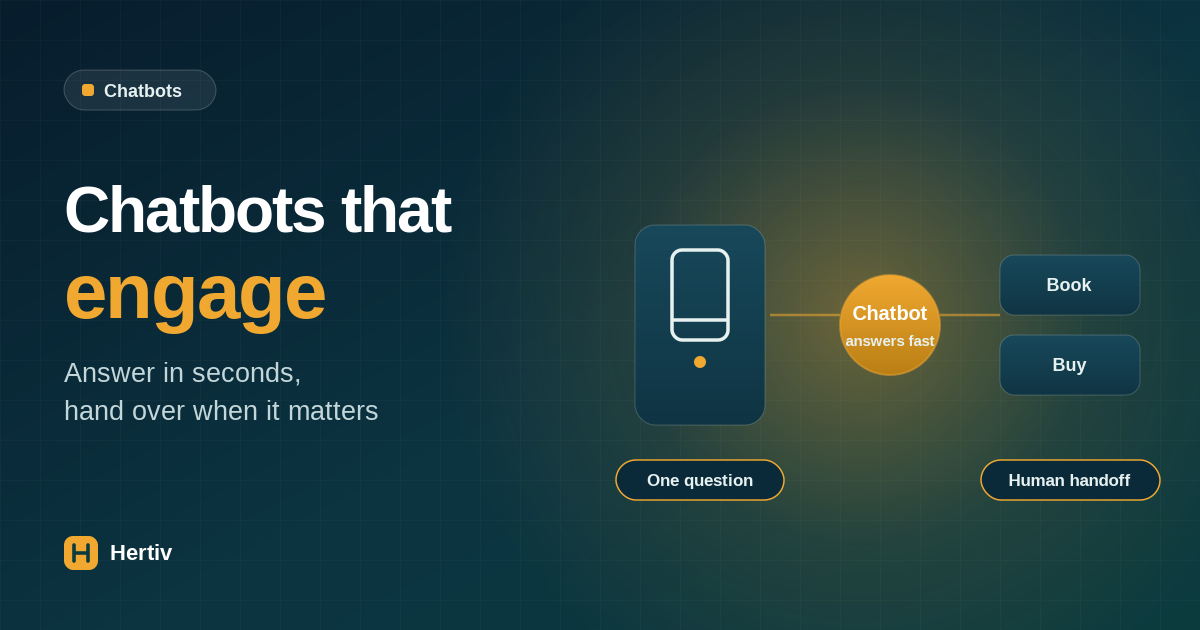
A chatbot engages more customers when it answers in seconds, asks one clear question at a time, and hands over to a person the moment the customer needs one.
On this page
Short answer
A chatbot that engages customers is one that answers in seconds, asks one clear question at a time, and hands over to a person when the question gets hard. Engagement is not the number of messages sent; it is the number of visitors who start a chat, get a useful answer, and take the next step, such as booking, buying or leaving a detail.
What does an engaging chatbot do?
An engaging chatbot meets a visitor where they already are and removes the wait. It greets the visitor with one useful offer, such as checking an order or booking a visit, instead of a long menu. It answers in seconds, in plain words, and it never asks the visitor to repeat what they already typed.
It also knows its limits. When a question is about money, a complaint, or a special case, the chatbot says so and brings in a person. A chatbot that pretends to know everything loses trust fast, while one that hands over cleanly keeps the customer talking.
| Where customers meet it | What it should do | What good looks like |
|---|---|---|
| Website | Answer product and order questions | Reply in under a minute |
| Messaging app | Take bookings and reminders | One question at a time |
| Checkout | Fix delivery and payment doubts | Most chats end in a sale |
| After a purchase | Track orders and handle returns | Customer leaves happy |
Where should the chatbot appear?
Put the chatbot where visitors already pause: the pricing page, the checkout, the order tracking page, and the contact page. Those are the places where a question decides whether the visitor stays or leaves. A chatbot on the home page that pops up before the visitor has read anything is mostly noise.
Time the greeting too. A short message after about 30 seconds on a page works better than an instant pop-up, because the visitor has had a chance to look. On a checkout page, offer help sooner, because the visitor is close to a decision and a small doubt can stop the sale.
Keep the chatbot visible but quiet. A small button in the corner is enough. Visitors who need help will find it, and visitors who do not need it will not be interrupted. For the basics of good service bots, read how to use AI in customer service.
How to build a chatbot that engages customers
Start with the five questions customers ask most, such as delivery times, prices, returns and opening hours. Write short answers for those five, in plain words, and teach the chatbot those first. Most chats will use only those answers, so getting them right matters more than covering every question.
Then write the first message the chatbot sends. It should name one thing it can do, such as "I can check your order or book a visit. What do you need?" One offer beats a list of ten options, because the visitor can answer in a few words.
- List the five questions customers ask most.
- Write short, plain answers for those five.
- Write one first message with a single offer.
- Add a clear path to a person for hard questions.
- Test the chatbot with ten real visitors.
- Fix the question that fails most, then repeat.
Test with real visitors, not with your own team. Your team knows the answers and types clean questions. Real visitors type short, messy questions, and the chatbot must handle those. Fix the most common failure first, then test again.
What messages keep customers talking?
Short messages keep customers talking. One question at a time, one short answer at a time, and a clear next step at the end. A long paragraph with three questions makes most visitors stop, because they do not know which question to answer first.
Buttons help. Offer two or three buttons, such as "Track my order", "Book a visit" and "Talk to a person". Buttons are faster than typing and they show the visitor what the chatbot can actually do. Keep the buttons short and honest about what happens next.
Use the customer's own words back to them. If they say "my parcel is late", the chatbot should say "I will check your late parcel" and ask for the order number. Repeating the problem shows the chatbot understood, and it makes the customer more willing to answer the next question.
How to measure chatbot engagement
Measure four numbers: how many visitors open the chat, how many get an answer without a person, how many take the next step, and how many ask for a person. The first number shows whether the chatbot is seen. The second shows whether it helps. The third shows whether it earns money or bookings.
The fourth number is the most useful. If many visitors ask for a person, the chatbot is failing on a question it should answer. Read those chats, find the question, and teach the chatbot to answer it. A chatbot that improves one question a week will engage more customers every month.
Do not measure messages sent. A chatbot that sends many messages but answers nothing is not engaging customers; it is annoying them. One useful answer beats ten messages that lead nowhere. A guide to where AI agents help most shows the same measure-first approach.
Example (hypothetical): a clinic chatbot that books visits
Example (hypothetical): a small clinic adds a chatbot to its booking page. Before the chatbot, the clinic received 100 booking calls a week, and each call took 5 minutes, or about 8 hours and 20 minutes of staff time a week.
After the chatbot runs for a month, it handles 60 of the 100 bookings itself. The other 40 still need a person, because the patient has a complex question or no internet booking option. Staff time drops to 40 calls times 5 minutes, or 3 hours and 20 minutes a week, saving about 5 hours a week.
The clinic also learns something: 25 of the 40 human calls ask about Saturday hours, which the chatbot did not know. The clinic adds Saturday hours to the chatbot, and the next month the chatbot handles 75 of the 100 bookings. The lesson is to read the failed chats and fix the missing answer.
Common mistakes
The most common mistake is a chatbot that talks too much. Long greetings, long lists of options and long answers make visitors close the chat. Keep every message short, and let the visitor ask for more.
Another mistake is hiding the human. If a visitor cannot reach a person, they will leave and may not come back. Show the "talk to a person" option in the first message, and keep it visible in every message after that.
A third mistake is launching with no plan to improve. A chatbot that is never updated will give the same wrong answers for months. Read the failed chats every week, fix the most common failure, and test again. Read what conversational AI is to see how the technology behind a good chatbot works.
Finally, do not send messages the visitor did not ask for. A chatbot that pops up with offers on every page feels like an advert. Offer help once, quietly, and let the visitor decide.
Key takeaways
- Engagement means visitors who start a chat, get a useful answer, and take the next step.
- Put the chatbot where visitors pause: pricing, checkout, tracking and contact pages.
- Teach it the five most-asked questions first, and test with real visitors.
- Short messages and clear buttons keep customers talking.
- Read the failed chats weekly and fix the most common failure.
Frequently asked questions
How fast should a chatbot reply?
A chatbot should reply in seconds, because the visitor is deciding whether to stay. If the first reply takes more than a minute, most visitors leave. A short holding message is better than silence.
Should a chatbot try to sell?
It can offer help with buying, such as checking stock or delivery, but it should not push offers the visitor did not ask for. A helpful answer sells more than a sales pitch. Let the visitor ask about buying.
What if the chatbot cannot answer?
It should say so plainly and offer a person, with the chat history passed along. The visitor should not have to repeat the problem. A clean handoff keeps the customer, even when the chatbot fails.
How many questions should a chatbot know at launch?
Five well-written answers beat fifty poor ones. Start with the questions customers ask most, test them with real visitors, and add one question a week based on the chats that failed.
Can a chatbot work on a messaging app?
Yes. Many customers prefer a messaging app to a website chat, because they already use it daily. The same rules apply: short messages, one question at a time, and a clear path to a person.
How do I know if my chatbot is engaging customers?
Watch four numbers: chats opened, chats answered without a person, next steps taken, and requests for a person. If the first three rise and the fourth falls, the chatbot is engaging more customers.


