AI Agent Use Cases: Where Agents Do Real Work Today
AI agents take a goal, plan the steps and use tools to act on their own. Here are the use cases where that pattern already works, and where it still needs a human.
On this page
Short answer
AI agents are useful where a job is a sequence of steps with clear tools and checkable results: answering support tickets, triaging code, researching a topic, qualifying leads and reconciling records. The agent plans the steps, calls the tools and drafts the outcome, while a person sets the goal and checks the result. Jobs with vague goals or high stakes still need a human in charge.
What is an AI agent, and what counts as a use case?
An AI agent is software that takes a goal, plans the steps, uses tools and data, and acts on its own until the goal is done or it needs help. Unlike a chatbot that answers one question, an agent works through a task: it reads, decides, calls an API, checks the result and moves on to the next step.
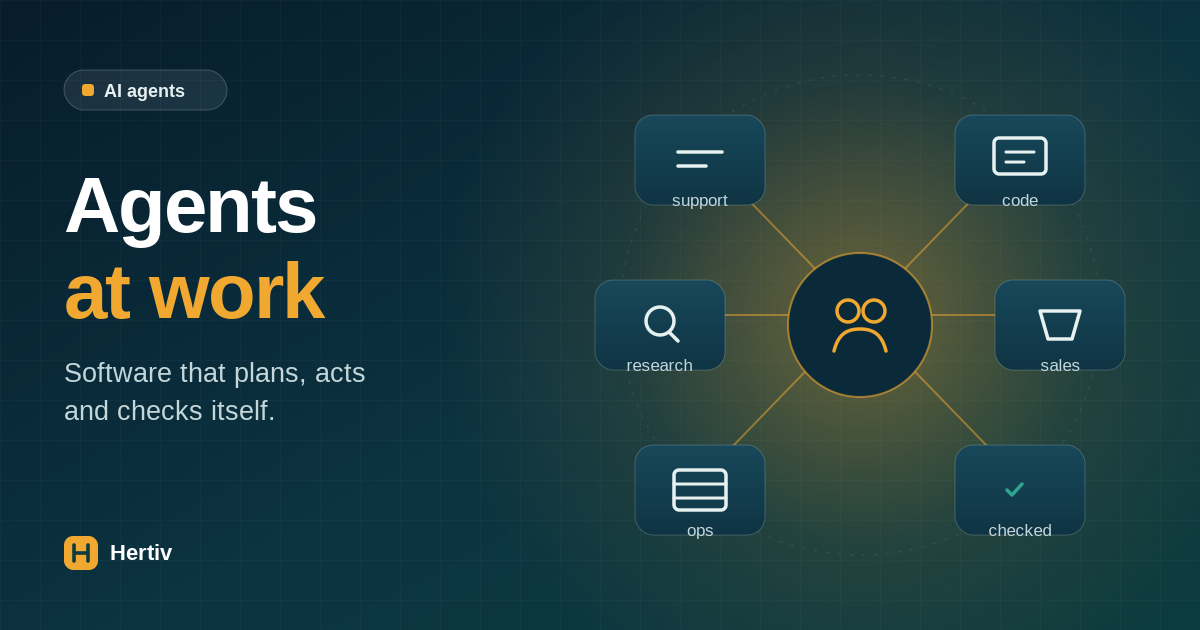
A use case is worth building when the job has clear tools, a checkable result and a human who can review the outcome. The table shows the pattern across the most common cases.
| Agent type | What it does | Tools it uses | Human check |
|---|---|---|---|
| Support agent | Answers and resolves tickets | Help desk, knowledge base | Approves refunds |
| Coding agent | Fixes bugs, writes tests | Repo, test runner | Reviews the change |
| Research agent | Gathers and compares sources | Web search, documents | Checks the claims |
| Sales agent | Qualifies and routes leads | CRM, email | Owns the conversation |
| Ops agent | Reconciles records, flags errors | Databases, spreadsheets | Signs off the report |
The common thread is that the agent does the routine steps and the person keeps the decisions. If you are planning an agent, the AI agent development page covers how teams scope the first one.
How do AI agents help in customer support?
AI agents help in customer support by resolving the routine tickets end to end: they read the request, find the answer in the knowledge base, check the account, and take the action, such as resetting a password or changing an address.
The gain is not only speed. An agent that resolves a ticket the same way every time gives every customer the same quality of answer, at any hour. The human team keeps the tickets that need judgement: angry customers, edge cases and anything involving money.
The pattern works because support has clear tools and checkable results. A ticket is either resolved or it is not, and the customer can say so. For teams building support agents, the AI agents for customer support page covers the design, from grounding answers in your own content to handoff rules.
What can coding agents do for engineering teams?
Coding agents help engineering teams by taking small, well-defined jobs: fixing a failing test, adding a test for new code, updating a dependency, or drafting a first version of a routine feature. The agent reads the repo, makes the change and runs the tests.
The value shows up in the backlog of small jobs that never reach the top of the list. A team can clear dozens of minor fixes in a week, each reviewed by a human before it merges. The risk is a change that looks right and breaks something subtle, which is why the review step and the test suite matter more, not less.
The review step is where the value is checked. A reviewer who reads the change, runs the tests and asks what the agent missed is doing real work, not rubber-stamping. Teams that skip the review to save time usually pay for it later, when a small change with a subtle flaw reaches production.
Start with the safest jobs: test fixes, documentation updates and dependency bumps. Move to feature work only after the team trusts the agent's output and the review habit is solid.
How do research agents change knowledge work?
Research agents change knowledge work by gathering and comparing sources before a person starts reading. Give an agent a question, and it can search documents, pull out the relevant passages, compare options and draft a summary with the sources attached.
The gain is time: a comparison that took a morning now takes minutes, and the draft arrives with citations to check. The risk is a confident summary built on a weak source, so the human check is not optional. A research agent that cites its sources is useful; one that does not is a rumour machine.
These agents work best on questions with a clear scope, such as comparing vendors, summarising a set of reports, or tracking a topic over time. Open-ended questions with no right answer are still a job for a person.
Where do agents fit in sales and operations?
Agents fit in sales and operations where the work is a sequence of lookups and updates: qualifying a lead against clear criteria, enriching a record, drafting a follow-up, or reconciling two systems that disagree.
In sales, an agent can read an inbound lead, check it against the ideal customer profile, draft a reply and book the meeting, while the salesperson owns the conversation. In operations, an agent can compare records across systems, flag the mismatches and prepare the corrected entries for sign-off.
The shared rule is that the agent prepares and the person decides. A lead that is qualified wrongly costs a meeting; a record that is corrected wrongly costs a customer. Keep the agent's actions reversible and its reasoning visible, so a person can check both.
Example (hypothetical): a support agent handling tickets
Example (hypothetical): a support team receives 500 tickets a day. An agent is given the routine tickets and resolves 40% of them, which is 200 tickets, leaving 300 for the human team plus the checks on the agent's work.
Each resolved ticket saves about 6 minutes of human time. Two hundred tickets times 6 minutes is 1,200 minutes, which is 20 hours a day across the team. The team uses that time on the tickets the agent cannot handle: complaints, billing disputes and anything a customer escalates.
The numbers are invented, but the arithmetic shows where the value sits: volume times minutes saved, minus the time spent checking. If the check takes longer than the saving, the agent is not helping, whatever the demo promised.
What are the common mistakes?
The most common mistakes are giving an agent too much access too soon, skipping the evaluation step, and treating a demo as proof that the agent is ready.
- Write access with no guardrails. An agent that can refund, delete or email without limits will eventually do one of those wrongly. Start read-only, then add actions one at a time.
- No logging. If the agent's steps are not logged, nobody can explain what it did or why. Log every tool call and every decision.
- Expecting full autonomy on day one. An agent that handles 40% of tickets well is a success; demanding 100% on launch is how projects fail.
- Skipping evaluation. Run the agent on a fixed set of past cases every week and track how many it gets right. Without that, quality drifts silently.
- Vague goals. A goal like 'help with sales' cannot be checked. A goal like 'qualify leads against these five criteria' can.
If you are choosing a partner to build the first agent, the AI agent development companies in the USA guide covers how to compare them.
Key takeaways
- An agent takes a goal, plans steps, uses tools and acts until done or stuck
- Support, coding, research, sales and ops agents all follow the same pattern
- The agent does the routine steps; the person keeps the decisions
- Start read-only, add actions one at a time, and log every tool call
- Evaluate weekly on fixed past cases, or quality drifts silently
Frequently asked questions
What is the difference between an AI agent and a chatbot?
A chatbot answers one message at a time, usually with text. An AI agent works through a task: it plans steps, calls tools such as a database or an API, checks the results and acts on them. A chatbot that can also look up an order and refund it is starting to act like an agent.
Do AI agents replace support teams?
No. Agents take the routine, repeatable tickets, while people keep the tickets that need judgement, empathy or negotiation. Most teams find the agent handles a share of the volume and the human team handles the rest better, because it has time for the hard cases.
What tools does an AI agent need?
It needs the tools the job needs: a help desk or CRM, a knowledge base, a database or an API, and a way to log what it did. The agent is only as good as the tools it can call, so the first job is often connecting those tools cleanly, not improving the model.
How do you measure whether an agent works?
Measure the share of tasks it completes correctly, the time it saves, and the share of its work a human has to redo. Run the same set of test cases every week so the trend is visible. A single demo number proves nothing; a weekly trend shows whether the agent is improving.
Are AI agents safe for customer data?
They can be, if they are built that way: scoped permissions, no access to data the job does not need, logging of every action, and a human check on anything sensitive. The risk is an agent with broad access and no oversight, so the security design matters as much as the agent itself.
Where should a team start with AI agents?
Start with one job that is high volume, routine and easy to check, such as answering common support questions or triaging a queue. Build it small, measure it weekly, and expand only after the checks are passing. One working agent teaches a team more than five demos.


