Copilot vs ChatGPT: Which Fits Your Work?
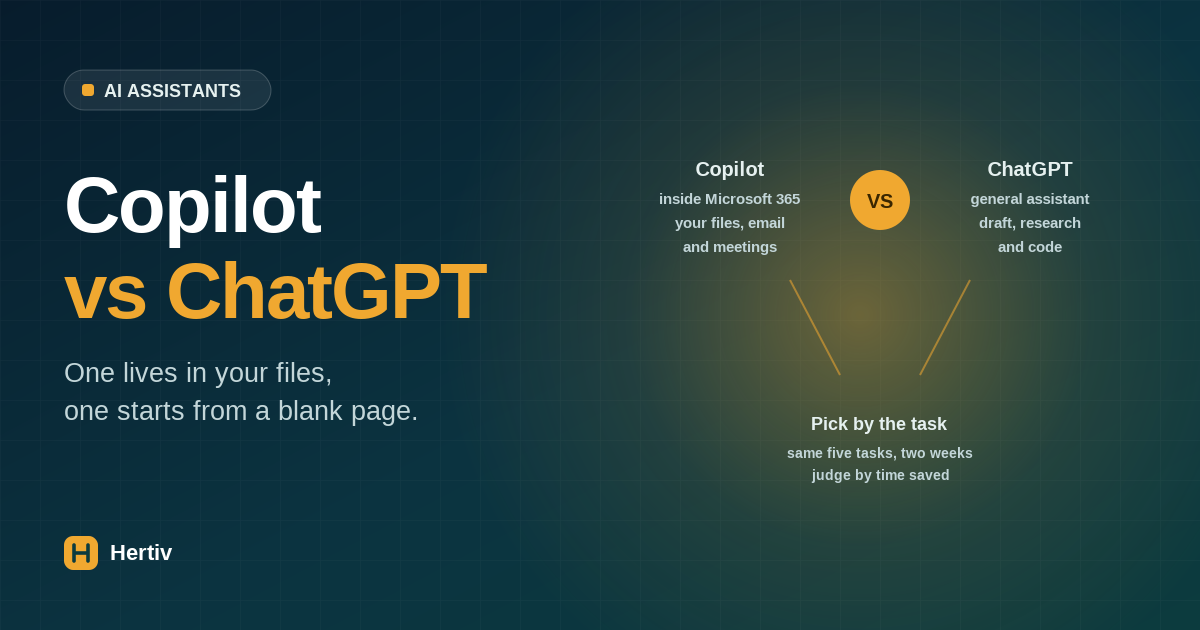
Copilot vs ChatGPT comes down to where you work: Copilot lives inside Microsoft 365 and your files, while ChatGPT is a general assistant for drafting and research.
On this page
Short answer
Microsoft Copilot is an AI assistant built into Microsoft 365 apps and your work files, so it drafts, summarises and searches using your emails, documents and meetings. ChatGPT is a general-purpose assistant from OpenAI that you open in a browser or app for writing, research and coding. Pick Copilot when your work already lives in Microsoft 365, and ChatGPT when you want a flexible assistant not tied to one suite.
What is the difference between Copilot and ChatGPT?
Microsoft Copilot is an AI assistant that works inside Microsoft 365 apps such as Word, Excel, Outlook and Teams, and it can use your work files, emails and meetings as context. ChatGPT is a general-purpose assistant from OpenAI that you open in a browser or app, and it works from what you type plus any files you upload in that session.
The difference is where the context comes from. Copilot draws on your organisation's data automatically, so it can summarise a meeting you missed or draft a reply from a thread. ChatGPT starts from a blank page each time, which makes it more flexible but means you must supply the context yourself.
| Factor | Microsoft Copilot | ChatGPT |
|---|---|---|
| Where it lives | Inside Word, Excel, Outlook, Teams | Browser, app or API |
| Context | Your work files, email and meetings | What you type or upload in the session |
| Best for | Daily work in Microsoft 365 | Writing, research, coding, analysis |
| Data handling | Uses your organisation's data under its rules | Uses session data; check the plan's terms |
| Customisation | Agents and connectors in Microsoft 365 | Custom GPTs, projects and API access |
| Cost model | Per-user subscription; see vendor site | Free tier plus paid plans; see vendor site |
Neither is strictly better. The right choice depends on where your work happens and how much context the assistant needs to be useful.
When does Microsoft Copilot fit best?
Microsoft Copilot fits best when your team already works in Microsoft 365 all day. It can draft a document from a meeting recording, summarise a long email thread, prepare a Teams recap, and pull numbers from a spreadsheet without you copying anything between apps. The value comes from the context it already has.
Copilot also fits teams with strict data rules, because it works inside your organisation's Microsoft environment and respects the permissions already set on your files. A person who cannot see a document will not get its contents from Copilot. That makes it easier to roll out in regulated teams than a standalone assistant where data handling needs separate checks.
The limits are real too. Copilot is at its best inside Microsoft apps; outside them it has less to work with. Teams that use Google Workspace, or that do most of their work in specialist tools, will get less value from it than teams that live in Outlook and Teams.
When does ChatGPT fit best?
ChatGPT fits best when the task is open-ended and the context is something you supply. It is strong at drafting from scratch, brainstorming, explaining a topic, writing code, analysing a file you upload, and answering research questions. Because it is not tied to one suite, you can use it for almost any knowledge task.
ChatGPT also fits individuals and small teams that do not want a per-user enterprise rollout. A single person can open it, try a task, and keep what works, without an admin setting up connectors or permissions. Its custom GPTs and projects let one person build a small specialist assistant for a repeated task, such as drafting client updates in a fixed format.
The trade-off is context. ChatGPT does not know your meetings, your inbox or your files unless you give them to it, so recurring tasks need more setup. For background on the underlying model, what is GPT explains how it generates text.
Foundation model vs LLM explains the model family it belongs to.
How to choose between Copilot and ChatGPT
Choose by where your work lives and how much context the assistant needs. A team that lives in Microsoft 365 will get more from Copilot; a team that works across many tools will get more from ChatGPT.
- List the five tasks you would actually give an assistant each week, with the app each task lives in.
- Count how many of those tasks live in Microsoft 365. If it is four or five, trial Copilot first.
- If most tasks live elsewhere, trial ChatGPT on the same five tasks and compare the results.
- Check data rules: confirm what each tool does with your files, and whether your industry has limits.
- Run a two-week trial with a small group, and judge by time saved on real tasks, not by demo quality.
Keep the trial honest: give both tools the same tasks and the same success measure, such as minutes saved or drafts accepted without heavy editing.
Example (hypothetical): a 12-person team picks one
Example (hypothetical): a 12-person marketing team spends time each week writing meeting notes, drafting client updates and summarising research. They track one week and find each person spends about 5 hours on these tasks, which is 60 hours across the team.
They trial Copilot first, since they live in Teams and Outlook. After two weeks, meeting notes and email drafting take about half the time, so the team saves roughly 30 hours a week. They then trial ChatGPT on the same tasks: it is faster at drafting research summaries, but slower at meeting notes, because someone must paste the transcript in each time.
The arithmetic is simple: 12 people times 5 hours is 60 hours a week, and halving that saves 30 hours. The team picks Copilot for daily work and keeps ChatGPT for research drafting, where it was clearly faster. The point is not the exact saving but the method: measure the same tasks on both tools before choosing.
What about using both?
Using both is a reasonable answer for many teams. Copilot handles the daily work inside Microsoft 365, while ChatGPT handles open-ended drafting, research and coding help outside it. The cost is two subscriptions and two places to look, which is fine for a team that uses both heavily and wasteful for a team that uses one rarely.
If you do use both, set a simple rule for which tool handles which task, so people do not waste time choosing. A one-line guide such as Copilot for anything in Outlook and Teams, ChatGPT for everything else, is enough. Review the split after a month: if one tool is barely used, drop it and keep the other.
For teams that want a deeper comparison of assistants, how to test AI models explains how to evaluate any model on your own tasks before committing.
What are the common mistakes?
Most mistakes come from choosing by brand or demo instead of by the tasks you actually do. A flashy demo rarely predicts whether an assistant saves time on your team's real work.
- Picking a tool before listing the five tasks it must handle
- Judging by a demo instead of a two-week trial on real tasks
- Ignoring data rules until after the rollout has started
- Paying for two subscriptions when one tool covers nearly everything
- Expecting the assistant to know context you never gave it
- Rolling out to everyone at once instead of a small trial group
- Measuring usage instead of time saved or drafts accepted
If your team wants help choosing and rolling out an assistant, AI copilot development covers how teams integrate assistants into real workflows.
Key takeaways
- Copilot lives inside Microsoft 365 and uses your work files as context.
- ChatGPT is a general assistant you open for drafting, research and coding.
- Pick Copilot when your work lives in Microsoft 365; pick ChatGPT otherwise.
- Trial both on the same five tasks and judge by time saved.
- Using both is fine if each one earns its subscription.
Frequently asked questions
Is Microsoft Copilot the same as ChatGPT?
No, although they are related. Copilot is Microsoft's assistant built into Microsoft 365, using models from OpenAI and Microsoft together with your work data. ChatGPT is OpenAI's own assistant, used in a browser or app. They share model technology but differ in where they live and what context they use.
Can ChatGPT access my emails and files?
Only what you give it in a session, such as a file you upload or text you paste. It does not connect to your inbox or document store by itself. If you need an assistant that works from your files automatically, Copilot inside Microsoft 365 is the more direct fit.
Which one is better for writing?
ChatGPT is usually stronger for open-ended writing from scratch, such as first drafts, brainstorming and research summaries. Copilot is stronger for writing that draws on your work, such as drafting a reply from a thread or summarising a meeting you missed.
Do I need to pay for both?
Not usually. Most teams pick one and use it well. Paying for both makes sense only when each one handles a distinct set of tasks that the other cannot, such as Copilot for daily Microsoft 365 work and ChatGPT for research drafting.
How do I keep company data safe with these tools?
Check the plan's data terms before rolling out, confirm what the tool stores and for how long, and respect your organisation's existing file permissions. For Copilot, permissions follow your Microsoft setup; for ChatGPT, avoid pasting sensitive data into a free-tier session.
Can either tool write code?
Yes, both can help with code, but neither replaces a developer. ChatGPT is often used for explaining code, writing small functions and drafting tests, while Copilot also offers code completion inside the editor. Always review generated code before merging it.


