Best SaaS Tools for Startups: 6 Worth Shortlisting
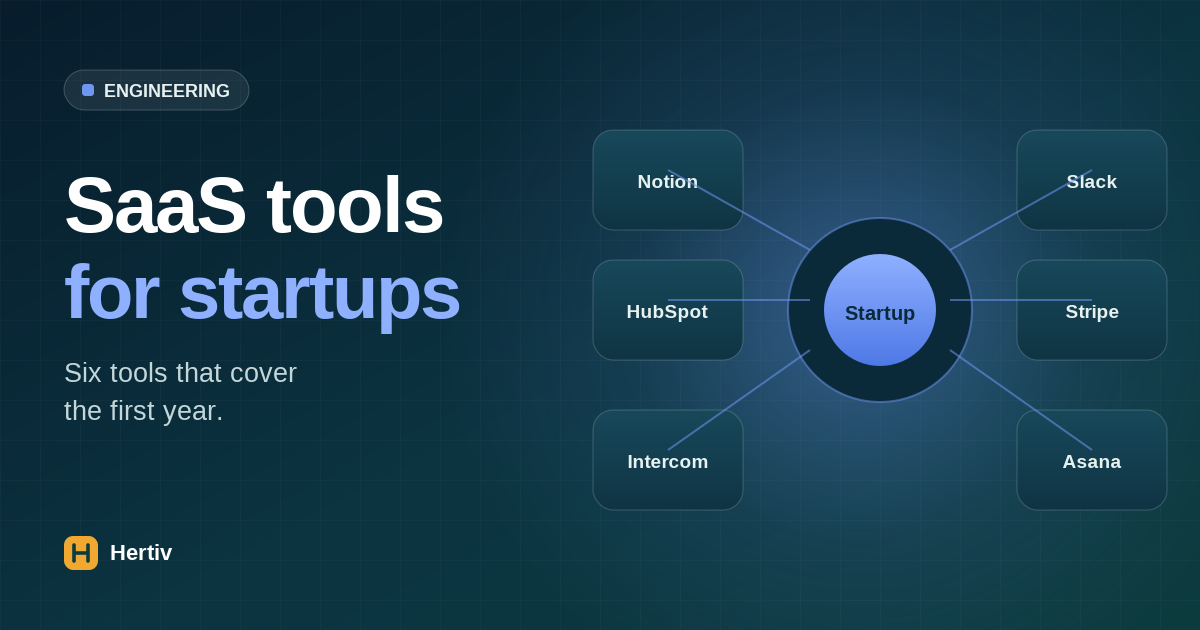
Startups need a small set of SaaS tools that cover notes, chat, sales, payments, support and planning. These six cover the first year.
On this page
Short answer
Startups need a small set of SaaS tools that cover the jobs every young company does: keeping notes, talking as a team, tracking sales, taking payments, answering customers and planning work. The six tools below cover those jobs, and each one has a free tier or a low starting plan, so a team can start without a large software budget.
Which SaaS tools should a startup shortlist first?
The SaaS tools a startup should shortlist first are the ones that cover the jobs the team does every day. Notes, team chat, sales tracking, payments, customer support and work planning are the six jobs that come up in the first months, and a tool for each one saves the team from spreadsheets and shared inboxes that break as the team grows.
Use the table to shortlist. Each tool below names its main job, its best fit and its starting cost, so a team can compare them before signing up. Prices change often, so check the vendor site for current plans.
| Tool | Main job | Best for | Starting cost |
|---|---|---|---|
| Notion | Notes and docs | Shared knowledge base | Free tier, then see vendor site |
| Slack | Team chat | Fast team messages | Free tier, then see vendor site |
| HubSpot | Sales and CRM | Tracking leads and deals | Free tier, then see vendor site |
| Stripe | Payments | Taking card payments | Pay per transaction |
| Intercom | Customer support | Chat with customers | See vendor site |
| Asana | Work planning | Tasks and deadlines | Free tier, then see vendor site |
Pick one tool per job and stop. A startup with three chat tools and two CRMs spends its time moving data between them instead of doing the work.
Notion: best for a shared knowledge base
1. Notion: best for a shared knowledge base
Notion is a workspace for notes, docs and wikis that a whole team can edit. A startup uses it for meeting notes, product specs, onboarding guides and the company handbook, all in one place that everyone can search. Pages link to each other, so a new hire can follow a topic from an overview page down to the detail.
The main reason to start here is that it replaces scattered docs. A team that keeps its notes in five different apps loses them; a team that keeps them in one searchable workspace finds them. The free tier covers small teams, and the paid plans add permissions and history. For how to plan the first product, see how to validate an app idea.
- Pros: one searchable workspace, flexible pages, generous free tier.
- Cons: can get messy without rules, offline use is limited.
2. Slack: best for fast team messages
Slack is a team chat tool built around channels, which are rooms for a topic, a project or a team. A startup uses channels for product, sales, support and general chat, so a message goes to the people who need it instead of to everyone. Threads keep replies together, and search finds old decisions.
The main risk with Slack is noise. A team with too many channels and too many notifications spends its day reading chat instead of working. The fix is a short set of rules: one channel per project, threads for replies, and quiet hours for focus time. Used with rules, Slack replaces most internal email.
- Pros: fast messages, searchable history, many integrations.
- Cons: noisy without rules, history limits on the free tier.
HubSpot: best for tracking leads and deals
3. HubSpot: best for tracking leads and deals
HubSpot is a CRM that tracks contacts, deals and emails in one place. A startup uses it to record who it talked to, what was promised, and when to follow up, so no lead is lost when a salesperson is away. The free CRM covers contacts, deals and email tracking, which is enough for a team that is just starting to sell.
The main reason to pick HubSpot early is that it grows with the team. The free tier handles the first deals, and the paid tiers add automation, sequences and reporting as the sales process gets more complex. A team that starts in a spreadsheet usually moves to a CRM within a year, so starting in one saves a migration.
- Pros: free CRM tier, grows with the team, email tracking built in.
- Cons: paid tiers get pricey, setup takes a day of care.
4. Stripe: best for taking card payments
Stripe is a payment service that lets a startup take card payments online with a small amount of code. A team adds a checkout page, a subscription flow or a payment link, and Stripe handles the card processing, the receipts and the payouts to the bank. It also handles the security rules that card payments require, which the team would otherwise have to build itself.
Stripe charges per transaction rather than a monthly fee, which suits a startup with low volume. The team pays when it earns, and there is no large upfront cost. The main work for the team is the checkout flow itself: what the customer sees, what happens after payment, and how refunds are handled. For the cost of building the product around it, see SaaS product development cost.
- Pros: pay per transaction, handles card security, quick to set up.
- Cons: fees add up at scale, payouts take a few days.
Intercom: best for chat with customers
5. Intercom: best for chat with customers
Intercom is a customer messaging tool that puts a chat widget on a website or inside a product. A startup uses it to answer pre-sales questions, help new users through onboarding, and handle support chats in one inbox. The chat history stays with the customer record, so the next agent can see what was already said.
The main reason to pick Intercom is that it combines chat, help articles and product tours in one tool. A team that starts with plain email support often adds a chat tool within months, and Intercom covers the chat, the help centre and the onboarding messages together. Check the vendor site for current pricing, since plans change with the number of contacts.
- Pros: chat, help centre and tours in one tool, shared inbox.
- Cons: pricing is per contact, can get costly as the list grows.
6. Asana: best for tasks and deadlines
Asana is a work planning tool that turns a project into a list of tasks with owners and due dates. A startup uses it to plan a launch, track a sales push or run a hiring round, with each task assigned to one person and a date. The board view shows what is done, what is in progress and what is blocked.
The main reason to pick Asana is that it makes ownership visible. A task with no owner and no date is a wish, not a plan, and Asana forces both. The free tier covers small teams and basic projects, and the paid tiers add timelines, goals and reporting. A team that plans in chat or email loses track of who promised what; Asana keeps the list in one place.
- Pros: clear ownership and dates, board and list views, free tier.
- Cons: needs discipline to keep updated, reports need a paid plan.
How to choose SaaS tools for a startup
Choosing SaaS tools for a startup comes down to one tool per job, a free tier to start, and a clear owner for each tool. The team should pick tools it can live with for a year, because switching tools costs more than the subscription: it costs the data, the habits and the history.
- List the six jobs first. Notes, chat, sales, payments, support and planning. If a job is not on the list, the team does not need a tool for it yet.
- Start on the free tier. Use the free tier for a month and see whether the team actually uses the tool every day before paying.
- Give each tool one owner. One person keeps the workspace tidy, sets the rules and answers questions about the tool.
- Check the exit. Before signing up, check how the team exports its data. A tool that locks data in is a risk.
- Review every quarter. Cancel tools the team stopped using, and merge tools that do the same job.
A team that follows this order ends up with six tools it actually uses, instead of twenty subscriptions it forgot about. For the stack the product itself runs on, see the SaaS tech stack.
What are the common mistakes?
The most common mistake is buying too many tools. A startup with three chat tools, two CRMs and four planning apps spends its time moving data between them and arguing about which one is the source of truth. One tool per job, chosen with care, beats a shelf full of subscriptions.
Another mistake is never cancelling. A tool that the team stopped using still charges every month, and the cost adds up quietly. A quarterly review that cancels unused tools is the cheapest habit a startup can build.
Teams also forget the exit. A tool that holds the team's notes, contacts or payment history should let the team export that data in a standard format. Before signing up for a paid plan, test the export. If the data cannot leave, the tool owns the team's history.
Key takeaways
- One tool per job: notes, chat, sales, payments, support, planning.
- Start on the free tier and pay only after a month of daily use.
- Give each tool one owner who keeps it tidy.
- Check the data export before signing up for a paid plan.
- Review subscriptions every quarter and cancel what the team stopped using.
Frequently asked questions
How much should a startup spend on SaaS tools?
A startup can start on free tiers for most tools and pay only as the team grows. The total often stays small in the first year, because the main cost is time, not subscriptions. The team should track the monthly total and review it every quarter.
Which SaaS tool should a startup buy first?
The first tool should match the team's biggest pain. A team that loses notes should start with a workspace such as Notion. A team that loses leads should start with a CRM such as HubSpot. There is no single right first tool.
Are free SaaS tiers enough for a startup?
Free tiers are usually enough for the first months, while the team is small. The limits that matter most are team size, history and integrations. When the team hits a limit it actually feels, that is the time to pay.
Should a startup use one all-in-one tool or several?
Several focused tools usually work better, because each one does its job well. An all-in-one tool saves subscriptions but often does each job worse. The trade-off is the time spent moving data between tools.
How do startups avoid SaaS tool sprawl?
They keep one tool per job, give each tool an owner, and review subscriptions every quarter. Any tool without an owner and without weekly use gets cancelled. The review takes an hour and saves money every month.
Do SaaS tools replace hiring?
No. Tools make a small team faster, but they do not replace the people who do the work. A CRM does not sell, a chat tool does not answer customers, and a planning tool does not run the project. The team still does the work.


