SaaS Tech Stack: What to Pick and Why
A SaaS tech stack is the set of languages, frameworks, services and tools a product is built on. Here is how to choose each layer and what to avoid.
On this page
Short answer
A SaaS tech stack is the set of languages, frameworks, databases and services used to build and run a software-as-a-service product. It covers the frontend, the backend and API, data storage, infrastructure and the tools around billing and monitoring. The best stack is usually the one the team already knows well, kept as small as the product allows.
What is a SaaS tech stack?
A SaaS tech stack is the set of programming languages, frameworks, databases, services and tools used to build and run a software-as-a-service product. It covers everything from the code users see in the browser to the servers, queues and billing systems behind it.
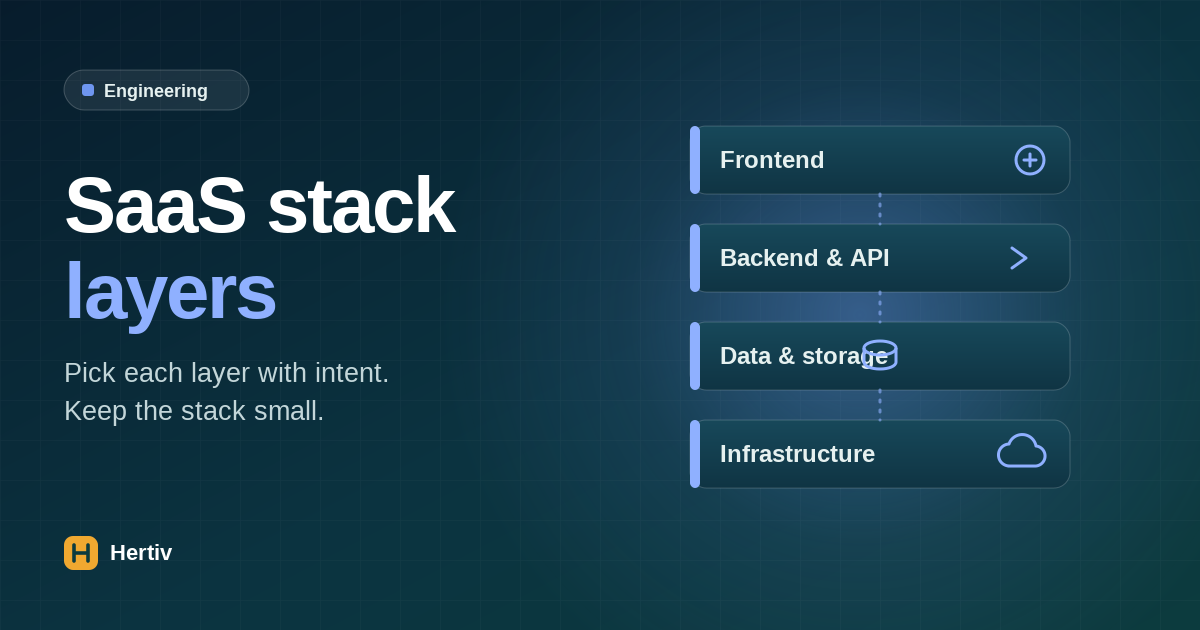
The stack matters because it shapes hiring, hosting costs, security and how fast the team can ship. A stack the team already knows beats a fashionable one they must learn while building the product. The table below shows the usual layers and what each one covers.
| Layer | What it covers | Typical choices |
|---|---|---|
| Frontend | The interface users see and click | React, Vue, Angular |
| Backend and API | Product rules, permissions, integrations | Node.js, Python, Ruby, Java |
| Data and storage | Records, files, search, caching | PostgreSQL, object storage |
| Infrastructure | Hosting, deployment, scaling | Managed platforms, containers |
| Payments and billing | Subscriptions, invoices, tax | A billing provider |
| Observability | Logs, metrics, error tracking | Logging and alerting tools |
No single stack suits every product. A small team building a simple tool can run on one framework and one managed database, while a product with real-time features or heavy reporting needs more moving parts. Start with the smallest stack that covers the product's real requirements, and add pieces only when a requirement forces it.
How do you choose the frontend?
Choose the frontend by the product's interaction needs and the team's experience, not by framework popularity. Most SaaS products are dashboards, forms and tables, and any mainstream framework handles those well. What matters more is whether the team can hire for it and whether it has a stable ecosystem of components.
A single-page app built with a mainstream framework is the usual choice for a product with lots of interaction. A server-rendered app is often simpler for content-heavy pages and the public marketing site. Some teams use both: server-rendered pages for the public site and a single-page app behind login.
Keep the frontend boring in the early days. A component library, a design system with a small set of reusable parts, and automated tests for the critical flows cover most needs.
Rebuilding the interface in a new framework is one of the most expensive changes a team can make, so the first choice should be one the team is willing to live with for years. If you are weighing the build itself, custom software development covers how teams scope that decision.
What belongs in the backend and API layer?
The backend holds the product's rules: who can do what, what a subscription allows, and how data moves between systems. A clear API between the frontend and backend keeps the product flexible, because the same API can later serve a mobile app or a partner integration.
Pick a language and framework the team knows well. For most SaaS products the differences between mainstream backend frameworks matter less than the team's speed with them. What matters more is the structure: separate the API, the business rules and the data access so each can change without rewriting the others.
Plan for background work early. Emails, report generation, imports and billing retries should run in background jobs, not inside web requests. A queue and a worker process keep the interface fast even when a job takes minutes. Authentication, permissions and audit logging belong in this layer too, and they are worth building carefully from the start.
How should you handle data and storage?
Most SaaS products start with one relational database, which handles accounts, subscriptions, settings and the product's core records. Relational databases suit this work because the data is structured and the relationships between records matter. Add a search engine, a cache or an analytics store only when a specific feature needs one.
File storage belongs in object storage, not in the database. Uploads, exports and generated documents go to a storage service with signed links, while the database keeps only the metadata. Backups deserve the same attention as the database itself: test a restore on a schedule, not only when something breaks.
Think about data residency and retention from the start. Some customers ask where their data lives, and some industries require data to stay in a particular region. A managed database with point-in-time recovery and encryption at rest covers most early needs without the team running its own database servers. For background on the model itself, see what a SaaS product is.
What does the infrastructure layer cover?
Infrastructure covers hosting, deployment, scaling and monitoring. Managed platforms and containers are the usual choices for a new SaaS product, because they remove server maintenance from the team's list. The goal is a deployment pipeline where a change goes from a merged pull request to production with tests and a rollback path.
Observability is part of infrastructure, not an afterthought. Logs, metrics and error tracking show whether the product is healthy and where it is slow. Set up alerts for the things that affect customers, such as failed logins, payment errors and slow pages, rather than alerting on every minor event.
Cost control belongs here too. Tag resources by environment, set budgets with alerts, and review the bill monthly. The most common surprise is a managed service that scales with usage, such as search or data processing, so check the pricing model before adopting one. Cloud services cover the managed options worth comparing.
Example: a three-person team picks a stack for a billing SaaS
Example (hypothetical): a three-person team builds a billing tool for small accounting firms. They choose a single web framework for the whole app, a relational database, object storage for invoice PDFs, and a managed hosting platform with a deployment pipeline.
Their arithmetic is simple. The team estimates 480 development hours for the first version at an internal rate of 60 dollars an hour, which comes to 28,800 dollars. They add 4,000 dollars for design and 3,000 dollars for testing, so the first-version budget is 35,800 dollars, plus about 200 dollars a month in hosting and managed services.
The stack stays small on purpose. The team skips a separate search service, a cache layer and a second database, because the first version has no feature that needs them. Each addition would have added setup, monitoring and hiring requirements without changing what customers see.
What are the common mistakes?
The most common SaaS stack mistakes are choosing tools for fashion rather than fit, adding services before any feature needs them, and ignoring the cost of running what was built.
- Choosing a stack nobody on the team knows. Learning a new language while shipping a product slows every task and raises the defect rate.
- Adding services on day one. A cache, a queue and a search engine each need setup, monitoring and upgrades. Add them when a feature demands it.
- No automated tests for billing and permissions. These are the areas where a bug costs money or leaks data, so they deserve tests first.
- Storing files in the database. Databases grow slowly and back up slowly when they hold files. Use object storage instead.
- Never testing a backup restore. A backup that has never been restored is a hope, not a plan.
Key takeaways
- A SaaS tech stack covers the frontend, backend, data, infrastructure, billing and monitoring
- Pick tools the team already knows; familiarity beats fashion when shipping matters
- Start with one relational database and object storage for files
- Background jobs keep the interface fast when work takes minutes, not seconds
- Test backup restores on a schedule, not only after something breaks
Frequently asked questions
What is the most common SaaS tech stack?
There is no single standard, but a common shape is a mainstream JavaScript or Python framework on the backend, a component-based frontend, one relational database, object storage for files, and a managed hosting platform with a deployment pipeline. Teams vary the pieces based on what they already know.
Should a new SaaS product use microservices?
Usually not at first. A single well-organised application is easier to build, test and deploy for a small team. Split services out later when a part of the product has genuinely different scaling, security or team-ownership needs.
How much does a SaaS tech stack cost to run?
Running costs depend on traffic, data and which managed services you use. A small product often runs on a few hundred dollars a month of hosting and managed services. Set budgets and alerts early, and check the pricing model of any service that scales with usage.
Does the stack choice affect hiring?
Yes. A stack with a large hiring pool in your market makes it easier to find developers and contractors. An unusual stack can work if the team is committed to it, but it narrows who you can hire and who can maintain the product later.
When should we add a cache or a search service?
When a measured problem demands it: pages that are slow because of repeated database queries, or search that users complain about. Add one piece at a time and measure the effect, rather than adopting several services before launch.
Is it safe to rely on managed services?
Managed services remove server maintenance and usually include backups and patching, which suits small teams. The trade-off is vendor dependence, so keep data exportable and avoid building core product logic that only one provider can run.


