AI Voice Assistant CRM Integration: How Calls Become Records
A voice assistant linked to your CRM can log calls, update records and book follow-ups without typing. Here is how the integration works and what to check first.
On this page
Short answer
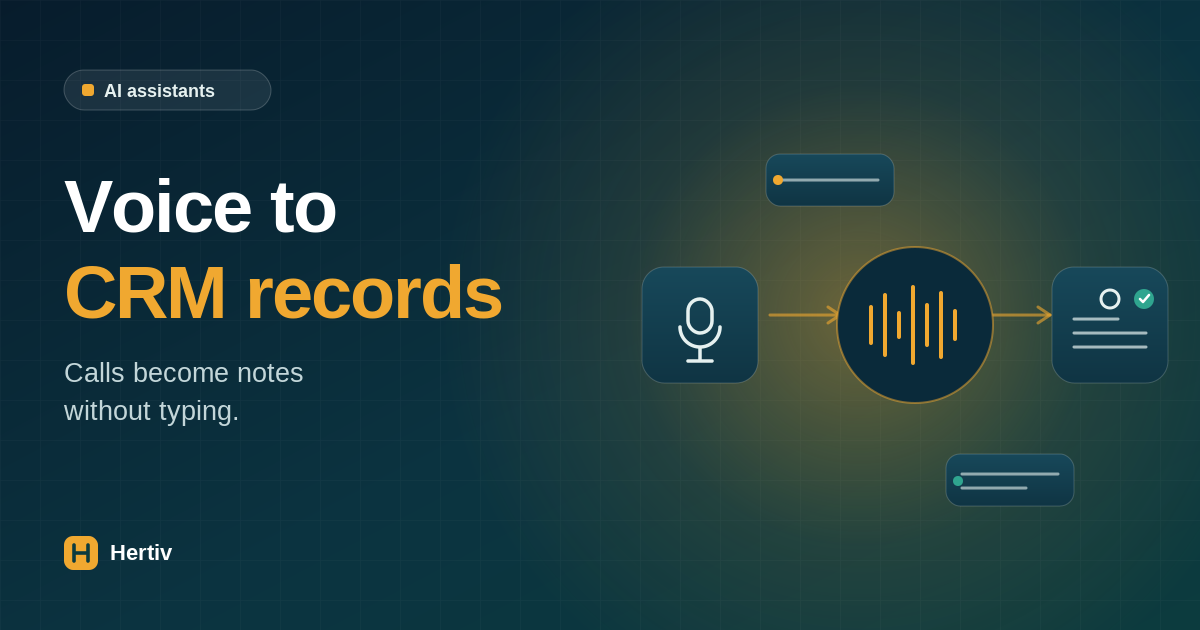
AI voice assistant CRM integration connects a voice assistant to your CRM so spoken calls and notes become records, tasks and follow-ups automatically. The assistant transcribes the call, pulls out names, dates and next steps, and writes them to the right contact or deal. It saves the typing after every call, but it needs clean CRM data and a review step to stay accurate.
What is AI voice assistant CRM integration?
AI voice assistant CRM integration is the connection between a voice assistant and a customer relationship system, so spoken work becomes CRM records. A sales rep finishes a call and the assistant writes the summary, updates the deal stage and books the follow-up, instead of the rep typing it all up afterwards.
The assistant works from the call audio and from the CRM data it can already see. It knows who the contact is, what was agreed last time, and which fields the team actually uses. That context is what turns a transcript into a useful record, rather than a wall of text nobody reads.
The key difference from a plain call recorder is the write-back. A recorder stores audio; an integrated assistant updates the CRM fields, creates the tasks and flags the next step, so the record is ready for the next person who opens it.
What does the assistant capture from each call?
A good integration captures the facts a rep would write down, and skips the small talk. The table below lists what the assistant should pull from a typical sales or support call.
| What is captured | What it means | Why it matters |
|---|---|---|
| Call summary | What was discussed, in a few lines | Saves the write-up |
| Next steps | Agreed actions with dates | Nothing agreed gets lost |
| Contact updates | New phone, role or address | Records stay current |
| Deal stage | Where the deal stands now | Pipeline stays honest |
| Follow-up task | Who does what, by when | Work moves without chasing |
The test of a good capture is simple: could another rep pick up the deal from the record alone? If the summary only says 'good call', the integration is not doing its job, however accurate the transcript is.
How does the integration work, step by step?
The integration follows a short sequence from spoken call to updated record. Each step has a point where the data can be checked, because a wrong record is worse than no record.
- The call is recorded with the customer's consent, and the audio is sent to the transcription service.
- The transcript is matched to the right contact and deal in the CRM, using the phone number or the calendar invite.
- The assistant pulls out the summary, decisions, dates and next steps, and drafts the CRM update.
- A rep reviews the draft, fixes anything wrong, and approves it before it is saved.
- The CRM is updated, the follow-up task is created, and the next call is booked if one was agreed.
- The call recording and the record are linked, so anyone can check the source later.
The review step is the one teams most often skip, and the one that matters most. An assistant that writes straight to the CRM will eventually log a wrong date or a promise nobody made, and the error will sit in the record until a customer points it out.
Where does voice CRM integration help most?
It helps most where calls are frequent and notes are thin. Sales teams, support teams and field service teams all make dozens of calls a day and all lose time to typing afterwards. The busier the phone work, the larger the saving, because every call carries the same write-up cost.
It helps least where calls are rare or the record is already detailed. A team that makes three calls a week does not need voice logging, and a team that already logs calls well gains little. The honest test is to count the hours spent on write-ups in a week; if the number is small, the integration can wait.
Field service is a strong fit for a different reason: engineers work with their hands, so typing after a visit is slow and often skipped. A voice note spoken on the drive back becomes the visit record, the parts order and the follow-up, all without a keyboard.
What data does it need, and what can go wrong?
The integration needs clean CRM data to work well. If contact names, deal stages and custom fields are a mess, the assistant will match calls to the wrong records and write updates into fields nobody trusts. Cleaning the CRM first is unglamorous work, but it decides whether the integration helps or hurts.
Consent and privacy need settling before the first call. Customers should know the call is recorded and what happens to the recording, and the team should know how long recordings are kept and who can listen to them. AI in the CRM raises the same questions, and the answers belong in writing before the rollout, not after a complaint.
Accents, background noise and industry terms are the practical limits. An assistant trained on clear office calls will struggle on a warehouse floor or with product names it has never seen, so the review step has to catch what the transcription misses. For the mechanics behind the voice side, see how an AI voice agent works.
Example: a sales team logs calls by voice
Example (hypothetical): a sales team has 8 reps, and each rep makes 6 customer calls a day. That is 48 calls a day across the team. After each call, a rep spends about 5 minutes typing the summary and updating the deal, which comes to 240 minutes, or 4 hours a day, across the team.
With voice logging, the assistant drafts each update and the rep reviews it in about 1 minute. That is 48 minutes a day for the whole team, against 4 hours before. The team saves a little over 3 hours a day, or about 16 hours in a five-day week.
The saving only counts if the reviews actually happen. A rep who approves every draft without reading it will let wrong dates and invented next steps into the CRM, and the team will spend the saved hours fixing records instead.
What are the common mistakes?
The most common mistakes are letting the assistant write straight to the CRM, recording calls without clear consent, and rolling out before the CRM data is clean. Each one turns a time-saver into a source of wrong records, complaints or distrust.
- No review step, so wrong dates and promises land in the CRM
- Recording calls without telling customers or getting consent
- Matching calls to the wrong contact when the CRM is messy
- Capturing everything, so records become walls of text nobody reads
- No rule for how long recordings are kept or who can listen
- Judging the rollout by calls logged instead of hours saved
The pattern is the same as with any automation: the tool is judged by the records it produces, not by the typing it removes. If the records get worse, the integration has failed, however fast it feels.
Key takeaways
- Voice CRM integration turns spoken calls into records, tasks and follow-ups
- The review step is the main control; without it, wrong details land in the CRM
- Clean CRM data decides whether calls match the right contacts and deals
- Consent and recording rules belong in writing before the first call
- Measure write-up hours before and after, not the number of calls logged
Frequently asked questions
Does voice CRM integration replace the sales rep's notes?
No. It drafts the notes and the rep reviews them before they are saved. The rep still owns the record; the assistant removes the typing, not the judgement about what was agreed.
Do customers need to agree to call recording?
Yes, in most cases. Customers should be told the call is recorded and what happens to the recording, and the team should have a clear rule on how long recordings are kept and who can listen to them.
What happens when the assistant gets a detail wrong?
The rep fixes it in the review step before the record is saved. That review is the main control in the whole integration; without it, wrong dates and promises end up in the CRM and surface later.
Which CRM systems support voice assistant integration?
Most major CRM systems support it through their app marketplaces or APIs, and the voice tools connect through those same routes. The deciding factor is usually whether the CRM data is clean enough to match calls to the right records.
Is voice CRM integration only for sales teams?
No. Support and field service teams gain as much, because their staff also make many calls and write notes afterwards. Any team where calls are frequent and notes are thin is a good fit.
How do you know the integration is working?
Count the hours spent on write-ups before and after, and check the records for accuracy. If write-up time falls and another rep can pick up a deal from the record alone, the integration is doing its job.