AI Sandbox: What It Is and How Teams Use It
An AI sandbox is a safe, isolated place to test AI tools without touching live systems or real customer data. Here is how it works and how to set one up.
On this page
Short answer
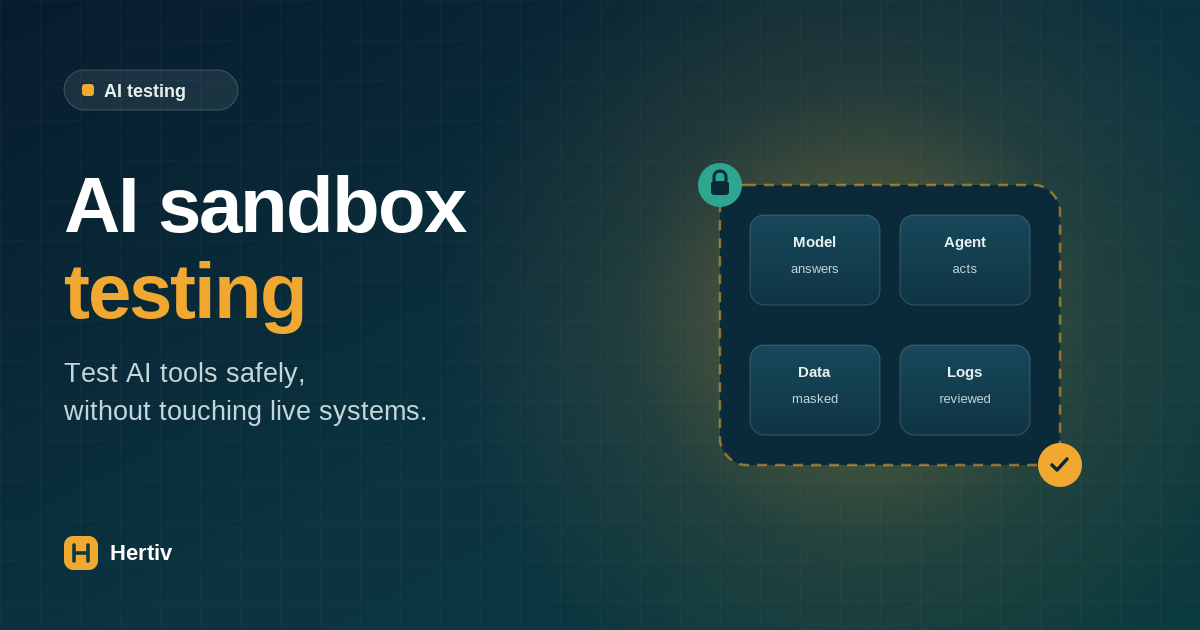
An AI sandbox is a safe, isolated environment where a team can test AI tools, models and agents without touching live systems or real customer data. It uses masked or synthetic data, limits what the AI can reach, and logs every action for review.
What is an AI sandbox?
An AI sandbox is a safe, isolated environment where a team can test AI tools, models and agents without touching live systems or real customer data. It is a copy of the production setup with the risky parts removed: fake or masked data, no live payments, and no access to production accounts.
The idea comes from software sandboxes, which have long been used to run untrusted code safely. An AI sandbox adds AI-specific controls, such as limits on what the model can reach, logging of every action, and a human review step before anything leaves the sandbox.
Teams use sandboxes when they want to try a new model, test an agent that takes actions, or check how AI handles their own documents. The sandbox lets them learn what works and what breaks, without the cost of a mistake in production.
Why do teams use an AI sandbox?
Teams use a sandbox for three reasons: safety, speed and evidence. Safety, because a wrong answer or a bad action stays inside the sandbox. Speed, because a team can try ideas without waiting for a full production review. Evidence, because the sandbox produces logs and results that help decide whether to go live.
| Sandbox type | What it tests | Best for |
|---|---|---|
| Model sandbox | How a model answers | Comparing models on your data |
| Agent sandbox | What an agent does | Testing agents that take actions |
| Data sandbox | How AI handles documents | Search and summarising |
| Regulatory sandbox | Compliance with rules | Regulated products and pilots |
| Vendor sandbox | A supplier's tool | Evaluating a new vendor |
A sandbox is not a demo. A demo shows what a vendor wants you to see; a sandbox shows what the tool does with your data and your questions. For the related security tooling, see top sandboxing software for cybersecurity.
What can you safely test in an AI sandbox?
You can safely test anything that does not need live data or live actions. Model answers on your documents, agent behaviour on realistic tasks, and prompt designs are all good sandbox work.
Start with the questions your team actually asks. Feed the sandbox a sample of real documents with names and numbers masked, and see whether the answers are accurate and grounded in the documents. Then test the agent on tasks it would do in production, such as drafting a reply or sorting a ticket, and check how often it gets the task right and how often it needs help.
What you cannot test well is scale and live behaviour. A sandbox will not show how a model performs under heavy load, or how users react to it in real conversations. Those need a small live pilot with real users and clear limits, after the sandbox work is done.
How do you set up an AI sandbox?
You set one up by copying the smallest useful slice of your production setup, masking the data, and adding limits and logging before anyone uses it.
- Pick one use case. Choose the AI task you want to test, not every task at once.
- Copy the setup, not the data. Rebuild the tools and prompts, then load masked or synthetic data.
- Set the limits. Decide what the model and any agent can reach, and block live systems and payments.
- Turn on logging. Record every prompt, answer and action so results can be checked later.
- Add a human review step. Nothing leaves the sandbox without a person checking it first.
- Run the test, then decide. Compare results against a clear pass mark and decide whether to pilot live.
Keep the sandbox small at first. A sandbox that mirrors everything takes weeks to build and rarely gets used. One that covers a single use case can be running in days. For the security side, AI security covers how teams protect models and data.
Example (hypothetical): a support team tests an AI agent safely
Example (hypothetical): a 30-person support team wants to test an AI agent that drafts replies to customer messages. Before the sandbox, drafting a reply took about 5 minutes per message, and the team handled about 200 messages a day, or roughly 17 hours of drafting work.
The team builds a sandbox with 500 past messages, names and order numbers masked, and the agent connected to a copy of the help centre. Over two weeks, the agent drafts replies for the masked messages, and a reviewer checks each one. The agent drafts a usable reply for about 8 in 10 messages, and the reviewer spends about 1 minute checking each draft instead of 5 minutes writing it.
Drafting time falls from 5 minutes to about 1 minute per message on the messages the agent handles well. The team decides to pilot the agent live on one message type, with a human review step, and to keep the other message types with people until the agent improves.
What are the common mistakes?
The most common mistakes are loading real data, skipping the review step, and treating sandbox results as proof the tool is ready.
- Real data in the sandbox. Customer data in a test environment is a risk; mask it or use synthetic data.
- No review step. A sandbox without human review teaches nothing about quality.
- Testing everything at once. Too many use cases make results hard to read.
- No pass mark. Without a clear measure, every result looks good enough.
- Skipping the live pilot. Sandbox results do not prove live performance; pilot with real users next.
A sandbox is a place to learn, not a place to prove. The teams that get the most from it are the ones that write down what they tested, what failed, and what they will change. For governance rules that fit a sandbox, AI governance covers policies and oversight.
When should you move out of the sandbox?
You move out when the sandbox results meet the pass mark you set at the start, and the risks of a small live pilot are understood and accepted.
Good signs include steady accuracy on your own data, a low rate of answers that need heavy correction, and a review step that catches the remaining errors. The team should also know what happens when the tool fails: who is told, how the failure is fixed, and how the tool is switched off.
Start the live pilot small, on one message type, one document set or one team, with the same logging and review you used in the sandbox. Expand only when the live results match the sandbox results. If they do not, go back to the sandbox and find out why before expanding further.
Key takeaways
- An AI sandbox tests AI tools on masked or synthetic data, away from live systems
- Model, agent, data, regulatory and vendor sandboxes each test a different thing
- Set limits and logging first, then add a human review step before anything leaves
- Sandbox results show what works on your data; they do not prove live performance
- Move to a small live pilot only when results meet the pass mark you set
Frequently asked questions
What is the difference between an AI sandbox and a demo?
A demo shows what a vendor wants you to see, usually on clean sample data. A sandbox runs the tool on your own masked data and your own questions, so you see how it actually performs for your team.
Does an AI sandbox need real customer data?
No, and it should not have any. Use masked or synthetic data that keeps the shape of real data without the personal details. Real data in a test environment creates a risk that is hard to undo.
Can a sandbox test an AI agent that takes actions?
Yes, that is one of its best uses. Let the agent act inside the sandbox, where its actions touch only test systems, and log everything it does. Check how often it completes tasks correctly before letting it near live systems.
How long should a sandbox test run?
Two to four weeks is usually enough for one use case. That gives the team time to run a meaningful sample of tasks and check the results. Longer tests often mean the use case is too broad.
What is a regulatory sandbox?
A regulatory sandbox is a programme run by a regulator that lets companies test new products under supervision, with relaxed rules for a limited time. It is different from a technical sandbox, which is an environment your own team builds.
Do small teams need an AI sandbox?
Yes, if they are testing AI that touches customers or important data. A sandbox can be simple: a separate account, masked data and a review step. The cost of a mistake in production is usually higher than the cost of the sandbox.