AI-Powered Meeting Rooms: How They Work and What to Buy
An AI-powered meeting room starts the call, frames speakers, takes notes and sends a summary. Here is how it works, what to check before buying, and its limits.
On this page
Short answer
An AI-powered meeting room uses cameras, microphones and software to start video calls, frame whoever is speaking, transcribe the discussion and send a summary with action items. It saves a few minutes per meeting and gives every meeting a written record, but it cannot fix a bad meeting, and its summary still needs a human check before it is sent.
What is an AI-powered meeting room?
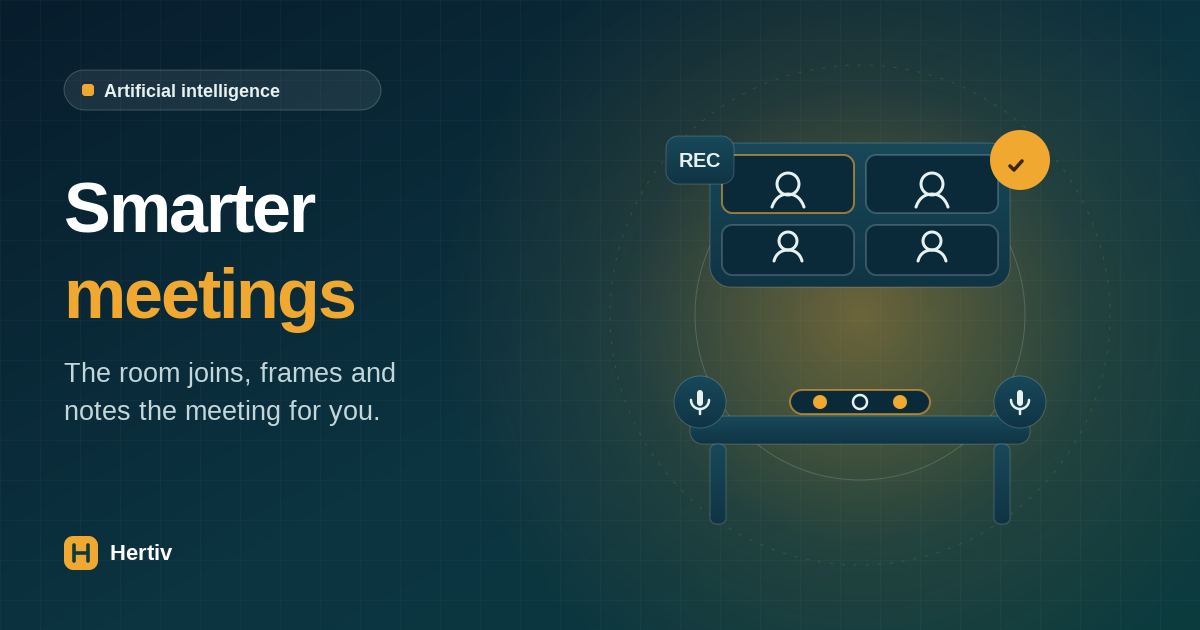
An AI-powered meeting room is a meeting room that uses software and sensors to handle the routine work of a meeting: starting the call, framing the speakers, taking notes and sending a summary afterwards. The room itself looks ordinary; the difference is in what happens without anyone pressing a button.
The core idea is simple. Instead of a person setting up the call, adjusting the camera and writing notes, the room does those jobs, so the people in it can focus on the discussion. Most setups combine a camera that follows speakers, microphones that pick up voices across the table, and software that turns speech into text and then into a summary.
These rooms are common in offices that run many video calls a day, where the time lost to setup and note-taking adds up. A room that starts the call on schedule and hands out a summary is worth more than a room with a better screen.
What does an AI-powered meeting room do?
An AI-powered meeting room usually handles four jobs: joining the call, framing the people in the room, capturing what was said, and following up afterwards. The table below shows what each job covers.
| Job | What it does | What you notice |
|---|---|---|
| Join the call | Starts the scheduled meeting on time | No dialling in or hunting for the link |
| Frame speakers | Camera follows whoever is talking | Remote people see faces, not a wide empty room |
| Capture the discussion | Transcribes speech and spots action items | A written record appears after the meeting |
| Follow up | Sends the summary and open tasks | Decisions and owners are written down |
Not every room does all four jobs. Some rooms only handle the camera and the call, while the note-taking runs as a separate service on a laptop. When you compare rooms, check which jobs are built in and which need an extra subscription.
How does an AI-powered meeting room work?
A typical AI-powered meeting room works in six steps, from the moment people walk in to the moment the summary lands in their inbox.
- Detect the meeting. The room reads the calendar, wakes the screen and shows the meeting title and the join button.
- Start the call. One tap, or no tap at all, connects the room to the video platform the team already uses.
- Frame the speakers. The camera finds the people in the room and switches the view to whoever is speaking, so remote attendees can follow the conversation.
- Capture the audio. Microphones across the table pick up voices and reduce background noise, then the software turns speech into a transcript.
- Draft the summary. The software pulls out decisions, action items and owners from the transcript and drafts a short summary.
- Send the follow-up. The summary and the action list go to the attendees, usually by email or into the team's task tool.
The step that matters most is the transcript. If the audio is poor, the summary will be poor too, so rooms with good microphones usually produce better notes than rooms with a better camera. If you are planning the wider AI rollout for your office, an AI consulting review can show which rooms and workflows are worth the spend.
What should you check before you buy?
Before you buy, check four things: the room size, the video platform, the privacy rules and the network. A room that fails on any of these will frustrate people every day.
Room size decides the hardware. A small huddle room needs one camera and one microphone array; a large boardroom needs several microphones and a camera that can cover the whole table. Vendors sell kits by room size, so measure the room and count the seats before you order.
Next, check the video platform. Most rooms are certified for one or two platforms, such as Microsoft Teams or Zoom, and work poorly with the others. Pick the platform your team already uses, then buy hardware certified for it.
Privacy rules decide what the room may record. Some teams record every meeting, some only record with consent, and some never record at all. Decide the rule with your legal or HR team before you switch recording on, and tell staff what is recorded and where the recording is stored.
Finally, check the network. Video calls and live transcription need a stable connection, so a room with weak Wi-Fi will drop calls and produce patchy transcripts. A wired connection for the room hardware is the safer choice.
Example (hypothetical): a company that fits out three rooms
Example (hypothetical): a 40-person company holds about 60 meetings a week in three meeting rooms, and a staff member spends roughly 10 minutes per meeting on setup, notes and follow-up. That is 60 meetings times 10 minutes, which is 600 minutes, or 10 hours a week.
After fitting the rooms with AI meeting hardware, setup drops to about 2 minutes per meeting and the summary is drafted automatically, leaving about 3 minutes of checking and sending per meeting. That is 60 meetings times 5 minutes, which is 300 minutes, or 5 hours a week, saving about 5 hours a week across the team.
The saving is real but modest, which is the point. The value of the room is not only the hours saved; it is that every meeting has a written record and a named owner for each action, so fewer decisions get lost. If you are building the software around the room rather than buying a kit, AI product development covers how a team scopes a custom build.
What can an AI-powered meeting room not do?
An AI-powered meeting room cannot fix a bad meeting. It can record a discussion that had no agenda and produce a tidy summary of it, but the meeting itself is still a waste of time. The room also cannot read tone reliably, so a summary may miss that a decision was reluctant or that a quiet person disagreed.
Accuracy is another limit. Transcripts struggle with accents, overlapping speech and technical terms the system has never seen. In a meeting with several people talking at once, the transcript may attribute a sentence to the wrong speaker, and the summary may then assign an action to the wrong person.
There is also a privacy trade-off. A room that records everything creates a record that can be searched later, which some staff welcome and others do not. If your team is uncomfortable being recorded, say so early and give people a way to opt out, or the room will sit unused.
Finally, the summary is a draft, not a decision log. Someone should check the action items before they are sent, because an unchecked summary can turn a suggestion into a commitment nobody agreed to.
Common mistakes with AI-powered meeting rooms
The most common mistakes are buying hardware for the wrong platform, switching on recording without a rule, and trusting the summary without checking it. Each one is easy to avoid.
- Buying before checking the platform. A room certified for one video platform will work badly with another, so confirm the certification before you order.
- Recording without a rule. If staff do not know what is recorded and where it is stored, trust in the room drops and people avoid it.
- Trusting the summary unchecked. A summary can misattribute a decision or invent an action item, so someone should review it before it goes out.
- Skipping the network check. A room on weak Wi-Fi will drop calls and produce poor transcripts, no matter how good the camera is.
- Expecting the room to fix bad meetings. A room with no agenda still produces a meeting with no outcome; the software only records what happened.
For help scoping the wider build, from room hardware to the software around it, see custom software development.
Key takeaways
- An AI-powered meeting room starts the call, frames speakers, transcribes the discussion and sends a summary.
- Good microphones matter more than a good camera, because a poor transcript makes a poor summary.
- Buy hardware certified for the video platform your team already uses.
- Decide the recording rule with legal or HR before you switch recording on.
- Always check the summary before it is sent, since it can misattribute decisions.
Frequently asked questions
What is an AI-powered meeting room?
It is a meeting room with cameras, microphones and software that start video calls, frame speakers, transcribe the discussion and draft a summary with action items. The room looks ordinary; the software does the routine work.
Do AI meeting rooms record everything?
It depends on the setup. Some rooms record every meeting, some only record with consent, and some never record. Decide the rule with your legal or HR team and tell staff what is recorded and where it is stored.
How accurate are AI meeting summaries?
They are usually good for clear, one-speaker-at-a-time discussion and weaker when people talk over each other or use technical terms. Always have someone check the action items before the summary is sent.
Which video platforms work with AI meeting rooms?
Most rooms are certified for one or two platforms, usually Microsoft Teams or Zoom, and work poorly with others. Pick the platform your team already uses, then buy hardware certified for it.
How much does an AI-powered meeting room cost?
Costs vary by room size and vendor, from a small huddle-room kit to a full boardroom setup with several microphones and cameras. Check the vendor site for current pricing before you order.
Can I add AI features to an existing meeting room?
Often, yes. Many vendors sell camera and microphone kits that work with an existing screen and a room computer, so you do not always need to replace the whole room.