AI Platforms: What They Are and How to Pick One
An AI platform gives your team data connections, model access, build tools and controls in one place, so AI features can be built, tested and run reliably.
On this page
Short answer
An AI platform is software that brings together data connections, model access, build tools and controls so a team can run several AI features on one base. It differs from a single AI tool, which does one job, and it earns its place once you have more than one feature to run.
What is an AI platform?
An AI platform is software that gives a team everything it needs to build, run and watch AI features in one place: data connections, model access, tools for testing, and controls for who can do what.
The word covers a lot of ground, which is why it confuses people. A platform can be a service that hosts models, a toolkit for training them, or a set of building blocks for agents that act on their own. What they share is that they are a base to build on, not a finished answer to one question.
Think of the difference this way: a chatbot answers questions, while the platform underneath it stores the documents, runs the model, logs every answer and lets a team change the behaviour without rebuilding the whole thing. The chatbot is the product; the platform is the workshop.
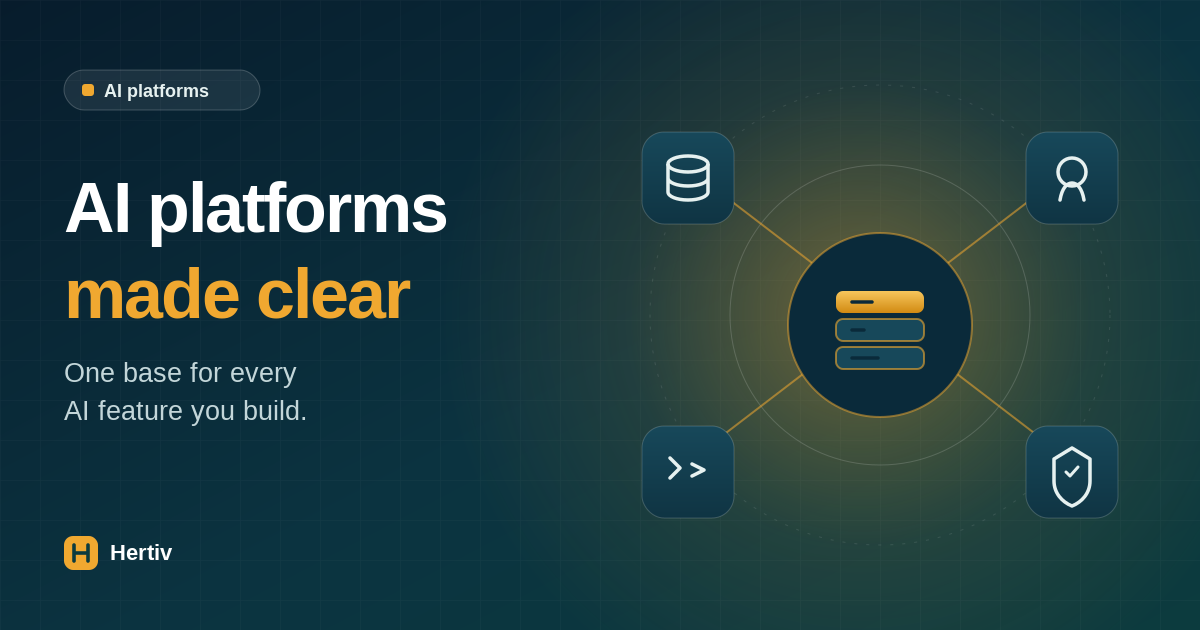
Most platforms share four parts:
| Part | What it does | Why it matters |
|---|---|---|
| Data connections | Pulls in documents, databases and live feeds | The model answers from your facts, not its memory |
| Model access | Runs hosted or fine-tuned models | You can swap models without rebuilding |
| Build tools | Prompts, workflows, agents and tests | Teams ship features instead of one-off scripts |
| Controls | Permissions, logging and cost tracking | You can see who did what and what it cost |
A platform earns its place when a team has more than one AI feature to run. One chatbot can live as a script. Five features sharing data, models and rules need a platform.
What kinds of AI platform are there?
AI platforms split into four broad kinds, and the right one depends on what you are building. Many teams use two of them together, so the lines blur in practice.
Machine learning platforms are the oldest kind. They cover training, testing and deploying models that predict numbers or classify things, such as fraud scores or demand forecasts. They are built for data science teams and live close to the data warehouse.
Language model platforms came next. They host large language models, add retrieval over your documents, and provide the tools to build chatbots, copilots and agents. Most teams starting with AI today start here.
Agent platforms sit a layer up. They add memory, tools and multi-step workflows, so an agent can check stock, draft a reply and create a ticket without a person driving each step. They are useful when the work is a process, not a single question.
Vertical platforms serve one industry: healthcare, finance, legal or manufacturing. They come with the data models, rules and checks that industry needs, which saves months of setup but limits how far you can bend them.
When comparing options, read a shortlist first — enterprise AI platforms covers the main vendors for larger teams.
The machine learning side has its own shortlist, and machine learning platforms compares the tools data science teams actually use. Either way, work out which kind matches the job you actually have.
What can an AI platform actually do?
An AI platform does the unglamorous work that makes AI features reliable: connecting data, running models, testing changes and keeping records. The features users see are only the top layer.
On the data side, it connects to documents, databases, CRMs and inboxes, and keeps that content fresh so answers reflect the current state of the business. It also handles the access rules, so a model can read a policy document but not a payroll file.
On the model side, it runs the model, manages the prompts and settings, and lets you switch models or settings without touching the rest of the system. It also caches answers where that is safe, which keeps costs and response times down.
On the testing side, it keeps a set of real questions with known good answers and re-runs them whenever anything changes. If a new prompt or model makes answers worse, the test set shows it before customers do.
On the control side, it logs every request, answer and action, tracks spend per team or feature, and enforces limits such as which tools an agent may call. That is what turns a demo into something a company can run every day.
AI platform vs AI tool: what is the difference?
An AI tool does one job. An AI platform lets you build many jobs on the same base. The difference matters because teams usually start with a tool and only realise they need a platform when the second or third feature arrives.
A writing tool drafts text. A platform lets you build the writing feature, the support agent and the search feature on the same documents, the same model settings and the same logging. The shared base is the point.
Tools are faster to start with and cheaper to try. You sign up, paste in some text, and see a result the same day. Platforms take longer to set up because they need data connections, access rules and a test set before the first feature ships.
The honest test is how many features you expect to run. One feature with one data source is a tool job. Three features sharing data, users and rules is a platform job, because rebuilding the connections and controls three times costs more than setting up the platform once.
There is also a middle path. Some teams start with a tool for the first feature, then move to a platform once the second feature is approved. That works if the tool's data and prompts can move across. Before you start, check whether the tool lets you export your prompts, test cases and logs — if it does not, the move will hurt.
How to choose an AI platform in 5 steps
Choosing an AI platform is mostly about the work you will do on it, not the feature list. A platform with the longest list is rarely the best fit for a small team with one clear job.
- Name the first three features. Write down what each one must do, what data it needs, and who will use it. If you cannot name three, you may only need a tool.
- Check the data connections. List your documents, databases and systems, and confirm the platform connects to each one with the access rules you need.
- Test with your own content. Run the platform on real documents and real questions, and score the answers against a fixed test set. Demos on sample data tell you almost nothing.
- Check the controls. Confirm you can set permissions per team, log every request, cap spend, and export your prompts, tests and logs.
- Price the whole year. Add model use, data storage, seats and support, and compare it with the cost of the work the features replace. Prices change, so check the vendor's own pricing page — see vendor site.
Run the test in step three with the team that will own the platform, not just the vendor's sales team. The people who will answer for bad answers should be the ones judging the answers.
If you want a hand with the choice, an AI consulting review of your data and use cases will show which platform kind fits before you commit to a vendor.
Example (hypothetical): a retailer picks a platform
Example (hypothetical): a retailer with 8,000 products wants three features: a support agent, a search box that understands plain questions, and product descriptions drafted from the catalogue. The team shortlists two platforms and tests both on the same 200 products.
By hand, writing 200 descriptions takes a copywriter about 6 hours. Platform A drafts all 200 in 20 minutes, and a reviewer spends 2 hours fixing the weak ones, for a total of 2 hours and 20 minutes. Platform B drafts them in 15 minutes, but the reviewer needs 4 hours because the drafts invent details, for a total of 4 hours and 15 minutes.
The team also tests the support agent on 60 real past tickets. Platform A answers 44 well enough to send, Platform B answers 31. The numbers point the same way as the descriptions: Platform A is slower to draft but far cheaper to check.
The retailer picks Platform A and starts with the support agent only, adding search and descriptions one at a time. Six months later the same platform runs all three, sharing one set of product documents and one test set.
What are the common mistakes?
The most common mistakes with AI platforms are buying for the demo, skipping the test set, and letting one team pick a platform the rest of the company cannot use.
- Buying for the demo. A polished demo on sample data says nothing about your documents. Always test on your own content.
- No test set. Without a fixed set of real questions and known good answers, you cannot tell whether a change helped or hurt.
- Ignoring the data work. If your documents are out of date or duplicated, the platform will surface all of it. Clean the sources first.
- One team, one platform. A platform chosen for one team that cannot serve the next team becomes a second silo. Check the second and third use cases before you buy.
- No exit plan. If you cannot export prompts, tests and logs, you are locked in. Ask before you sign.
- Counting seats, not use. Model costs usually matter more than seat prices. Budget for both.
For teams building their first agent on a platform, how to build an AI copilot shows the steps from pilot to production.
Key takeaways
- A platform is a base to build on; a tool does one job
- Most platforms share four parts: data, models, build tools and controls
- Test every platform on your own documents and questions, never on demo data
- Keep a fixed test set so you can tell whether a change helped or hurt
- Name three features before you buy, and check you can export your work
Frequently asked questions
What is an AI platform in simple terms?
It is software that lets a team build and run AI features in one place. It connects your data, runs the models, provides tools for prompts and agents, and keeps logs and permissions so the features can be trusted in daily use.
How is an AI platform different from ChatGPT?
ChatGPT is a single tool for chatting with a model. A platform lets you build many features on your own data, with your own rules, logging and access controls, and it can use several different models behind the scenes.
Do small companies need an AI platform?
Usually not at first. One feature with one data source is a tool job. A platform makes sense once you have two or three features sharing data, users and rules, because rebuilding those connections each time costs more.
What does an AI platform cost?
Costs vary widely by vendor and use, and they change often. The main parts are model use, storage, seats and support. Check the vendor's own pricing page for current figures, and budget for model use, not just seats.
Can you switch AI platforms later?
Yes, but only if you can take your work with you. Before you buy, check that you can export your prompts, test cases, logs and data connections. Without that, switching means rebuilding everything from scratch.
What is the first step in choosing one?
Write down the first three features you want to run, with the data each one needs and who will use it. That list decides which kind of platform fits, and it gives you a fair test to run against every vendor.