AI in Surveillance Systems: How It Works and What to Watch
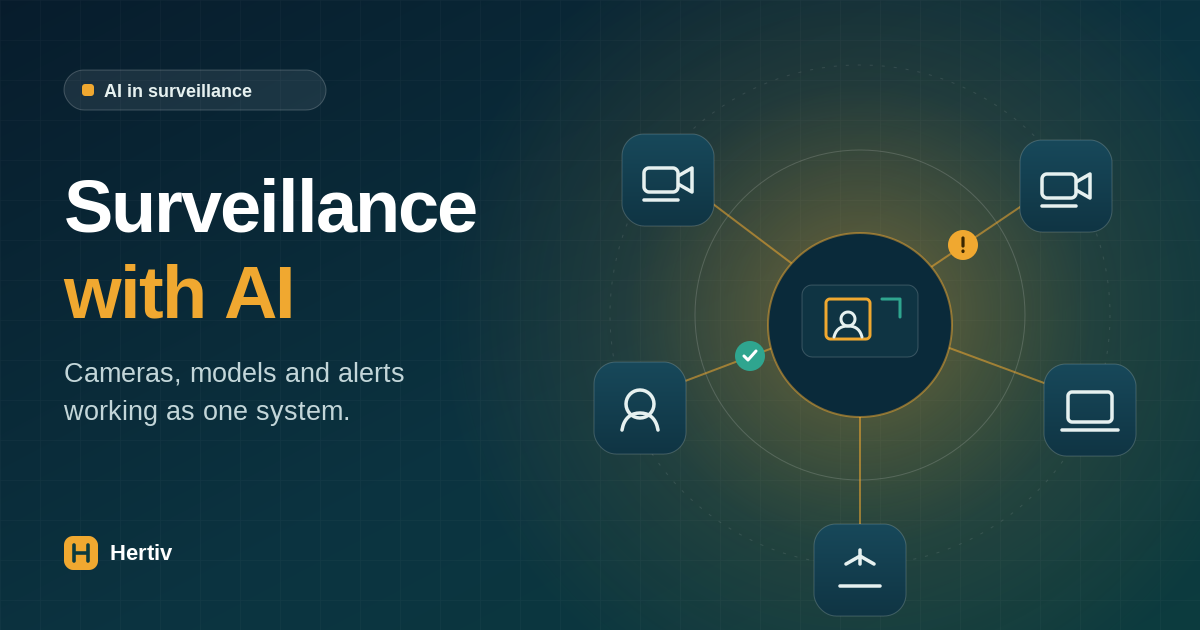
AI surveillance systems watch camera feeds, flag unusual activity and alert guards, so people review minutes instead of hours. Here is how they work.
On this page
Short answer
An AI surveillance system is a camera setup where software watches the video feed, recognises people, vehicles and objects, and raises an alert only when something matches a rule you set. Instead of a guard watching every screen, the system reviews the footage and brings the few moments that matter to a human, who decides what to do next.
What is an AI surveillance system?
An AI surveillance system is a set of cameras and sensors connected to software that analyses video as it arrives, looking for the people, vehicles, objects and behaviours you asked it to find. It turns a wall of live feeds into a short list of events worth a human look.
A traditional camera system records everything and depends on someone watching or searching through hours of footage after an incident. An AI system works the other way round: it watches continuously, ignores routine movement, and only interrupts a person when a rule is broken, such as a person entering a closed area or a vehicle stopping where it should not.
The four parts of such a system are:
| Part | What it does | Example |
|---|---|---|
| Cameras and sensors | Capture video and sound | Fixed cameras, door sensors |
| Detection model | Finds people, vehicles, objects | A person near a gate at night |
| Rules and alerts | Decides what counts as an event | Alert when a zone is entered |
| Storage and review | Keeps clips and an audit trail | Search by time, camera, event |
The human stays in charge. The model suggests, the rule filters, and a person confirms the alert and acts on it. That split is what keeps the system useful instead of noisy.
What does AI detect in a camera feed?
AI in a camera feed detects people, vehicles, animals and objects, and it can follow them across frames to tell whether they are moving, waiting, entering or leaving. Most systems start with these basic detections and add rules on top.
Common detections include a person in a restricted zone, a vehicle parked too long, a bag left behind, a crowd forming, smoke or a fall. Some systems also read number plates, count people through a door, or spot a uniform and a hard hat to check safety gear.
Behaviour detection goes one step further: instead of a single object, the model looks at a sequence, such as someone pacing along a fence line or a forklift moving against the marked lane. These patterns are harder to get right, so they need more testing before you trust their alerts.
Accuracy depends on the camera angle, light and weather. A camera that looks down a long corridor in poor light will miss more than a well-placed camera at a door. Computer vision explains the underlying techniques, but the practical point is simple: detection quality follows camera placement and image quality.
How does an AI surveillance system work?
An AI surveillance system works by running each video frame through a detection model, matching what it finds against your rules, and sending an alert with a short clip when a rule is met. The whole chain, from camera to alert, usually takes seconds.
A typical flow looks like this:
- Capture. Cameras send video to a recorder or a server, on site or in the cloud.
- Detect. The model marks people, vehicles and objects in each frame and tracks them over time.
- Judge. Rules compare the detections with zones, times and lists, such as staff only after 6 pm.
- Alert. A matching event sends a clip and a short description to a guard, a phone or a control room.
- Review. The guard confirms, dismisses or escalates the event, and that decision is logged.
- Improve. Dismissed alerts are reviewed so rules and camera positions can be tuned.
Processing can run on the camera, on a local server or in the cloud. On-camera processing keeps video local and reacts fast; cloud processing is easier to update but depends on the network. Many sites mix the two, detecting on site and storing clips centrally.
Where are AI surveillance systems used?
AI surveillance systems are used wherever someone must watch a large area with few staff: warehouses, car parks, transport hubs, shops, factories and public spaces. The job is the same everywhere, even though the rules differ.
In a warehouse, the system watches gates, loading bays and high-value storage, and flags tailgating at doors or a person in a zone during closed hours. In retail, it counts visitors, spots long queues and watches self-checkout areas for missed scans. In transport, it watches platforms and car parks for crowding, left items and vehicles stopped in drop-off lanes.
Factories use it for safety: checking that workers wear helmets in marked zones, that forklifts keep to lanes, and that nobody enters a machine area while it is running. Offices and campuses use it for access control, matching a face or a badge to an entry log.
Public-space deployments are the most sensitive, because they film people who never agreed to be watched. They need clear signage, a written purpose, short retention and a way for the public to ask what is recorded. AI security covers the governance side, including who can see footage and how access is logged.
Example (hypothetical): a warehouse cuts false alarms
Example (hypothetical): a warehouse runs 40 cameras and a motion-based recorder. Each night it records about 200 motion events, of which 180 are false alarms from rain, headlights and moving shadows, and 20 are real events a guard should see.
Before AI, a guard reviews all 200 events at 2 minutes each, which is 400 minutes, or about 6 hours 40 minutes of review per night. Most of that time goes on footage that needs no action.
After AI filtering, the system passes on 26 events: the 20 real ones plus 6 false ones. Reviewing 26 events at 2 minutes each takes 52 minutes. The guard saves 400 minus 52, or 348 minutes, which is about 5 hours 48 minutes per night, and the real events still reach a human.
The saving only holds if the filter is tuned. If the team tightens the rules too far to cut the last 6 false alarms, it risks dropping a real event. The team keeps a weekly check of missed events before it changes any rule.
What are the limits and risks?
The limits of AI surveillance are false alarms, missed events, bias in who gets flagged, and the privacy cost of filming people. None of these disappear with a better model; they have to be managed as part of running the system.
False alarms waste guard time and train staff to ignore alerts. Missed events are worse, because nobody knows they happened. Both rise when cameras are badly placed, when light changes through the day, or when the model was trained on scenes unlike your site.
Bias is a real risk: a model trained mostly on one group of people can flag others more often. Test alerts by group where the law allows, and never let a single model output decide a consequence such as barring entry or calling police without a human check.
Privacy rules set hard limits. Keep footage only as long as you need it, limit who can view live feeds, log every search, and tell people they are being filmed, which is part of data security and compliance. A system that nobody can audit will fail a review even if its detection works well.
What are the common mistakes?
The most common mistakes with AI surveillance are buying cameras before writing the rules, trusting alerts without a review step, and forgetting the privacy paperwork.
- Starting with hardware. Cameras bought first often point at the wrong places. Write the events you want to catch, then place cameras for them.
- Too many rules at launch. Ten rules on day one produce a flood of alerts. Start with two or three, tune them, then add more.
- No human in the loop. An alert that triggers a lock or an alarm on its own will cause a bad day. A person confirms first.
- Ignoring night and weather. A system tested at noon can fail at dusk. Test in rain, dark and glare.
- No retention policy. Keeping footage for years costs money and creates legal risk. Set a deletion schedule and follow it.
- Skipping the audit trail. If nobody logs who watched what, you cannot answer a complaint or a regulator.
Key takeaways
- An AI surveillance system watches video continuously and alerts a human only when a rule is met
- Detection quality follows camera placement, light and image quality more than model choice
- Start with two or three rules, tune them against dismissed alerts, then add more
- A human confirms every consequential alert; the model never acts alone
- Retention limits, access logs and signage are part of the system, not paperwork after it
Frequently asked questions
What is an AI surveillance system?
It is a camera setup where software analyses the video feed as it arrives, finds people, vehicles and objects, and raises an alert when something matches a rule you set. A human reviews the alert and decides what to do, so the system filters footage rather than replacing the guard.
How is AI surveillance different from normal CCTV?
Normal CCTV records everything for later review, while AI surveillance watches the feed live and flags events as they happen. The difference is the review workload: AI brings a short list of clips to a person instead of hours of footage to search through.
Can AI surveillance work with existing cameras?
Often yes, if the cameras produce a clear image and the network can carry the stream to the processing server. Very old analogue cameras usually need replacing, and poorly placed cameras will still miss events even with a good model.
Does AI surveillance store faces?
It depends on the setup. Some systems only track movement and never store face data, while others match faces against a list. Face matching needs a clear legal basis, signage and strict access control, so many sites avoid it entirely.
How many false alarms should I expect?
That depends on the site, the rules and the tuning. A common starting point is that most alerts in the first weeks are false, and the rate falls as rules are tuned and cameras are re-aimed. Track the share of dismissed alerts weekly to see whether tuning is working.
Who is responsible when the system misses something?
The organisation running the system is responsible, not the vendor. That is why missed events should be checked regularly, rules should be reviewed, and no single alert should trigger a serious action without a human confirming it first.