What Is Model Routing, and How Does It Pick a Model?
Model routing sends each request to the cheapest model that can handle it well. Learn how routers decide, when routing pays off, and how to set one up.
On this page
Short answer
Model routing is a technique that sends each request to the most suitable language model from a set of models, instead of sending every request to the same one. A router looks at the task, its difficulty and its cost, and picks a small fast model for easy requests and a larger model for hard ones. The aim is to keep quality high while cutting cost and waiting time.
What is model routing?
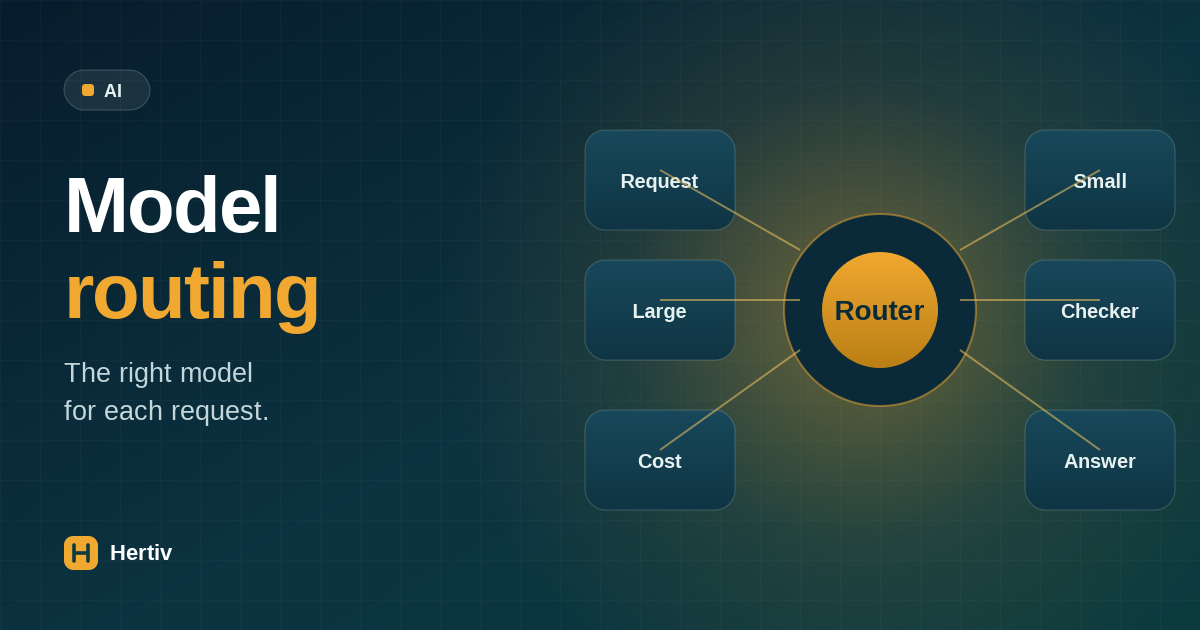
Model routing is the practice of choosing which language model answers each request. Most teams have more than one model available: a small fast model that is cheap to run, a mid-size model, and a large model that handles hard tasks well. A router sits in front of them and decides, for each request, which model should answer it.
The router can be a set of rules or a small model of its own. A rule-based router sends requests by type: short summaries go to the small model, long documents go to the large one. A model-based router reads the request and predicts which model will answer it well enough, which handles cases where the type alone does not tell the whole story.
| Route by | How it decides | Best when |
|---|---|---|
| Task type | Fixed rules per task | Tasks are clearly different |
| Difficulty | Score the request first | Easy and hard requests mix |
| Cost cap | Cheapest model that passes | Budget is the main limit |
| Latency | Fastest model that passes | Users wait on every answer |
Routing is not the same as fine-tuning or prompt engineering. Those improve one model; routing chooses between models. Teams often use all three together, because a good small model with a good prompt can handle more requests than a poor one.
How does a router decide which model to use?
A router decides by weighing three things: what the request needs, what each model can do, and what each model costs. The simplest routers use rules written by the team: a request under a certain length with a simple task goes to the small model, while anything involving reasoning, long documents or sensitive output goes to the large model.
Smarter routers learn from examples. The team labels a set of past requests with the smallest model that answered each one well, then trains a small classifier on those labels. The classifier reads a new request and predicts the right model. Because the classifier is small, it adds almost no cost or delay of its own.
Some routers also try the cheap model first and check the result. If the answer looks uncertain or the checker model flags it, the request is sent again to the larger model. This cascade costs a little extra on the hard requests but keeps the easy ones cheap. For how to measure whether the cheap model is good enough, see how to test AI models.
When does model routing pay off?
Model routing pays off when requests vary a lot in difficulty and the team sends a large number of them. A support inbox is a good case: most messages are simple, such as a password reset or an order status, and only a few need careful reasoning. Routing the simple ones to a small model can cut the bill sharply without users noticing any difference.
Routing pays off less when every request is hard, when the team sends few requests, or when the models available are similar in price. If the large model costs only a little more than the small one, the saving is too small to justify the extra moving part. It also pays off less when quality cannot slip at all, such as in medical or legal drafting, where the large model should answer everything.
Latency is a second reason to route. Small models answer faster, so a chat product that routes easy questions to a small model feels quicker to users. For the cost side of the same question, see LLM API cost per month.
Example (hypothetical): routing a support inbox
Example (hypothetical): a support team handles 1,000 tickets a day, each about 500 tokens of text. Sending all of them to a large model at $5 per million tokens costs 500,000 / 1,000,000 x $5 = $2.50 a day. The team checks its tickets and finds 800 are simple and 200 are hard.
With routing, the 800 simple tickets go to a small model at $0.50 per million tokens, which costs 400,000 / 1,000,000 x $0.50 = $0.20 a day. The 200 hard tickets still go to the large model, which costs 100,000 / 1,000,000 x $5 = $0.50 a day. The routed total is $0.20 + $0.50 = $0.70 a day.
Routing saves $2.50 - $0.70 = $1.80 a day, or about $54 a month, while the hard tickets still get the large model. The saving only holds if the small model answers the simple tickets well, so the team checks a sample of its answers every week and moves any task it keeps getting wrong back to the large model.
How do you set up model routing?
Setting up model routing starts with labelling, not with code. The team takes a few hundred real requests, tries the small model on each one, and marks which answers are good enough. That labelled set shows how much traffic the small model can take and where it fails.
- Collect real requests. Take a few hundred requests from production, covering the easy and the hard ones.
- Test the small model. Run it on the set and mark which answers are good enough to send.
- Write the first rules. Start with simple rules based on task type and length.
- Add a checker. Send uncertain answers to the large model, or check a sample every week.
- Measure quality and cost. Track the share of requests each model handles, the error rate and the bill.
Teams should start with rules and add a learned router only when rules stop working. A rule-based router is easy to explain and easy to fix, while a learned router needs labelled data and regular retraining. For how retrieval changes which model a request needs, see what retrieval augmented generation is.
What are the common mistakes?
The most common mistake is routing by price alone. A team sends everything to the cheapest model, quality drops, and users complain before the bill saving shows up in any report. Routing works only when the team measures quality for each route and moves tasks back to the larger model when they fail.
Another mistake is never checking the router. Models change, and a task the small model handled well last month may fail this month after a prompt change. A weekly sample check catches that drift before it becomes a pile of bad answers.
Teams also build a router before they need one. If all requests go to one model and the bill is small, a router adds a moving part with no payoff. And do not forget the fallback: when the router itself fails, requests should go to the large model, not nowhere.
Key takeaways
- Model routing picks the cheapest model that can handle each request well.
- Start with simple rules based on task type and length.
- Label real requests to learn how much traffic the small model can take.
- Check a sample of routed answers every week for quality drift.
- Send uncertain requests to the larger model, and route there on failure.
Frequently asked questions
What is the difference between model routing and model selection?
Model selection picks one model for a whole product, while model routing picks a model for each request. A product can do both: choose a set of models at design time, then route each request to the best one in that set.
Does model routing reduce quality?
It can, if the small model takes requests it cannot handle. Good routing measures quality per route and moves failing tasks back to the larger model. When the routing is set up well, users see the same quality at a lower cost.
Is model routing the same as a cascade?
A cascade is one kind of routing: try the cheap model first, and send the request to a larger model only if the first answer looks weak. Other routers decide up front from the request itself. Both aim to spend the large model only where it is needed.
How many models does routing need?
Two is enough to start: a small fast model and a large capable one. A third mid-size model helps when many requests sit between easy and hard. More than three models adds complexity without much extra saving.
Can a router use cost and speed together?
Yes. A router can weigh both, for example by picking the fastest model under a cost cap, or the cheapest model that meets a quality bar. The team decides which matters more for each task and writes that into the routing rules.
When should a team skip model routing?
When all requests are similar in difficulty, when traffic is low, or when quality cannot slip at all. In those cases one model is simpler and cheaper to run than a router, a checker and the extra monitoring.


