What Is Intelligent Document Processing, and How Does It Work?
Intelligent document processing reads, sorts and pulls data from documents with AI. Learn how it works, where it fits, and what to check before you start.
On this page
Short answer
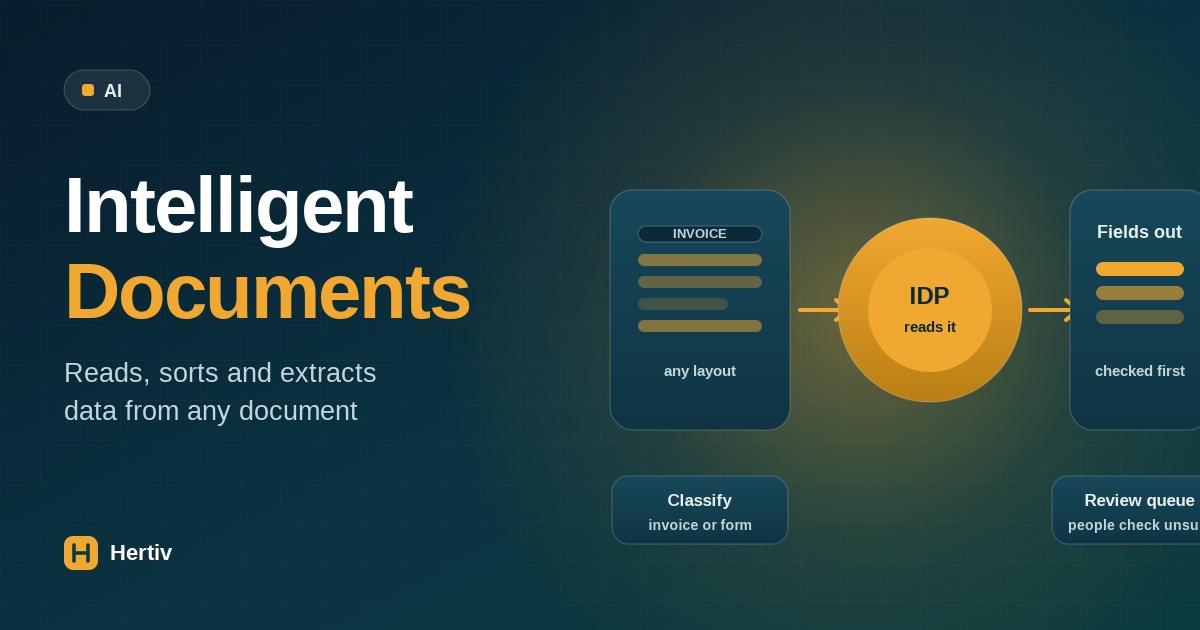
Intelligent document processing, or IDP, is software that reads documents, works out what they are, and pulls out the data a business needs. It combines text recognition with machine learning to handle invoices, contracts, forms and emails that arrive in different layouts. A person still reviews anything the system is unsure about.
What is intelligent document processing?
Intelligent document processing is software that turns unstructured documents into structured data a system can use. It reads a document, identifies what kind of document it is, and extracts the fields that matter, such as invoice numbers, dates, totals and names.
It differs from simple text recognition, which only converts an image of text into characters. IDP goes further: it understands the layout, matches fields to a schema, checks the values against rules, and sends the result to the right system. The "intelligent" part is the machine learning that handles variation in layout and wording.
The documents it handles most often are:
| Document | What is extracted | Where it goes |
|---|---|---|
| Invoices | Supplier, date, total, line items | Accounting system |
| Contracts | Parties, dates, key clauses | Contract store |
| Forms | Names, addresses, choices | CRM or case system |
| Claims | Policy number, amounts, dates | Claims system |
| Emails | Sender, subject, attachments | Ticket queue |
Teams that process documents by hand usually start here. The work is repetitive, the volume is high, and the cost of a mistake is easy to see. For a broader view of the technology, document AI covers the services and tools involved.
How does intelligent document processing work?
Intelligent document processing works in four stages: capture, classify, extract and validate. Each stage hands a cleaner result to the next, and anything uncertain goes to a person instead of flowing through unchecked.
A typical pipeline looks like this:
- Capture. Documents arrive by email, upload, scan or API, and are converted into a readable format.
- Classify. The system identifies the document type, such as invoice, contract or form, so it knows which fields to look for.
- Extract. Text recognition reads the characters, and a trained model maps them to fields such as total, date or supplier name.
- Validate. Rules check the values: totals must add up, dates must be valid, required fields must be present.
- Route. Clean results go to the target system. Anything that fails a check goes to a human review queue.
The human review step is part of the design, not a failure of it. Every correction feeds back into the model, so accuracy improves over time as the team reviews more documents.
How is IDP different from template OCR?
IDP differs from template-based OCR in how it handles variation. Template OCR expects every document to look the same: the total is always in the same place, the supplier name is always on the same line. When a supplier changes its layout, the template breaks.
IDP uses trained models that look for meaning rather than position. A model that has seen many invoices can find the total even when the layout changes, because it recognises the label, the currency format and the surrounding context.
| Approach | Handles new layouts | Setup effort | Best for |
|---|---|---|---|
| Template OCR | No, needs a new template | Low per template | One fixed form |
| IDP | Yes, within the trained types | Higher, needs samples | Many suppliers, many layouts |
| Manual entry | Yes | None | Low volume |
The trade-off is training data. IDP needs a sample of real documents with known correct values before it can be trusted. That sample is also the evaluation set, so it serves two purposes at once.
Where does intelligent document processing fit best?
Intelligent document processing fits best where documents arrive in volume, in varied layouts, and with a clear downstream system waiting for the data. Invoices, claims, applications and contracts are the usual starting points.
It fits less well where documents are rare, where the fields change every time, or where the value of the document is in a judgement call rather than in the fields. A legal opinion or a medical report is not a good first IDP project, because the hard part is the reasoning, not the reading.
Signs that IDP will pay off:
- High volume. Hundreds of documents a month or more, with staff spending hours retyping them.
- Repeated fields. The same fields appear in most documents, even if the layout varies.
- Clear validation rules. Totals, dates and required fields can be checked by rules.
- A system waiting. The extracted data has somewhere to go, such as an ERP, CRM or claims system.
For teams weighing IDP against other AI work, what is machine learning explains the technology underneath it in plain terms.
Example (hypothetical): a finance team processes invoices
Example (hypothetical): a finance team receives 1,000 supplier invoices a month. Each one takes about 4 minutes to read and enter by hand, which is 4,000 minutes, or about 67 hours a month, of manual work.
The team sets up IDP with a validation rule: the line items must add up to the total, and the supplier must match an approved list. In the first month, the system handles 80% of invoices cleanly, which is 800 invoices. The other 200 go to a human queue.
Reviewing those 200 takes 200 times 4 minutes, which is 800 minutes, or about 13 hours. The team saves about 54 hours a month, and the reviewers spend their time on the invoices that actually need judgement, such as mismatched totals and new suppliers.
The saving grows as the model learns. Each correction teaches the system, so the share handled cleanly rises over the following months. The team should still keep the human queue, because it is the safety net that keeps bad data out of the accounts.
How do you start with intelligent document processing?
You start with intelligent document processing by picking one document type, gathering a sample, and proving the value on that type before expanding. A narrow start is faster and easier to measure than a broad one.
- Pick one document type. Invoices are the usual first choice, because the fields and the validation rules are clear.
- Gather a sample. Collect 100 to 200 real documents with known correct values, covering the main suppliers and layouts.
- Define the fields and rules. List the fields to extract and the checks that decide whether a result is clean.
- Run a pilot. Process a month of real documents in parallel with manual entry, and compare the results.
- Set the review queue. Decide who reviews failed documents, how fast, and how corrections feed back into the model.
Measure accuracy against the sample, not against a vendor demo. A pilot on your own documents is the only honest test. For guidance on testing AI systems, how to test AI models covers evaluation sets and what to measure.
What are the common mistakes?
The most common mistakes with intelligent document processing are starting too broadly, skipping the validation rules, and trusting the output without a review queue. Each one lets bad data reach the systems that depend on it.
- Too many document types at once. Each type needs its own sample and rules. Start with one.
- No validation rules. Extraction without checks passes errors straight into the accounting or claims system.
- No human review queue. If nobody reviews uncertain documents, mistakes are found by customers, not by staff.
- Dirty source documents. Scans that are skewed, faint or low resolution produce bad input, and bad input produces bad output.
- Measuring volume instead of accuracy. Processing more documents is not a win if more of them are wrong.
- Ignoring the feedback loop. Corrections that are not fed back into the model mean the same mistakes repeat.
Key takeaways
- IDP reads, classifies and extracts data, then validates it before it reaches your systems
- It handles layout variation that breaks template OCR, but it needs a labelled sample first
- Invoices, claims and forms are the best first projects; judgement-heavy documents are not
- A human review queue is part of the design, and corrections improve the model
- Start with one document type and measure accuracy on your own documents
Frequently asked questions
What is the difference between IDP and OCR?
OCR converts an image of text into characters. IDP builds on OCR: it classifies the document, extracts named fields, checks them against rules, and routes the result to a system. OCR is one step inside an IDP pipeline, not the whole thing.
Does IDP replace people who process documents?
No, it changes their work. Staff stop retyping clean documents and spend their time on the exceptions that need judgement, such as mismatched totals and new suppliers. The review queue is where people add the most value.
How accurate is intelligent document processing?
Accuracy depends on the document type, the quality of the scans and the training sample. Well-scoped invoice projects often reach high accuracy on clean documents, but the honest answer is to measure it on your own sample. Do not accept a vendor number without a pilot.
What documents work best with IDP?
Documents with repeated fields and clear validation rules work best: invoices, claims, application forms and purchase orders. Documents where the value is in reasoning, such as legal opinions or medical reports, are poor first projects.
How much training data does IDP need?
A useful starting sample is 100 to 200 real documents with known correct values, covering the main layouts you receive. More helps, but a clean, varied sample beats a large, messy one. The sample doubles as your evaluation set.
Can IDP handle handwritten documents?
Some systems can, but handwriting is harder than print and accuracy is usually lower. If most of your documents are handwritten, run a pilot on a real sample before committing, and keep a larger review queue.


