What Is Data Annotation, and How Does It Work?
Data annotation means labelling raw text, images, audio and video so a model can learn from it. Learn the main types, the quality checks, and how to start.
On this page
Short answer
Data annotation is the process of adding labels to raw data so a machine learning model can learn from it. A label might name the objects in a photo, mark the intent behind a sentence, or mark the start and end of a spoken word, and a model uses thousands of these labelled examples to learn how to make the same calls on new data.
What is data annotation?
Data annotation is the work of labelling raw data so a machine learning model can learn from it. Raw data on its own has no answers attached: a photo is just pixels, a support message is just words, and a recording is just sound. Annotation adds the answers, and the model learns the link between the raw input and the label.
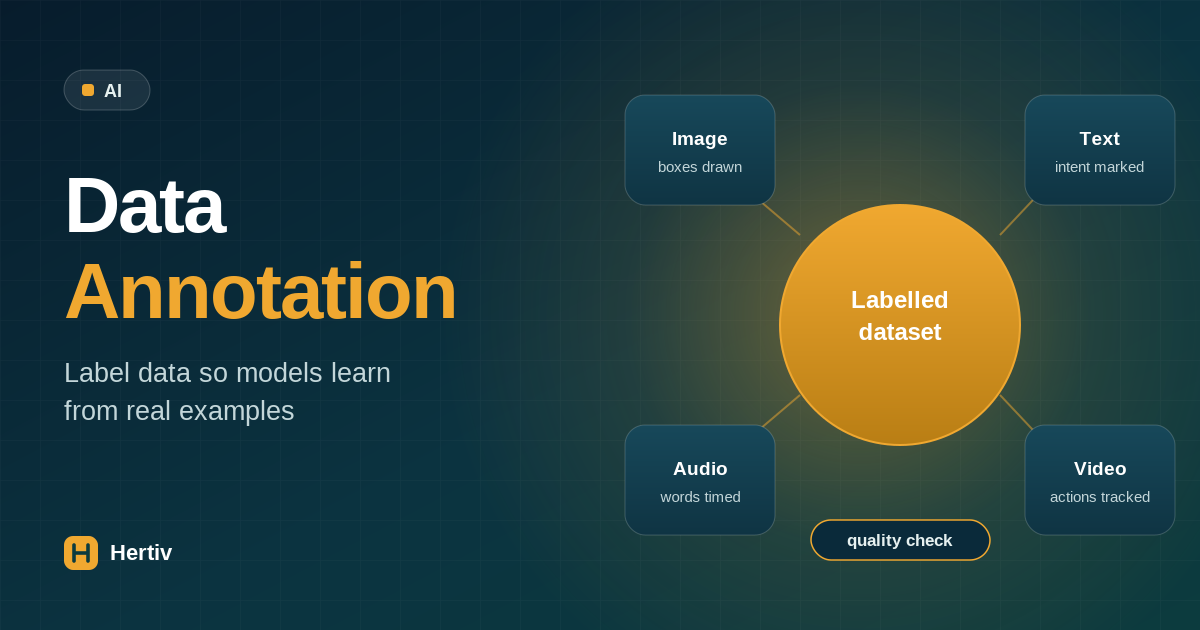
Labels take many forms. An image label might be a box drawn around each car in a street photo. A text label might mark a message as a complaint, a question or a refund request. An audio label might mark where each word starts and ends. The label is always the thing the model should learn to predict.
Annotation is the slow, human part of most machine learning work. A model can only be as good as the labels it learns from, so teams treat annotation as a core skill, not as a chore to rush through. The table below shows the four main types.
| Data type | What gets labelled | Typical use |
|---|---|---|
| Text | Intent, topic, sentiment, named things | Support triage, search, summarising |
| Image | Boxes, outlines, categories, key points | Object detection, quality checks, sorting |
| Audio | Words, speakers, sounds, emotions | Transcription, voice assistants, calls |
| Video | Objects and actions frame by frame | Safety checks, sports analysis, driving |
What do annotators actually label?
Annotators label the exact thing the model must learn to predict. For a support triage model, that is the intent of each message: is the customer asking for a refund, reporting a fault, or checking an order? For a product search model, it is which items match a query. The label always follows the job the model will do.
Good labelling starts with a short guide that shows examples and edge cases. A guide for labelling product photos might say that a box should hug the product tightly, that a half-hidden product still counts, and that a reflection does not count. Without a guide, two people label the same photo in different ways, and the model learns mixed signals.
Some labels are simple yes-or-no calls, and some need care. Labelling a photo as containing a dog is simple. Drawing an exact outline around a tumour in a scan needs a trained eye. Teams match the difficulty of the label to the skill of the person doing it, and they keep the hardest labels for their most experienced annotators.
How does a labelling task run?
A labelling task runs in six steps, and skipping any of them shows up later as a weak model. The steps are small on their own, but together they decide whether the labels are worth learning from.
- Define the label. Write down exactly what the model must predict, with examples of each label and of the cases that sit between two labels.
- Collect the raw data. Gather the text, images or recordings the model will meet in real use, not a tidy sample that flatters it.
- Label a small batch first. Label a few hundred items, check them together, and fix the guide where people disagree.
- Label the full set. Work through the data in batches, with regular checks, so drift in how people label gets caught early.
- Check quality. Re-label a sample with a second person and compare, as described in the next section.
- Train and test. Train the model on the labels, test it on data it has never seen, and send the mistakes back for re-labelling.
Most teams keep a separate test set that nobody labels twice and nobody trains on. That set is the only honest measure of how well the model works, so it stays locked away from the labelling and training steps.
How do teams check labelling quality?
Teams check labelling quality in three ways, and most use all three at once. The first is agreement: two people label the same items, and the team counts how often they agree. High agreement means the guide is clear; low agreement means the guide needs work, not that the people are careless.
The second is a gold set: a small set of items labelled by an expert, mixed into the normal work without telling the annotators. If a person's labels match the gold set most of the time, their work is trusted. If they drift, the team talks through the differences and updates the guide.
The third is spot checking: a reviewer reads a random sample of finished labels each week. Spot checks catch the slow drift that agreement tests miss, such as a team gradually drawing looser boxes or marking borderline cases in a new way. Preparing data for AI covers the wider checks that sit around labelling, from cleaning raw data to splitting training and test sets.
Example (hypothetical): labelling support tickets
Example (hypothetical): a small online shop wants a model that sorts 2,000 support tickets a month into refund, fault, delivery and question. A person reads and labels each ticket in about 4 minutes, so labelling the full month takes 2,000 × 4 minutes = 8,000 minutes, which is about 133 hours of work.
The team starts with 200 tickets, about 13 hours of labelling, and writes a guide from the disagreements they find. Then they label the rest, and a second person re-labels a sample of 200 tickets in about 13 hours to check agreement. The total labelling effort is about 133 + 13 = 146 hours, plus a few hours to write and fix the guide.
Once the model is trained, it sorts new tickets in seconds, and a person only reviews the ones the model is unsure about. If that is 200 tickets a month at 1 minute each, review takes about 3 hours a month instead of 133, which is the saving that pays for the labelling work.
How to start a data annotation project
Start small, and treat the first batch as a test of your guide, not as real progress. Label a few hundred items, check them together, and rewrite the guide wherever people disagree. A guide fixed at this stage saves hundreds of hours later.
Pick the label set before you pick a tool. A short list of clear labels beats a long list with overlapping meanings, because every extra label is another chance for two people to disagree. If two labels keep getting mixed up, merge them or write a sharper rule for telling them apart.
Plan for labelling to take longer than the model training. Training a first model often takes hours, while labelling the data for it takes weeks. Teams that plan for this are not surprised; teams that do not are the ones that ship a model trained on rushed labels. Machine learning basics explains what a model does with labels once they exist.
What are the common mistakes?
The most common mistake is labelling data that does not match real use. A model trained on clean studio photos fails on blurry phone photos, and a model trained on polite support messages fails on angry ones. Label the data your model will actually meet.
The second mistake is changing the guide halfway through without re-labelling the early work. The model then learns from two different guides at once, and its mistakes look random. If the guide changes, re-label the items the change affects.
The third mistake is skipping quality checks to save time. Unchecked labels look finished, but the errors hide inside them and show up later as a model that nobody trusts. A small weekly spot check costs far less than retraining a model on bad labels.
Key takeaways
- Annotation adds the answers a model learns from
- Labels must match the job the model will do
- Agreement checks and gold sets catch bad labels early
- Start with a small batch and fix the guide first
- Label data that matches real use, not tidy samples
Frequently asked questions
What is data annotation in simple terms?
Data annotation is adding labels to raw data, such as naming objects in a photo or marking the intent of a message, so a machine learning model can learn to make the same calls on new data it has never seen.
How much data needs labelling?
It depends on the task. A simple sorting model can learn from a few hundred labelled examples, while image and speech models often need thousands or more. Start with a small set, test the model, and add labels where it makes mistakes.
Who does data annotation?
Anyone trained on the labelling guide can do it, and many teams use a mix of in-house staff and outside annotators. Hard labels, such as medical images, need people with the right training, while simple labels need only a clear guide.
What tools do annotators use?
Most use a labelling tool that shows the data and records the labels, such as a box-drawing tool for images or a text tool for messages. The tool matters less than the guide: a clear guide beats a fancy tool.
Can a model label its own training data?
A model can pre-label data to speed up the work, but a person should still check the labels, at least for a sample. Fully automatic labels carry the first model's mistakes into the next one, so human checks stay in the loop.
How do you know if labels are good enough?
Check agreement between two annotators, compare against a gold set labelled by an expert, and spot check a random sample each week. If agreement is high and the model improves on new data, the labels are good enough.


