What Is ChatGPT, and How Does It Work?
ChatGPT is a chat tool from OpenAI that answers questions, drafts text and explains ideas in plain language. Here is what it does well, and where it falls short.
On this page
Short answer
ChatGPT is a chat-based AI tool from OpenAI that replies to typed questions in plain language. You type a question or a task, and it produces an answer, a draft, a summary or a list, using a large language model trained on a wide range of text. It is a product built on GPT models, not the model itself.
What is ChatGPT?
ChatGPT is a chat tool that lets you talk to an AI model in plain language. You type a message, the tool replies, and you can keep the conversation going by asking follow-up questions, correcting it, or asking it to rewrite an answer in a different style.
It is built by OpenAI and runs on GPT models, the same family of models described in our guide to GPT. The difference is the wrapper: GPT is the model that predicts text, while ChatGPT is the product around it, with a chat screen, an account, saved conversations and settings you can change.
People use it to draft emails, summarise documents, explain a topic, plan a project, write code, or turn rough notes into a structured outline. It works best on tasks where a good first draft saves time and a person checks the result before it is used.
ChatGPT is not a search engine and not a database. It does not look up facts on the web by default, and it can state something wrong in a confident tone. Treat every answer as a draft that needs checking, not as a verified source.
How does ChatGPT produce an answer?
ChatGPT produces an answer one word at a time, predicting the next word that fits the words before it. The model was trained on large amounts of text, so it has learned the patterns of grammar, facts, code and conversation, and it uses those patterns to build a reply.
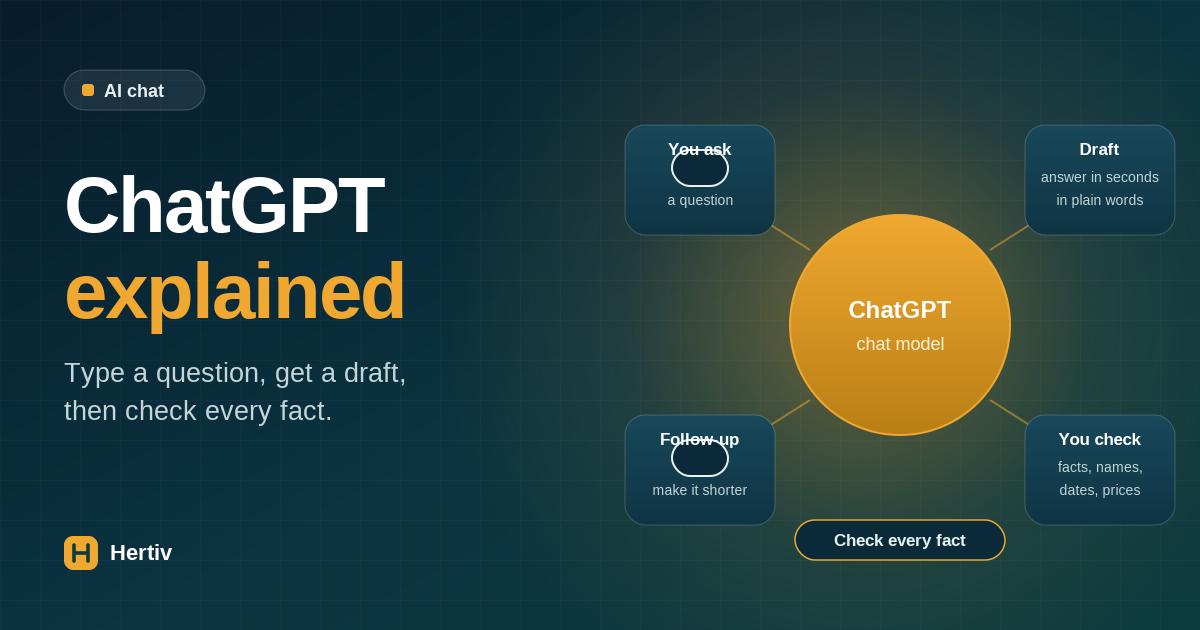
Your message is the starting point. The model reads the whole conversation so far, including your earlier messages and its own replies, and uses that context to shape the next answer. That is why a follow-up like "make it shorter" works: the model still has the first draft in view.
The reply is not copied from a page. It is generated fresh each time, which is why the same question can get a different answer on a second try. Small changes in wording can change the result, so clear prompts give better answers than vague ones.
| Step | What happens | What it means for you |
|---|---|---|
| You write a prompt | Your message and the chat history go to the model | Clear, specific prompts get better answers |
| The model reads context | It weighs your words and earlier turns | Follow-ups work because history stays in view |
| It predicts the reply | It builds the answer word by word | Each reply is generated, not copied |
| You check and refine | You correct, shorten or re-ask | The final answer is only as good as your check |
What can you use ChatGPT for?
ChatGPT is most useful for drafting, explaining and organising. It can turn rough notes into a structured document, rewrite a paragraph for a different audience, summarise a long page, or explain a term in plain words. These are all tasks where a fast first version saves real time.
Teams use it for support drafts, internal notes, marketing outlines, meeting summaries and code snippets. A support agent can ask it to draft a reply in the company tone, then edit the draft before sending. Chatbots built for support work the same way, drafting from a set of approved answers instead of guessing.
It also works as a study partner. You can ask it to quiz you, compare two options, or walk through a worked example step by step. The answers are a starting point for learning, not a replacement for a textbook or an expert.
The table below shows the most common uses and what to check in each case, because the checking step is what keeps the output safe to use.
| Use | What it does well | What to check |
|---|---|---|
| Drafting | Emails, outlines, summaries | Facts, names, dates, tone |
| Explaining | Plain-language answers | Accuracy against a trusted source |
| Code help | Snippets and error explanations | Run and test the code yourself |
| Planning | Lists, options, trade-offs | Whether the options fit your budget |
| Support drafts | Replies in a set tone | Policy, prices and account facts |
What are the free and paid plans?
ChatGPT has a free tier and paid plans, and the details change over time. The free tier gives access to a current model with limits on how much you can use in a day, while paid plans raise those limits and add features such as more model choices, file uploads and shared team workspaces.
OpenAI also offers plans for teams and larger companies, with controls for who can use the tool, how data is handled, and how usage is billed. The exact prices and limits are listed on OpenAI's own pricing page, so check there before you budget: see vendor site for current prices.
For a single person, the free tier is enough to test whether the tool helps your daily work. For a team that will use it every day, the paid plan is usually the practical choice, because hitting a daily limit in the middle of a task is worse than paying for the headroom.
Before you put team data into any plan, read the data policy for that plan. Free and paid plans can handle your inputs differently, and the setting that controls whether chats are used for training is worth finding before your team starts pasting real work into it.
What are ChatGPT's limits?
ChatGPT can be wrong, and it can be wrong in a smooth, confident tone. It can mix up dates, invent a reference, or give a plausible-sounding answer to a question it does not know. The risk is highest on facts, numbers and anything that changed recently.
It also has a cutoff in its training, so it may not know about recent events, new products or price changes. It cannot browse your files unless you upload them, and it cannot run your software, check your account, or verify a claim against a source on its own.
Another limit is memory. The model can only hold a limited amount of conversation in view at once, so very long chats can lose the thread. If a chat gets long, start a fresh one and paste in the key facts it needs.
Finally, it follows instructions literally. A vague prompt gets a generic answer, and a prompt with a wrong assumption can produce an answer built on that wrong assumption. The quality of the output follows the quality of the prompt, and a careful check at the end is part of the job, not an optional extra.
Example (hypothetical): a support team drafts replies with ChatGPT
Example (hypothetical): a support team of six people handles 240 tickets a day. Writing each reply from scratch takes about 6 minutes, so the team spends 240 x 6 = 1,440 minutes, or 24 hours, on replies every day, spread across the team.
The team tries a new flow. An agent pastes the ticket into ChatGPT, asks for a draft in the company tone, and then reads the draft, fixes any wrong facts, and sends it. The draft takes about 30 seconds to appear, and the review takes about 1 minute, so each ticket now takes 1.5 minutes. That is 240 x 1.5 = 360 minutes, or 6 hours a day, saving about 18 hours a day.
The saving only holds because the review step stays in place. The team keeps a short list of facts ChatGPT must never invent: prices, refund rules, delivery dates and account status. Any ticket touching those facts gets a full manual reply, and AI in customer service works best when the human stays in charge of the facts.
The team also tracks which tickets the draft flow suits. Simple how-to questions work well; complaints and billing questions do not, because they need a human tone and a check against the account. The rule is simple: use the draft where a mistake is cheap to catch, and write by hand where it is not.
Common mistakes
The most common mistake is pasting the answer straight into an email, a post or a document without reading it. ChatGPT writes well, so a wrong fact slips past more easily than a badly written one. Read every line that contains a fact, a number or a name.
Another mistake is pasting private data into the chat. Customer names, account numbers, passwords and internal documents do not belong in a general chat tool unless your plan and your policy allow it. Keep a rule: if you would not email it to a stranger, do not paste it into the chat.
Teams also go wrong by asking for one giant prompt and expecting a finished document. A long, vague prompt usually gives a long, vague answer. Break the work into steps: ask for an outline, approve it, then ask for one section at a time.
Finally, do not treat ChatGPT as a source for citations. It can invent book titles, article links and quotes that do not exist. If you need a source, find it yourself in a real library, a vendor page or a trusted publication, and check the link opens.
Key takeaways
- ChatGPT is a chat product built on GPT models, not the model itself.
- Every answer is generated fresh, so check facts, numbers and names before use.
- The free tier is fine for testing; paid plans raise limits and add team controls.
- Prices and limits change, so check OpenAI's own pricing page before budgeting.
- Use it for drafts, explanations and planning, and keep a human check at the end.
Frequently asked questions
What is the difference between ChatGPT and GPT?
GPT is the model family that predicts text, while ChatGPT is the product built around it, with a chat screen, an account and saved conversations. A GPT model can sit inside many products; ChatGPT is the one most people meet first, and it is the chat interface you type into.
Is ChatGPT free to use?
Yes, there is a free tier with daily usage limits, and paid plans that raise those limits and add features. The exact prices, limits and plan names change over time, so check OpenAI's own pricing page for the current details before you decide.
Can ChatGPT browse the web?
Some versions can search the web and cite pages, while others only use what the model was trained on. If you need a current fact, a price or a recent event, check the source yourself rather than trusting a chat answer.
Is it safe to paste work documents into ChatGPT?
It depends on your plan and your company policy. Some plans handle inputs differently, and free tiers may use chats for training. Do not paste customer data, passwords or internal documents unless your plan and policy clearly allow it.
Can ChatGPT write code?
Yes, it can draft code, explain error messages and sketch functions, but the code must be run and tested by a person. It can produce code that looks right and fails, so treat every snippet as a draft and test it before use.
Should a team use ChatGPT for customer support?
It works well for drafting replies that a person then checks and sends, as in the example in this article. It is a poor fit for billing, refunds or account questions, where a wrong fact costs trust and needs a human and a check against the account.


