What Is an AI Agent, and How Does It Work?
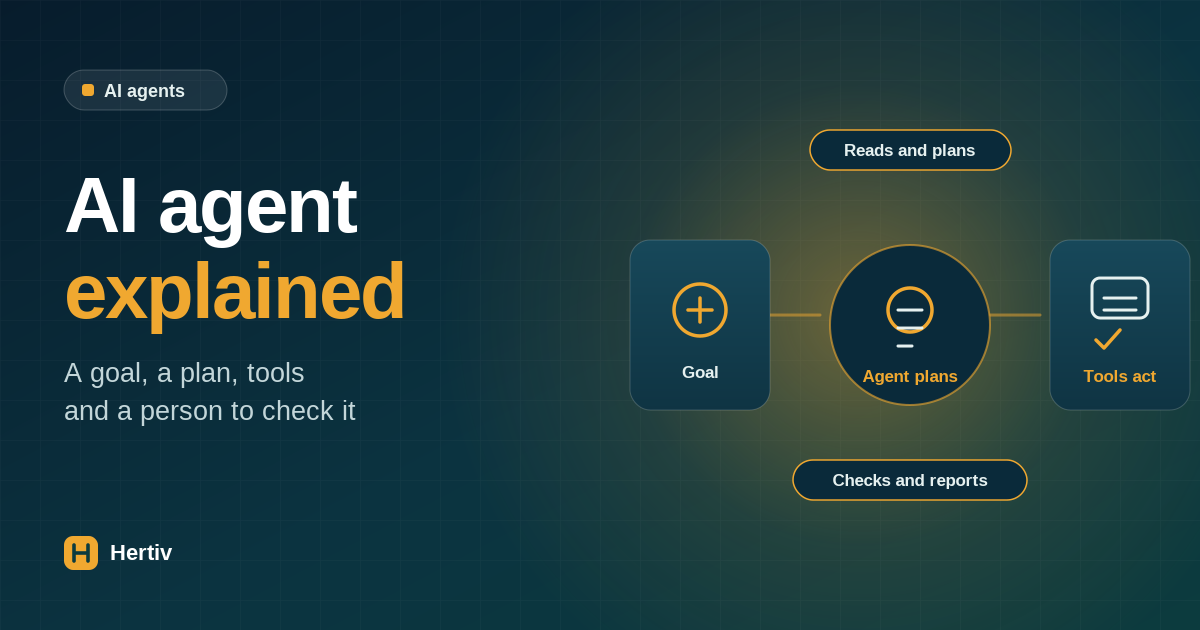
An AI agent is software that takes a goal, works out the steps, and uses tools to finish the job. It reads input, plans, acts, and checks its own result.
On this page
Short answer
An AI agent is software that works towards a goal on its own, instead of waiting for a command at every step. You give it a task, such as answering support tickets or checking invoices, and it plans the steps, uses the tools it has, and reports back. A chatbot only replies; an agent does the work.
What is an AI agent?
An AI agent is software that takes a goal, works out the steps, and uses tools to finish the job. It is built around a language model, but the model is only the thinking part. The agent also has memory, a set of tools it can call, and rules about what it may and may not do.
The difference from a chatbot is action. A chatbot reads your message and writes a reply. An agent reads the message, decides what needs to happen, looks up the facts, calls the right system, and then replies with the result. If it cannot finish the task, it says so and passes the case to a person with everything it tried so far.
| Part | What it does | Example |
|---|---|---|
| Goal | States what success looks like | Close a support ticket correctly |
| Model | Reads input and plans the steps | A hosted language model |
| Tools | Let it act in other systems | Search, email, CRM, database |
| Memory | Remembers the case and the user | Past tickets and order history |
| Rules | Set limits and when to stop | Never issue a refund alone |
Agents range from simple to complex. A simple agent follows a fixed sequence of steps with a little judgement at each one. A complex agent breaks a goal into sub-tasks, tries more than one path, and checks its own work. For the range of things agents already do, see AI agents use cases.
How does an AI agent work?
An AI agent works in a loop: read, plan, act, check, repeat. Each loop ends with a decision: continue, ask a question, or stop and report. The loop is short, and the agent keeps a log of what it did so a person can follow it later.
A typical loop looks like this:
- Read the input. The agent takes the task and the facts it has: the message, the customer record, the relevant documents.
- Plan the next step. The model decides the next action, such as searching for an order or drafting a reply.
- Use a tool. The agent calls the tool and gets a result back, such as an order status or a policy text.
- Check the result. The agent compares the result with the goal. If it is done, it reports. If not, it plans the next step.
- Stop or hand over. When the goal is met, or a rule says to stop, the agent finishes and writes a summary.
The rules matter as much as the loop. Give the agent clear limits: which systems it may touch, which actions need approval, and how many steps it may take before it must hand over. Without limits, an agent can keep trying paths that go nowhere.
What can an AI agent do?
An AI agent can do any task that can be described as a goal, broken into steps, and checked at the end. The most common jobs are support, sales, operations and internal help, where the work is a mix of reading, looking up facts and updating systems.
- Support triage. Read incoming messages, classify them, look up the customer record, and draft or send a reply.
- Order and booking help. Check an order, change a booking, or start a return, following the rules for each case.
- Research and summaries. Gather facts from documents, compare them, and write a short summary with sources.
- Monitoring. Watch a queue or a feed, flag the items that match a rule, and alert a person with the details.
- Internal help. Answer staff questions from policy documents and open a ticket when the question needs a person.
Agents are a poor fit for work that needs a human decision, a legal signature, or a judgement call with no clear rule. They are also a poor fit when the task has no clear end state, because the agent cannot tell whether it has finished. For a first test, pick a task with a clear result and a low cost if it goes wrong.
How is an AI agent different from a chatbot?
An AI agent differs from a chatbot in that it acts, while a chatbot only replies. A chatbot waits for a message, generates a reply, and stops. An agent takes a goal, plans steps, calls tools, and keeps going until the job is done or a rule tells it to stop.
The difference shows up in the tools. A chatbot has no tools, or only a search step. An agent has access to the systems the task needs: the CRM, the order database, the email system, the calendar. It can read from those systems and write back to them, which is what turns a conversation into completed work.
It also shows up in memory. A chatbot remembers the current conversation. An agent remembers the case across steps, and often across days: what it already checked, what the customer said last time, and what is still missing. That memory is what lets it pick up a task where it left off.
Many products sit between the two. A chatbot that can check an order status is a small step towards an agent. The line is not sharp, and the right question is not what to call it, but what it is allowed to do on its own. For the detailed comparison, read AI copilot vs AI agent.
How do you build your first AI agent?
You build your first AI agent by picking one narrow task, giving it a small set of tools, and testing it on real cases before you widen its role. A small, measured pilot beats a broad launch that nobody can explain.
- Pick one task. Choose a job with a clear goal and a clear result, such as answering "where is my order?" messages.
- List the tools it needs. Write down the systems it must read and the actions it may take. Keep the list short.
- Write the rules. State what it may do alone, what needs a person, and when it must stop and hand over.
- Give it the facts. Connect the documents and data it needs, and remove anything out of date.
- Test on real cases. Run at least fifty real messages through it and record how many it finished, how many it handed over, and how many it got wrong. This is where how to build an AI proof of concept helps.
- Put an owner on it. Name the person who checks the log each week and fixes the rules when the agent goes wrong.
Measure the pilot against the manual process: time per case, cases finished without a person, and errors. If the numbers do not improve, fix the task or the rules before adding more tools.
Example: a support ticket agent
Example (hypothetical): a shop gets 300 support messages a day. Most of them ask where an order is, how to return an item, or how to change an address. Two staff members spend most of their day reading messages, looking up orders, and typing similar replies.
The team builds an agent for the order-status question only. The agent reads the message, finds the order number, checks the order system, and replies with the status and the tracking link. If the order number is missing, it asks for it. If the order is delayed, it hands the case to a person with the order details attached.
The arithmetic is easy to check. Before the agent, 300 messages at 5 minutes each take 1,500 minutes, which is 25 hours a day.
After the agent, 200 messages are answered by the agent with about 1 minute of review each, which is 200 minutes, and 100 messages still need a person at 5 minutes each, which is 500 minutes. The total is 700 minutes, or about 11 hours 40 minutes a day, a saving of roughly 13 hours 20 minutes a day before the time spent checking the agent's log.
The team also tracks the errors: wrong order details, replies sent to the wrong customer, and cases handed over too late. Those numbers decide whether the pilot grows.
What are the common mistakes?
The most common AI agent mistakes are giving the agent too much freedom, too many tools, and no owner.
- Too much freedom. An agent that can act in any system without approval will eventually do something it should not. Set limits first.
- Too many tools. Every tool is a way to go wrong. Start with two or three and add more only when the agent proves itself.
- No memory of what it did. Without a log, nobody can check why the agent acted, and nobody can fix it when it repeats a mistake.
- No handover rule. An agent that never hands over will keep trying when it should stop. Write the stop rule before launch.
- Measuring activity, not outcomes. Counting messages handled says nothing about errors or cases finished correctly.
Key takeaways
- An AI agent takes a goal, plans steps, uses tools, and reports the result
- A chatbot replies; an agent acts in your systems and keeps going until the job is done
- Give the agent clear limits, a small set of tools, and a rule for when to hand over
- Start with one narrow task and test it on real cases before widening its role
- Log every action so a person can check why the agent did what it did
Frequently asked questions
What is the difference between an AI agent and an AI model?
An AI model is the thinking part: it reads text and writes text. An AI agent is the model plus a goal, tools, memory and rules, so it can plan steps and act in other systems. The model alone cannot check an order or send an email; the agent can, because it has the tools to do it.
Can an AI agent work without tools?
No, not in a useful way. Without tools an agent can only write replies, which makes it a chatbot. Tools are what let it look up facts, update records and finish tasks. The choice of tools is the most important design decision in any agent project.
Do AI agents replace support staff?
No. They take over repeated reading, lookup and replying, and the staff move to exceptions, checks and decisions the agent cannot make. In most pilots the team still reviews the log, handles the handover cases, and fixes the rules when the agent goes wrong.
How much does an AI agent cost to build?
Cost depends on the number of tools, the systems it connects to, and how much testing it needs. A small pilot for one task is far cheaper than a company-wide agent. Ask vendors for a fixed price on the pilot, or see vendor site for current pricing.
What is the biggest risk with AI agents?
The biggest risk is an agent acting without approval in a system that matters, such as issuing a refund or changing a booking. The fix is limits: which actions need a person, how many steps it may take, and a full log of everything it did.
How do I know if my task fits an AI agent?
Your task fits if you can describe the goal, the steps and the end result in a short paragraph, and if the cost of a mistake is low. Tasks that need a signature, a legal judgement or a creative decision do not fit, and neither do tasks with no clear end state.


