AI Copilot vs AI Agent: What Is the Difference?
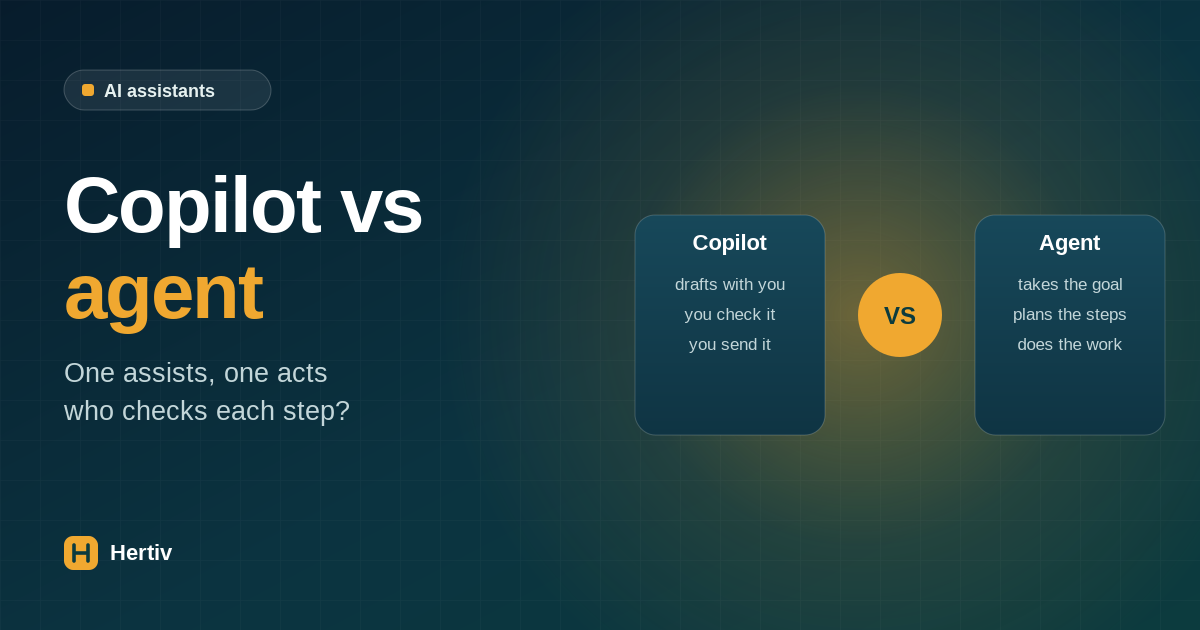
An AI copilot assists a person on a task, while an AI agent carries out a task on its own. The difference is who stays in charge of each step.
On this page
Short answer
An AI copilot is an assistant that works with a person, drafting work the person checks and approves. An AI agent is a system that takes a goal, plans the steps, uses tools and completes the task with little human input. The difference is control: with a copilot, the person stays in charge of each step, while with an agent, the person sets the goal and checks the result.
What is the difference between an AI copilot and an AI agent?
An AI copilot is an assistant that helps a person do a task, while an AI agent is a system that does a task on its own. A copilot drafts an email, suggests code or summarises a document, and the person reviews it before it goes out.
An agent receives a goal such as "process these refund requests", plans the steps, checks the rules, uses the right tools and finishes the work, only asking a person when something is unclear or risky.
The difference matters because it decides who is responsible for mistakes. With a copilot, the person who approves the draft is responsible. With an agent, the team must decide in advance what the agent may do alone, what it must ask about, and how its work is checked.
| Point | AI copilot | AI agent |
|---|---|---|
| Who does the work | Person, with suggestions | Agent, on its own |
| Who checks each step | The person, as it happens | The agent, with rules and logs |
| Typical task | Drafting, summarising, coding help | Multi-step jobs, such as triage |
| Tools used | One tool at a time | Several tools in sequence |
| Main risk | Person accepts a wrong draft | Agent takes a wrong step unseen |
| Best first use | Daily work inside existing tools | A narrow, repeatable workflow |
Many real systems mix the two: a copilot drafts the work and an agent routes it, files it or follows up. Start with the copilot pattern when you want people to stay in control, and add agent behaviour only where the steps are clear and the risk is low. For examples of what copilots do day to day, see six copilot use cases that save teams real time.
What is an AI copilot?
An AI copilot is an assistant built into a tool a person already uses, such as a code editor, an email client or a document app. It watches the current task, suggests the next step, drafts text or code, and waits for the person to accept, edit or reject it. Nothing leaves the tool until the person says so.
Copilots work well for tasks where judgement matters and the cost of a mistake is high. A support agent can accept a drafted reply, fix one line and send it. A developer can accept a code suggestion and run the tests. The person brings context the model does not have, such as what the customer really meant or what the team agreed last week.
The limit of a copilot is speed: every step waits for a person. That is a fair trade when the task needs care, but it means a copilot will not clear a backlog of a thousand routine jobs on its own.
What is an AI agent?
An AI agent is a system that takes a goal and works through the steps by itself. It reads the goal, breaks it into smaller steps, picks the tools it needs, runs them in order and checks the result. If a step fails, it can try another way or ask a person for help.
Agents work well for repeatable multi-step jobs with clear rules. For example, an agent can read new support tickets, sort them by topic, draft replies from the help centre, and send the simple ones while flagging the rest for a person. The agent does in minutes what would take a person hours of clicking between systems.
The limit of an agent is trust. Because it acts without a person watching each step, it needs clear limits: which systems it may change, what it may never do, and how its work is logged and reviewed. Without those limits, one wrong step can repeat hundreds of times before anyone notices.
When should you choose a copilot, and when an agent?
Choose a copilot when the task needs human judgement at every step. Writing to customers, reviewing contracts, giving advice and making decisions all fit the copilot pattern, because the person adds context and takes responsibility for the result.
Choose an agent when the steps are clear, the rules are written down and the risk of each step is low. Sorting tickets, updating records, chasing missing information and preparing reports are good agent jobs, because a person can check the result in a batch rather than step by step.
Many teams start with a copilot and turn the most routine parts into an agent later. That order works because the copilot phase shows you which steps are safe to automate and which ones still need a person. To see what agents handle in practice, read where AI agents are used today.
How to test both before you commit
Test a copilot and an agent the same way: on real work, with a small group, for a few weeks. A demo on clean sample data hides the problems that real documents and real edge cases bring.
- Pick one workflow and write down how success will be measured.
- Run the copilot version with five users for two weeks and log time saved and errors caught.
- Run the agent version on the same workflow in a test environment with clear limits.
- Compare the results: time saved, mistakes made, and how often a person had to step in.
- Keep the pattern that wins on your measure, and only then roll it out wider.
Keep the test small enough to stop. If the agent makes mistakes nobody catches, or the copilot saves no time, you want to find out with five users, not five hundred. A short test plan like this is part of any good proof of concept, as explained in how to build an AI proof of concept.
Example (hypothetical): a support team tries both
Example (hypothetical): a support team gets 200 tickets a day. Each ticket takes a person about 6 minutes to read and answer, which is 20 hours a day across the team. The team tries a copilot first: it drafts each reply, and the agent checks and sends it in about 2 minutes. That cuts the work to about 6 hours 40 minutes a day, saving roughly 13 hours.
Next the team tries an agent on the simplest tickets, such as password resets and order status. The agent handles 80 of the 200 tickets on its own in about 30 seconds each, and the remaining 120 go to people at 2 minutes each with copilot help. That is about 4 hours of human work a day, saving roughly 16 hours in total.
The team keeps both: the agent for the simple, safe tickets and the copilot for everything else. The example shows the pattern that works for most teams: automate the routine part, keep a person on the rest, and measure the result.
Common mistakes
The most common mistake is calling a copilot an agent, or the other way round, and then judging it by the wrong standard. A copilot that needs a person at every step is not broken; that is the design. An agent that asks a person about every step is not broken either, but it is not saving much time.
Another mistake is giving an agent too much freedom too soon. An agent that can change records, send messages and spend money needs limits from day one: which systems it may touch, what it may never do, and a log a person reviews. Without limits, a small error becomes a large one.
A third mistake is skipping the measurement. If you do not write down how long the work takes now, you cannot tell whether the copilot or the agent helped. Measure first, test small, and expand only what works.
Key takeaways
- A copilot assists a person; an agent carries out a task on its own.
- With a copilot, the person checks each step. With an agent, the person sets the goal and checks the result.
- Copilots fit work that needs judgement. Agents fit repeatable multi-step jobs with clear rules.
- Start with a copilot, then automate the safest routine steps as an agent.
- Test both on real work with a small group before rolling either out.
Frequently asked questions
Is a chatbot an AI agent?
Not always. A chatbot that only answers questions in a chat window is closer to a copilot: it responds when asked. It becomes an agent when it takes a goal, uses tools and completes multi-step work on its own, such as booking, updating records or chasing a payment.
Can one system be both a copilot and an agent?
Yes. Many tools mix the two: the copilot drafts the work and an agent routes it, files it or follows up. The useful question is not the label but who checks each step and who is responsible when a step goes wrong.
Which is safer, a copilot or an agent?
A copilot is safer by default, because a person checks every step before anything is sent or changed. An agent can be safe too, but only with clear limits, good logs and regular review of what it did.
Do AI agents replace copilots?
No. Agents take over routine multi-step work, while copilots stay useful for work that needs judgement, context and a person's name on the result. Most teams end up using both, each where it fits best.
What does an AI agent need to work well?
It needs a clear goal, written rules, access to the right tools and data, and limits on what it may change. It also needs logs a person reviews, so mistakes are caught early and the rules can be improved.
How do I decide which one to build first?
Start with the copilot if your team does the work by hand today and the cost of a mistake is high. Start with the agent if the steps are already written down and a person only repeats them. Either way, test on one workflow first.


