8 Hyperledger Fabric Tools Worth Comparing
Hyperledger Fabric is a permissioned blockchain for business networks. These eight tools cover building, running, testing and watching a Fabric network.
On this page
Short answer
Hyperledger Fabric is a permissioned blockchain framework for business networks, where known organisations run the nodes and control who can join. The tools around it fall into four groups: software kits for building chaincode and applications, certificate tools for identity, test and benchmark tools, and consoles that watch the network. This list compares eight of the best-known options.
Which Hyperledger Fabric tools are worth comparing?
Hyperledger Fabric tools help teams build chaincode, connect applications, manage identities, test performance and watch a network once it is live. The table below compares eight tools by what they do, who uses them and how they are run.
| Tool | What it does | Who uses it | How it is run |
|---|---|---|---|
| Fabric Gateway SDK | Connects apps to a Fabric network | Application developers | Library in the app |
| Fabric CA | Issues certificates and identities | Network operators | Server in the network |
| Hyperledger Explorer | Shows blocks, transactions and channels | Operators and auditors | Web dashboard |
| Hyperledger Caliper | Benchmarks throughput and latency | Performance testers | Test tool |
| Chaincode languages | Business logic on the ledger | Chaincode developers | Go, Java or Node.js |
| Operations Console | Manages nodes and channels | Network operators | Web console |
| Hyperledger Cello | Deploys networks on demand | Platform teams | Dashboard and APIs |
| Bevel | Automates network deployment | Platform teams | Automation scripts |
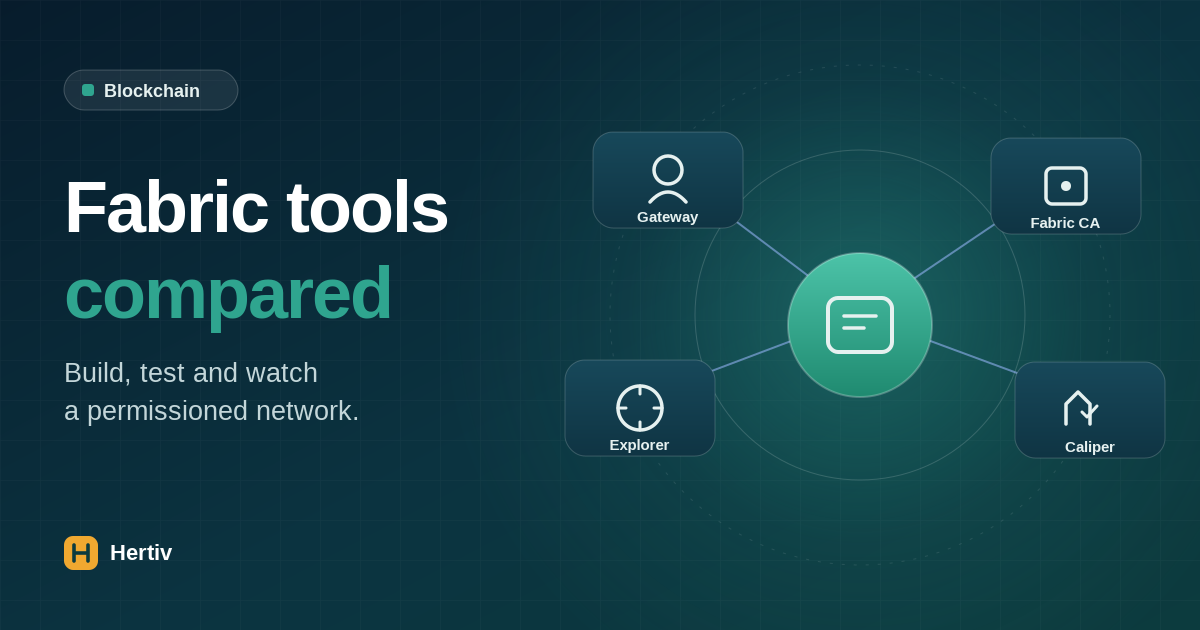
The tools work together rather than competing. A team writes chaincode in Go or Java, connects an application through the Gateway SDK, issues identities with Fabric CA, and watches the result in Explorer. Caliper then measures how fast the network handles the load, and the Operations Console or Cello manages the nodes themselves.
Gateway SDK and Fabric CA
1. Fabric Gateway SDK: best for connecting applications
The Fabric Gateway SDK is the library an application uses to talk to a Fabric network. It submits transactions, reads the ledger and listens for events, and it is available for Node.js, Java, Go and Python. A developer adds it to the application, points it at a gateway peer, and calls functions on the chaincode by name.
The SDK hides much of the complexity of Fabric. It handles the connection to the gateway, the signing of proposals and the wait for the transaction to commit. That makes the application code short and easy to read, which matters when the same team maintains the app and the chaincode.
Pros: simple API, several languages, maintained with Fabric itself.
Cons: the application still needs a gateway peer to connect to, and the SDK cannot fix a badly designed chaincode API.
2. Fabric CA: best for identities and certificates
Fabric CA is the certificate authority that issues the identities Fabric networks run on. Every organisation in a Fabric network has a CA that enrols users, peers and orderers and gives each one a certificate. Those certificates are what the network checks before it accepts a transaction.
Fabric CA supports enrolment, renewal and revocation, and it can work with an external directory such as LDAP for user accounts. It also supports attribute-based access, so a certificate can carry facts such as a user's role, and chaincode can check those facts before allowing an action.
Pros: built for Fabric, supports revocation and attributes, works with LDAP.
Cons: running a CA is a security duty, and a CA whose keys leak can issue false identities.
Explorer and Caliper
3. Hyperledger Explorer: best for watching the network
Hyperledger Explorer is a web dashboard that shows what is happening on a Fabric network. It lists blocks, transactions, channels, chaincode and peers, and it lets an operator or an auditor search for a transaction by its ID and see its details. It is the tool most teams open first when something looks wrong.
Explorer reads the ledger through the peer APIs and stores a copy of the block data in its own database, which makes searches fast. It needs a database such as PostgreSQL to run, and it must be given the network's connection details and certificates.
Pros: clear view of blocks and transactions, useful for audits, free to run.
Cons: it shows the ledger but does not manage the network, and it needs its own database.
4. Hyperledger Caliper: best for performance testing
Hyperledger Caliper is the benchmark tool for Fabric networks. It sends a set of transactions at a chosen rate, measures how many complete per second and how long each one takes, and reports the results. A team uses it before launch to check whether the network can handle the expected load.
Caliper works with several blockchains, not only Fabric, and it supports different workloads such as simple reads, writes and mixed traffic. The results help a team decide how many peers to run, where the bottlenecks are, and whether the chaincode needs to be faster.
Pros: standard benchmark reports, works with several chains, catches slow chaincode early.
Cons: benchmark numbers depend on the test setup, so results from one team do not always match another team's.
Chaincode languages and Operations Console
5. Chaincode languages: best for business logic
Chaincode is the smart contract of a Fabric network, and it can be written in Go, Java or Node.js. The language choice matters less than the design, because all three can read and write the ledger, check certificates and emit events. Most teams pick the language their developers already know.
Go is the most common choice, because the Fabric samples and much of the documentation use it. Java suits teams that already run Java services, and Node.js suits teams that build their applications in JavaScript. Chaincode runs in a container next to the peer, so the language must be supported by the peer's chaincode runtime.
Pros: three languages to choose from, standard tools and testing, runs in a container.
Cons: chaincode cannot call the internet, and a bug in chaincode can block transactions until it is fixed.
6. Operations Console: best for running the network
The Fabric Operations Console is a web console for managing a Fabric network. It creates and joins channels, installs and approves chaincode, manages peers and orderers, and shows the health of the network. It replaces a set of command-line steps with screens an operator can follow.
The console is aimed at network operators rather than developers. It is useful when several organisations share a network, because each organisation can manage its own nodes without sharing command-line access. It also records who did what, which helps when the network is audited.
Pros: clear screens for channels and chaincode, useful for multi-organisation networks.
Cons: it manages the network but does not replace the need to understand how Fabric works.
Cello and Bevel
7. Hyperledger Cello: best for deploying networks on demand
Hyperledger Cello is a tool for creating and managing Fabric networks on demand. A platform team defines a network in Cello's dashboard, and Cello deploys the peers, orderers and CAs on the team's infrastructure, then hands over the connection details. It suits teams that run many networks, such as a provider that gives each customer its own chain.
Cello uses APIs and a dashboard, and it supports different deployment back ends. It is aimed at platform teams rather than at a single application team, because its value shows when networks are created and removed often.
Pros: fast network creation, API-driven, suits multi-network platforms.
Cons: more useful for platform teams than for a single network, and it adds a layer to maintain.
8. Bevel: best for automated deployment
Bevel, formerly the Blockchain Automation Framework, automates the deployment of Fabric networks with scripts. A team writes a configuration file that describes the organisations, peers, orderers and channels, and Bevel builds the network on cloud or on-premise infrastructure. It suits teams that treat infrastructure as code and want repeatable deployments.
Bevel supports Fabric as well as other distributed ledger platforms, and it is used by teams that run networks for several customers or projects. Because the network is described in files, the same configuration can be reviewed, versioned and reused.
Pros: repeatable deployments, versioned configuration, supports several platforms.
Cons: the configuration files are detailed, and a small error can produce a network that does not start.
How to choose the right Fabric tools
Choose Fabric tools by the job, not by the list. A team building its first network needs the Gateway SDK, Fabric CA and a chaincode language, and it can add Explorer and Caliper once the network runs. A platform team that runs many networks needs Cello or Bevel as well.
- Start with the application. Pick the Gateway SDK language that matches the application, and design the chaincode API the application will call.
- Plan identity early. Decide how Fabric CA will issue certificates, who can enrol users, and how revocation will work.
- Add visibility before launch. Set up Explorer so operators can see blocks and transactions from the first day.
- Benchmark before you promise performance. Run Caliper with the real workload and fix slow chaincode before users arrive.
- Automate deployment if you run more than one network. Cello or Bevel pays off when networks are created often, and a manual setup is enough for a single network.
For the business case behind Fabric networks, see Hyperledger Fabric business use cases.
If you are new to the framework, start with what Hyperledger Fabric is.
For a comparison with the public-chain alternative, see Hyperledger Fabric vs Ethereum.
What are the common mistakes?
The most common mistakes are treating Fabric like a public chain, skipping identity planning, and never benchmarking before launch.
- Treating Fabric like Ethereum. Fabric is permissioned, so chaincode cannot call the internet and every participant is known. Designs that assume public-chain behaviour will not work.
- Skipping identity planning. Certificates, enrolment and revocation need a plan before the network launches, because changing them later is hard.
- Never benchmarking. A network that has never been tested under load will fail at the worst moment. Run Caliper with the real workload.
- Using a retired tool. Hyperledger Composer was retired years ago, and tutorials that still recommend it are out of date. Use the Gateway SDK and the current Fabric samples instead.
- No visibility. A network without Explorer or an equivalent leaves operators blind when a transaction fails.
- Manual deployment for many networks. A team that deploys networks by hand will make mistakes. Automate with Cello or Bevel once the second network arrives.
Key takeaways
- Hyperledger Fabric tools split into four groups: building, identity, testing and watching the network
- The Gateway SDK connects applications, Fabric CA issues identities, and chaincode runs the business logic
- Explorer shows blocks and transactions, Caliper measures speed, and the Operations Console manages nodes
- Cello and Bevel automate deployment, which pays off when a team runs more than one network
- Plan identity and benchmark before launch; a network that has never been tested will fail at the worst moment
Frequently asked questions
What is Hyperledger Fabric?
Hyperledger Fabric is a permissioned blockchain framework for business networks, where known organisations run the nodes and control who can join. Unlike public chains, it has no mining and no native currency, and its chaincode runs the business rules that the network members agree on.
Do I need all eight Fabric tools?
No. A first network needs the Gateway SDK, Fabric CA and a chaincode language, plus Explorer for visibility. Add Caliper for benchmarking, and add the Operations Console, Cello or Bevel when the network needs managing or when you run more than one network.
Which language should I write chaincode in?
Pick the language your team already knows: Go is the most common choice and the best documented, Java suits teams that run Java services, and Node.js suits teams that build in JavaScript. All three can read and write the ledger and check certificates.
What is the difference between Fabric CA and a normal certificate authority?
Fabric CA is built for Fabric: it enrols users, peers and orderers, issues certificates the network checks, and supports revocation and attribute-based access. A normal certificate authority can issue certificates, but it does not know about Fabric roles and attributes.
Is Hyperledger Composer still a Fabric tool?
No. Hyperledger Composer was retired years ago, and tutorials that still recommend it are out of date. Use the Fabric Gateway SDK and the current Fabric samples instead, and be wary of any guide that starts with Composer.
How do I test a Fabric network before launch?
Use Hyperledger Caliper to send the real workload at the expected rate and measure how many transactions complete per second and how long each one takes. Fix slow chaincode and add peers where the results show bottlenecks, and repeat the test until the numbers hold.


