Semantic Search vs Keyword Search: Which Finds More?
Keyword search matches exact words; semantic search matches meaning. Compare accuracy, cost and setup to see which fits your product's search box.
On this page
Short answer
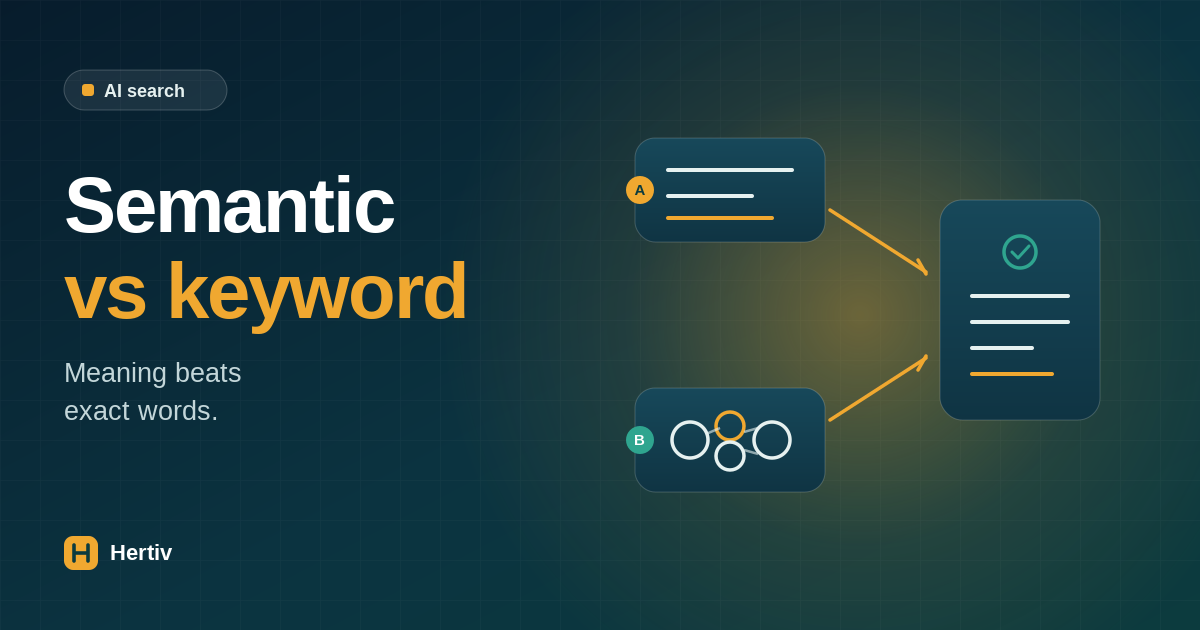
Semantic search matches the meaning of a query using embeddings, so it finds documents that use different words for the same idea, while keyword search matches the exact words in the query. Keyword search is faster, cheaper and easier to explain, while semantic search handles synonyms and questions phrased in plain language. Most products use both, with keyword search as the base and semantic search on top.
What is the difference between semantic search and keyword search?
Semantic search is search that matches the meaning of a query, while keyword search matches the exact words in it. If a user types 'how to cancel my plan', keyword search looks for pages containing 'cancel' and 'plan', while semantic search also returns pages about ending a subscription, even if they never use the word 'cancel'.
The difference comes from how each method reads text. Keyword search treats a query as a bag of words and scores documents by which words they contain and how often. Semantic search turns text into numbers called embeddings, which place similar meanings close together, and then finds the documents whose numbers are nearest the query's.
Neither method is right for every case. Keyword search wins when the user knows the exact term, such as a product code or an error message. Semantic search wins when users ask questions in their own words or describe a problem without knowing the right term. Many teams link the two, and the vector database guide explains where embeddings are stored.
How does keyword search work?
Keyword search works by building an index of the words in every document, then matching the words in a query against that index. Common methods score a document by how often each query word appears, how rare the word is across all documents and where it appears, such as in a title.
Modern keyword search adds stemming, so 'running' also matches 'run', and tokenisation, which splits text into words and removes common filler words. It is fast because the index is built once and lookups are simple, and it is easy to explain why a result appeared: the words matched.
Its weakness is vocabulary mismatch. If the document says 'refund' and the user types 'money back', a plain keyword search finds nothing, even though the two mean the same thing. Synonym lists help, but they need constant upkeep as language changes.
How does semantic search work?
Semantic search works by converting text into embeddings, which are lists of numbers that capture what the text means. An embedding model reads a document and produces a point in a space where texts with similar meanings sit close together, so 'how do I end my subscription' lands near 'cancel my plan'.
At query time, the same model converts the user's question into an embedding, and the system returns the documents whose embeddings are closest to it. The search no longer depends on shared words, which is why it handles synonyms, paraphrases and questions phrased in plain language.
Semantic search needs more setup than keyword search. You must pick an embedding model, generate embeddings for every document, store them in a vector index and keep them fresh as content changes. That extra work is the main cost, and the RAG project guide shows where this pattern is used in practice.
Semantic search vs keyword search: side-by-side comparison
Use this table to compare the two on the points that decide most choices.
| Point | Keyword search | Semantic search |
|---|---|---|
| Matching | Exact words | Meaning via embeddings |
| Synonyms | Needs manual lists | Handled by the model |
| Setup | Simple index | Model, embeddings, vector index |
| Speed | Very fast | Fast, but needs a vector lookup |
| Cost | Low | Higher: model and index costs |
| Explaining results | Easy: words matched | Harder: scores are less clear |
| Best for | Codes, names, exact terms | Questions and plain language |
The table shows the trade-off clearly: keyword search is simple, cheap and explainable, while semantic search is more flexible but costs more to build and run. The right choice depends on how your users phrase their queries.
When should you use semantic search?
Use semantic search when users ask questions in their own words, describe problems without knowing the right term, or search across documents written in different styles. Support search, internal knowledge bases and product help centres are the usual fits, because users rarely know the exact wording of the answer.
Semantic search also helps when your content covers the same idea with many different words, such as a catalogue with varied product descriptions. In those cases, a keyword search misses good matches, while a semantic search finds them.
Start with a small test: take 100 real queries from your logs, run both methods and compare which returns the better answer, following the AI model testing guide to score the results. If semantic search wins clearly, it is worth the extra setup.
When should you stick with keyword search?
Stick with keyword search when users search for exact terms, such as order numbers, product codes, error messages or names. In those cases, exact matching is not a limitation — it is the correct behaviour, and semantic search can return near-matches that confuse the user.
Keyword search is also the right pick when the budget is small or the team is small. It runs on standard search tools, needs no model and is easy to debug. You can add semantic ranking later, once the keyword base is working well.
A common pattern is to use keyword search as the base and add semantic search only for the queries where it helps most, such as natural-language questions. That keeps costs down while fixing the worst misses.
Example: a support team compares the two
Example (hypothetical): a support team handles 300 searches a day in its help centre. With keyword search, 171 of 300 searches return a useful article on the first try. The team tests semantic search on the same 300 queries, and 231 return a useful article — 60 more per day.
That is 60 fewer users who need to open a ticket or call support. If each avoided contact saves about 8 minutes of agent time, the team saves 480 minutes, or 8 hours, per day. The team keeps keyword search for order numbers and error codes, and uses semantic search for questions, which gives it the best of both methods.
What are the common mistakes?
The most common mistakes are replacing keyword search entirely, trusting semantic scores blindly and skipping evaluation.
- Replacing keyword search completely, so exact-term searches start returning near-misses instead of exact matches.
- Trusting semantic scores without checking, when the model can rank a plausible but wrong answer first.
- Skipping evaluation on real user queries, so the team never learns which method works better.
- Letting embeddings go stale as content changes, so new pages are never found.
- Choosing a large embedding model when a smaller one would do, which raises cost for no gain.
Key takeaways
- Keyword search matches exact words; semantic search matches meaning via embeddings
- Semantic search handles synonyms and plain-language questions; keyword search handles codes and names
- Keyword search is cheaper, faster and easier to explain
- Semantic search needs an embedding model and a vector index, and embeddings must stay fresh
- Most products use both, with keyword search as the base
Frequently asked questions
Is semantic search better than keyword search?
It depends on the query. Semantic search is better for questions asked in plain language, because it matches meaning rather than words. Keyword search is better for exact terms such as product codes, names and error messages. Most products get the best results by combining the two.
Does semantic search need AI?
Yes, in the sense that it needs an embedding model, which is a machine learning model that turns text into numbers. You do not need to train the model yourself: ready-made embedding models are available from several providers, and you can use them through an API or run them on your own servers.
How much does semantic search cost?
More than keyword search, because you pay for embedding generation and a vector index on top of the search itself. Costs depend on how much content you index and how often queries arrive. Check the vendor site for embedding prices, and test with your real volume before committing.
Can I add semantic search to an existing search box?
Yes. The usual approach is to keep your current keyword index and add a semantic ranking step for queries that look like natural questions. The two result lists are then combined, so exact-term searches still work while plain-language questions get better answers.
What is an embedding?
An embedding is a list of numbers that represents the meaning of a piece of text. Texts with similar meanings have similar numbers, so a search can find related documents by comparing numbers instead of words. Embeddings are produced by a trained model and stored in a vector index.
How do I know if semantic search is working?
Test it on real queries from your logs. Pick 100 or more real searches, run both methods and check which returns a useful answer first. Track the share of searches that end in a click or a resolved question, and repeat the test when you change the model or the content.


