What Is a Vector Database, and How Does It Work?
A vector database stores embeddings so your app can search by meaning, not keywords. Learn how it works, when to use one, and how to choose it.
On this page
Short answer
A vector database is a database built to store vector embeddings, the number lists that represent the meaning of text, images or audio, and to find the items closest to a query. It powers semantic search, recommendations and retrieval-augmented generation in AI apps.
What is a vector database?
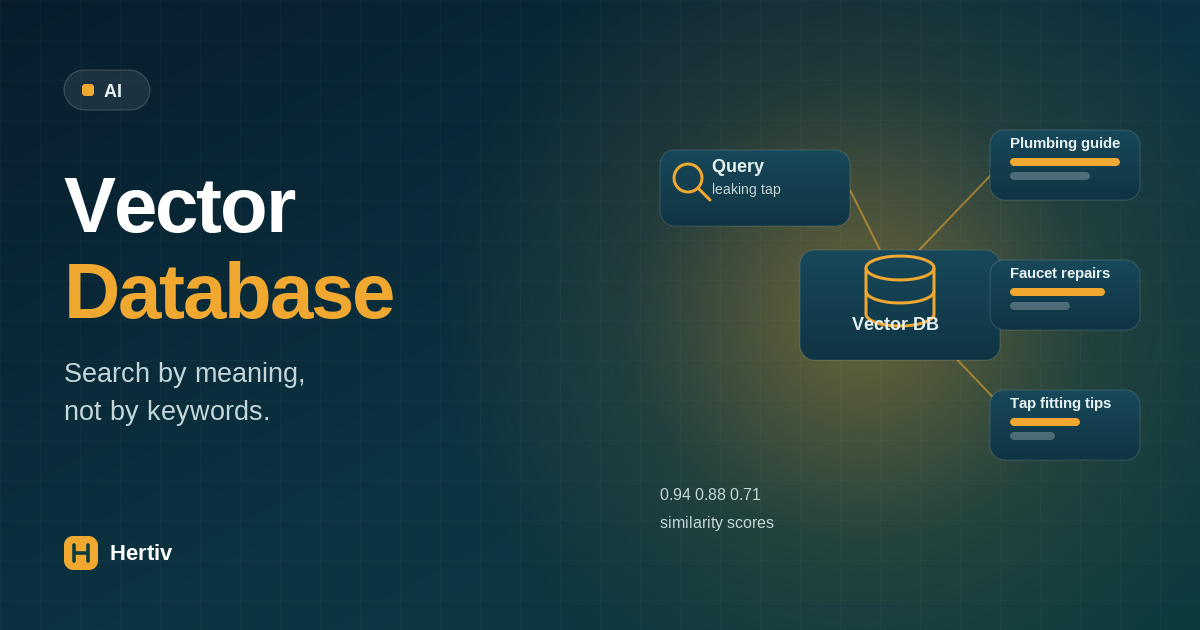
A vector database is a database built to store vector embeddings, the number lists that represent the meaning of text, images, audio or other data, and to find the items closest to a query quickly. Instead of matching exact words, it matches meaning: a search for "how to fix a leaking tap" can return a guide titled "plumbing repairs for dripping faucets" because their embeddings sit close together.
Each embedding is a long list of numbers, often hundreds or thousands of values, produced by an embedding model. Items with similar meaning get similar numbers, so distance in this number space stands in for similarity in meaning. The database stores the embedding next to the original item and any metadata you need, such as a source, a date or a category.
Vector databases are the storage layer behind retrieval-augmented generation, semantic search and recommendation features. When a chatbot answers from your own documents, a vector database usually holds those documents in embedding form and supplies the passages the language model reads. You can compare the main options in our guide to the best vector databases for startups.
How do embeddings turn meaning into numbers?
An embedding model reads a piece of text and outputs a fixed-length list of numbers. The model is trained so that texts with similar meaning produce lists that point in similar directions. The numbers themselves have no meaning one by one; only the pattern across the whole list matters.
The same text always produces the same embedding from the same model, but a different model produces different numbers. That is why you should pick one embedding model for a collection and stick with it. Mixing models in one collection makes the distances meaningless, because the number spaces do not line up.
Embeddings are not limited to text. Image models produce embeddings for pictures, and audio models produce them for speech, so one database can support search across media types. Most teams start with text, because documents, tickets and chat history are the most common sources. If you plan to build on this, read our RAG project ideas for concrete starting points.
How does a vector database find the closest match?
At query time the database turns your question into an embedding with the same model, then looks for stored embeddings nearest to it. Closeness is measured with a distance rule, usually cosine similarity or Euclidean distance. The nearest items are returned in order, with a score that shows how close each one is.
Checking every stored embedding one by one works for small collections but gets slow as data grows. So vector databases build an index, a data structure that narrows the search to a promising region first. A common index type is HNSW, a graph that links each item to its near neighbours and lets the search hop from one close item to the next.
Indexes trade a little accuracy for a lot of speed. An exact search always finds the true nearest items, while an approximate search may miss one or two in exchange for answering in milliseconds on millions of records. Most products accept that trade, because a slightly different top result rarely changes the answer a user sees.
Vector database vs traditional database
A vector database and a traditional database solve different problems, and most real systems use both. The table below sets out the split.
| Feature | Vector database | Traditional database | Search engine |
|---|---|---|---|
| Stores | Embeddings plus metadata | Rows, columns and values | Indexed words and documents |
| Finds by | Meaning and similarity | Exact match and filters | Keywords and ranking |
| Best for | Semantic search and RAG | Orders, users and records | Full-text search |
| Weak at | Exact facts and totals | Similarity questions | "Most similar" queries |
A traditional database is built for exact matches and structured filters: find every order over a value, or every user in a city. A vector database is built for similarity: find the passages most like this question. A search engine sits between the two, matching words and ranking documents, but it does not store embeddings or answer "most similar" queries directly.
In practice teams combine them. Metadata filters run in the database, the vector search ranks by meaning, and the full text lives in the original store. That split keeps each tool doing what it does best and avoids forcing one system to cover every job.
When should you use a vector database?
Use one when the question is about meaning rather than exact values. Semantic search over help articles, finding similar support tickets, recommending related products and feeding passages to a language model are the classic cases. If users phrase the same need in different words, exact keyword search will miss good answers.
Do not reach for one when a keyword search or a filter would do. A product catalogue search by brand and price, a list of orders by date, or a lookup by ID is faster and simpler in a normal database. Adding embeddings to a problem that has no similarity question adds cost, moving parts and a model to maintain.
A useful test is to write ten real user questions and check whether keyword search answers them. If it fails on half or more because of wording, a vector database is worth testing. A small pilot on a few thousand items will show whether the results are better before you commit to a full build.
How to choose a vector database
Start with hosting. Managed services handle the index, backups and scaling, and suit teams that want search working this week. Self-hosted open-source options cost less in fees but need someone to run them, watch disk use and tune the index as data grows.
Next, check filters. Most real queries combine meaning with a filter: only documents from this customer, only articles published this year, only items in stock. A database that filters before or during the search keeps results relevant; one that filters after the search can return too few items.
Also check the embedding size and distance rule your model needs, the maximum collection size, and how the database handles updates and deletes. A system that is slow to delete stale items will keep returning answers from documents you removed. Teams comparing providers can start with our guide to testing AI models and apply the same compare-and-measure habit to the database layer.
Example (hypothetical): a support search pilot
Example (hypothetical): a support team holds 8,000 help articles and wants search by meaning. They embed each article once, which takes one afternoon of compute, and load the vectors into a managed database. A test set of 200 real customer questions is run against both keyword search and vector search.
Keyword search answers 96 of the 200 questions well. Vector search answers 148 of the 200 well, a gain of 52 questions. The team also measures speed: the average vector query takes 120 milliseconds, and the monthly managed cost is within their budget, so they keep the pilot and plan a wider rollout.
The arithmetic is simple, 148 minus 96 is 52, but the point is the method: measure on real questions, not on a demo set.
The pilot also shows a limit. About 18 of the 200 questions are about prices and dates, and vector search does no better than keyword search on those. The team keeps a keyword path for exact facts and uses vectors only for meaning questions.
What are the common mistakes?
The most common mistake is mixing embedding models in one collection. A second mistake is skipping the filter test: a search that returns the closest items from the wrong customer is worse than no search at all. A third is judging the system on a handful of friendly queries instead of a real test set.
Another mistake is storing embeddings without the source text or metadata. When a result looks odd, you need the original passage, its source and its date to find out why. Keep the source next to the vector, and re-embed a document whenever its text changes, so stale wording does not keep answering new questions.
Key takeaways
- A vector database stores embeddings and finds the closest matches to a query by meaning.
- Embeddings turn text, images or audio into number lists; similar meaning means similar numbers.
- Indexes such as HNSW trade a little accuracy for fast search on large collections.
- Use vectors for meaning questions and normal databases for exact facts and filters.
- Measure a pilot on real user questions before committing to a full build.
Frequently asked questions
What is a vector database in simple terms?
A vector database stores embeddings, which are number lists that represent the meaning of text, images or audio. It finds stored items whose embeddings sit closest to a query, so it returns results by meaning rather than by exact words.
How is a vector database different from a normal database?
A normal database finds rows by exact match and filters, such as a price or a date. A vector database finds items by similarity, such as the passages most like a question. Most systems use both, each for the job it does best.
What is an embedding?
An embedding is a fixed-length list of numbers produced by a model from a piece of text, an image or audio. Items with similar meaning get similar numbers, so distance between embeddings stands in for similarity in meaning.
Do I need a vector database for RAG?
Most RAG systems use one, because the language model needs the passages most relevant to a question. For a tiny set of documents you can search embeddings in memory, but a database adds filters, updates and speed as the collection grows.
What is HNSW?
HNSW is a common vector index: a graph that links each item to its near neighbours, letting a search hop from one close item to the next. It makes approximate search fast on millions of records, at the cost of sometimes missing the exact nearest item.
Can a vector database replace keyword search?
No. Keyword search is better for exact facts such as names, prices and dates. The best setups use both: keyword search for exact matches and vector search for meaning, then combine the results before showing them to the user.


