Open Source Intercom Fin Alternatives: 6 to Compare
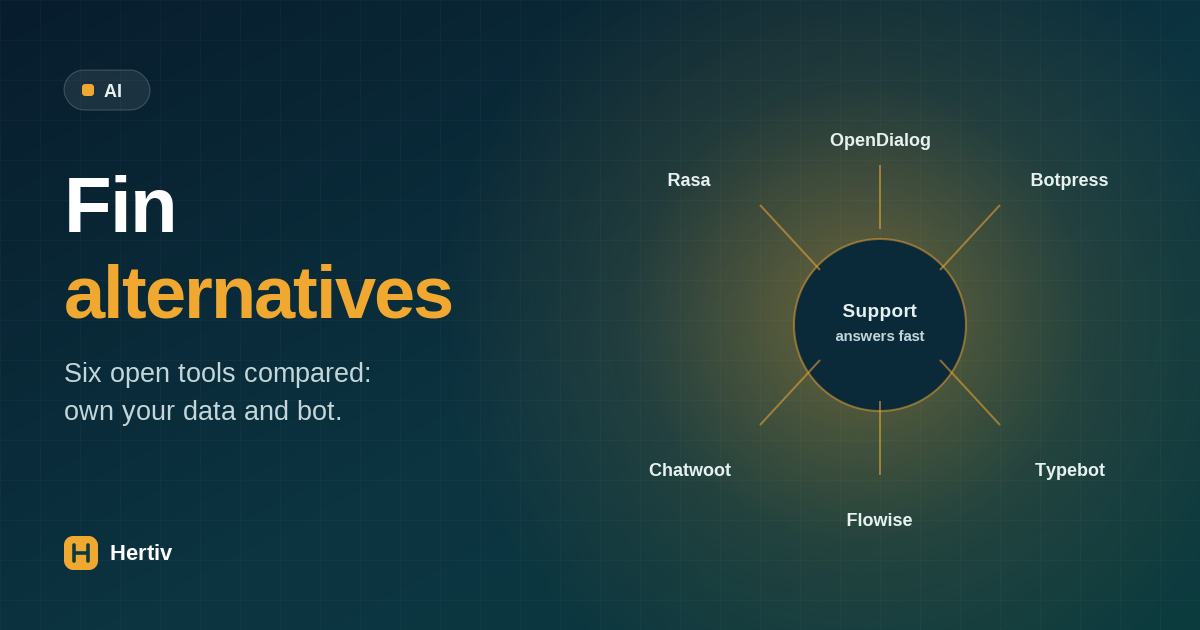
Rasa, Botpress and Chatwoot lead the open source alternatives to Intercom Fin, each giving teams full control of their data and how the bot answers.
On this page
Short answer
Intercom Fin answers customer questions with AI, but teams that want to own their data, change the model or avoid per-message pricing often look for an open source option. The tools below are all open source and can answer support questions, hand over to a human and plug into the systems a support team already uses. The right pick depends on how much building your team wants to do.
Which open source tools replace Intercom Fin?
Open source alternatives to Intercom Fin give a support team the same core job, answering customer questions with AI, without handing the data and the pricing to one vendor. Some are full support platforms with a shared inbox, while others are bot frameworks that need a team to connect the pieces. The table below compares six of them on what matters most.
| Tool | Type | Best for | Self-host |
|---|---|---|---|
| Rasa | Bot framework | Custom flows and control | Yes |
| Botpress | Bot builder | Visual flows, fast start | Yes |
| Chatwoot | Support platform | Shared inbox plus bot | Yes |
| Typebot | Chatbot builder | Simple guided chats | Yes |
| OpenDialog | Conversation platform | Regulated, scripted flows | Yes |
| Flowise | Flow builder | LLM chains, quick tests | Yes |
<h3>1. Rasa: best for custom flows and full control</h3>
Rasa is an open source framework for building conversational assistants with your own rules, training data and models. It gives teams full control over how the bot understands a question and what it does next, which suits support teams with unusual flows or strict data rules.
The trade-off is effort. Rasa needs a team that can train models, write stories and maintain the deployment. It is a framework, not a finished product, so a team that wants a working bot this week will find it slow to start.
Pros:
- Full control over data, models and flows
- Strong for complex, multi-step conversations
- Active open source community
Cons:
- Needs developers to build and maintain
- Slower to set up than a hosted bot builder
<h3>2. Botpress: best for visual flows and a fast start</h3>
Botpress is an open source bot builder with a visual flow editor, so a support team can draw the conversation, add an LLM step and connect it to a knowledge base without writing much code. It suits teams that want a working bot quickly and plan to change the flows often.
Botpress is easier to start with than Rasa, but the visual editor can get messy as flows grow. Teams with very complex logic may still need code, and the hosted version adds features that the open source version does not include.
Pros:
- Visual editor, fast first bot
- LLM steps and knowledge base built in
- Good for teams without deep coding skills
Cons:
- Large flows get hard to manage visually
- Some features are only in the paid version
<h3>3. Chatwoot: best for a shared inbox plus a bot</h3>
Chatwoot is an open source customer support platform with a shared inbox, live chat and bot integrations. It is the closest match for teams that want Intercom's inbox experience as well as AI answers, because agents and the bot work in the same place and hand over cleanly.
Chatwoot's own AI features are lighter than a dedicated bot framework, so teams often pair it with a bot tool for the answering side. That pairing is a strength and a weakness: it is flexible, but it is two systems to run. See how to use AI customer service for how the handover should work.
Pros:
- Full support inbox, not just a bot
- Clean human handover in one place
- Easy to self-host
Cons:
- AI answering needs a separate bot tool
- Reporting is lighter than paid platforms
<h3>4. Typebot: best for simple guided chats</h3>
Typebot is an open source chatbot builder for guided conversations: questions, buttons, forms and simple branches. It suits teams that want a friendly front door for common questions, such as pricing, delivery or booking, without building a full AI assistant.
Typebot is not built for open-ended questions. If a customer types a free-form problem, a guided bot will struggle, so it works best as the first step before a human or a stronger AI tool takes over.
Pros:
- Very fast to build and change
- Clean, friendly chat interface
- Good for lead capture and FAQs
Cons:
- Weak on open-ended questions
- Not a full support platform
<h3>5. OpenDialog: best for regulated, scripted flows</h3>
OpenDialog is an open source conversation platform built for scripted, auditable flows. It suits teams in regulated work, such as finance or health, where every answer must follow an approved script and the team must be able to show what the bot said and why.
The focus on scripts makes OpenDialog strong on control and weak on free-form chat. It needs careful design up front, and it is not the fastest way to answer the long tail of unusual questions.
Pros:
- Strict control and full audit trail
- Good for regulated industries
- Clear, scripted conversation design
Cons:
- Slow to design for many topics
- Weak on open-ended questions
<h3>6. Flowise: best for LLM chains and quick tests</h3>
Flowise is an open source visual builder for LLM flows, letting a team chain a retriever, a model and a tool together and test the result in minutes. It suits teams that want to try retrieval-based answers on their own documents before committing to a bigger build.
Flowise is a builder, not a support product. It has no inbox, no ticketing and no agent workspace, so a team that picks it still needs a support platform to sit behind it. Our how to build an AI proof of concept guide shows how to test a flow like this safely.
Pros:
- Fastest way to test an LLM flow
- Visual chains, easy to change
- Good for retrieval on your own docs
Cons:
- No inbox or agent workspace
- Not a finished support product
How to choose
Start from the job, not the tool. If you need a full support desk, Chatwoot is the only option here that is one. If you need a custom bot and have developers, Rasa gives the most control. If you need a bot this week, Botpress or Typebot will get you there faster.
- List the 20 questions your support team answers most.
- Check which tools can answer them from your own documents.
- Decide who owns the bot: developers, support, or both.
- Test one tool on 50 real questions and count the good answers.
- Plan the human handover before you launch, not after.
Run the test on real questions, not on a demo set. A tool that answers your top 20 questions well is worth more than one with a longer feature list. See AI agents use cases for where these bots help most.
Common mistakes
The most common mistake is picking a framework when the team needed a product, then spending months building an inbox that already exists. Another is launching a bot on every question at once, so customers meet a weak bot before the team has tested it. A third is skipping the handover: a bot that cannot pass a conversation to a human with its context frustrates everyone.
A fourth mistake is ignoring data rules. Open source does not automatically mean compliant, so check where the model runs, what it stores and who can see the chat logs before you launch. Test on real questions, keep a human in the loop, and expand the bot one topic at a time.
Key takeaways
- Rasa gives the most control for custom flows; Botpress is the fastest to start.
- Chatwoot is the only option here that is also a full support inbox.
- Typebot suits simple guided chats; OpenDialog suits regulated, scripted flows.
- Flowise is best for testing LLM flows quickly, not for running a support desk.
- Test on your top 20 real questions and plan the human handover first.
Frequently asked questions
Are open source Intercom Fin alternatives really free?
The code is free, but running it is not. You still pay for hosting, a model, and the time to build and maintain the bot. For a small team, a hosted tool can cost less in total, so compare the full cost, not just the licence.
Which alternative is closest to Intercom Fin?
Chatwoot is closest as a support platform, because it has the shared inbox and live chat. For the AI answering side, Botpress or Rasa are closer, so many teams pair Chatwoot with a bot tool to cover both jobs.
Can these tools use my own documents?
Yes. Rasa, Botpress and Flowise can all pull answers from your own help pages and documents. The quality depends on how clean those documents are, so tidy the top 20 help articles before you connect them.
Do I need developers to run an open source bot?
It depends on the tool. Typebot and Botpress can be run by a support team with little code, while Rasa and OpenDialog need developers to build and maintain. Be honest about your team's skills before you choose.
How do I test a bot before launch?
Pick your 50 most common real questions, run them through the bot, and count how many answers are good enough to send. Fix the worst topics first, and keep a human reviewing answers for the first few weeks.
What about data privacy with open source bots?
Open source lets you choose where the data lives, which helps with privacy, but it does not guarantee it. Check where the model runs, what it stores and who can see the logs, and get that answer in writing before you launch.


