Open Source ElevenLabs Alternatives: 6 to Compare
Six open source alternatives to ElevenLabs for text-to-speech and voice cloning, from Coqui TTS to Piper. Compare licences, voices and what each needs to run.
On this page
Short answer
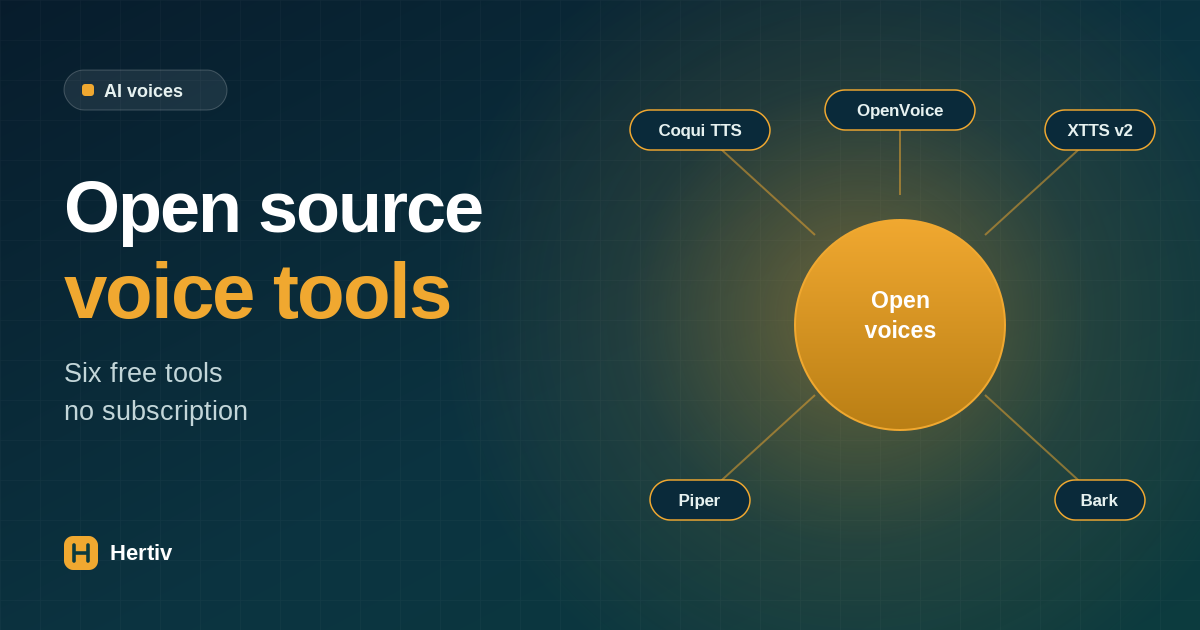
Open source alternatives to ElevenLabs include Coqui TTS for flexible speech synthesis, XTTS for voice cloning, Piper for fast local speech, Bark for expressive voices, OpenVoice for instant voice cloning, and StyleTTS 2 for natural-sounding speech. Each one is free to download and run, but they differ in voice quality, speed, setup effort and licence.
Which open source ElevenLabs alternatives are worth comparing?
ElevenLabs is a paid text-to-speech service known for natural voices and cloning. The open source alternatives below do the same job without a subscription: you download the model, run it on your own machine or server, and keep your text and audio private. The trade-off is setup work and voice quality that varies by tool.
Open source matters most when you need to run speech offline, when you send a lot of audio and the per-character bill adds up, or when you want to change the model itself. It matters least when you need a polished voice in an hour with no technical setup. The table below compares the six tools at a glance.
| Tool | Best for | Voice cloning | Runs on |
|---|---|---|---|
| Coqui TTS | Flexible speech synthesis | Yes, with XTTS | Server or GPU machine |
| XTTS v2 | Cloning a voice | Yes, from a short clip | GPU machine |
| Piper | Fast local speech | No | Small computer or phone |
| Bark | Expressive voices | Limited | GPU machine |
| OpenVoice | Instant voice cloning | Yes, seconds of audio | GPU machine |
| StyleTTS 2 | Natural-sounding speech | Yes, with a sample | GPU machine |
The list is alphabetical, not ranked. A tool at the top is not better than one further down, and the right choice depends on whether you need cloning, speed, or offline use. Licences vary, so read the licence file for the tool you pick before you use it in a product.
1. Coqui TTS: best for flexible speech synthesis
1. Coqui TTS: best for flexible speech synthesis
Coqui TTS is an open source library that bundles many speech models in one package, including XTTS for voice cloning and models for several languages. You can pick a ready-made voice, train a model on your own recordings, or use it as a base to build a custom voice for your product.
It fits teams that want one toolkit for several speech jobs: narration, alerts, and voice replies in an app. The cost is setup: you need a machine with a graphics card for the best voices, and the install takes longer than a hosted service. For a related view, the guide to AI in customer service shows where speech fits in support.
Pros:
- Many models and languages in one package
- Can train a voice on your own recordings
- Free to download and run
Cons:
- Needs a graphics card for the best voices
- Setup takes longer than a hosted service
- See the project page for the licence
2. XTTS v2: best for cloning a voice
2. XTTS v2: best for cloning a voice
XTTS v2 is Coqui's voice cloning model. Give it a short recording of a voice, a few seconds to a few minutes, and it can read new text in that voice, in several languages. It is the closest open source match to ElevenLabs' cloning feature, and it runs on your own machine.
It fits teams that need one consistent voice across many recordings, such as a brand voice for videos or a narrator for courses. Cloning raises consent questions: only clone a voice you have clear permission to use, and keep a written record of that permission. Quality depends on the recording, so a clean, quiet sample works far better than a noisy one.
Pros:
- Clones a voice from a short recording
- Works in several languages
- Runs on your own hardware
Cons:
- Needs a graphics card to run well
- Quality depends on the sample recording
- Needs written consent for the voice used
3. Piper: best for fast local speech
3. Piper: best for fast local speech
Piper is a small, fast text-to-speech engine that runs on modest hardware, including a small computer or a phone, without a graphics card. It reads text in real time and is often used in screen readers, home assistants and apps that must speak without an internet connection.
It fits products that need speech on the device itself: an app for a noisy factory, a reader for a rural clinic, or a kiosk with no reliable network. The voices are clear but less lifelike than the larger models, and cloning is not its job. If naturalness matters more than speed, pick a heavier model instead.
Pros:
- Runs fast on small hardware, no graphics card
- Works fully offline
- Simple to set up and embed
Cons:
- Voices sound less lifelike than larger models
- No voice cloning
- Smaller choice of voices
4. Bark: best for expressive voices
4. Bark: best for expressive voices
Bark is an open source text-to-audio model that adds expression to speech: laughter, sighs, pauses and changes in tone. It can also add music and sound effects, which makes it useful for creative work such as podcasts, short videos and audio stories.
It fits teams that want character in the audio, not just clear reading. The trade-off is control: Bark chooses the expression itself, so the same text can sound different each time it runs. It also needs a graphics card and takes longer to generate audio than the lighter engines.
Pros:
- Adds laughter, pauses and tone to speech
- Can add music and sound effects
- Good for creative audio and stories
Cons:
- Same text can sound different each run
- Needs a graphics card
- Slower than lighter engines
5. OpenVoice: best for instant voice cloning
5. OpenVoice: best for instant voice cloning
OpenVoice clones a voice from a few seconds of audio and then reads any text in that voice, with control over tone and emotion. It separates the voice from the style, so you can keep the same voice and change how it sounds: calm, excited or formal.
It fits teams that need a cloned voice quickly, such as a narrator who must record new lines every week. The cloning is fast, but the setup still needs a graphics card, and the output needs a human listen before it goes out. As with any cloning tool, use only voices you have permission to copy. The guide to GPT models explains the kind of AI these tools are built on.
Pros:
- Clones a voice from seconds of audio
- Controls tone and emotion separately
- Fast to produce new recordings
Cons:
- Needs a graphics card
- Output needs a human listen first
- Needs written consent for the voice used
6. StyleTTS 2: best for natural-sounding speech
6. StyleTTS 2: best for natural-sounding speech
StyleTTS 2 is an open source speech model known for natural rhythm and tone, close to how a person reads aloud. It can copy the style of a sample voice and read long passages without the flat, even pace that gives away many synthetic voices.
It fits narration, audiobooks and courses, where listeners hear the voice for minutes at a time and notice when it sounds tired or robotic. It needs a graphics card and more setup than Piper, and it trains slowly if you want a fully custom voice, so start with a ready-made voice and test it on your own text first.
Pros:
- Natural rhythm and tone for long passages
- Can copy the style of a sample voice
- Good for narration and audiobooks
Cons:
- Needs a graphics card
- Custom voice training takes time
- See the project page for the licence
How to choose an open source ElevenLabs alternative
Start from what the voice must do, not from the tool with the most stars. If you need cloning, shortlist XTTS and OpenVoice. If you need speech on a small device with no network, pick Piper. If you need expressive audio, try Bark. If you need natural narration, test StyleTTS 2 or Coqui TTS.
- Write down the job: narration, cloning, alerts or creative audio.
- Note your hardware: small computer, server, or graphics card.
- Try two tools on the same 200 words of your own text.
- Ask three listeners which voice they would trust.
- Read the licence, then test the winner on a real week of work.
Keep the test honest: use your own text, your own listeners and your own hardware. A model that sounds great on a demo can sound flat on your script, and a model that needs a graphics card will not help if you only have a small server.
Common mistakes
The most common mistake is picking a tool for its demo voice and skipping the licence check. Some open source speech models limit commercial use, and a voice you clone without permission can create legal trouble. Read the licence and get written consent for any voice you copy before you publish anything.
Another mistake is underestimating the hardware. The larger models need a graphics card and take time to install and tune, while a hosted service works in minutes. If your team has no one to run the server, the free tool can cost more in time than the paid service.
A third mistake is skipping the human listen: always hear the audio before it reaches a customer, because a misread word or a wrong pause is easy to miss in text.
Key takeaways
- Open source means you run the voice yourself, with no subscription
- XTTS and OpenVoice clone a voice; Piper runs fast on small hardware
- Bark adds expression; StyleTTS 2 suits long narration
- Check the licence and get written consent before cloning a voice
- Test two tools on your own text before you commit
Frequently asked questions
Is open source text-to-speech really free?
The software is free to download, but you pay for the hardware to run it and the time to set it up. A graphics card machine or a server costs money, so add those costs before you compare with a paid service.
Which open source tool clones a voice best?
XTTS v2 and OpenVoice are the usual picks for cloning, and both work from a short recording. XTTS is part of the Coqui toolkit, while OpenVoice clones from seconds of audio. Test both on the same voice before you choose.
Can I run these tools without a graphics card?
Piper runs well without one, and it works offline on small hardware. The larger models, including XTTS, Bark and StyleTTS 2, need a graphics card for usable speed and quality.
Can I use an open source voice in a product I sell?
It depends on the licence of the tool and the model you use. Some licences allow commercial use and some limit it, so read the licence file for the exact tool and model before you ship a product.
Do I need permission to clone a voice?
Yes. Only clone a voice with clear written permission from the person who owns it, and keep that record. Cloning a voice without consent can break the law and damage trust in your product.
How do I know which voice sounds best?
Test two tools on the same 200 words of your own text and ask three real listeners which they prefer. A demo voice can mislead, so use your own script and your own audience.


