How OCR Receipt Scanning Works in Retail
OCR receipt scanning reads paper receipts into usable data, so retailers can track sales, returns and expenses without typing. Here is how it works.
On this page
Short answer
OCR receipt scanning in retail is the use of optical character recognition to read printed and handwritten receipts and turn them into structured data such as the store, date, items, prices and totals. It replaces manual typing with a camera or scanner, so sales, returns and expense records are captured in seconds instead of minutes.
What is OCR receipt scanning?
OCR receipt scanning is the process of taking a photo or scan of a receipt and using software to read the text on it. OCR stands for optical character recognition, the technology that turns images of text into machine-readable characters.
A receipt is a hard document to read. It is narrow, printed on thin paper, often faded, and uses small fonts, abbreviations and layout that varies by store. Modern OCR handles this by combining text recognition with layout analysis, so it can tell the store name at the top, the items in the middle and the total at the bottom.
In retail, the scanned data feeds into other systems: point-of-sale records, returns, expense claims, loyalty programmes and stock checks. The receipt stops being a piece of paper and becomes a record the business can search, count and check. For the basics, what OCR is explains the technology in full.
How does OCR receipt scanning work?
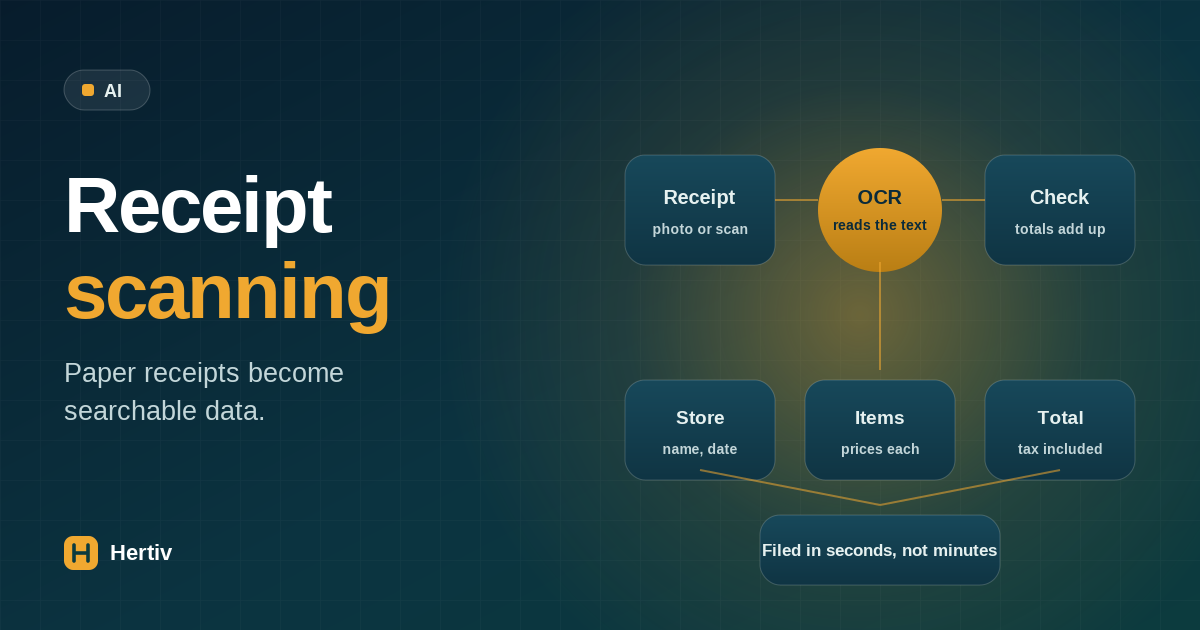
OCR receipt scanning works in four stages: capture, read, extract and check. Each stage improves the result, and a weak stage limits everything after it.
- Capture. A phone camera or scanner takes a clear image of the receipt. Good light and a flat receipt matter more than an expensive camera.
- Read. OCR software finds the text and turns it into characters, line by line, including prices, dates and item names.
- Extract. The system maps the text to fields: store, date, each item, tax and total. Rules and learned patterns sort out which number is which.
- Check. The system flags low-confidence fields for a human to confirm, and checks that the item prices add up to the total.
That last check is the safety net. If the item prices do not add up to the printed total, the receipt is flagged for review instead of being filed with a wrong total. For the next step up, intelligent document processing adds learning and validation to plain OCR.
Where does it help in retail?
OCR receipt scanning helps wherever a retailer handles paper receipts: at the till, in returns, in expense claims and in stock checks. The value is time saved and fewer typing errors.
| Retail job | What OCR does | Main benefit |
|---|---|---|
| Returns | Reads the old receipt to find the sale | Faster service at the desk |
| Expense claims | Reads staff receipts into claims | No manual typing of totals |
| Price checks | Compares shelf prices with receipts | Finds pricing errors quickly |
| Stock counts | Reads delivery and sale receipts | Stock records stay current |
| Loyalty | Links receipts to customer accounts | Rewards without a card scan |
| Audits | Stores receipts as searchable data | Records found in seconds |
Returns desks see the clearest gain. A customer with a faded receipt no longer waits while staff search for the sale by hand. The scan finds it in seconds, and the return goes ahead.
What affects accuracy?
Accuracy depends on image quality, receipt condition and layout variety. A clear, flat, well-lit photo of a fresh receipt reads well. A crumpled, faded or torn receipt reads poorly, and handwriting is harder than print.
Layout variety is the other limit. Every retailer prints receipts differently, so a system that only knows one layout will fail on others. Good systems learn from many layouts and use the structure of a receipt, such as the total near the bottom, to place fields correctly.
Accuracy is measured on fields, not on whole receipts. A system can read 19 of 20 fields right and still fail the receipt if the wrong field is the total. That is why the check stage matters: the system should say which fields it is unsure about, instead of guessing silently.
For teams building this into a product, document AI work covers the OCR, extraction and validation pipeline end to end.
How to roll it out in 5 steps
Rolling out OCR receipt scanning takes a few weeks when the scope is kept to one workflow first, such as returns or expense claims.
- Pick one workflow. Start with returns or expenses, where the paper volume is high and the benefit is easy to see.
- Collect sample receipts. Gather a few hundred real receipts, including faded and crumpled ones, to test against.
- Test on your own receipts. Run the samples through the system and score field accuracy, not just whole-receipt accuracy.
- Add a human check. Route low-confidence receipts to staff for a quick confirm, and log the corrections.
- Connect to your systems. Send the checked data into the till, returns or finance system, and watch the error rate weekly.
Keep the human check in place after launch. It catches the hard cases and gives the team examples to improve the system with. For the vision side, computer vision development covers image capture and recognition in retail apps.
Example (hypothetical): a grocery chain's returns desk
Example (hypothetical): a grocery chain handles 1,200 returns a day across its stores. Staff type each old receipt by hand, which takes about 2 minutes per receipt, or 40 hours of staff time a day across the chain.
The chain adds OCR receipt scanning at the returns desk. Staff photograph the receipt, the system reads it, and staff confirm the total in about 15 seconds per receipt. That is 1,200 receipts at 15 seconds, or about 5 hours a day, instead of 40.
The saving is about 35 hours of staff time a day. The chain also finds that 1 in 40 receipts is flagged for review because the prices do not add up to the total, which catches pricing errors that typing would have hidden.
What are the common mistakes?
The most common OCR receipt scanning mistakes are trusting the output without checks, testing only on clean receipts, and ignoring privacy.
- No validation. Filing OCR output without checking totals means wrong numbers enter the accounts.
- Testing on clean samples only. A system that reads perfect receipts may fail on the faded ones customers actually bring in.
- Ignoring handwriting. Notes and signatures on receipts need a plan, even if that plan is a human check.
- Storing images forever. Receipt images may hold personal data, so set a retention limit and delete on schedule.
- Rolling out everywhere at once. Start with one workflow, fix the issues, then expand to the next.
When is it worth it?
OCR receipt scanning is worth it when a retailer handles enough paper receipts that typing them costs real staff time or causes real errors. A small shop with a handful of returns a week gains little. A chain with hundreds of receipts a day gains hours back every day.
It is also worth it when receipts feed decisions. Price checks, stock counts and audits all depend on accurate records, and typed records carry typing errors. Scanned records with a validation step are easier to trust.
Start small, measure the time saved and the error rate, and expand only when the numbers support it. A pilot on one workflow gives you real figures in a few weeks, which is a better basis for a decision than a sales demo.
Key takeaways
- OCR receipt scanning turns paper receipts into searchable, checkable data
- Capture, read, extract and check are the four stages, and the check stage is the safety net
- Returns desks and expense claims see the clearest time savings
- Accuracy must be measured per field, because one wrong total spoils the record
- Start with one workflow and keep a human check on low-confidence receipts
Frequently asked questions
What is the difference between OCR and scanning?
Scanning makes a picture of a receipt, while OCR reads the text in that picture and turns it into data. A scanned image alone cannot be searched or added up. OCR output can, because the store, items and totals become fields in a record.
How accurate is OCR on receipts?
Accuracy depends on image quality, receipt condition and layout variety. Clear, flat receipts read well, while faded or crumpled ones read poorly. Measure accuracy per field on your own receipts, and use a human check for low-confidence fields.
Can OCR read handwritten receipts?
Printed text reads far better than handwriting. Some systems handle simple handwriting, such as amounts and dates, but results vary. Plan for a human check on handwritten parts, and test with your own samples before deciding.
Does OCR receipt scanning need the internet?
Some systems run on the device and some send images to a server. On-device scanning works offline and keeps images private, while server systems can handle harder layouts. Choose based on your privacy needs and the devices your staff use.
What data should I keep from a receipt?
Keep the store, date, items, prices, tax and total, and the receipt image for a set period. Avoid keeping payment card numbers or other personal data that the workflow does not need, and set a retention limit.
Is OCR receipt scanning expensive?
Costs vary with volume and the system you choose, so check the vendor site for current plans. The main costs are the scanning tool, the validation step and the connection to your till or finance system. A pilot on one workflow shows the real cost and saving.


