Multi-Agent Systems Examples: 8 That Work in Practice
Multi-agent systems split a job across several AI agents that each handle one part. These eight examples show how teams use them in real work.
On this page
Short answer
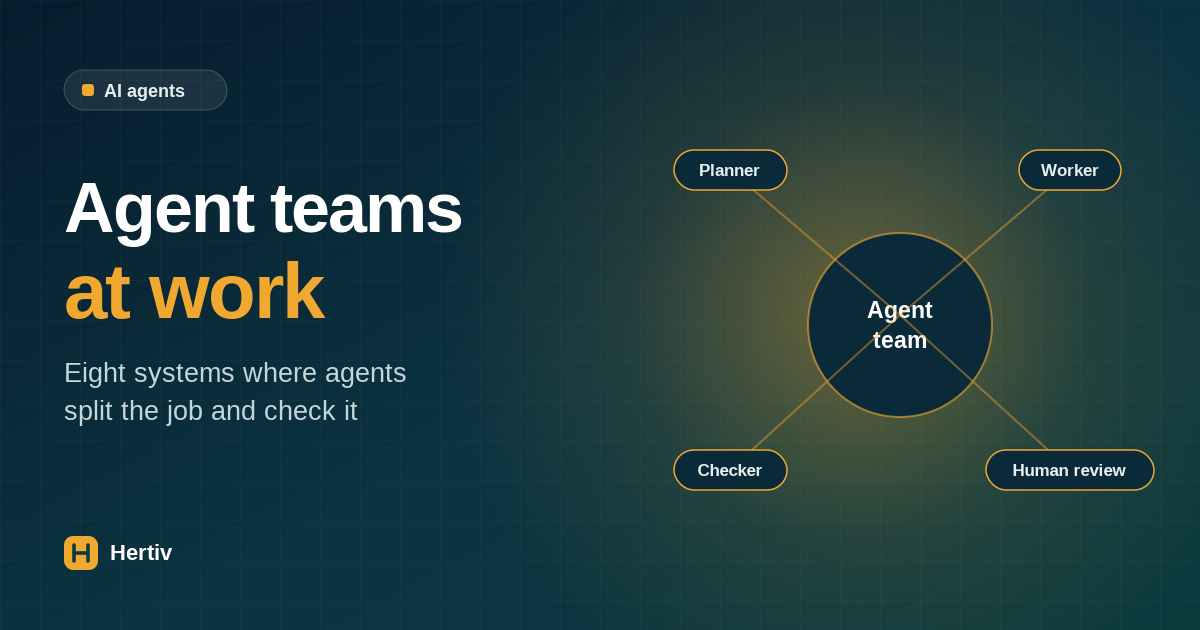
Multi-agent systems are software setups where several AI agents work together on one job, each with its own role, instead of one agent doing everything. A planner agent may break a task into steps, a worker agent may do each step, and a checker agent may review the result. The examples below show concrete systems teams actually run, from support desks to warehouses.
What does a multi-agent system look like?
A multi-agent system is a small team of AI agents, each with a job. One agent plans, another acts, and a third checks. The agents pass messages to each other, and the system finishes jobs that would be too tangled for a single prompt.
The pattern works best when a job has clear parts that need different skills. A research task, for example, splits neatly into searching, reading, summarising and checking, so each part gets its own agent. See AI agents use cases for where single agents already help.
| Example | Agents involved | Job it does | Where it runs |
|---|---|---|---|
| Research team | Planner, searcher, writer, checker | Writes a brief from sources | Analyst desks |
| Support swarm | Router, answerer, escalator | Handles tickets | Support teams |
| Code review crew | Reviewer, tester, fixer | Reviews pull requests | Engineering teams |
| Trading desk | Scanner, analyst, risk checker | Flags trade ideas | Finance teams |
| Warehouse robots | Picker, carrier, packer | Moves goods | Warehouses |
| Game characters | Quest giver, trader, guard | Plays roles in a game | Game worlds |
| Drug discovery | Searcher, modeller, scorer | Shortlists molecules | Labs |
| Content line | Drafter, editor, publisher | Produces articles | Marketing teams |
The table shows the shape of the pattern, not a product list. Each example below explains what the agents do, what works, and what to watch out for.
Office teams: research and support
1. Research team: best for turning sources into a brief
A research team of agents starts with a planner that splits a question into searches. A searcher agent reads the sources, a writer agent drafts the brief, and a checker agent flags claims with no source behind them.
Analyst teams use this setup to prepare briefs that would take hours by hand. The checker is the key part: without it, the brief reads well but may contain claims nobody verified.
- Pros: fast first drafts, clear division of work, sources tracked
- Cons: needs a checker, or errors slip through
2. Support swarm: best for handling routine tickets
A support swarm routes each ticket to the right agent. A router reads the ticket, an answerer drafts a reply from the help docs, and an escalator sends hard cases to a human.
Support teams use it to clear routine questions fast while keeping humans on the hard ones. The router's accuracy decides whether the system helps or creates extra work.
- Pros: fast replies, humans keep hard cases, easy to measure
- Cons: a bad router misroutes tickets and annoys customers
Engineering and finance: code and trading
3. Code review crew: best for reviewing pull requests
A code review crew checks a pull request in stages. A reviewer agent reads the change, a tester agent runs the tests and reports failures, and a fixer agent suggests a patch for simple issues.
Engineering teams use it to catch small problems before a human reviews the change. It works best on style, tests and simple bugs, and a human still makes the final call.
- Pros: catches small issues early, runs on every change
- Cons: can flag false problems, needs human review
4. Trading desk: best for flagging trade ideas
A trading desk of agents watches the market in shifts. A scanner agent looks for price moves, an analyst agent reads the news behind them, and a risk checker agent tests whether the idea fits the team's limits.
Finance teams use it to sort a flood of signals into a short list a human can read. The risk checker matters most: it stops ideas that break the team's rules.
- Pros: watches many signals at once, shortlists ideas, enforces limits
- Cons: never trades alone, needs strict risk rules
Physical and virtual worlds: warehouses and games
5. Warehouse robots: best for moving goods without collisions
In a warehouse, each robot is an agent with a job. A picker agent finds the item, a carrier agent moves it, and a packer agent prepares the box. The agents share a map and agree who goes where.
Warehouses use this setup to move goods around the clock without collisions. The shared map and simple rules keep the robots from blocking each other in narrow aisles.
- Pros: runs around the clock, scales by adding robots
- Cons: needs a good map and fallback rules when sensors fail
6. Game characters: best for living game worlds
In a game, each character can be an agent with goals of its own. A quest giver offers tasks, a trader haggles over prices, and a guard patrols the town and reacts to trouble.
Game teams use this setup to make worlds feel alive instead of scripted. The characters react to the player, so two players can have different experiences in the same town.
- Pros: lively worlds, less scripting, varied play
- Cons: hard to test, characters can behave oddly
Science and content: discovery and publishing
7. Drug discovery pipeline: best for shortlisting molecules
A drug discovery pipeline uses agents to narrow a huge list of molecules. A searcher agent gathers known compounds, a modeller agent predicts how each one behaves, and a scorer agent ranks the list for human review.
Labs use it to cut a list of thousands down to a handful worth testing in the lab. The human review step is essential, since a model score is a guess, not proof.
- Pros: narrows huge lists fast, ranks by clear rules
- Cons: scores are guesses, lab tests still decide
8. Content production line: best for steady publishing
A content line splits article production across agents. A drafter writes the first version, an editor checks facts and tone, and a publisher formats and schedules the piece.
Marketing teams use it to keep a steady flow of posts without overloading one writer. The editor agent is the bottleneck that matters: it must check every claim before publishing.
- Pros: steady output, clear handoffs, easy to scale
- Cons: editor must check facts, or errors go live
How to choose the right setup?
Start from the job, not the framework. A multi-agent system pays off when a job splits into clear parts with different skills. If one agent can do the whole job, adding more agents only adds messages and cost.
Then decide who checks the work. Every example above has a checker, a reviewer or a human in the loop. Without that step, errors from one agent pass straight to the next and grow. If you are starting from scratch, read how to implement agentic AI first.
- Write down the parts of the job and who does each one today.
- Give each part to one agent, with a clear input and output.
- Add a checker agent or a human review before the result goes out.
- Test with a small batch and count errors, not just speed.
- Scale only when the error rate stays low.
Keep the number of agents small at first. Two or three agents with clear roles beat six agents that talk in circles.
Common mistakes
The most common mistake is adding agents to a job that one agent could do. Each extra agent adds messages, cost and a new place for errors to hide.
Another mistake is skipping the checker. A chain of agents without a review step will pass a wrong answer along with confidence, and nobody will notice until a user complains.
A third mistake is giving agents vague roles. An agent told to "help with research" will wander. An agent told to "find three sources and quote the key sentence from each" has a job it can finish.
Finally, do not let agents talk without limits. Set a maximum number of turns, or two agents can debate a small point for a long time while the bill grows.
Key takeaways
- Split a job across agents only when it has clear parts that need different skills.
- Every working example has a checker, a reviewer or a human before the result goes out.
- Give each agent one clear job with a defined input and output.
- Start with two or three agents, and scale only when errors stay low.
- Set a limit on agent turns, or costs and delays grow fast.
Frequently asked questions
What is a multi-agent system in simple terms?
It is a small team of AI agents, each with one job, working together on a bigger task. One agent might plan, another might act, and a third might check. They pass messages to each other until the job is done.
When should I use several agents instead of one?
Use several agents when a job splits into parts that need different skills, such as searching, writing and checking. If one agent can do the whole job well, extra agents only add cost, delay and new places for errors.
Do multi-agent systems need a human in the loop?
For work that reaches users, yes. A checker agent helps, but a human should review results that affect customers, money or safety. The human sets the rules and steps in when the agents disagree or look unsure.
What tools build multi-agent systems?
Frameworks such as AutoGen and LangChain help you build agent teams, and many teams also build them with plain code and APIs. The framework matters less than clear roles, a checker step and a limit on turns.
Why do multi-agent systems cost more to run?
Each agent call uses model time, and agents talk to each other, so one job can mean many calls. Keep the team small, set turn limits, and use cheaper models for simple steps such as routing and checking.
What is the biggest risk with agent teams?
Errors that pass from one agent to the next without a check. A wrong fact in step one becomes a confident claim in step three. A checker agent or a human review before the result goes out is the main defence.


