How to Implement Agentic AI in Your Business
Agentic AI can take on multi-step work, but only if you pick the right job, give it clear limits and keep a person in charge. Here is a practical way to start.
On this page
Short answer
Agentic AI is software that plans and carries out multi-step work on its own, using tools and data to reach a goal you set. To implement it in your business, pick one narrow job, connect it to the systems and data it needs, set clear limits on what it may do, and keep a person checking its work. Start small, measure the result, and only then give it more work.
What is agentic AI?
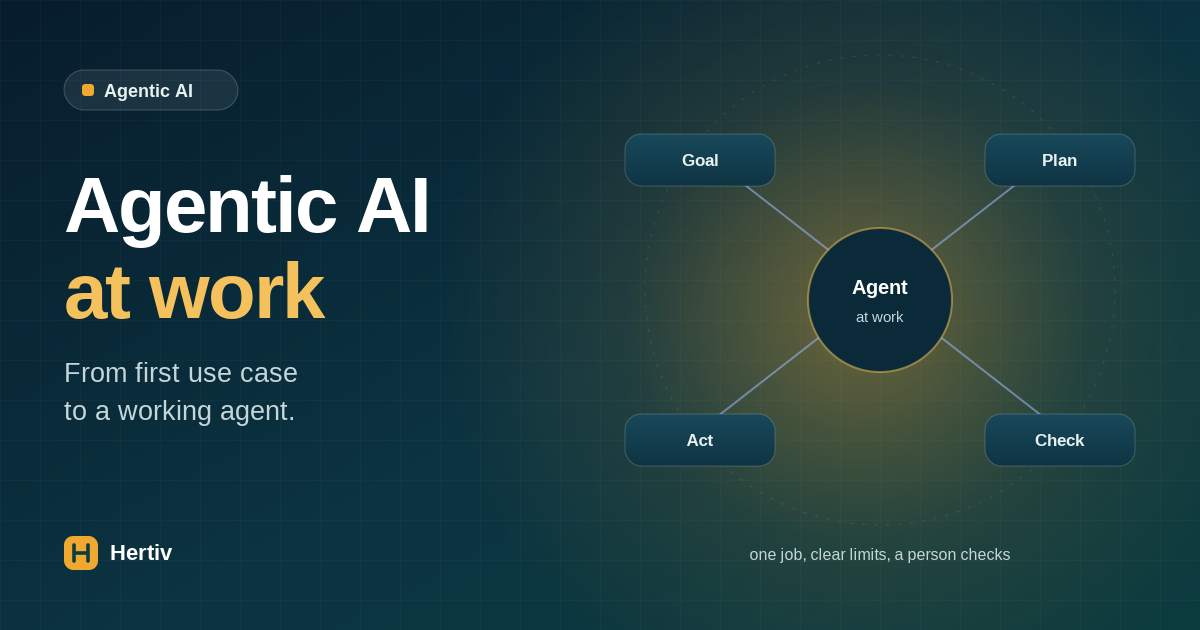
Agentic AI is software that works towards a goal in several steps without being told what to do at each step. You give it a goal, such as resolving a support ticket or preparing a weekly stock report, and it plans the steps, calls the tools it needs, checks the result and adjusts when something goes wrong.
That is different from a chatbot that answers one question at a time. A chatbot waits for a prompt and gives a reply. An agent keeps working through a task, reads data from your systems, takes actions such as updating a record or sending a message, and reports back when the task is done or when it needs help.
The important point is that the agent acts inside limits you set. It can only use the tools you connect, only touch the data you allow, and only take the actions you approve. Those limits are what make an agent safe to run in a real business.
Where does agentic AI fit first?
Agentic AI fits best where the work is repetitive, follows rules, and uses data your systems already hold. Support triage, invoice matching, stock checks, meeting notes and lead follow-up are common first jobs, because each one has a clear input, a clear output and a clear way to check the result. A list of AI agent use cases shows the same pattern across other departments, from finance to HR.
It fits badly where the work needs judgement about people, where the rules change every day, or where a mistake is expensive and hard to undo. Approving a refund, hiring, or a medical decision should stay with a person, even if an agent prepares the facts first.
| Job type | Good first job? | Why |
|---|---|---|
| Support triage | Yes | Clear inputs, easy to check, high volume |
| Invoice matching | Yes | Rules are fixed and the data is structured |
| Lead follow-up | Yes | Same steps each time, easy to measure |
| Refund approval | No | Needs judgement and mistakes cost money |
| Contract review | Later | Agent can draft, a person must decide |
Pick one job for the first project, not five. A single job gives you a clear result to measure and a small surface to fix when something goes wrong.
How to implement agentic AI in 6 steps
Implementation works best as a short, ordered plan. Each step answers one question before you move on, so you do not build an agent that has no data, no limits or no owner.
- Name the job and the result. Write down what the agent must do and how you will know it worked, for example "resolve 8 in 10 password tickets without a person".
- Map the data and tools. List the systems the agent must read and write, and check that each one has an API or an export the agent can use.
- Set the limits. Decide what the agent may do on its own, what needs a person to approve, and what it must never do.
- Build a small pilot. Give the agent one job, a small set of users and a short time window, such as two weeks.
- Check every result. Review the agent's actions daily at first, fix the mistakes, and tighten the limits where it went wrong.
- Expand slowly. Add more users, more data or a second job only when the first job runs well for a full month.
A guide to building an AI proof of concept covers the same pilot-first approach, and it works well for agents too, because the pilot is where you learn what the agent can and cannot do.
What data and guardrails does an agent need?
An agent is only as good as the data it can reach. Before you build, check that the records it needs are clean, current and labelled in a way the agent can read. If your customer records have five different spellings of the same company, the agent will make the same mistakes a person would, only faster.
Guardrails are the rules that keep the agent inside its job. The most useful ones are simple: the agent may read but not delete, it may draft messages but not send them without approval, and it must stop and ask a person when its confidence is low or when a request falls outside its job.
Logging matters as much as the guardrails. Keep a record of every action the agent takes, what data it read and what it changed. That log is how you find mistakes, how you answer a customer who asks what happened, and how you prove the agent followed the rules. A guide to testing AI models explains how to check an agent's results before you trust them in production.
Example (hypothetical): a support team pilot
A small online shop gets 200 support tickets a day, and each one takes a person about 6 minutes to read and answer. That is 200 times 6 minutes, or 1,200 minutes, which is 20 hours of work a day.
The shop builds an agent that reads each ticket, finds the order in the system, and drafts a reply. A person reviews each draft, which takes about 1.5 minutes per ticket. That is 200 times 1.5 minutes, or 300 minutes, which is 5 hours of review a day.
The pilot saves about 15 hours a day, because 20 hours of full handling drops to 5 hours of review. The shop keeps the person in the loop, because the review is what catches the tickets the agent got wrong, and those tickets are the ones that teach the team what to fix next.
What does it cost to run?
The cost of an agent has three parts: the build, the running cost and the review time. The build is the work to connect the agent to your systems and set its limits. The running cost is the model and tool calls for each task. The review time is the hours a person spends checking the agent's work.
Review time is the part teams forget to budget. In the first month it can be as large as the time the agent saves, because every result needs checking. As the agent improves, review time falls, but it never reaches zero, because someone must stay responsible for what the agent does.
Start with a budget for a pilot, not for a company-wide rollout. A pilot tells you the real running cost per task, which is the number you need before you can decide whether a wider rollout is worth it. Prices for agent platforms change often, so check the vendor site for current plans.
Common mistakes
The most common mistake is giving the agent a job that is too broad. An agent asked to "handle customer service" will guess at tasks it was never trained for. An agent asked to "resolve password reset tickets" has a job it can learn and a result you can measure.
The second mistake is skipping the limits. An agent with write access to every system and no approval step will eventually change something it should not have touched. Set the limits before the first run, not after the first incident.
The third mistake is removing the person too soon. Teams that stop reviewing after a good first week miss the slow drift, where the agent starts making small errors that no one notices until a customer complains. Keep a weekly review even when the pilot looks good, and keep a clear owner for the agent at all times.
Key takeaways
- Agentic AI plans and carries out multi-step work inside limits you set
- Pick one narrow, repetitive job for the first pilot, not a whole department
- Set limits first: what the agent may do alone, what needs approval, what it must never do
- Keep a person reviewing results daily in the pilot, then weekly once it runs well
- Log every action so mistakes can be found, fixed and explained
Frequently asked questions
What is the difference between an agent and a chatbot?
A chatbot answers one question at a time and waits for the next prompt. An agent works through a multi-step task on its own, calls tools, reads data and reports back when the task is done or when it needs help.
How long does a first agentic AI pilot take?
A small pilot usually takes two to six weeks, depending on how many systems the agent must connect to. Most of that time goes to cleaning data, setting limits and reviewing results, not to the agent itself.
Do I need a large team to run an agent?
No. A pilot needs one owner, one person who knows the job, and one person who can connect the systems. The owner stays responsible for the agent's results and for the weekly review.
What happens when the agent makes a mistake?
The agent should stop, log what it did, and hand the task to a person. The log shows what data it read and what it changed, so the team can fix the cause and tighten the limits.
Can an agent work with our existing software?
It can if the software has an API or an export the agent can use. Check each system before you start, because a system with no connection is the most common reason a pilot stalls.
Is agentic AI safe for customer data?
It is safe when the agent only reads the data its job needs, when access is logged, and when drafts are reviewed before they reach a customer. Keep sensitive data out of the agent's reach unless the job truly needs it.


