How Much Does LLMOps Cost to Run?
LLMOps cost covers model calls, hosting, data work and the people who keep prompts and models running. This guide breaks down each part and how to estimate it.
On this page
Short answer
LLMOps cost is the total spend on running large language models in production, including model calls, hosting, data pipelines, evaluation and the people who maintain prompts and models. For most teams, model calls are the largest variable cost, while hosting and staff form the steady base.
What is LLMOps cost?
LLMOps cost is the full cost of running large language models in production, not just the price of the model calls. It includes the infrastructure that hosts the model, the data work that feeds it, the tools that watch quality and the people who keep prompts, versions and guardrails up to date.
Teams often start by looking only at the per-token price, then find that the rest of the system costs as much again. A prompt that calls a model five times per user request, a retrieval step that scans a large index and a human review queue all add cost that never appears on the model bill.
LLMOps covers the practices that keep a model running well.
LLMOps versus MLOps explains how it differs from classic machine learning operations. This guide looks at what each part costs.
What makes up LLMOps cost?
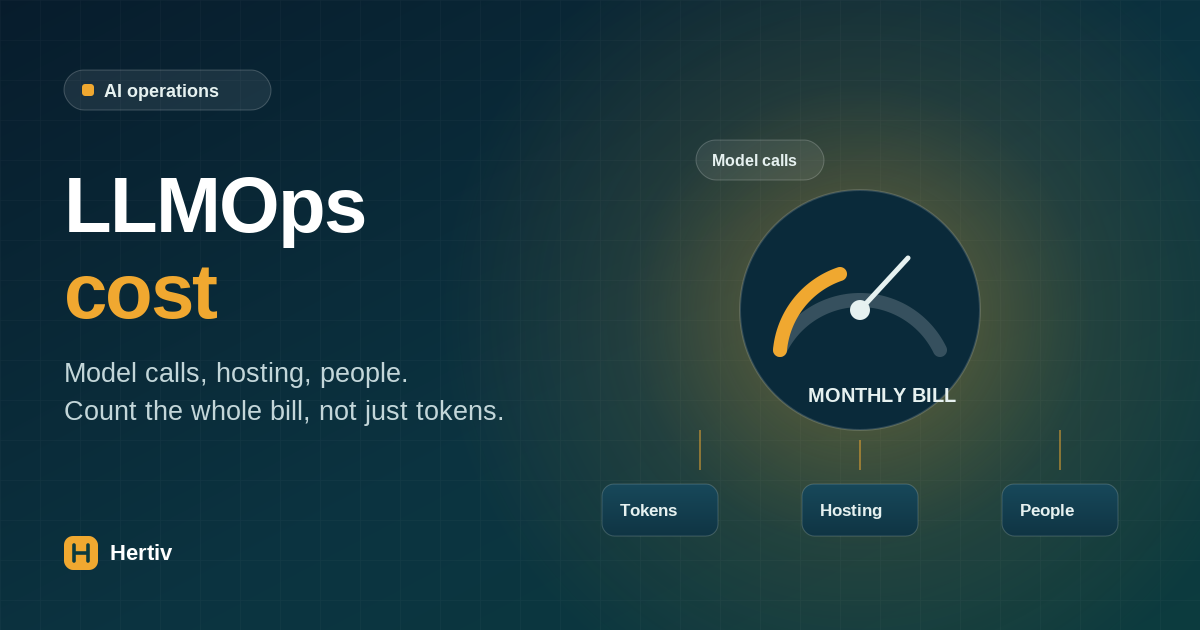
LLMOps cost splits into five parts. Model calls are the variable part and scale with usage. Hosting, data and tooling form the fixed part. People are often the largest line, because prompts, evaluations and incident fixes need human time.
| Cost part | What it covers | How it scales |
|---|---|---|
| Model calls | Tokens in and out per request | Grows with users and prompt size |
| Hosting | Servers or managed endpoints | Grows with traffic and model size |
| Data | Retrieval, embeddings, storage | Grows with documents and queries |
| Tools | Monitoring, evaluation, tracing | Mostly flat, some per-event pricing |
| People | Prompt work, review, on-call | Grows with features and incidents |
Small teams can keep the fixed parts low by using a managed model API and a simple vector store. The bill then follows usage closely, which makes it easier to predict but harder to cap when a feature takes off.
What drives model-call costs up?
Three things drive model-call costs up: long prompts, repeated calls and the choice of model. A prompt that includes a full document, a chat history and a set of examples can cost many times more than a short one. Chaining several model calls per request multiplies the bill the same way.
Model choice matters too. A large frontier model costs more per token than a small one, and the gap can be tenfold or more. Many teams route simple tasks to a small model and keep the large model for the hard cases, which cuts the bill without hurting quality much.
Caching helps where the same prompt repeats, and trimming the context to only the passages a request needs is usually the fastest saving. Review the longest prompts first, because a small number of prompts often drive most of the spend.
Prompt versioning also affects cost. When a team changes a prompt, the new version may use more tokens than the old one, and the change shows up on the next bill. Keeping a short note of token counts per prompt version helps the team spot the change early.
Build or buy: where does the money go?
Using a managed model API keeps the fixed cost low and moves the spend to per-token pricing. The team pays for what it uses and avoids running servers, but the bill grows with every user and every prompt. This suits teams with uneven traffic and small engineering groups.
Hosting a model in-house or on rented GPUs flips the balance. The fixed cost is higher, because GPUs and the team to run them cost money even when idle, but the marginal cost per request can be lower at high volume. This suits teams with steady, heavy traffic and strict data rules.
Most teams start with a managed API and only consider hosting when the monthly model bill passes the cost of a small GPU setup.
LLMOps tools for startups list the common options for monitoring and evaluation.
MLOps cost shows the parallel picture for classic models.
How do you estimate LLMOps cost?
Estimating LLMOps cost starts with counting real usage, not guessing. Measure requests per day, tokens per request and the share of requests that call the model more than once. Those three numbers drive most of the bill.
- Count daily requests and the average tokens in and out per request.
- Multiply by the vendor price per token to get the model-call cost.
- Add hosting, data storage and tooling as a flat monthly figure.
- Add staff time for prompt work, evaluation and on-call.
- Run the estimate at twice the expected traffic to see where it breaks.
Keep the estimate in a sheet the team reviews monthly. Model prices change, prompts grow and new features add calls, so an estimate made once will drift within a few months.
Example (hypothetical): a support assistant's monthly bill
Example (hypothetical): a small team runs a support assistant that answers 200 questions a day. Each question averages 1,500 input tokens and 300 output tokens, and the vendor charges $3 per million input tokens and $12 per million output tokens. Input costs 200 times 1,500 tokens, which is 300,000 tokens a day, or about $0.90 a day. Output costs 200 times 300 tokens, which is 60,000 tokens a day, or about $0.72 a day.
Over 30 days, model calls cost about $49. Hosting and a small vector store add $120, a monitoring tool adds $40, and four hours of staff time a week at $50 an hour adds $800 a month. The total is about $1,009 a month, and staff time is the largest part.
The lesson is that the model bill is the smallest line for this team. Cutting prompt size by a third would save about $16 a month, while one hour less of weekly review saves $200. Teams should look at the whole bill before optimising the tokens.
Common mistakes
The most common mistake is budgeting only for model calls. Hosting, data, tools and staff time often match or exceed the token bill, and they arrive as separate invoices that are easy to miss. Add every part to the estimate before launch.
Another mistake is letting prompts grow without review. Each new instruction, example and retrieved passage adds tokens to every request. Review the longest prompts each month and cut what no longer earns its place.
Key takeaways
- LLMOps cost covers model calls, hosting, data, tools and people.
- Model calls are the variable part; staff time is often the largest line.
- Long prompts, repeated calls and large models drive the bill up.
- Start with a managed API and host only when volume justifies it.
- Estimate from real usage and review the bill monthly.
Frequently asked questions
What is the cheapest way to run LLMOps?
For most small teams, a managed model API with a small model for routine tasks is the cheapest start. Hosting only pays off at high, steady volume or where data rules require it.
How much do model calls usually cost?
It depends on the model, prompt size and volume. Small models cost far less per token than large ones, and long prompts cost more than short ones. Measure your own tokens per request for a real figure.
Does caching really save money?
Yes, where the same prompt or passage repeats often. Caching the input part of a prompt can cut the token bill for repeated requests, though the saving depends on how much repeats.
Should we host our own model?
Only if traffic is steady and heavy, or data rules require it. Hosting adds GPU and staffing costs that sit there even when idle, so most teams start with a managed API.
How often should we review LLMOps cost?
Monthly, or after any launch that changes traffic or prompts. Model prices, prompt sizes and usage all move, so a quarterly review is too slow for a growing product.
What is the biggest hidden LLMOps cost?
Staff time for prompt work, evaluation and incident fixes. It rarely appears on a vendor invoice, but it is often the largest line in the real total.


