llama.cpp vs Ollama: Which Local Runner Fits You?
llama.cpp and Ollama both run open models on your own machine. Learn how they differ, when each one wins, and which one fits your project.
On this page
Short answer
llama.cpp is a lightweight engine for running large language models on your own hardware, while Ollama is a simpler tool built on top of similar ideas that makes downloading and running models feel like using a single command. Both let you run models locally without sending data to a vendor. Which one fits depends on how much control you want and how much setup you are willing to do.
What is llama.cpp, and what is Ollama?
llama.cpp is an open-source project that runs large language models on ordinary hardware, including laptops, using efficient code written in C and C++. It is the engine underneath many local model tools, and it is known for running models on CPUs as well as GPUs, and for working well on machines without a powerful graphics card.
Ollama is a tool for downloading and running open models on your own machine with a few simple commands. It wraps the hard parts, such as finding the model, loading it and serving it through a local API, so you can start with one command and talk to the model from your own apps.
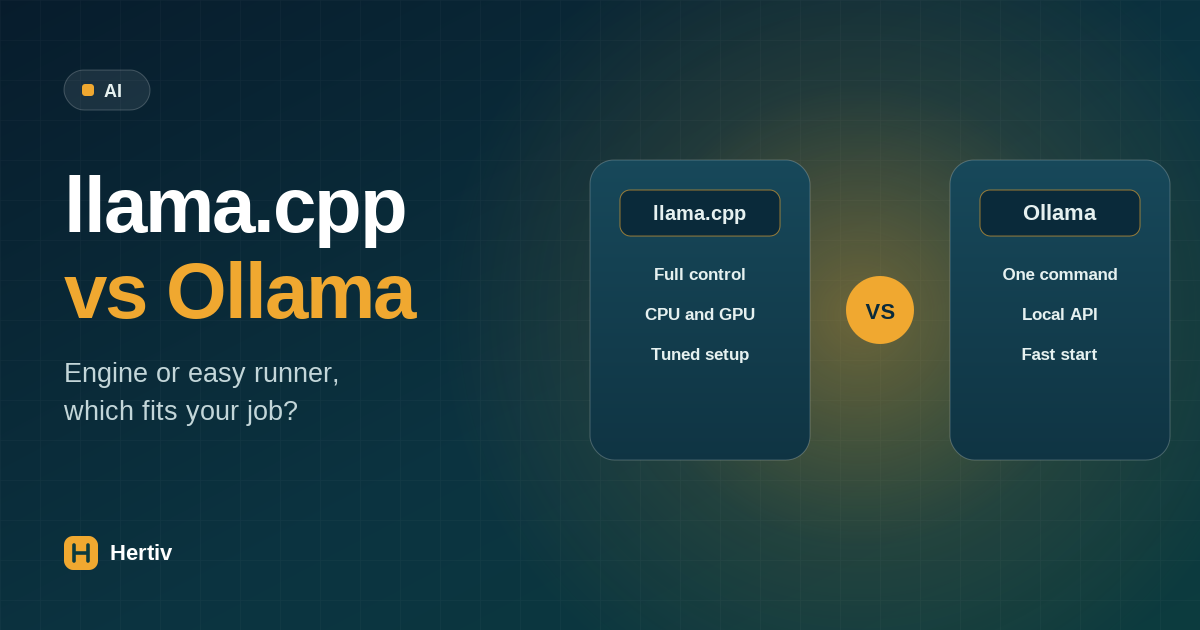
The short version is this: llama.cpp is the engine, and Ollama is the easy wrapper around running models locally. Many people use Ollama without ever touching llama.cpp directly, while teams that need fine control use llama.cpp itself. For context on running models yourself, see the cost of self-hosting LLMs.
What is llama.cpp good at?
llama.cpp is good at running models where you want control over every detail: which model file to load, how much memory to use, how the model is quantised, and how requests are served. It supports a wide range of model formats and hardware, and it is often the fastest option on a CPU-only machine.
Because it is an engine rather than a finished product, you set it up yourself. You download a model file, choose the settings, and run the server command. That takes more learning than Ollama, but it gives you access to options Ollama hides, such as custom sampling settings and fine control over memory use.
Teams pick llama.cpp when they are embedding a model inside a product, when they run on unusual hardware, or when they need to tune performance closely. If you are comparing model options more broadly, see the top LLM companies for the hosted side of the picture.
- Control. Every setting, from memory to sampling, is yours to set.
- Hardware range. Runs on CPUs, GPUs and modest laptops.
- Speed on CPU. Often the fastest option without a graphics card.
- Model formats. Wide support for open model files.
What is Ollama good at?
Ollama is good at getting a local model running in minutes. You install it, run one command to pull a model, and another to chat with it or call it from your code through a local API. It handles the download, the loading and the serving, so you do not have to think about model files or memory settings.
Ollama is the usual first step for developers who want to try a model locally, prototype a feature, or test prompts without sending data to a vendor. It also suits small teams that want a local model for development and testing, and who do not need to tune the engine itself.
The trade-off is control. Ollama hides the settings that llama.cpp exposes, so if you need a specific quantisation, a custom server setup or a model format Ollama does not support, you will hit its limits. For many projects, that limit never matters.
- Speed of setup. One command to pull a model, one to run it.
- Local API. Your apps can call the model over a local address.
- Privacy. Prompts and data stay on your own machine.
- Good defaults. Sensible settings for most common models.
llama.cpp vs Ollama: side by side
The two tools overlap, but they are built for different users. The table below compares them on the points that matter most when you choose.
| Point | llama.cpp | Ollama |
|---|---|---|
| What it is | Model inference engine | Local model runner and API |
| Setup effort | Manual, more to learn | One command to start |
| Control | Full control of settings | Sensible defaults, fewer settings |
| Hardware | CPU, GPU, modest machines | CPU and GPU, needs enough RAM |
| Best for | Products and tuned setups | Prototypes and local development |
| Serving | Run the server yourself | Built-in local API server |
Neither tool is better in every case. Ollama is the faster start, and llama.cpp is the deeper tool. A common path is to prototype with Ollama, then move to llama.cpp when the product needs control that Ollama does not offer. If you need help choosing a model for the job, LLM development covers the wider options.
When should you use each one?
Use Ollama when you want a local model running today: trying prompts, building a prototype, testing a model against your own data, or running a small internal tool. It is also the right pick when the team is small and nobody wants to own engine settings.
Use llama.cpp when the model is part of a product and performance matters: an app that serves many users, a device with limited hardware, or a setup where you need to control memory, speed and model format precisely. It is also the pick when Ollama does not support the model or the settings you need.
Some teams use both. Ollama runs the model on developer laptops, while llama.cpp runs the same model in the product, with the settings tuned for production. That split keeps development simple and production controlled.
Example (hypothetical): a support team runs a model locally
Imagine a support team that wants a local model to draft replies to 500 customer questions a day, without sending customer data to a vendor. They have one office server with a mid-range graphics card and 64 GB of memory.
With Ollama, the team pulls a mid-size open model in one command and has a working draft tool the same afternoon. The local API answers each question in a few seconds, and the team reviews every draft before sending.
Suppose the model handles 500 questions a day and each draft saves a support agent 4 minutes. That is 500 times 4, which is 2,000 minutes, or about 33 hours a day of drafting time saved across the team, before review time.
Later the team finds the model is slow at peak times, so they switch the serving layer to llama.cpp with settings tuned for their card. Suppose the tuned setup answers 30 percent faster, so the same 500 questions take about 23 hours of model time instead of 33.
The lesson is the usual one: Ollama for the fast start, llama.cpp when the load grows and the settings start to matter. Test models on your own tasks, as how to test AI models explains.
Common mistakes
The most common mistake is picking a model that is too big for the machine. A model that needs more memory than the computer has will run slowly or not at all, whatever tool you use. Check the model size against your memory first, and start with a smaller model that actually runs.
Another mistake is treating a local model as a production system without testing it. Local models make mistakes, give outdated answers and fail on questions outside their training. Test them on your own questions, keep a human in the loop for anything important, and measure the error rate before you trust the output.
Finally, do not assume local means private by default. The model runs on your machine, but logs, caches and backups can still leak data if they are not handled. Decide where prompts and answers are stored, who can see them, and how long they are kept.
Key takeaways
- llama.cpp is the engine; Ollama is the easy way to run models locally
- Ollama starts in minutes; llama.cpp gives full control
- Check model size against your machine's memory first
- Prototype with Ollama, move to llama.cpp when load grows
- Keep a human in the loop and test on your own questions
Frequently asked questions
What is llama.cpp?
llama.cpp is an open-source engine for running large language models on your own hardware, including laptops. It is known for efficient CPU use and for giving full control over model settings, memory and serving.
What is Ollama?
Ollama is a tool for downloading and running open models on your own machine with a few simple commands. It handles the download, loading and local API, so you can start chatting with a model in minutes.
Can Ollama run without the internet?
Yes, once the model is downloaded. Ollama runs the model on your own machine, so prompts and answers do not need to leave your device. You need the internet only to download new models.
Which is faster, llama.cpp or Ollama?
It depends on the setup. llama.cpp is often faster on CPU-only machines and gives more tuning options. Ollama is faster to set up and is quick enough for most prototypes and local development work.
Do I need a powerful graphics card?
No, but it helps. Both tools can run smaller models on a CPU, though larger models need a graphics card or a lot of memory. Start with a small model that fits your machine and test it first.
Can I use them in a product?
Yes. Ollama suits internal tools and prototypes, while llama.cpp suits products where performance and control matter. Either way, test the model on your own tasks and keep a human review step for important output.


