What Does Self-Hosting an LLM Cost?
Self-hosting an LLM costs hardware, power, storage and staff time, and model size decides most of the bill. Learn how to price your own setup.
On this page
Short answer
Self-hosting a large language model means running it on hardware you control instead of paying a provider per request. The cost is the graphics cards, the server and storage, power and cooling, network, and the staff time to keep it running, with model size deciding most of the bill.
What does self-hosting an LLM cost?
Self-hosting a large language model means running the model on hardware you control, instead of paying a provider per request. The cost is the hardware to run it, the power and cooling to keep it running, the storage for the model files, and the staff time to keep it healthy.
The size of the model decides most of the bill. A small model that fits on one graphics card can run on a single server, while a large model needs several high-memory cards working together. The model files themselves are large, often tens of gigabytes, and they must sit in fast memory while the model answers.
There is no single price for self-hosting, because the model, the traffic and the uptime target change everything. The sections below break the cost into parts, so you can price your own setup instead of guessing from someone else's bill. If you are still testing the idea, a proof of concept is cheaper first: see our guide to building an AI proof of concept.
What are the parts of the cost?
Self-hosting costs fall into five parts. The table below lists each one and what drives it up or down.
| Cost part | What it covers | What drives it |
|---|---|---|
| Graphics cards | GPUs that run the model | Model size and speed target |
| Server and storage | Machine, memory and disks | Model files and context length |
| Power and cooling | Electricity and heat removal | Card count and usage hours |
| Network | Bandwidth for users and updates | Traffic and model downloads |
| Staff time | Setup, updates and monitoring | Uptime target and change rate |
Graphics cards dominate the bill. A card with enough memory for a large model costs far more than a card that only fits a small one, and a setup that needs four cards costs roughly four times as much as one that needs a single card. Buying cards is a one-off cost, while renting them by the hour turns the same bill into a monthly one.
Staff time is the part teams forget. Someone must update the model, watch for failed requests, apply security patches and answer for downtime. A model that runs without an owner slowly drifts: the version gets old, the disk fills, and nobody notices until users complain.
How does model size change the hardware?
Model size is measured in parameters, and it decides how much graphics memory you need. A model with a few billion parameters can run on a single consumer or workstation card. A model with tens of billions of parameters needs one or more data-centre cards with large memory. A model with hundreds of billions needs several cards linked together.
Memory is not the only limit. Speed matters too: the same card that loads a model may answer too slowly for a chat product if many users ask at once. Throughput, the number of answers per minute, rises with more cards, but so does the bill. Decide the response time your users need, then size the hardware to that target.
Smaller, tuned models are often the cheaper answer. A small model trained or tuned for one task, such as drafting replies or sorting tickets, can match a large general model on that task while running on a fraction of the hardware. The model catalogue in our top LLM tools guide is a good place to compare sizes before you commit.
Should you rent GPUs or buy hardware?
Renting graphics cards by the hour suits teams that are still testing. You can try a model for a week, measure the speed and cost, and stop without owning hardware. The hourly price looks high, but you pay only while the model runs, and you can scale up or down as traffic changes.
Buying hardware suits steady, heavy use. If the model runs day and night at high traffic, the monthly rental bill can pass the cost of buying the same cards within a year or two. The trade is flexibility: bought hardware cannot be returned when the model changes, and it needs a place to live, with power, cooling and someone to look after it.
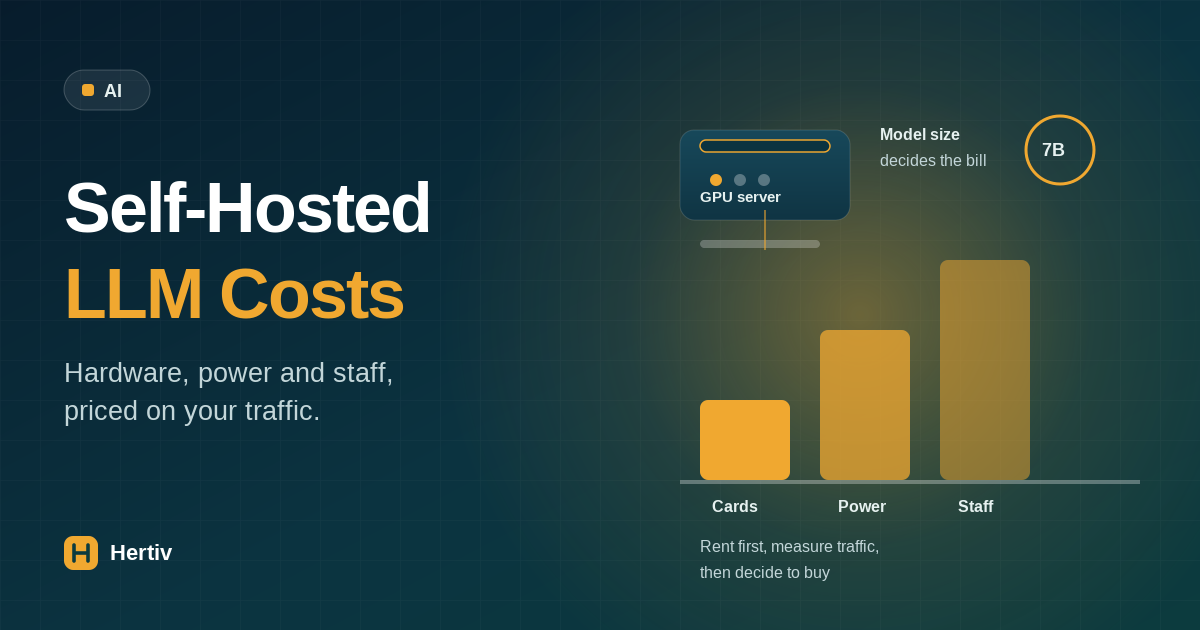
A common middle path is to rent first, measure real traffic for a month or two, and then decide. The rental bill from the test period is the best evidence for the buy-or-rent choice, because it is based on your traffic rather than a vendor estimate. Check current rental prices on the vendor site, since they change often.
Example (hypothetical): pricing a small setup
Example (hypothetical): a team wants to run a mid-size model for an internal support tool used by 40 staff. They rent a server with two graphics cards at an hourly rate of $3, and the model runs 12 hours a day on weekdays.
The rental cost is 12 hours times $3, which is $36 a day. Over 22 working days that is $792 a month. Storage for the model files and logs adds $40 a month, and the team budgets 10 hours a month of staff time for updates and monitoring. At $60 an hour, that is $600 a month. The total is $792 plus $40 plus $600, which is $1,432 a month.
The same team then checks the provider route: the model would answer about 60,000 requests a month, and the provider price they were quoted works out to $900 a month. Self-hosting costs more in this case, so they keep the provider route and revisit self-hosting if traffic grows. The point is the method: price your own traffic, not someone else's headline number.
How can you keep self-hosting costs down?
The cheapest lever is model choice. A smaller model that handles your task well can cut the hardware bill by more than half. Test the small model on your real questions before assuming you need the largest one.
The second lever is turning the model off when nobody uses it. An internal tool that runs only in office hours should not pay for 24-hour rental. The third lever is batching: grouping requests together uses the graphics card better than answering one request at a time. The fourth is caching answers to repeated questions, so the model only runs when the question is new.
Quantisation, a method that stores model weights in fewer bits, can also shrink memory needs, but it can lower answer quality. Test it on your own questions and compare the answers before and after. A small quality loss that nobody notices is a good trade; a loss that changes answers is not. Our large language model examples show where smaller models already do the job well.
What are the common mistakes?
The most common mistake is sizing hardware for the largest model instead of the task. A second is forgetting staff time in the budget: the cards are the visible cost, but the owner who keeps the model running is the cost that never ends. A third is running the model around the clock for a tool that is used only in office hours.
Another mistake is skipping the provider comparison. Self-hosting feels cheaper because the per-request bill disappears, but the hardware, power and staff costs can add up to more. Price both routes on your own traffic, test the small model first, and revisit the choice when traffic changes. For the wider build picture, see our LLM development services.
Key takeaways
- Self-hosting trades a per-request bill for hardware, power and staff costs.
- Model size decides the hardware: small models fit one card, large ones need several.
- Rent first to measure real traffic, then decide whether buying hardware pays off.
- A smaller model, office-hours running and caching can cut the bill sharply.
- Price both routes on your own traffic before choosing.
Frequently asked questions
What is the cheapest way to self-host an LLM?
Use the smallest model that handles your task well, run it only when needed, and rent by the hour while you test. A small model on one rented card is often the cheapest starting point, and you can scale up only if traffic demands it.
How much GPU memory does an LLM need?
It depends on the model size and the precision used. Small models with a few billion parameters fit on a single workstation card, while models with tens of billions of parameters need data-centre cards with large memory. Check the model card for the exact requirement.
Is self-hosting an LLM cheaper than using an API?
Sometimes. For steady, heavy traffic, owning hardware can cost less over a year or two. For light or uneven traffic, paying per request is usually cheaper, because you pay nothing when the model sits idle. Price both on your own traffic.
Do I need a GPU to self-host an LLM?
For most models, yes. A CPU can run a very small model slowly, but graphics cards are far faster for this work. If you have no GPU, renting one by the hour is the simplest way to try self-hosting.
What staff time does self-hosting need?
Someone must install updates, watch for failed requests, apply security patches and handle downtime. Budget a few hours a month for a small setup, and more if uptime matters or the model changes often.
Can I self-host an LLM on my own computer?
A small model can run on a good desktop with enough memory, and it suits personal testing. For a team product, a rented server is a better start, because it offers more memory, better uptime and room to grow.


