Large Language Models: 6 Examples and What Each Does
Large language models are the engines behind chatbots, search and drafting tools. These six examples show what each model does best and when to pick it.
On this page
Short answer
A large language model is an AI system trained on a large amount of text, so it can write, summarise, answer questions and work with code. The six examples below are the models teams actually use today, and each one has different strengths, so the right choice depends on the job.
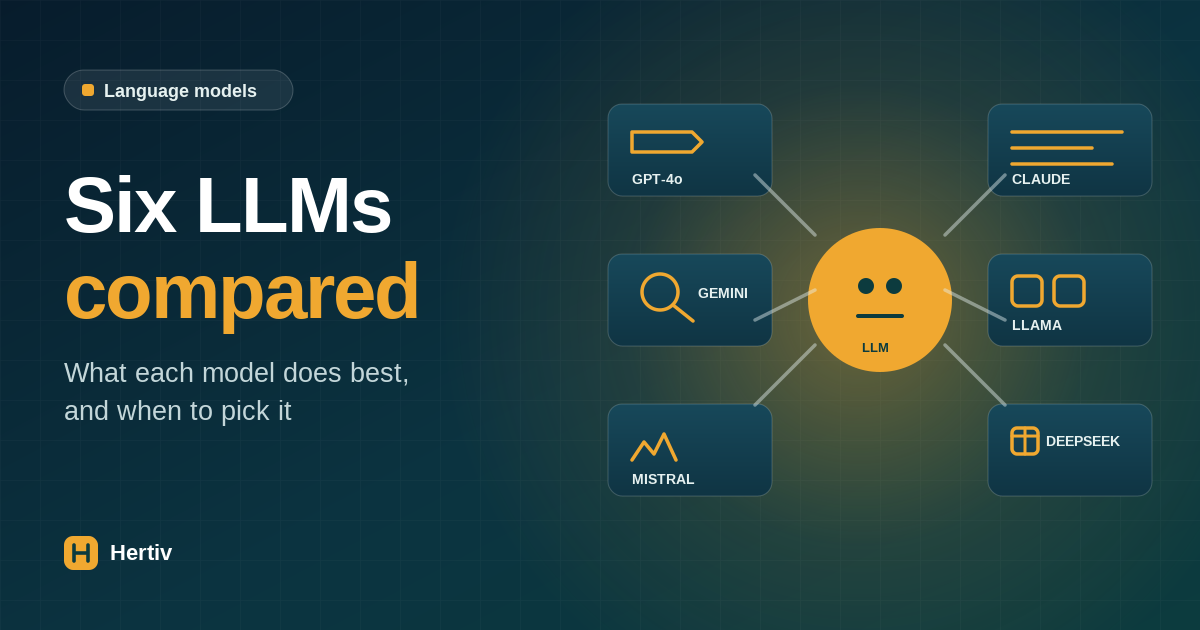
Which large language models should you know?
A large language model is an AI system trained on a large amount of text, so it can write, summarise, answer questions and work with code. The six below are the models teams actually use today, and they differ in size, speed, openness and price.
| Model | Made by | Best for | Open or closed |
|---|---|---|---|
| GPT-4o | OpenAI | General work, voice, images | Closed |
| Claude | Anthropic | Long documents, careful writing | Closed |
| Gemini | Search, Google tools, video | Closed | |
| Llama | Meta | Self-hosting, custom builds | Open weights |
| Mistral | Mistral AI | Fast, smaller deployments | Open weights |
| DeepSeek | DeepSeek | Reasoning, low cost | Open weights |
These models change fast, and new versions appear often, so check the vendor's current pages before choosing. For the companies behind them, top LLM companies covers the firms building the models teams use.
<h3>1. GPT-4o: best for general work, voice and images</h3>
GPT-4o is OpenAI's general-purpose model, built to handle text, voice and images in one system. It is the model behind ChatGPT, and it is used for drafting, answering questions, summarising documents and working with code.
It suits a team that wants one model for many jobs and does not want to manage several. Its strengths are broad ability and a large ecosystem of tools around it, while its cost and the fact that it runs on OpenAI's servers are the trade-offs.
- Pros: Broad ability across text, voice and images; large tool ecosystem; fast responses.
- Cons: Runs on the vendor's servers; pricing is per use and adds up at scale.
<h3>2. Claude: best for long documents and careful writing</h3>
Claude is Anthropic's model family, known for handling very long documents and for careful, well-structured writing. It is used for contract review, research summaries, long reports and code review.
It suits a team that works with long texts and wants the model to follow instructions closely. Its long context window means a whole document can be read in one go, which matters when the answer depends on details spread across many pages.
- Pros: Very long context window; careful, structured writing; strong at following instructions.
- Cons: Fewer third-party tools than the largest rivals; pricing varies by model size.
<h3>3. Gemini: best for search, Google tools and video</h3>
Gemini is Google's model family, built to work with Google's search, documents and video tools. It is used for research that needs fresh information, for working inside Google Workspace, and for tasks that mix text with video or images.
It suits a team that already works in Google's tools and wants the model close to them. Its strength is the connection to search and to Google's products, while teams outside that ecosystem get less from it.
- Pros: Strong search connection; works inside Google tools; handles video and images.
- Cons: Best value inside Google's ecosystem; model names and sizes change often.
<h3>4. Llama: best for self-hosting and custom builds</h3>
Llama is Meta's family of models with open weights, which means a team can download the model and run it on its own servers. It is used for custom chatbots, private deployments and products where the data must stay inside the company.
It suits a team that needs control over where the model runs and what data it sees. The trade-off is that the team must run the model itself, which needs servers and skill, and the model needs tuning to match the closed models on general tasks.
- Pros: Open weights, run it anywhere; data stays on your servers; no per-use fee.
- Cons: You run and maintain the servers; needs tuning for best results.
<h3>5. Mistral: best for fast, smaller deployments</h3>
Mistral is a French company whose models are known for speed and for working well at smaller sizes. Its open-weight models run on modest hardware, and its hosted service offers fast responses for chat and drafting.
It suits a team that wants a fast model for a focused job, such as a support draft or a classification task, without the cost of the largest models. Its smaller models are a good fit when speed and cost matter more than the broadest ability.
- Pros: Fast responses; smaller models run on modest hardware; open-weight options.
- Cons: Less broad than the largest models; smaller ecosystem of tools.
<h3>6. DeepSeek: best for reasoning and low cost</h3>
DeepSeek is a model family known for strong reasoning and for a low price per use. Its reasoning models work through a problem step by step, which suits maths, code and logic-heavy tasks, and its open weights let teams run it themselves.
It suits a team that needs reasoning on a budget, or that wants to self-host a capable model. The trade-off is that the newest versions change quickly, and teams should test the current version on their own tasks before relying on it.
- Pros: Strong reasoning for the price; open weights for self-hosting; low cost per use.
- Cons: Versions change fast; test it on your own tasks first.
How to choose a large language model
Choosing a large language model starts with the job, not the brand. A team that needs long documents should pick a model with a long context window, while a team that needs data to stay private should pick one it can run itself.
- Define the task. Write down what the model must do: draft, summarise, answer, code, or reason through a problem.
- Check the data rules. Decide whether the data can leave the company, because that decides between a hosted model and a self-hosted one.
- Test on your own examples. Run each candidate on 20 real cases from your work and score the answers.
- Count the full cost. Include the price per use, the review time and the maintenance, not just the headline price.
- Plan the switch. Pick a model you can replace later, so a better model next year does not mean rebuilding the product.
The test on your own examples is the step that matters most. A model that tops a public benchmark can still fail on your documents, and a model that looks weaker can be the best one for your task. For the tools built on these models, top LLM tools covers the products teams use around them.
What are the common mistakes?
The most common mistakes when choosing a large language model are picking the biggest model by default, trusting a benchmark instead of your own test, and ignoring the cost of review.
- Picking the biggest model. The largest model is also the slowest and dearest. A smaller model often does the same job for less.
- Trusting a benchmark. A public benchmark tests general ability, not your documents. Test on your own cases.
- Ignoring the review cost. If a human must check every answer, the saving is smaller than it looks. Count the review time.
- Locking into one vendor. Building everything around one model makes switching hard. Keep the model behind a simple interface.
For examples of these models working in production, real-world LLM examples shows six deployments and what made each one hold up.
Key takeaways
- A large language model is an AI system trained on a large amount of text
- GPT-4o, Claude and Gemini are closed models; Llama, Mistral and DeepSeek offer open weights
- Pick by the job: long documents, self-hosting, speed, reasoning or broad ability
- Test candidates on your own real cases before choosing
- Count the review time and keep the model behind a simple interface
Frequently asked questions
What is a large language model?
A large language model is an AI system trained on a large amount of text, so it can write, summarise, answer questions and work with code. It predicts the next words from the words before, which is why it can draft and answer in plain language.
Which large language model is best?
There is no single best model. GPT-4o suits general work, Claude suits long documents, Gemini suits Google tools, Llama suits self-hosting, Mistral suits fast small jobs, and DeepSeek suits reasoning on a budget.
Are open-weight models free?
The weights are free to download, but running them is not free: you still pay for the servers, the power and the maintenance. Open weights save the per-use fee, not the whole cost.
Can a large language model replace a search engine?
Not on its own. A model can be wrong about facts, while a search engine returns the source. The best setups pair the model with search, so the model drafts from real documents it can cite.
How much does it cost to use a large language model?
Hosted models usually charge per use, based on the amount of text sent and received. The bill depends on the volume and the model size, so test with a small run and count the review time too.
Do large language models keep my data private?
It depends on the provider and the plan. Some providers train on the data sent to them, while others offer plans that do not. Read the provider's data terms, and self-host if the data must stay inside the company.


