How to Fine-Tune an LLM: A Practical Guide
Fine-tuning an LLM means training a base model further on your own examples, so it answers in your style, follows your rules and handles your cases better.
On this page
Short answer
Fine-tuning an LLM means training a base model further on your own examples so it answers in your style, follows your rules and handles your cases better. Instead of writing longer prompts, you show the model hundreds or thousands of examples of good answers, and it adjusts its weights to match them. The result is a model that sounds like your team and knows your product, without retraining from scratch.
What is fine-tuning an LLM?
Fine-tuning an LLM is further training of a base model on your own examples. A base model knows general language, but it does not know your product, your tone or your rules. Fine-tuning teaches it those things by showing it pairs of inputs and the answers you want.
The process is smaller than training a model from scratch. You start with a model that already understands language, and you adjust it with a focused dataset. The cost is lower, the time is shorter, and the result keeps the base model's general ability while adding your specific behaviour.
| Approach | What it does | Best when |
|---|---|---|
| Prompting | Guides the model with instructions | The job changes often |
| Retrieval (RAG) | Adds your documents at run time | Facts change often |
| Fine-tuning | Trains the model on your examples | Style and format matter |
| Train from scratch | Builds a model from zero | Almost never needed |
Fine-tuning is not the answer to every problem. If your facts change weekly, retrieval fits better, because new documents can be added without retraining. If the job is tone, format or a fixed set of cases, fine-tuning is the right tool. To see the difference, read what GPT is and how a base model works.
When does fine-tuning help?
Fine-tuning helps when the model must answer in a fixed style. A support team that always answers with a short summary, a link and a next step can teach that format with examples, and the tuned model will follow it without a long prompt.
It also helps when the job has a fixed set of cases. A model that classifies support tickets into ten categories, or extracts the same five fields from every contract, learns the pattern from examples and applies it steadily.
It helps least when the answer depends on facts that change. A tuned model can memorise a price list, but the list will go out of date, and the model will keep answering with the old price. For changing facts, retrieval is the better choice, and the tuned model should say when it does not know.
How do you prepare training data?
Training data is a set of input and output pairs, each showing the answer you want. A support example might be a customer question and the ideal reply; a classification example might be a ticket and its category. Quality matters more than size.
Start by collecting real examples from your team. The best data comes from work your team already did well, not from examples written in a hurry for the tuning run. Remove personal data, fix errors, and make the format the same across every example.
Then split the data. Most of it trains the model, and a smaller set, called the test set, checks the result. The test set must not appear in training, or the test will flatter the model. A team that tests models well should also read how to test AI models before trusting a tuned result.
What are the steps to fine-tune an LLM?
First, pick a base model that allows fine-tuning and fits your budget. Some providers offer fine-tuning as a service, and some open models can be tuned on your own hardware. The choice decides cost, control and where your data goes.
Next, prepare and check your data, then run a small tuning job on a subset. A small run shows whether the format is right and whether the model learns at all, before you spend money on the full run.
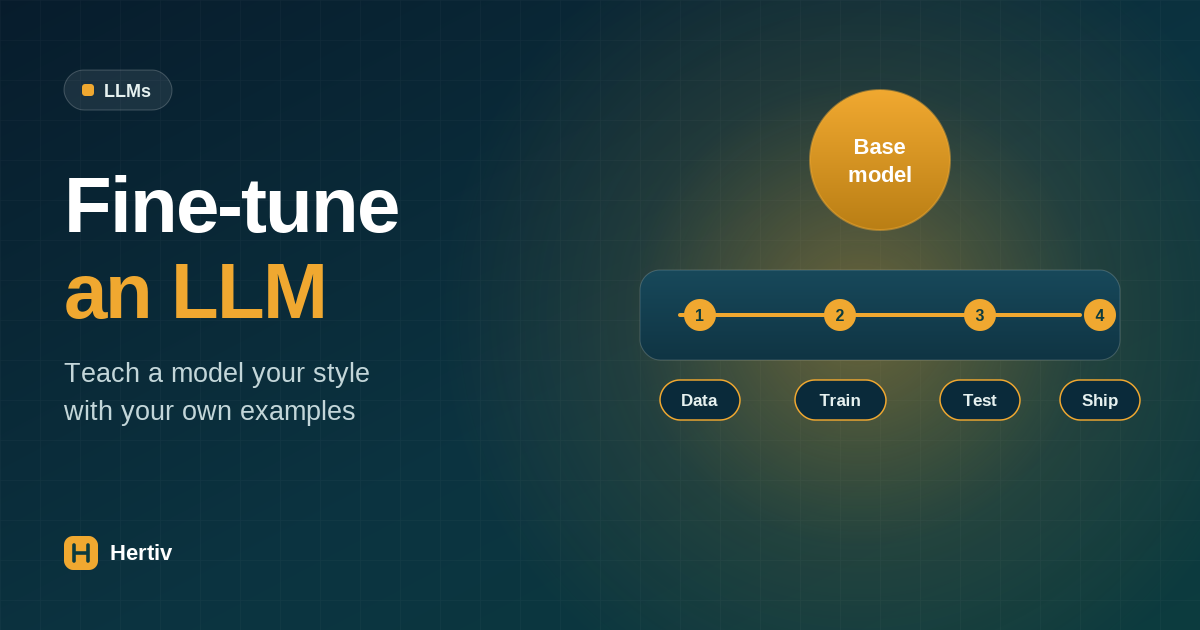
- Pick a base model and a tuning service or setup.
- Collect and clean your input and output pairs.
- Split the data into training and test sets.
- Run a small tuning job on a subset first.
- Check the result on the test set.
- Run the full tuning job with the best settings.
- Test the tuned model on real cases before launch.
Keep the settings simple at first. A small learning rate and a few passes over the data are safer than aggressive settings, which can make the model forget what it knew.
How do you check the tuned model?
Check the tuned model on the test set first. Compare its answers with the base model's answers on the same cases, and count how often each one matches the answer you wanted. The tuned model should win on your cases without losing its general ability.
Then test on real cases. Take twenty recent customer questions or tickets, run them through the tuned model, and have a person grade each answer. Real cases catch problems that the test set misses, such as odd phrasing or a new product name.
Finally, check for harm. A tuned model can pick up bias or bad habits from the training data, so test it on sensitive cases too. If the training data is narrow, the model will be narrow, and the test should show that before users do. A proof of concept run, as in building an AI proof of concept, is a good place to do this check.
Example (hypothetical): tuning a support model
Example (hypothetical): a small shop wants its support model to answer delivery questions in a fixed format: one sentence of answer, one link, and one next step. The team collects 400 real question and answer pairs from past chats, cleans them, and splits them into 320 for training and 80 for testing.
Before tuning, the base model answers 45 of the 80 test questions in the right format, which is 56%. After a small tuning run, it answers 68 of the 80 in the right format, which is 85%. The team checks the 12 that still fail and finds that 9 are about a new delivery option the training data did not cover.
The team adds 60 examples of the new option, retrains, and the format score rises to 74 of 80, which is 93%. The remaining 6 fail on unclear questions, which the team decides to send to a person. Tuning took one afternoon, and the team now knows exactly which cases still need a human.
Common mistakes
The most common mistake is training on too little data, or on messy data. Fifty examples will not teach a style, and examples with errors will teach the errors. Start with a few hundred clean examples, and add more only after the first run shows what is missing.
Another mistake is tuning when retrieval would do. If the answers depend on documents that change, fine-tuning will go stale, and the team will retune every month. Use retrieval for changing facts and tuning for style and format.
A third mistake is skipping the test set. If the same data trains and tests the model, the score looks perfect and the launch fails. Keep the test set separate, and test on real cases too.
Finally, do not tune away the model's general ability. Aggressive settings can make a model good at one job and bad at everything else. Keep the tuning light, test general questions too, and stop when the gains get small.
Key takeaways
- Fine-tuning trains a base model further on your own examples, so it matches your style, format and cases.
- Use fine-tuning for tone and format; use retrieval for facts that change often.
- Training data quality matters more than size: clean, real examples in a consistent format.
- Split data into training and test sets, and keep the test set out of training.
- Run a small tuning job first, then check on real cases before launch.
Frequently asked questions
How much data do I need to fine-tune an LLM?
A few hundred clean examples is a good start for a style or format job. Fifty examples rarely teach a pattern, and thousands of messy examples teach the mess. Start small, test, and add examples only where the first run shows gaps.
Is fine-tuning better than prompting?
Neither is better in general. Prompting fits jobs that change often, because you can edit the prompt in minutes. Fine-tuning fits a fixed style or format, because the model learns it once and follows it without a long prompt. Many teams use both.
How long does fine-tuning take?
From a few hours to a few days, depending on the model size and the number of examples. A small tuning run on a few hundred examples can finish in an afternoon. The data preparation usually takes longer than the training itself.
Does fine-tuning make the model forget things?
It can, if the settings are aggressive. A model tuned hard on one job can lose general ability, a problem called forgetting. Keep the learning rate small, use a few passes over the data, and test general questions after tuning.
Can I fine-tune a model with my own data safely?
Yes, if you control where the data goes. Check whether the tuning service stores your data, who can see it, and how long it is kept. Remove personal data before training, and never train on data you do not have the right to use.
When should I not fine-tune an LLM?
When the answers depend on facts that change often, when you have very little clean data, or when a longer prompt already gives good answers. In those cases, retrieval or better prompting is cheaper and easier to update than a tuned model.


