What Does a Healthcare Scheduling App Cost to Build?
A healthcare scheduling app costs what its scope, integrations and compliance work cost. Here is how teams budget it, and where budgets usually slip.
On this page
Short answer
A healthcare appointment scheduling app is software that lets patients book, change and cancel appointments online, while staff manage calendars, reminders and patient records in one place. Its cost depends on the features, the systems it must connect to, and the privacy rules it must follow, not on a fixed price list.
What is a healthcare appointment scheduling app?
A healthcare appointment scheduling app is software that lets patients book, change and cancel appointments without phoning the clinic. The patient picks a service, a clinician and a time slot, gets a confirmation, and receives a reminder before the visit. Staff see the same calendar and can move, block or fill slots.
Behind the booking screen sits the real work: a calendar that knows each clinician's hours, a record of each patient's visits, rules for how long each appointment type takes, and reminders that go out by text or email. A small clinic needs a simple version of this; a hospital group needs the same ideas across many sites, many clinicians and many appointment types.
The app usually connects to other systems. It may need to read a patient record system, send reminders through a messaging service, take payments for deposits, or sync with a calendar the staff already use. Each connection adds work, and each one is a place where the budget can grow.
It is also a regulated product. Patient health data is protected by law in most countries, so the app must control who can see what, log who looked at a record, and keep data safe. That work is part of the build, not an add-on, and it is one of the reasons healthcare apps cost more than a simple booking page.
What does the app need to do?
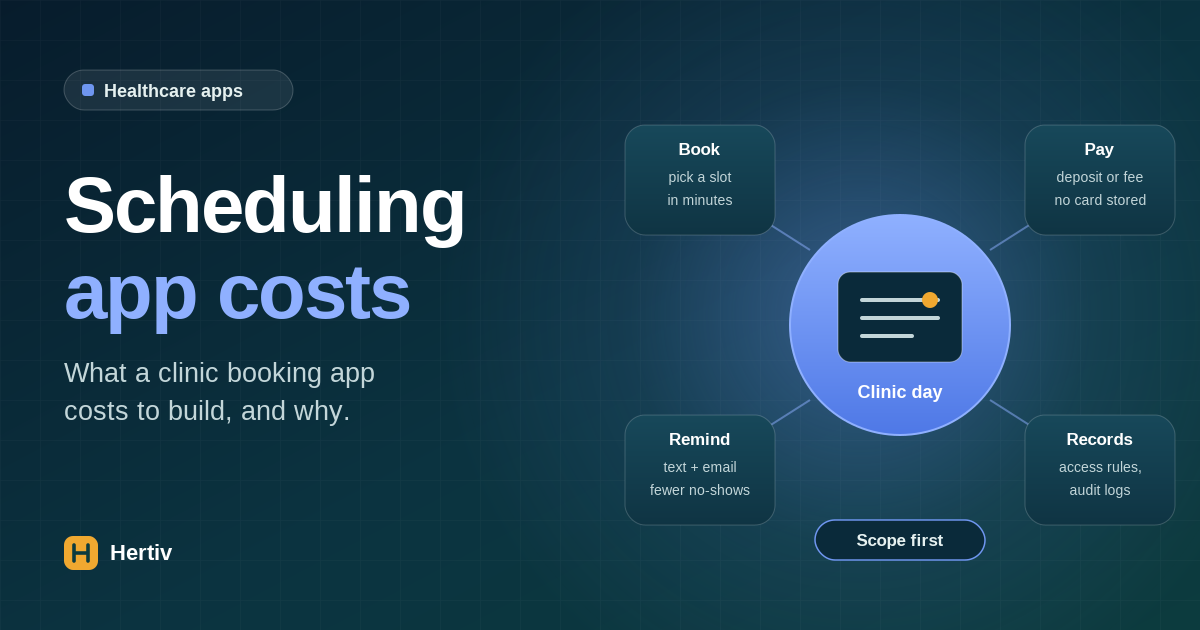
The core job is booking, and everything else supports it. A patient needs to find a slot, book it, change it and cancel it without help. Staff need to see the day, move appointments, block holidays, and fill gaps when a patient cancels. Reminders cut no-shows, and a waitlist fills the gaps that remain.
Most clinics also want online intake: the patient fills in symptoms, insurance details or consent forms before the visit, so the appointment starts with the facts already in the record. Payments matter too, whether that is a deposit, a copay or a full fee, and the app must handle them without storing card details itself.
The table below lists the features teams usually ask for, grouped by who uses them. A first version rarely needs all of them, and the choice of what to leave out is the biggest single lever on cost.
| Feature | Who uses it | Why it matters |
|---|---|---|
| Online booking | Patients | Fewer phone calls, slots fill faster |
| Reminders | Patients | Fewer missed appointments |
| Staff calendar | Reception and clinicians | One view of the day |
| Intake forms | Patients and clinicians | Facts ready before the visit |
| Payments | Patients and finance | Deposits and fees collected |
| Patient records link | Clinicians | History in one place |
What drives the cost?
Scope drives the cost more than anything else. A booking app for one clinic with one calendar is a small job. The same app for ten sites, fifty clinicians, twenty appointment types and three languages is a much larger one, because every rule about who can book what, and for how long, has to be built and tested.
Integrations are the second driver. Connecting to a patient record system, a payment provider or a messaging service each takes design, code and testing, and each one can behave differently in practice. A team that plans three integrations should budget for the slowest one, not the easiest.
Privacy and compliance work is the third driver. Health data needs access controls, audit logs, encrypted storage and a clear way to delete a record. That work is not visible to the patient, but it is a large share of the build, and skipping it creates a risk that costs far more later. Telemedicine apps face the same rules, and the same care applies here.
| Cost driver | What raises it | What keeps it down |
|---|---|---|
| Scope | Many sites, clinicians, languages | One clinic, one calendar first |
| Integrations | Record systems, payments, messaging | Start with the one that matters most |
| Compliance | Access rules, logs, data deletion | Plan it in from day one |
| Design | Custom screens for every flow | Reuse one pattern for booking steps |
| Testing | Many devices and edge cases | Test the booking flow first |
How do teams usually estimate the cost?
Teams usually estimate by breaking the app into pieces and pricing each piece in hours, not by guessing a total. The booking flow is one piece, reminders another, payments another, and compliance work runs across all of them. Each piece gets an hour estimate, and the hours are added up.
The next step is to agree what is in the first version and what waits. A team that lists twenty features and prices all of them will get a large number; a team that picks the eight features that matter first will get a number they can fund. The waiting list is not a cut, it is a plan for later releases.
Then the team checks the integrations. Each one needs a short design note: what data flows, what happens when the other system is down, and who owns the account. That note takes a day or two, and it is the cheapest way to avoid a surprise that costs weeks.
Finally, the team adds a reserve for the unknown, usually around a tenth of the estimate. Healthcare projects meet surprises in data rules, approval steps and legacy systems, and a reserve spent on a real surprise is better than a budget that runs out halfway. A plan like building an MVP first keeps the first version small enough to learn from before the bigger spend.
Example (hypothetical): a clinic booking app
Example (hypothetical): a clinic with four doctors wants an app for online booking, reminders and payments. The team breaks the work into pieces and prices each one in hours at $60 an hour, a rate the clinic agreed with its developer before the work started.
The booking flow takes 200 hours, reminders take 80 hours, payments take 90 hours, the staff calendar takes 90 hours, and privacy and compliance work takes 60 hours. That is 200 + 80 + 90 + 90 + 60 = 520 hours, and 520 x $60 = $31,200 for the build.
On top of the build, the team budgets $4,000 for a privacy review and $3,000 for testing across phones and browsers. That brings the total to $31,200 + $4,000 + $3,000 = $38,200. A reserve of 10% adds $3,820, giving a planned budget of $42,020.
The numbers are hypothetical, and a real quote will differ, but the method is the point: break the app into pieces, price the pieces, add the reviews and testing, and keep a reserve. Any quote that gives one total with no breakdown is a quote you cannot check, and app cost guides follow the same method for the same reason.
Where do budgets usually go wrong?
Budgets go wrong most often on scope that grows after the build starts. A team adds a waitlist, then a family booking feature, then a loyalty scheme, and each addition is small on its own but large together. The fix is a written scope for the first version and a rule that new ideas wait for the next release.
Integrations are the second trap. A record system that looked simple turns out to need a custom data mapping, or a payment provider needs an extra approval step that takes weeks. The team that wrote a design note for each integration before the build catches this early; the team that did not finds out late.
Testing is the third trap. Booking apps have many edge cases: a patient books twice, cancels at the last minute, or books a slot that just filled. Each case needs a rule, and the rules need testing. A team that tests the booking flow first, with real patients, finds the gaps while they are still cheap to fix.
Finally, budgets forget the running cost. Hosting, messaging, payment fees and support continue after launch, and a team that only budgets the build will be surprised by the first monthly bill. Ask for the running cost in the same quote as the build, so the total is honest from the start.
Common mistakes
The most common mistake is copying a booking app from another industry. A restaurant booking flow and a clinic booking flow look similar, but the clinic needs consent, records and privacy rules that the restaurant never had. Start from the clinic's rules, not from a template.
Another mistake is building every feature before launch. A team that ships twenty features at once cannot tell which ones patients use, and the launch takes twice as long. Ship the booking flow first, watch how patients use it, and add the next feature based on what you see.
Teams also forget the staff. Reception staff use the app all day, and a calendar that is hard to read or slow to update will be worked around, not used. Bring one receptionist into the design early, and test the staff screens with them before the build is finished.
Finally, do not skip the privacy review to save time. A scheduling app holds names, phone numbers, visit reasons and sometimes health notes. A review that finds a gap before launch is cheap; a gap found by a patient or a regulator after launch is not.
Key takeaways
- The cost follows scope, integrations and compliance work, not a fixed price list.
- Break the app into pieces, price the pieces in hours, and add reviews, testing and a reserve.
- Privacy and compliance work is part of the build, not an add-on.
- Ship the booking flow first, then add features based on real use.
- Ask for the running cost in the same quote as the build.
Frequently asked questions
How much does a healthcare scheduling app cost?
There is no fixed price, because the cost follows the scope, the integrations and the privacy work. The method in this article, breaking the app into pieces, pricing the pieces in hours, and adding reviews, testing and a reserve, is how teams reach a number they can trust.
What features does a scheduling app need first?
Online booking, a staff calendar, reminders and a way to change or cancel a booking. Intake forms, payments and a link to patient records usually follow in later releases, once the booking flow works well.
Do I need a custom app, or is an off-the-shelf tool enough?
A single clinic with simple hours can often start with an off-the-shelf booking tool, while a group with many sites, clinicians and rules usually needs a custom build. The deciding factor is whether the tool can follow your booking rules and your privacy rules.
What privacy rules apply to a healthcare scheduling app?
Patient data is protected by law in most countries, so the app needs access controls, audit logs, encrypted storage and a clear way to delete records. A privacy review before launch is part of the build, and the exact rules depend on where the clinic operates.
How long does it take to build?
A first version with booking, reminders and a staff calendar is usually measured in weeks of focused work, not days, and the exact time follows the scope. Integrations and compliance work add the most time, so the estimate in this article prices those pieces separately.
What are the running costs after launch?
Hosting, reminder messages, payment fees and support continue every month after launch. Ask for the running cost in the same quote as the build, so the total is honest from the start and the first monthly bill is not a surprise.


