How Much Does an MVP App Cost to Build?
An MVP app costs what its first version takes to design, build and test, not what a full product costs. Here is what drives the price and how to budget for it.
On this page
Short answer
An MVP app is a first version of a product built to test a core idea with real users, and its cost is the price of designing, building and testing that narrow version. The bill depends on the features in scope, the team behind it, where the team is based, and how much testing and launch work is included.
What is an MVP app, and what does its cost cover?
An MVP app is a minimum viable product: the smallest version of an app that still solves one real problem for real users. It is not a demo or a sketch. It is a working app with a narrow set of features, built so a team can learn whether the idea is worth developing further.
The cost covers design, development, testing and launch work for that first version. Design covers screens, flows and the look of the app. Development covers the app itself, the back end and any integrations. Testing covers finding and fixing bugs before users see them. Launch covers app store setup, analytics and the first round of fixes after release.
What an MVP does not include is just as important. A full product has admin panels, advanced settings, analytics dashboards and many edge cases handled. An MVP leaves most of that out, which is why it costs far less than a finished product. For the basics, what an MVP is explains the idea in full.
What drives the cost of an MVP app?
The cost of an MVP app is driven by scope, complexity, team and location, in that order. Scope is the number of features. Complexity is how hard each feature is to build. Team is who does the work, and location is where they are based, which sets the hourly rate.
| Cost driver | Low end | High end |
|---|---|---|
| Features in scope | 3-5 simple screens | 10+ screens with roles and payments |
| Back end | Simple data storage | Custom logic, sync, admin panel |
| Integrations | None or one payment provider | Payments, maps, chat, third-party APIs |
| Design | Standard screens from a kit | Custom design system |
| Platforms | One platform, iOS or Android | iOS, Android and web |
| Testing | Manual testing only | Automated tests and devices |
Each extra feature adds design, build and testing time, so scope is the lever that moves the total most. A second platform roughly doubles the app work unless the team uses one shared codebase. See the vendor site for current rates, since hourly rates change by region and team.
What does a typical MVP quote include?
A typical MVP quote includes discovery, design, development, testing and launch support. Discovery is a short phase where the team confirms the problem, the users and the first feature list. Design covers the screens and the flow between them. Development covers the app, the back end and the integrations in scope.
Testing usually means manual checks on real devices, plus fixes for the bugs found. Launch support covers store listings, analytics setup and a short period of bug fixes after release. Some quotes also include a short period of hosting and monitoring.
Watch for what is missing. A quote that leaves out testing, store setup or post-launch fixes will cost more later. Ask for the quote in writing, with each phase listed, so you can compare quotes from different teams on the same scope. For a fuller picture, how much an MVP costs covers the wider range of MVP types.
How to budget for an MVP app in 5 steps
Budgeting for an MVP app takes a few days when the feature list is written down first. The goal is a budget you can defend, with a reserve for the surprises that always appear.
- List the first-version features. Write down only what a user needs to complete the core task, and move everything else to a later list.
- Estimate hours per feature. Ask the team for a rough range per feature, including design and testing, not just coding.
- Pick the platform. One platform costs less; two platforms need a shared codebase or a bigger budget.
- Add testing and launch. Set aside time for testing on real devices, store setup and the first fixes after launch.
- Hold a 10% reserve. Keep a reserve for changes found during testing, because some features always take longer than planned.
Review the budget weekly while the app is being built. If a feature starts to grow, cut something else from the list rather than adding to the budget. For help scoping the first version, MVP development work usually starts with a short discovery phase.
Example (hypothetical): a clinic booking MVP
Example (hypothetical): a small clinic wants an MVP app so patients can book appointments. The first version has five screens: sign in, find a doctor, pick a time, confirm, and view bookings. It runs on one platform, stores data in a simple back end, and sends booking reminders by email.
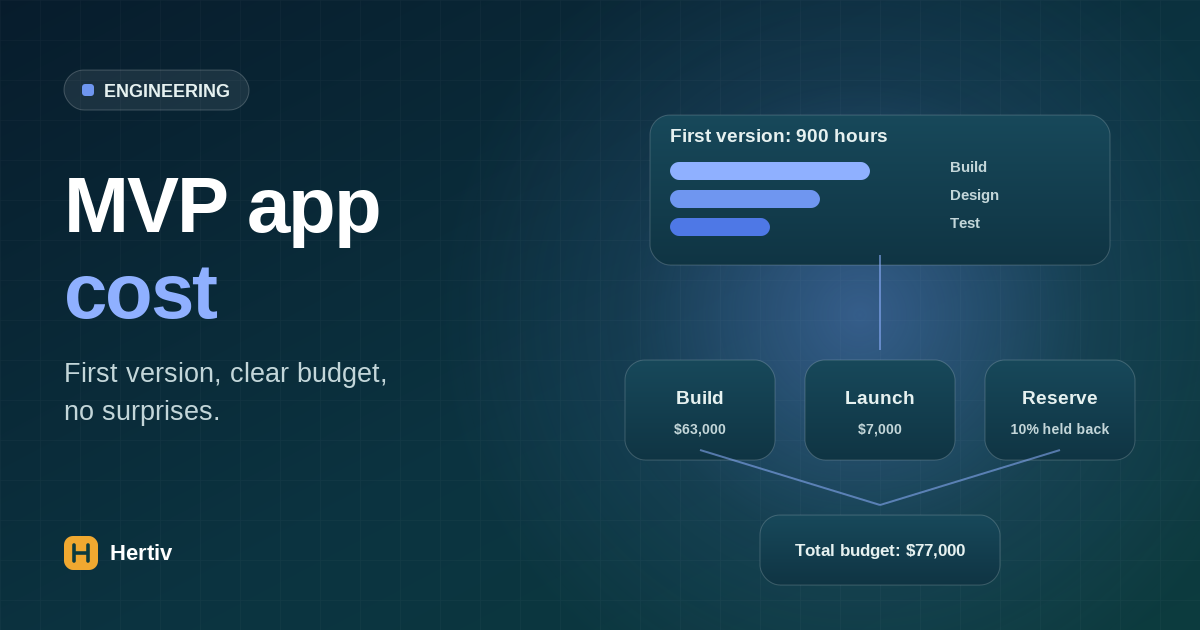
The team estimates 900 hours of work at $70 an hour, which is $63,000. Design and testing are included in that estimate. The back end and hosting setup add $4,000, and app store and launch work add $3,000, which brings the total to $70,000.
The clinic holds a 10% reserve of $7,000, so the full budget is $77,000. During testing, the reminder emails need rework, which takes 20 hours and costs $1,400 from the reserve. The app still launches on budget, because the reserve covered the surprise.
What are the common mistakes?
The most common MVP cost mistakes are packing in too many features, skipping testing, and budgeting without a reserve.
- Building the full product. An MVP with every feature planned for year one is not an MVP, and it costs like a full product.
- Skipping the discovery phase. Without a written feature list, scope grows during the build and the budget follows it.
- Forgetting testing time. Testing on real devices always finds issues. Budget for fixes, not just for finding bugs.
- No reserve. A budget with no reserve means every surprise becomes a delay or a cut somewhere else.
- Comparing quotes on price alone. A cheap quote that leaves out testing or launch work is usually the most expensive one in the end.
How to keep the cost down
You keep an MVP app affordable by cutting scope, not by cutting quality. A small app that works well teaches you more than a large app that is half finished.
Start with one platform and one user role. Use standard design patterns instead of custom screens. Use a payment or notification service instead of building one. Delay the admin panel until you know which data the team actually needs to see.
Finally, agree on a fixed scope for the first version and a written change process. When a new idea appears during the build, write it down for the next version instead of adding it now. If you need help deciding what belongs in the first version, how to build an MVP walks through the scoping steps.
Key takeaways
- An MVP app is the smallest working version that tests one real problem with real users
- Scope is the biggest cost driver, ahead of team rates and platforms
- A written feature list lets you compare quotes for the same app
- Hold a 10% reserve for the surprises testing always finds
- Cut scope to save money, never testing or launch work
Frequently asked questions
How long does it take to build an MVP app?
A simple MVP app often takes two to four months from discovery to launch, depending on the feature list and the team size. A more involved version with payments, roles or several integrations can take longer. The feature list is the main factor, so a short list means a short build.
Is an MVP app cheaper than a full app?
Yes, because it has far fewer features and no admin panels, advanced settings or edge-case handling. The saving comes from scope, not from lower quality. A well-built MVP still needs design, testing and launch work, so it is not free or nearly free.
Do I need iOS and Android for an MVP?
No. Most teams launch on one platform first, learn from real users, and add the second platform later. One platform halves the app work and shortens testing. A shared codebase can cover both platforms, but it still needs testing on each one.
What happens after the MVP launches?
After launch, the team watches usage, fixes bugs and talks to users. The lessons decide what to build next, what to change and what to drop. The MVP is the start of the product, not the finished product.
Can I get a fixed price for an MVP app?
Many teams offer a fixed price once the feature list is written and agreed. The price holds as long as the scope does not change. Ask what the price includes, what counts as a change, and how changes are priced before you sign.
Does an MVP app need a back end?
Most do, because user accounts, bookings, orders or content need somewhere to live. A simple back end with data storage and a few rules is enough for a first version. A separate admin panel can usually wait until the team knows what it needs to manage.


