What Is a Health Tracker Fitness App, and How Do You Pick One?
A health tracker fitness app records activity, sleep and heart data from your phone or watch, then turns it into goals and trends you can act on.
On this page
Short answer
A health tracker fitness app is software that records movement, heart rate, sleep and workouts from a phone or a wearable, then shows the data as steps, calories, trends and goals. It turns raw sensor readings into a daily picture of how active and rested you are.
What is a health tracker fitness app?
A health tracker fitness app is an app that collects health and activity data from a phone, a smartwatch or a connected scale, and turns it into readable summaries, goals and trends.
The phone alone can count steps and estimate distance using its motion sensors. A watch adds continuous heart rate, sleep stages and workout tracking, because it sits on the wrist all day. The app is the layer that combines these readings into one place.
Most apps track a similar core set: steps, active minutes, calories, distance, heart rate, sleep and workouts. Some add weight, hydration, mood or nutrition logging. The difference between apps is how they present the data and what they do with it. For the cost of building one, see fitness app development cost.
What types of health tracker apps are there?
Health tracker apps fall into a few types, and the type decides which sensors and data the app needs.
| Type | What it tracks | Needs |
|---|---|---|
| Activity tracker | Steps, distance, calories, active minutes | Phone sensors only |
| Workout tracker | Runs, rides, gym sessions, heart-rate zones | GPS and heart-rate sensor |
| Sleep tracker | Bedtime, sleep stages, wake-ups | Watch worn overnight |
| Heart and recovery | Resting heart rate, variability, readiness | Continuous heart-rate data |
| All-in-one health | Activity, sleep, weight, nutrition | Phone, watch and manual entries |
A phone-only app suits someone who wants step counts and simple goals. A watch-based app suits someone who wants sleep and heart data, because those need a sensor on the body. The all-in-one apps try to cover everything, but they ask for more data entry in return.
Which features matter most?
The features that matter most are accurate tracking, clear goals, useful trends and simple sharing, because those are the ones people actually use week after week.
Tracking should work without constant attention. The app should record a walk or a run on its own, sync in the background and keep working when the phone is in a pocket. Manual logging should be quick, with large buttons and sensible defaults.
Goals should be adjustable. A fixed 10,000-step target fits some people and not others, so the app should let the user set their own number and change it as fitness improves. Trends matter more than single days: a weekly average shows progress that one bad day hides. For a wearable-first version, see wearable fitness app development cost in the UAE.
Reminders help, but only if they are gentle. A nudge to move after an hour of sitting is useful; a notification every hour is not. The best apps let the user choose which reminders to receive and when, and they stay silent at night. Social features, such as sharing a run with friends or joining a challenge, motivate some people and put others off, so they should be optional.
How accurate is the data?
The data is good enough for everyday fitness decisions, but it is an estimate, not a medical measurement.
Step counts from a phone or watch are usually close to the real number, within a few percent on a normal walk. Calorie estimates vary more, because they depend on body weight, heart rate and the formula the app uses. Heart-rate readings during steady exercise are generally reliable, while readings during very fast or irregular movement can jump around.
Sleep tracking estimates sleep from movement and heart rate, so it can tell a good night from a bad one but cannot diagnose a sleep disorder. Anyone using the data for a medical decision should talk to a clinician and use a certified device, not a consumer app.
Accuracy also depends on how the device is worn. A watch that is too loose gives patchy heart-rate readings, and a phone left on a desk counts no steps at all. Wearing the watch snugly, keeping the sensors clean and carrying the phone during walks removes most of the common errors.
What about privacy and data sharing?
Health data is personal, so the app should explain what it collects, where it is stored and who else can see it.
Before installing an app, check whether it stores data on the device, in the cloud, or both, and whether it shares data with advertisers or other companies. Health data should never be sold without clear consent. Look for a privacy policy that names the data types collected and gives a way to delete the account and the data.
Sharing with a doctor, coach or family member should be the user's choice, with a clear on and off switch. If the app asks for contacts, location or other unrelated permissions, that is a reason to look for another app. See AI in healthcare examples for how health data is used more widely.
Example: a first month with a health tracker
Example (hypothetical): a new user wears a watch for a month and the app records an average of 6,200 steps a day, 6 hours 40 minutes of sleep and a resting heart rate of 68 beats per minute.
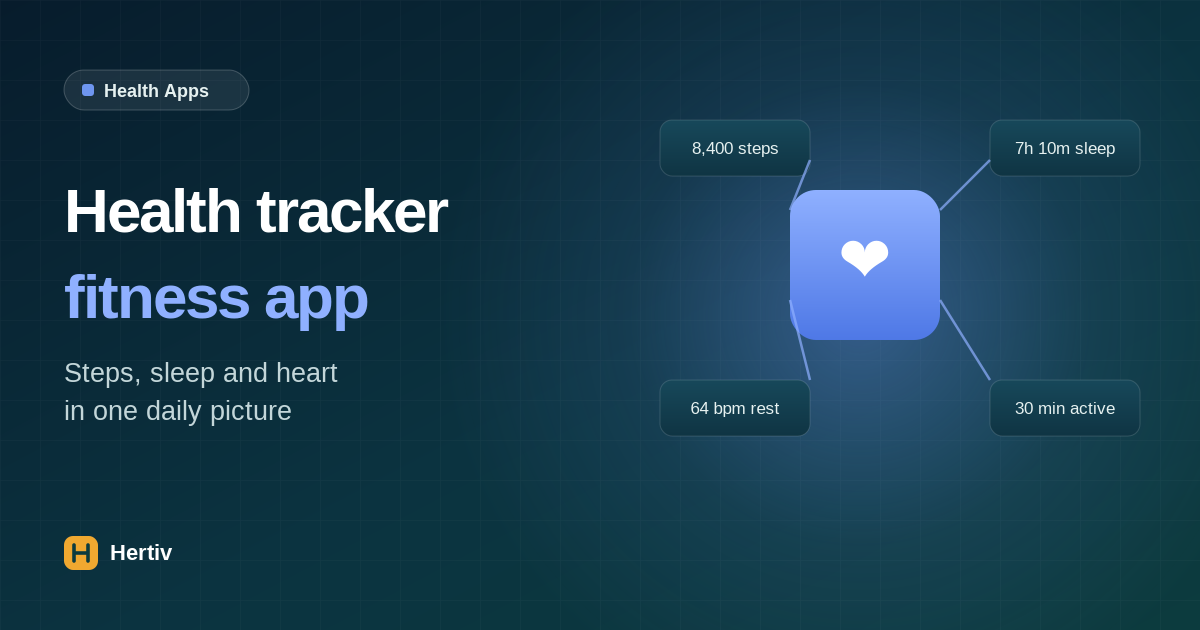
The user sets a goal of 8,000 steps a day and adds a 30-minute walk after lunch. After four weeks the average rises to 8,400 steps, sleep reaches 7 hours 10 minutes and resting heart rate falls to 64. The weekly averages show the trend clearly, even though two days in the month were below 4,000 steps.
The point is not the single numbers. It is the comparison over time: steps up by about 2,200 a day, sleep up by 30 minutes and resting heart rate down by 4 beats per minute. That is the kind of change a tracker is built to show.
What are the common mistakes?
The most common mistakes are chasing a single number, trusting calorie counts too much and giving up after a bad week.
- Chasing 10,000 steps. The number is a marketing round figure, not a medical target. Set a goal that fits your own baseline.
- Trusting calorie counts exactly. Treat them as a rough guide, not a budget to eat back to the calorie.
- Comparing days instead of weeks. One quiet day means little; a weekly average shows the real pattern.
- Ignoring sleep. Recovery matters as much as activity, and the tracker shows both.
- Sharing data without checking. Review the app's sharing settings before connecting it to other services.
Key takeaways
- A health tracker app turns sensor data into steps, sleep and heart trends
- Phone-only apps cover steps; watch-based apps add sleep and heart data
- Calorie and sleep figures are estimates, not medical measurements
- Check what the app collects, stores and shares before installing it
- Weekly averages show progress that single days hide
Frequently asked questions
Do I need a smartwatch to use a health tracker app?
No. A phone alone can count steps, estimate distance and log workouts using its motion sensors and GPS. A watch adds continuous heart rate and sleep tracking, which a phone cannot measure while it sits on a bedside table. Start with the phone, and add a watch only if you want sleep and heart data.
Are the calorie counts accurate?
They are rough estimates. The app combines your weight, heart rate and movement with a formula, and different apps use different formulas, so the same walk can show different numbers. Use the figure to compare one week with another, not as an exact budget. If you need precise energy numbers, a lab test is the only reliable route.
Can a health tracker app replace a doctor?
No. It can show patterns, such as a rising resting heart rate or falling sleep, that are worth mentioning to a clinician. It cannot diagnose illness, and its readings are not medical grade. If the app flags something unusual, treat it as a reason to ask a doctor, not as a diagnosis.
What data should a good app track?
Steps, active minutes, heart rate, sleep and workouts cover most needs. Weight, nutrition and mood logging help some people and burden others. Pick an app that tracks the few things you will actually check each week, rather than one that records everything and shows nothing clearly.
Is my health data private?
It depends on the app. Good apps store data encrypted, explain what they collect and let you delete it. Check the privacy policy for data sharing, and turn off any sharing you do not need. Avoid apps that ask for unrelated permissions or that do not offer a delete option.
How long before I see results?
Most people see a clear trend after three to four weeks of regular use, because weekly averages smooth out the noisy days. A single week is too short to judge, and a single day tells almost nothing. Give the app a month, then compare the first and last weekly averages.


