How to Get Your App Featured in the Play Store
Getting featured in the Play Store puts your app in front of users who never search for it. Here is what Google looks for and how to prepare.
On this page
Short answer
Getting featured in the Play Store means Google places your app in a curated spot, such as the home page or an editor's list, where users can find it without searching. Google picks apps that are stable, well designed, useful and kept up to date. You cannot pay for a feature, but you can nominate your app and improve what editors check: ratings, crashes, screenshots and release notes.
What does it mean to get featured in the Play Store?
Getting featured in the Play Store means Google places your app in a visible spot on the store, such as the home page, an editor's list or a themed collection. Users see it without searching for its name, which brings installs from people who would never have found it otherwise.
Features are picked by Google's editorial team, with help from signals such as ratings, crash rates and how often the app is updated. There is no fee and no ad slot that buys a feature. An app earns the spot by being stable, useful and well presented.
A feature is not a single thing. It can be a banner on the home page, a place in a list such as "apps for a better morning", or a spot in a country or category collection. Some features last a day, others a week or more. The size of the lift depends on the spot, but even a small feature can double daily installs for a while.
How does Google choose featured apps?
Google chooses featured apps from a mix of quality signals and editorial judgement. The team looks for apps that solve a real problem well, look good, and work without crashes or slow screens. An app that has not been updated for a year is unlikely to be picked.
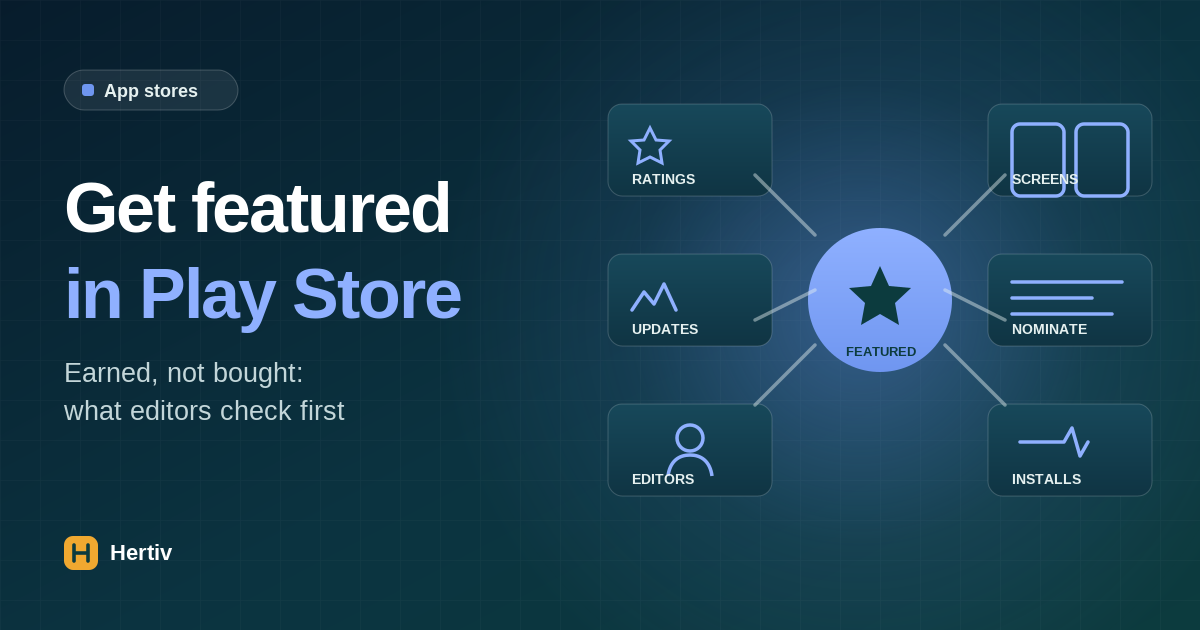
The signals editors weigh include a rating of around 4.0 or higher, a low crash rate, fast load times and a store listing that is complete and honest. The app should also follow the store's design and policy rules, and it should work well on the phones and tablets most users own.
Editorial fit matters too. Google builds themed collections around seasons, events and everyday needs, such as travel, study or fitness. An app that fits a coming theme has a better chance than one that does not, even if both are well built. Timing a release or a major update to match a theme can help.
What should you fix before you ask to be featured?
Before you nominate your app, fix the basics that editors check first. The table below lists the most common checks and what good looks like.
| Check | What editors look for | Fix first if |
|---|---|---|
| Stability | Few crashes, no frozen screens | Crash rate is above 1% of sessions |
| Rating | 4.0 or higher, recent reviews are positive | Recent reviews mention the same bug |
| Design | Clean layout, readable text, no clutter | Screens look dated or crowded |
| Store listing | Clear screenshots, honest description | Screenshots are old or misleading |
| Updates | Regular releases with real changes | No update in six months |
| Permissions | Only the permissions the app needs | The app asks for access it never uses |
Start with stability and ratings. A crash on the first screen ends the review fast, and a run of one-star reviews about the same bug tells editors the app is not ready. Fix the bug, reply to the reviews, and wait until the rating steadies before nominating.
The store listing is the next fix. Screenshots should show the current version of the app, and the short description should say what the app does in plain words. If your app is still being put together, how to submit an app to the Google Play Store covers the listing steps that come before any feature.
How do you nominate your app for featuring?
You nominate your app for featuring through the Play Console, in the section for store presence and featuring. The form asks for the app, the reason it deserves a feature, and any planned update or event it ties to, such as a launch or a seasonal theme.
A useful nomination follows five steps:
- Pick the right moment. Nominate around a launch, a major update or a season that fits your app.
- Write a short pitch. Say what the app does, who it helps, and what is new, in two or three sentences.
- Show the best screens. Add fresh screenshots or a short video that shows the app working.
- Give dates. Tell Google when the update ships and how long the feature could run.
- Send it early. Submit at least three to four weeks before the date you want, so editors have time to review it.
A nomination is a request, not a promise. Google may feature the app, pick a different date, or say nothing at all. Keep shipping updates either way, and nominate again when you have something new to show.
What does a featured app do differently?
A featured app treats the store listing as part of the product. The icon is simple and readable at small sizes, the screenshots show real screens in the order a new user sees them, and the description answers the first question a user asks: what will this app do for me?
Featured apps also stay in good shape after launch. The team fixes crashes fast, answers reviews, and ships small updates instead of letting the app sit unchanged for months. Editors can see the update history, and a steady record of care counts in the app's favour.
Finally, featured apps tend to use the store's newer features well, such as in-app review prompts that appear at the right moment and a clear path from the listing to the first useful screen. None of this is hard on its own, but together it makes an app easy for editors to trust.
Example (hypothetical): a small team prepares for featuring
Example (hypothetical): a team of four runs a habit-tracking app with 8,000 installs and a 4.2 rating. The app crashes for about 2 in every 100 sessions, and the screenshots show a version from a year ago. The team decides to prepare for a feature in eight weeks.
Weeks one to three go to stability. The team fixes the top three crash causes, which cover most of the reported crashes, and the crash rate falls to under 1 in 100 sessions. They also reply to 40 recent reviews, most of them about the same sync bug, and ship a fix for it.
Weeks four to six go to the listing. A designer refreshes the icon and takes new screenshots that match the current screens. The team writes a short description that says what the app does in one line, and plans a small update with a new weekly report screen.
They nominate the app four weeks before the update ships, with a short pitch and the new screenshots. The feature, if it comes, would land on the update week, when the app is at its best.
What are the common mistakes?
The most common mistakes when chasing a Play Store feature are nominating too early, treating the listing as an afterthought, and assuming a feature will fix a weak app.
- Nominating a buggy app. Editors check stability first. Fix crashes before you ask.
- Old screenshots. If the listing shows screens the app no longer has, editors lose trust fast.
- No clear pitch. A nomination that says "great app" with no reason gives editors nothing to use.
- One nomination, then silence. Features take time and may not happen. Keep updating and nominate again.
- Ignoring reviews. A run of unanswered complaints about the same bug is a warning sign for editors.
Getting featured is a boost, not a business plan. It works best when the app is already solid, so the new users who arrive stay. To see how long the store steps take, how long it takes to publish on the app store gives a realistic timeline for releases.
Key takeaways
- A feature is earned, not bought: Google picks stable, well designed apps
- Fix crashes, ratings and the store listing before you nominate
- Nominate through Play Console, at least three to four weeks early
- Tie the nomination to a launch, an update or a season that fits
- Keep updating and answering reviews, whether or not a feature comes
Frequently asked questions
Can you pay to get featured in the Play Store?
No. Google does not sell featuring spots. Features are picked by the editorial team from apps that meet quality checks, such as stability, design and ratings. You can nominate your app through Play Console, but the decision stays with Google.
How long does a Play Store feature last?
It varies by spot. A home page banner may run for a day or two, while a place in a themed list can run for a week or more. Google does not publish fixed lengths, and the same app can be featured more than once if it keeps improving.
What rating do you need to get featured?
There is no published minimum, but most featured apps hold a rating around 4.0 or higher, with recent reviews that are mostly positive. A lower rating is not an automatic no, yet it makes a feature much less likely, so fix the causes of bad reviews first.
Do small apps get featured, or only big ones?
Small apps get featured often. Editors look for quality and fit with a theme, not for install counts alone. A small app that is stable, well designed and fits a seasonal collection has a real chance, especially in a country or category list.
Can you be featured more than once?
Yes. Apps that ship real updates can be featured again, often around a new feature or a seasonal theme. Each nomination is judged on its own, so a later update with a clear pitch can earn a second spot even if the first try did not.
Does a feature guarantee a jump in installs?
No. A feature brings far more people to your listing, but only a share of them install, and fewer stay. The lift is biggest when the listing is clear, the first screens work well, and the app solves the problem the listing promises.


